Introduction
Welcome back! In our previous lesson, you designed the blueprint for our content analysis by creating a custom content audit framework. You defined the precise categories—funnel stage, buyer persona, format, and performance metrics—that will allow us to transform a simple list of content into a strategic tool.
Today, we move from design to execution. This lesson is all about putting your framework to work. Our learning outcome is to catalog a representative sample of existing content assets using the audit framework you created. This is a critical "learning by doing" step. For someone with your background in computer applications, you can think of this as the data population phase: you've designed the database schema (your framework), and now you'll begin filling it with records (your content assets). This process will create the foundational dataset we'll use to uncover strategic insights about your content engine.
1. From Framework to Actionable Inventory
First, let's clarify two key terms that are often used interchangeably: content inventory and content audit.
- A content inventory is the quantitative part: a comprehensive list of all your content assets (URLs, titles, formats, etc.). It answers the question, "What content do we have?"
- A content audit is the qualitative part: the process of evaluating that content against a set of criteria (quality, performance, strategic alignment). It answers the question, "Is our content any good?"
Your framework is designed to perform both tasks simultaneously. You will be building an inventory and auditing it at the same time.
To see a clear explanation of this distinction, watch this brief video from the Nielsen Norman Group.
How To: Content Inventory and Audit
This video, 'How To: Content Inventory and Audit,' provides a concise definition of both processes and the goal behind them.
Watch the entire video (it's short!). Pay close attention to how it separates the 'inventory' (the list) from the 'audit' (the evaluation) and describes the ultimate goal: making decisions about what to keep, update, or delete.
The process of cataloging your content will make the abstract framework you designed tangible, turning it into a powerful decision-making tool.
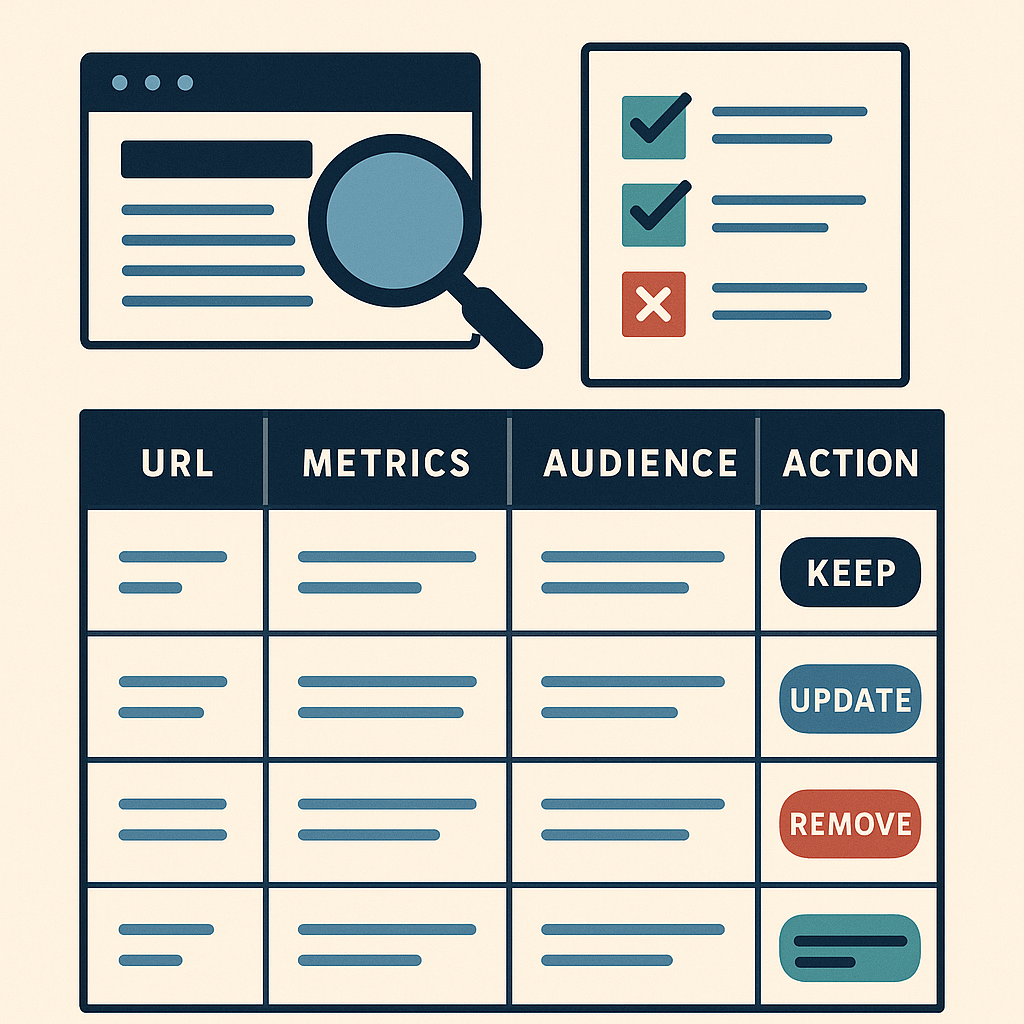
2. A Practical Guide to Cataloging Your Content
Given that you already have a large volume of content, auditing everything at once would be overwhelming. The best approach is to start with a manageable, representative sample. The process involves gathering data from different sources and consolidating it into your spreadsheet.
The following article from Orbit Media provides an excellent, step-by-step guide that we will follow. It also includes a link to a very useful Google Sheets template that you can adapt.
How to Do a Website Content Audit
The article 'How to Do a Website Content Audit' is a detailed, practical guide to this entire process. We will use it as our primary reference for the hands-on task.
Please read the sections 'How to do a quantitative inventory website content audit' and 'How to do a qualitative website content audit,' including the subsection 'A free content audit template.' Focus on the practical steps described for gathering and evaluating data. You don't need to read the entire article, just these specific sections.
Let's break down the process into actionable steps based on that guide.
Step 1: Choose Your Representative Sample
Before you start, you need to define the scope. What does a "representative sample" mean for you? Here are a few options:
- Time-Based: All content published in the last 6 months.
- Performance-Based: The top 20 most-viewed blog posts from the last year.
- Topic/Persona-Based: All content related to one of your key product lines or targeting a specific buyer persona.
- Format-Based: A mix of asset types (e.g., 10 blog posts, 3 case studies, 2 videos).
For this lesson, I recommend selecting 15-20 content assets. This is large enough to be meaningful but small enough to complete within the allocated time.
Step 2: Set Up Your Spreadsheet
You have two options:
- Use the spreadsheet you designed in the last lesson.
- Make a copy of the website content audit template from Orbit Media and customize its columns to match the framework you designed.
I recommend the second option, as the template has built-in formatting that can speed up your work.
Step 3: Gather Quantitative Data (The "Inventory")
This step involves filling in the objective data for your sample.
- Basic Information (URL, Title, Format): You can gather this manually by visiting each page, or more efficiently by exporting a list from your Content Management System (CMS). The article from The B2B Mix, "The Ultimate Guide to Content Inventory," provides great advice on this in its "Step 2: Collect Data Automatically" section, mentioning tools like Screaming Frog or built-in CMS export functions (LINK).
- Performance Metrics (Pageviews, Time on Page, Conversions): As detailed in the Orbit Media article, Google Analytics is your best source for this. Navigate to
Behavior > Site Content > All Pages, set your date range (e.g., last 12 months), and export the data. You can then find the corresponding rows for your sample URLs and copy the metrics into your audit spreadsheet.
Step 4: Add Qualitative & Strategic Data (The "Audit")
This is where you apply your expertise. For each asset in your sample, go through your framework's strategic columns:
- Target Persona: Who is this for?
- Funnel Stage: Where in the buyer's journey does this fit? (TOFU, MOFU, BOFU)
- Qualitative Score: Based on your judgment, how good is this content? Is it accurate, well-written, and on-brand? (Use a 1-5 scale).
- Action Item: What is the initial recommendation? (e.g., Keep, Update, Archive).
The "Strategic website content assessment factors" listed in the Orbit Media article (under the qualitative audit section) provide an excellent mental checklist for this step.
Your Turn: Catalog a Sample of Your Content
Now it's time to apply these steps to your own content library.
Task (Allow ~35-40 minutes):
- Select Your Sample: Choose 15-20 content assets from your organization's website. In your submission, briefly state the criteria you used for your selection (e.g., "the 15 most recent blog posts," or "a mix of content targeting our 'Enterprise IT' persona").
- Create Your Spreadsheet: Use the framework you designed, either by starting from scratch or adapting the Orbit Media template.
- Populate the Data: For each of the 15-20 assets, fill in all the columns of your framework. This will involve:
- Manually collecting basic info or using a CMS export.
- Pulling performance metrics from Google Analytics.
- Conducting your own qualitative and strategic assessment for each piece.
- Submit Your Work: Share a link to your completed Google Sheet (please ensure it's viewable). If you cannot share a link, a screenshot of the populated rows will suffice.
This hands-on exercise is the most important part of this module. It will build the foundation for everything that follows.
Conclusion
In this lesson, you've bridged the gap between theory and practice. You took the abstract audit framework you designed and used it to create a concrete, data-rich inventory of your content.
Key Takeaways:
- Cataloging is a Two-Part Process: It involves a quantitative inventory (listing what you have) and a qualitative audit (evaluating its worth).
- Start with a Sample: Auditing a representative sample makes the process manageable and provides quick, actionable insights.
- Data-Driven Decisions: The power of an audit comes from combining quantitative performance data (e.g., pageviews) with qualitative strategic assessment (e.g., persona and funnel alignment).
Preview of the Next Lesson:
You now have a populated content audit for a sample of your assets. This spreadsheet is full of raw data and potential insights. In our next lesson, we will focus on analyzing the content inventory to identify gaps and surpluses across the buyer journey. You'll learn how to "read" your audit to answer critical strategic questions like, "Do we have enough content for leads in the consideration stage?" and "Which of our buyer personas is being underserved?"