Hello! Welcome to a new module in your React journey. In the previous modules, we've focused on building UIs and making them interactive based on user input, like filling out forms.
As we concluded our lessons on forms, we noted that real-world applications often need to interact with the "outside world"—things beyond the component itself. This could be fetching data from a server, setting a browser timer, or directly manipulating the document.
This lesson kicks off our exploration of this crucial topic. We'll focus on a fundamental concept: side effects. By the end of this lesson, you will be able to explain what side effects are in React and, most importantly, why they need to be carefully managed to avoid bugs and unpredictable behavior.
1. The Ideal React Component: A Pure Function
Before we can understand side effects, we first need to understand React's ideal for a component. React is designed around the idea that components should behave like pure functions.
In programming, a pure function is one that, given the same input, will always return the same output and has no observable effects on the outside world. Think of a simple math formula like . If the input x is 3, the output y will always be 6. It doesn't matter what time of day it is or what other calculations are happening.
React components aim for this same purity: given the same props and state (the inputs), they should always return the same JSX (the output).
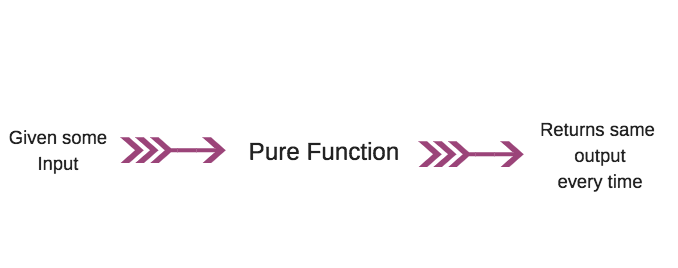
To get a deeper understanding of this core principle, please read the first part of an article from the official React documentation.
This article, 'Keeping Components Pure', explains the concept of component purity using clear analogies and code examples. It's the foundation for understanding why side effects are treated specially.
Please read the introduction and the first section titled 'Purity: Components as formulas'. Focus on the analogy of components as recipes and math formulas.
This idea of purity is what makes React applications predictable and easier to debug. If a component only depends on its props and state to render, you can be confident in its output.
2. Defining Side Effects
So, if a pure component's only job is to calculate JSX, what happens when we need to do something else? Any action that a component performs that affects something outside of itself is called a side effect.
These are tasks that happen "on the side" of rendering the UI. To see some common examples, watch this short video.
#42 Understanding side effects in React | Side effect, Reducer and Context | A Complete React Course
The video '#42 Understanding side effects in React' from procademy gives a concise definition and lists several key examples of side effects you'll encounter.
Watch from 00:39 to 02:17. Pay attention to the examples given, such as HTTP requests, browser storage, and timers.
As the video explains, common side effects include:
- Fetching data from an API (e.g., loading user profiles or news articles).
- Setting timers or intervals (
setTimeout,setInterval). - Directly manipulating the DOM (e.g., changing the document title or managing focus).
- Reading from or writing to browser storage (
localStorage,sessionStorage).
These actions are not part of the rendering calculation itself, but they are essential for building dynamic, full-featured applications.
3. The Problem: Why Side Effects Must Be Managed
Now for the most important question: why can't we just put a side effect directly inside a component's body?
Remember that a component's function body re-executes every time it renders. A component renders initially, and then it re-renders whenever its state or props change. If you place a side effect directly in the component's body, that side effect will run on every single render. This can lead to serious problems.
Let's look at a classic example of an unmanaged side effect causing an infinite loop.
The Odin Project's article 'How To Deal With Side Effects' provides an excellent, easy-to-understand example of what goes wrong when a side effect is not handled correctly.
Read the section 'Using effect saves the day'. Focus on the Clock component example and the explanation of why the counter 'goes berserk'.
As you saw in the Clock example:
- The component renders for the first time, and
setIntervalis called. - The interval's callback,
setCounter, updates the state after one second. - The state update triggers a re-render of the
Clockcomponent. - During the re-render, the component's body is executed again, and
setIntervalis called a second time, creating another timer. - Now two timers are updating the state, which triggers more re-renders, which create even more timers. The application quickly spirals out of control.
This demonstrates the core problem: placing side effects directly in the render logic breaks the "purity" of the component, making its behavior unpredictable and often buggy. React's rendering process needs to be pure and predictable. The side effects must be moved outside of it.
4. The Solution: Where to Put Side Effects
Side effects are necessary, but they can't live directly in the rendering logic. So, where do they go? React provides two "safe" places for them.
A. In Event Handlers
Many side effects are a direct result of a user's action. For example:
- A user clicks a "Save" button, and you send data to a server.
- A user types in a search box, and you log their query for analytics.
- A user submits a form, and you show a notification.
These side effects should be placed inside event handler functions (onClick, onSubmit, etc.).
The 'Keeping Components Pure' article you read earlier also explains where side effects are permissible. Let's revisit it for this point.
Read the section 'Where you can cause side effects'. The key takeaway is that event handlers don't run during rendering, so they are a safe place for side effects.
Event handlers are perfect for side effects that are tied to a specific user interaction because they are not executed during rendering.
B. After Rendering (Synchronization)
What about side effects that are not caused by a specific event? For example:
- Fetching data as soon as a component appears on the screen.
- Connecting to a chat server when a chat room component is displayed.
- Updating the document title when a page loads.
These are side effects that need to synchronize with the component's presence on the screen. You want them to run after React has rendered the component.
For this, React gives us a special tool: the useEffect hook. This hook is a declarative way to tell React, "Run this code after you've updated the DOM." It provides a safe space for side effects that are tied to the rendering lifecycle, without causing the infinite loops we saw earlier.
Conclusion
In this lesson, we've laid the conceptual groundwork for one of React's most powerful features.
Key Takeaways:
- Pure Components: React components should ideally be pure, meaning they return the same JSX for the same props and state without affecting anything outside themselves.
- Side Effects: A side effect is any interaction with the "outside world," such as API calls, timers, or direct DOM manipulation.
- The Problem: Placing side effects directly in a component's rendering logic causes them to run on every render, leading to unpredictable behavior, bugs, and infinite loops.
- The Solution: Side effects must be managed. They belong in event handlers if triggered by user actions, or in a special hook if they need to synchronize with rendering.
Next Up:
We've established the "what" and "why" of side effects. In the next lesson, we will dive into the "how." You'll learn the syntax of the useEffect hook and how to use it to run code after a component renders, bringing our applications to life with data from the outside world.