Introduction
Welcome to the next lesson in our journey to build your beauty mini-market. In our previous lessons, we've designed the training programs for your future staff, covering both product knowledge and the art of customer service. We've established what your team will do and how they will interact with customers. Now, we turn our attention to the operational backbone that ensures your store runs smoothly and securely every single day.
This lesson focuses on the learning outcome: Establish daily opening and closing procedures, including cash handling and sales reconciliation.
Your background in digital marketing has shown you the importance of structured workflows and consistent processes for success. In physical retail, this translates to daily checklists. They are the non-negotiable routines that prevent errors, enhance security, and create a consistently professional environment for both your staff and customers. By the end of this lesson, you will have a clear understanding of these procedures and a set of actionable templates to adapt for your store.
1. The Importance of Standard Operating Procedures
Before diving into the specific tasks, it's crucial to understand why establishing these routines from day one is so important. Unlike an e-commerce site that runs 24/7, a physical store has distinct opening and closing times that are high-risk and require careful management. A standardized checklist ensures nothing is forgotten.
To understand the key benefits, let's start with a foundational article.
The Ultimate Retail Store Opening and Closing Procedure ...
The article 'The Ultimate Retail Store Opening and Closing Procedure...' from Lightspeed explains why these checklists are essential for any retail business.
Please read the sections 'What is a retail store opening and closing checklist?' and 'Why should you create a retail store opening and closing checklist?'. As you read, notice how these procedures impact everything from security to the customer experience.
As the article highlights, the core benefits are:
- Consistency: Every day starts and ends the same way, regardless of who is working.
- Efficiency: Tasks are completed in a logical order, saving time and effort.
- Security: Critical steps to protect cash, inventory, and the premises are never missed.
- Accountability: It's clear what needs to be done and who is responsible.
Now, let's build the checklists for your store.
2. The Opening Procedure: Setting the Stage
The opening procedure isn't just about unlocking the door. It's about methodically preparing the entire environment to be safe, welcoming, and ready for business. We can group these tasks into three main categories: Security, Store Readiness, and Financial Preparation.
The following video provides a great overview of the key tasks to include.
A Retail Store Daily Checklist: Tackle Each Day with a Business Operations Checklist
The video 'A Retail Store Daily Checklist' by KORONA POS gives a solid walk-through of the essential opening tasks.
Watch the first part of the video covering the opening checklist (00:40 - 02:59). Pay attention to the four main areas discussed: security check, sprucing up, display organization, and getting the Point of Sale (POS) system ready.
Let's break down these steps further.
a) Security and Initial Inspection
Opening is a vulnerable time. The Lightspeed article (LINK) you looked at earlier provides crucial detail on this, recommending that no one opens the store alone and that you inspect the exterior for any signs of tampering before entering. Once inside, you'll disarm the alarm and do a quick walkthrough to ensure everything is as it was left.
b) Store Readiness
This involves turning a closed, static space into a vibrant, welcoming store. This includes:
- Turning on all lights, including display and accent lighting.
- Playing your store's background music.
- Quickly cleaning any surfaces that need it (e.g., glass counters, mirrors).
- Checking that all displays are neat, products are front-faced, and any promotional signage is correct.
- Ensuring restrooms are clean and stocked.
c) Financial Preparation: The Cash Drawer and POS
This is a critical step that must be done with precision. Before your first sale, you need to prepare your cash register. This involves setting up the cash float—a fixed amount of starting cash in various denominations used to make change for customers.
The process is straightforward:
- Count the cash float to ensure it's the correct amount.
- Log into your POS system.
- Formally "start" or "open" the cash drawer session in the software, entering the starting float amount.
This video from Square (a popular POS system for small businesses) shows exactly how this is done in a modern system.
Starting and Ending Your Day with Square Point of Sale
This clip from 'Starting and Ending Your Day with Square Point of Sale' demonstrates the practical steps of preparing your cash drawer for the day.
Watch the beginning of the video (00:00 - 00:45) to see how to log in and enter the starting cash amount in the POS system.
Your experience with digital platforms will make using a modern POS system intuitive. The process of starting a drawer is analogous to launching a daily campaign—it sets the baseline against which performance (sales) will be measured.
3. The Closing Procedure: Securing and Reconciling
The closing procedure is just as important as the opening. It involves winding down operations, cleaning and restocking for the next day, and—most critically—reconciling the day's sales and securing the cash.
Let's watch the closing section of the checklist video.
A Retail Store Daily Checklist: Tackle Each Day with a Business Operations Checklist
Returning to 'A Retail Store Daily Checklist', let's look at the essential tasks for closing the store.
Watch the final section on closing duties (04:07 - 04:52). Note the focus on cleaning, restocking, and running end-of-day reports.
The most complex part of closing is the financial reconciliation. This is the process of ensuring the money in your cash drawer matches the sales recorded by your POS system.
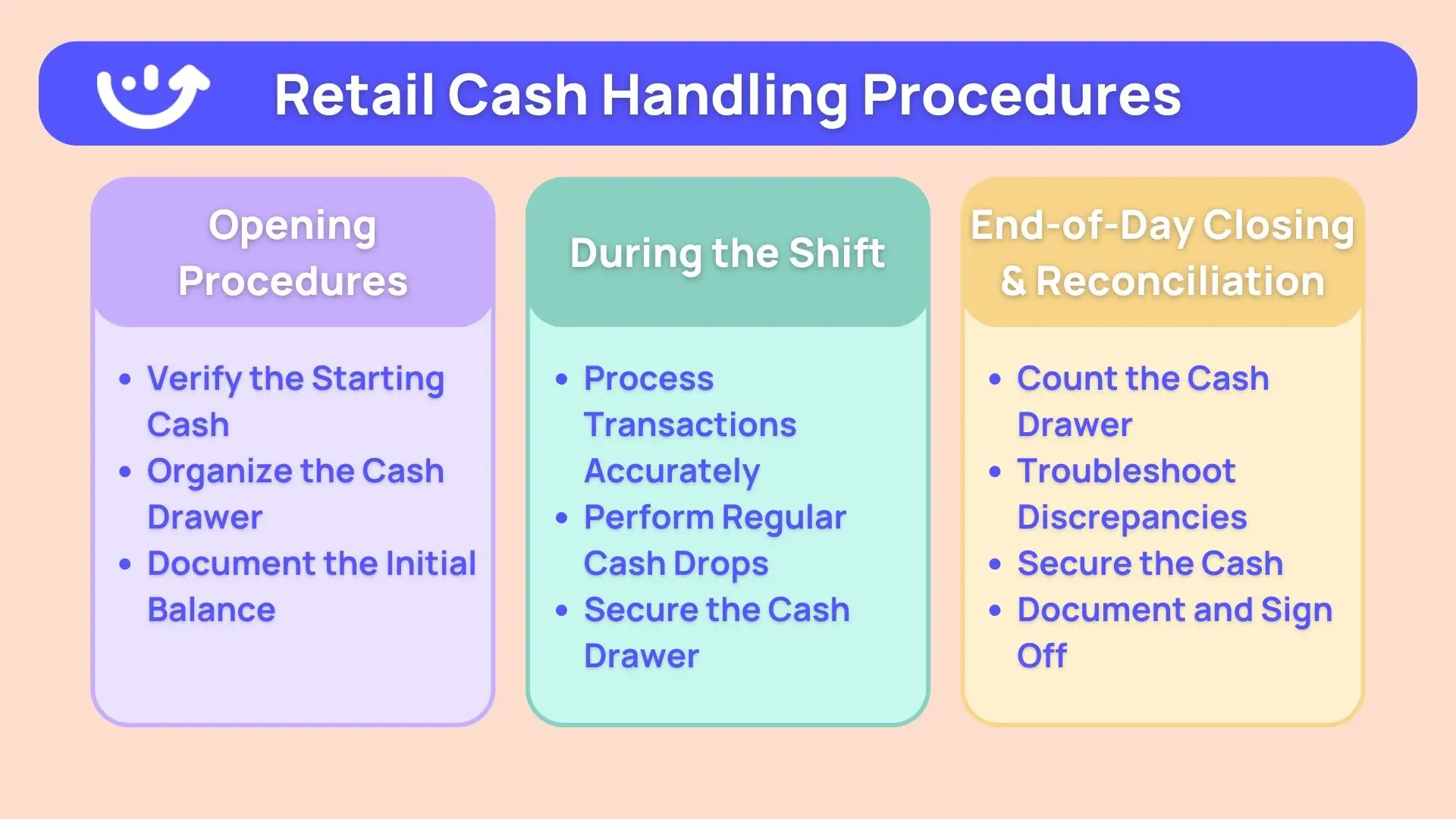
The reconciliation process follows these steps:
- Close the Drawer in the POS: After the last customer has left, you'll end the session on your POS system.
- Run End-of-Day Reports: The POS will generate a report summarizing total sales, broken down by payment type (e.g., $500 in credit cards, $150 in cash).
- Count the Physical Cash: Count all the cash and coins in the drawer. Let's say you have $250.
- Reconcile: Compare your physical cash count to the POS report. The formula is:
- Ending Cash - Starting Float = Expected Cash Sales
- If your starting float was $100 and you have $250 at the end of the day, your cash sales should be $150.
- Does this $150 match the cash sales figure on your POS report? If yes, you are reconciled. If not, you must investigate the discrepancy.
- Prepare Bank Deposit: Remove the cash takings, leaving only the starting float for the next day. The cash takings are then prepared for a bank deposit.
This process might seem daunting, but modern POS systems make it very straightforward. Let's see it in action.
Starting and Ending Your Day with Square Point of Sale
The Square video provides a clear, step-by-step demonstration of the end-of-day reconciliation process.
Watch the section on ending the day (02:17 - 03:21). Observe how the user ends the drawer, enters the actual cash amount, and confirms the reconciliation. This is exactly the process you will follow.
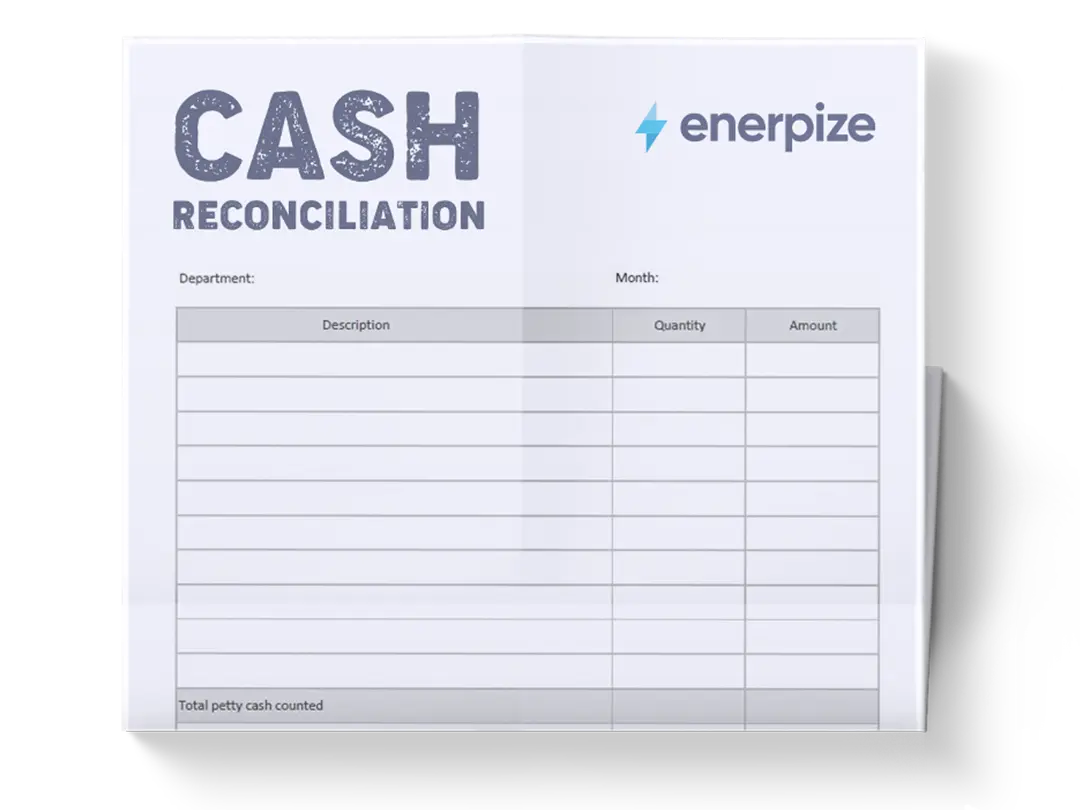
While your POS system will generate the reports, some businesses also use a manual log.
4. Practical Application: Your Store's Checklists
Now, let's put this all together into actionable checklists you can adapt for your beauty mini-market. I've drafted a template for you based on the resources we've reviewed, with a few items specific to a beauty store.
Review these lists and think about any other tasks unique to your store concept that you might add.
DRAFT: Daily Opening Checklist
Security & Entry
- (Two-person rule) Arrive with the second team member.
- Inspect exterior doors and windows for any signs of tampering.
- Enter the store, disable the alarm system, and lock the door behind you.
- Conduct a quick walkthrough of the store premises.
Store Readiness
- Turn on all overhead and display lights.
- Turn on POS system, music, and any digital screens.
- Set thermostat to the correct temperature.
- Spot-clean glass counters, mirrors, and high-touch surfaces.
- Tidy product displays, face all products forward.
- Check and sanitize product testers.
- Check restrooms for cleanliness and stock levels (soap, paper towels).
- Place "Open" sign and any sidewalk displays.
Financials
- Log into POS system.
- Count the starting cash float and verify the amount.
- Start a new cash drawer session in the POS, entering the float amount.
- Unlock the door for business at the scheduled time.
DRAFT: Daily Closing Checklist
Wind-Down & Cleaning
- 15 minutes to close: Make a polite announcement to customers.
- At closing time: Lock the entrance door (allowing customers to exit).
- Perform a final check of the store (restrooms, fitting rooms) to ensure no one is left inside.
- Thoroughly clean and sanitize all counters and high-touch areas.
- Tidy all product displays and return any misplaced items.
- Restock shelves and checkout supplies (bags, receipt paper) for the morning.
- Empty all trash bins.
- Sweep or vacuum the floor.
Financials & Reporting
- On the POS, run the end-of-day sales report.
- Count all cash in the drawer.
- Reconcile the physical cash count against the POS report. Document any discrepancies.
- Remove the day's earnings, leaving the correct starting float amount in a secure cash bag/box.
- Prepare the bank deposit slip and secure the deposit bag in the safe.
Final Security
- Turn off music, digital screens, and computers (except security equipment).
- Turn off all lights except for essential security/night lighting.
- Double-check that all windows and secondary doors are locked.
- Arm the security system.
- (Two-person rule) Exit the store together and ensure the main door is securely locked.
Conclusion
You have now established the essential daily opening and closing procedures for your beauty mini-market. These checklists are the foundation of an organized, secure, and efficient retail operation. They reduce mental load and free you and your staff up to focus on what truly matters: serving your customers.
Key Takeaways:
- Daily checklists are crucial for consistency, efficiency, and security.
- Opening procedures involve a sequence of security checks, preparing the store environment, and setting up the POS with a starting cash float.
- Closing procedures focus on cleaning, restocking, and a precise financial reconciliation process to account for all sales.
- The cash reconciliation formula is key: Ending Cash - Starting Float = Expected Cash Sales. Modern POS systems automate most of this process.
- Security is paramount, especially during the vulnerable opening and closing periods.
Preview of the Next Lesson:
Now that you know the specific tasks required to open and close the store each day, you can better plan your staffing. Our next lesson, "Create a staff scheduling system to ensure adequate coverage," will build directly on this. We'll determine how to schedule your Beauty Advisors to cover not only peak shopping hours but also these critical opening and closing duties.