Introduction
In our last lesson, you created a critical financial asset: a reusable Figma component for your project's payment terms. This component establishes the how and when of getting paid, moving you from a simple price tag to a professional payment schedule.
Now, it's time to assemble the final document that closes the deal. This lesson focuses on the Statement of Work (SOW). The SOW is more than just a contract; it's the primary sales document that formalizes your engagement, builds client confidence, and protects you from scope creep. A well-crafted SOW is what turns a verbal "yes" into a signed project and a paid deposit.
By the end of this 60-minute lesson, you will have created a concise, reusable Statement of Work template in Figma that clearly defines the project's scope, deliverables, and timelines, ready to be deployed to land your first high-value client.
1. The SOW: Your Project's Constitution
Before we build the template, let's be clear on what an SOW is and why it's a non-negotiable part of your consulting toolkit. It's not just administrative paperwork; it's a strategic tool for managing expectations and mitigating risk for both you and your client.
A Statement of Work (SOW) is a formal document that defines the entire scope of a project. It outlines the work to be performed, the project's deliverables, timelines, pricing, and governance. A Scope of Work, by contrast, is just one section within the SOW that details the specific tasks.
To understand the core components that make an SOW effective, let's review a foundational guide.
Statement of Work (SoW) Document: Definition & Examples - Impressit
The article 'Statement of Work (SoW) Document: Definition & Examples' by Impressit provides an excellent breakdown of the essential sections of an SOW. We'll use this as our structural blueprint.
Read the section titled 'The Structure of a Statement of Work Document'. Pay close attention to the descriptions of each part, from 'Introduction' to 'Payment Model'. This is the anatomy of your proposal.
This structure prevents misunderstandings and provides a single source of truth if questions or disagreements arise later. It makes you look professional and signals to the client that you are serious about managing the project effectively.
2. Deconstructing a Real-World SOW
Theoretical structures are useful, but seeing a real-world example is better. Let's analyze a sample SOW to see how these sections are applied in practice.
[PDF] Statement of Work: User Experience Design Project
This PDF is a real Statement of Work from a design agency for a UX project. It's a good example of a formal SOW, although it's more corporate than what you'll typically need. We'll use it to identify best practices and areas we can streamline.
Quickly scan through this document, focusing on the following sections: Business Requirements (Page 2): Note how it clearly states the main goal and project scope. Project Approach (Page 2): See how the work is broken down into distinct phases and tasks. Assumptions (Page 4): This is a critical section for preventing scope creep. Notice how it defines what's not included (e.g., French translation). Changes to Statement of Work (Page 4): This section defines the process for handling requests that are out of scope. Sign-off (Page 5): The final, simple signature block that makes the document official.
This example is solid, but it's built for a larger project with hourly billing. For your fast-paced, productized audit service, we will create a more concise and direct version.
3. Planning the Content: From Rough Ideas to Concrete Terms
The information in your SOW—the tasks, timelines, and deliverables—doesn't come from thin air. It comes from a realistic internal project plan. Confidently promising a 5-day audit requires knowing exactly what steps are involved and how long they take. Rushing this planning phase is how freelancers end up over-promising and under-delivering.
The following video provides a masterclass in realistic project planning. It's about the discipline behind the document.
Micro Lesson: UX Project Scoping, Planning, & Managing
In this 'Micro Lesson' from Delta CX, Debbie Levitt breaks down the common pitfalls of project planning and shows how to create a realistic, granular project plan. This thinking is essential for populating your SOW with promises you can actually keep.
Watch the following segments: Common Project Plan Errors (00:03:38 - 00:14:33): Understand why simply overlapping tasks to shorten a timeline is a recipe for failure. Granular Task Breakdown (00:17:00 - 00:25:31): See how to break a large project into small, manageable, and estimable tasks. This is how you'll define your 'Scope of Work'. Dependencies and Timelines (00:48:24 - 00:51:31): Learn how dependencies (Task B can't start until Task A is done) dictate your project timeline.
This level of detailed planning might seem like overkill for a 5-day audit, but the mindset is critical. Before you send an SOW, you should have, at minimum, a simple list of tasks and dependencies. This ensures your timeline is defensible and your scope is crystal clear.
A simple visual tool like the one below can help you organize your thoughts before writing the formal SOW.

4. Your Deliverable: The Bulletproof SOW Template in Figma
Now, let's translate this planning into a powerful sales asset. Your task is to build a reusable SOW template in Figma. This will become the standard document you send to clients to get their signature.
The goal is clarity and professionalism, not dense legal text.
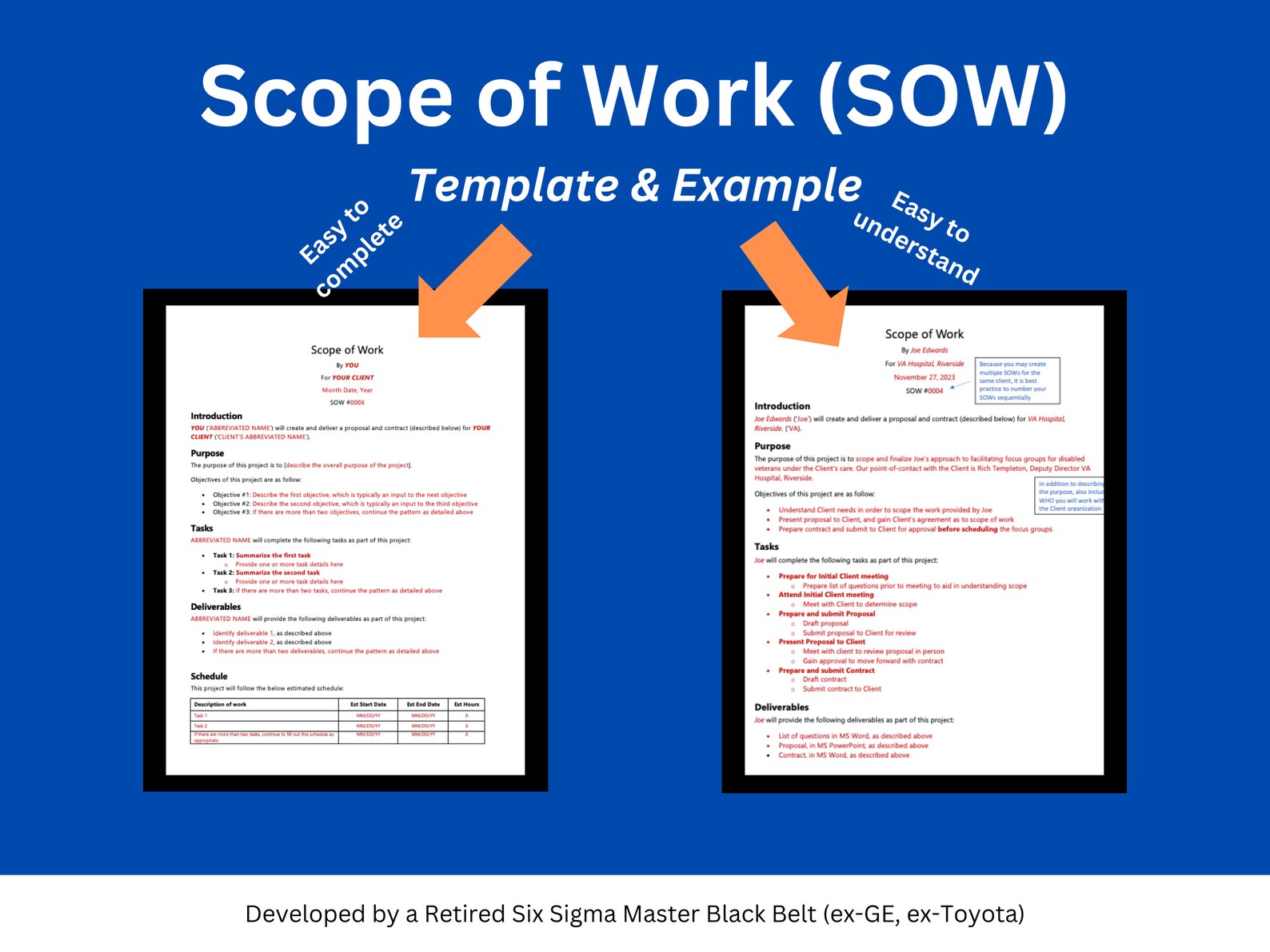
Task: Build Your SOW Template
- In your main Figma project file, create a new page named "SOW Template".
- Create a standard A4 frame (210 x 297mm or a similar aspect ratio).
- Copy and paste the text block below into your Figma frame. This text is structured for your $5,000 "Audit & Blueprint" package.
- Style the document professionally. Use your brand's typography and colors. Create a clear visual hierarchy with headings, subheadings, and lists.
- Integrate your previous work: Locate the "Payment Terms" component you created in the last lesson and place it in the "Investment & Payment Terms" section.
- Componentize for speed: Turn the document header (with your logo and contact info) and the signature block into components for easy reuse.
[Copy this into Figma and style it]
Statement of Work
Project: SaaS UX Audit & Growth Blueprint
Prepared For: [Client Name/Company]
Prepared By: [Your Name/Company]
Date: [Date]
1. Project Overview & Objectives
This document outlines the scope, deliverables, and terms for a comprehensive UX Audit of the [Client's SaaS Product Name] platform.
The primary objective is to identify critical usability issues that cause user friction, hinder conversion, and increase churn. The final deliverable will be a strategic blueprint of actionable recommendations designed to improve key business metrics (e.g., user activation, feature adoption, and retention).
2. Scope of Work
The following activities will be performed over a 5-business-day period:
- Day 1: Heuristic Evaluation & Data Setup
- Systematic evaluation of the core user journey (Sign Up -> Onboarding -> Core Action) against a specialized SaaS heuristics checklist.
- Setup and verification of analytics tools (e.g., Microsoft Clarity, Hotjar) to gather quantitative data.
- Day 2-3: Quantitative & Qualitative Analysis
- Analysis of user funnels to identify major drop-off points.
- Review of session recordings and heatmaps to identify specific user struggles, rage clicks, and dead clicks.
- Day 4: Synthesis & Recommendation Formulation
- Synthesizing all findings into a prioritized list of issues based on an Impact/Effort matrix.
- Formulating clear, actionable recommendations for each identified issue, including ROI projections.
- Day 5: Report Creation & Delivery
- Assembling all findings and recommendations into a professional, presentation-ready Audit Report.
3. Key Deliverables
Upon completion of the project, the client will receive:
- UX Audit & Recommendations Report (Figma): A detailed report containing an executive summary, methodology, prioritized findings with visual evidence (annotated screenshots), and actionable recommendations.
- ROI Projection Calculator (Google Sheet): A spreadsheet that models the potential financial impact of implementing the key recommendations.
- 60-Minute Stakeholder Presentation: A live, remote walkthrough of the audit findings and a Q&A session.
4. Project Timeline
- Project Kickoff: Upon receipt of signed SOW and 50% deposit.
- Audit Period: 5 consecutive business days following kickoff.
- Final Report Delivery: End of Day 5.
- Stakeholder Presentation: To be scheduled within one week of report delivery.
5. Investment & Payment Terms
[Insert the "Payment Terms" component you created in the previous lesson here. Ensure it reflects the $5,000 total investment.]
6. Assumptions & Exclusions
- This SOW assumes the client will provide necessary access to the SaaS product and analytics platforms in a timely manner.
- This engagement does not include the implementation of any design or development work.
- The scope is strictly limited to the activities and deliverables listed above. Any additional work will require a separate Change Order.
7. Agreement & Authorization
Your signature below indicates acceptance of this Statement of Work and authorizes the project to begin.
For [Client Company Name]:
Signature
Name & Title
Date
For [Your Name/Company]:
Signature
Name & Title
Date
Conclusion
Excellent work. You have now created one of the most important documents in your consulting arsenal. This SOW template transforms you from a freelancer taking requests to a professional consultant defining engagements. It establishes your authority, protects your time, and gives clients the clarity and confidence they need to sign.
Key Takeaways:
- The SOW is a Sales Tool: Its purpose is to clearly define the agreement and secure commitment.
- Structure is Everything: A clear structure (Objectives, Scope, Deliverables, Timeline, Investment) leaves no room for ambiguity.
- Plan Before You Promise: A realistic internal plan is the foundation for a trustworthy SOW.
- Define What's Not Included: The "Assumptions & Exclusions" section is your primary defense against scope creep.
- Templatize to Move Fast: Having this SOW ready in Figma allows you to send a professional proposal within hours of a sales call, dramatically increasing your chances of closing the deal.
Preview of the Next Lesson:
You've built the engine: you have your pricing, payment terms, and a proposal document ready to go. Now, you need fuel. In our next module, "Client Acquisition Engine: Direct Outreach," we will shift focus from building your service to actively finding clients. Your first lesson will be on building a targeted list of 20 ideal SaaS founders and Product Managers to contact.