Recommended resources
The freely available resources this lesson will direct you to.
Introduction
In our last lesson, we focused on prompt engineering, learning how to craft clear and context-rich instructions for Large Language Models. You learned that the quality of an AI's output is directly proportional to the quality of the prompt you provide. We explored techniques like few-shot and chain-of-thought prompting to move beyond simple code completion and use AI as a more sophisticated partner.
Today, we put those skills into practice on two of the most valuable, yet often tedious, tasks in software development: writing unit tests and creating documentation. This lesson will show you how to leverage AI tools like GitHub Copilot to automate much of this work, significantly boosting your productivity and improving the quality of your codebase. Mastering this is a powerful step toward the efficiency and rigor expected of a senior developer, and it directly addresses your goal of learning how to modernize existing systems, where tests and documentation are often missing.
Why Automate Testing and Documentation?
As a developer with experience in building features, you know that ensuring your code works correctly and is understandable to others is paramount. Unit tests validate the logic of individual components in isolation, while documentation explains the "what" and "why" for your future self and your teammates.
However, writing comprehensive tests and documentation, especially for existing or "legacy" code, can be time-consuming. This is where AI assistants shine. They excel at generating the boilerplate and foundational structure for these tasks, freeing you up to focus on the more complex aspects of logic and design. Your role shifts from being a writer of repetitive code to a reviewer and refiner of AI-generated drafts.
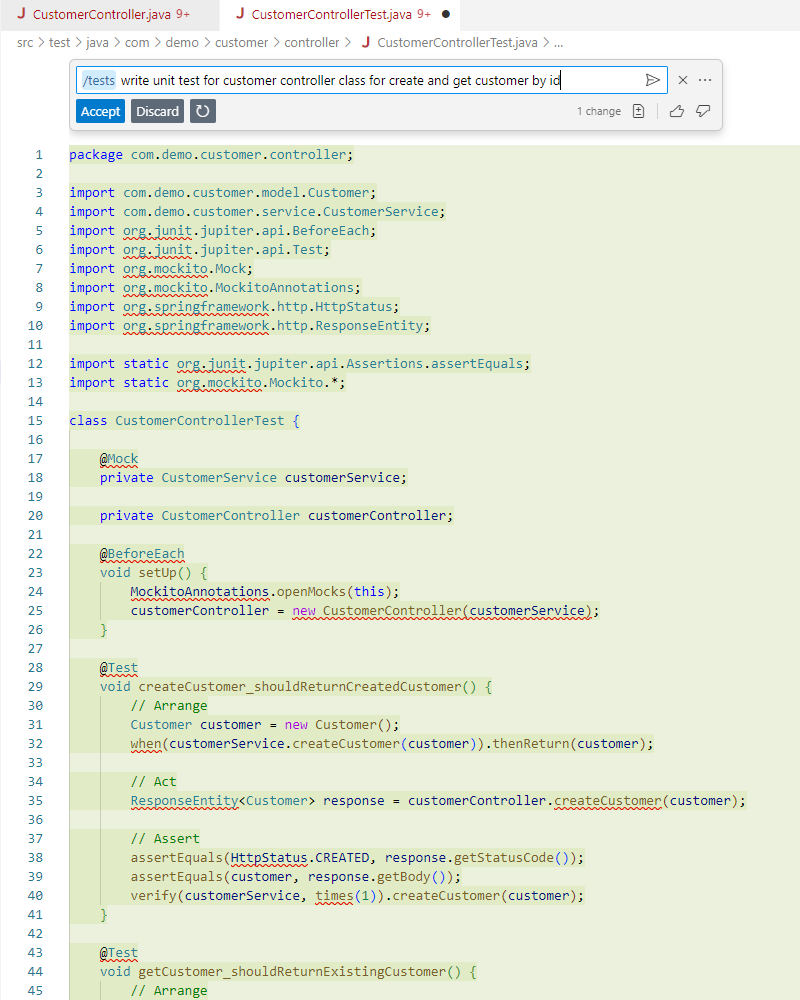
Generating Unit Tests with GitHub Copilot
Given your background in Java and Spring Boot, you're well-equipped to guide an AI assistant in creating tests for your applications. Since you're new to testing, we'll focus on the how-to of generation, providing just enough context on the testing concepts themselves. We'll dive deep into testing theory in Module 6. For now, think of a unit test as a piece of code that calls a method in your application and checks if it returns the expected result.
The article "GitHub Copilot tutorial: We've tested it with Java" provides an excellent walkthrough of this process within the IntelliJ IDEA environment you're likely familiar with.
GitHub Copilot tutorial: We've tested it with Java and here's how you ...
This article details how to use GitHub Copilot for various Java development tasks, with a specific focus on generating unit tests.
Please read the following sections: Start with Our goals, which highlights using Copilot to improve code quality by generating unit tests. Then, read the section Writing unit tests carefully. It shows concrete examples of how to prompt Copilot to create tests for a Java class using simple comments or the integrated chat feature.
As the article demonstrates, you can often start by simply writing a comment in a test file, like // Unit test in JUnit for CurrencyService, and Copilot will generate a complete test structure.
A Practical Video Guide
To see this in action, the video "Unit Test Generation using GitHub Copilot" provides a detailed, step-by-step demonstration covering several common scenarios you'll encounter in your Spring Boot projects.
Unit Test Generation using GitHub Copilot - JUnit, Mockito & Java
This video is a comprehensive tutorial on generating different kinds of unit tests for Java applications using GitHub Copilot.
This video is highly practical, and I recommend watching it in its entirety. Pay close attention to these key scenarios: Simple Tests: Watch how a basic test is created for a simple add method at the beginning. Parameterized Tests: Learn how to test a method with multiple sets of data by generating parameterized tests using @CsvSource. This is incredibly useful for covering various inputs efficiently. Testing for Exceptions: See how to prompt Copilot to create a test that verifies your code correctly throws an exception, for example, when dividing by zero. This is covered in the segment on exception handling. Mocking Dependencies: This is a crucial concept. When you test a service, you don't want to rely on a real database or a live external API. Mocking allows you to create a "fake" version of that dependency so you can test your service logic in isolation. Watch the detailed walkthrough of mocking a service with Mockito. Testing REST Controllers: Finally, see how to generate tests for your Spring Boot API endpoints, a task you'll perform regularly. The section on testing services demonstrates this, including how to use JSON assertions to compare results.
The key takeaway from these resources is that your prompting skills are vital. A generic prompt yields a generic test. A specific prompt, such as "add a unit test for the divide method to handle ArithmeticException," guides the AI to produce precisely the test case you need.
Generating Documentation for Clarity and Maintenance
Clear documentation is a hallmark of a senior developer's work. It makes code easier to maintain, debug, and extend. GitHub Copilot can transform this often-neglected task into a simple, integrated part of your workflow. This is especially powerful when tackling legacy code, a specific area of interest for you.
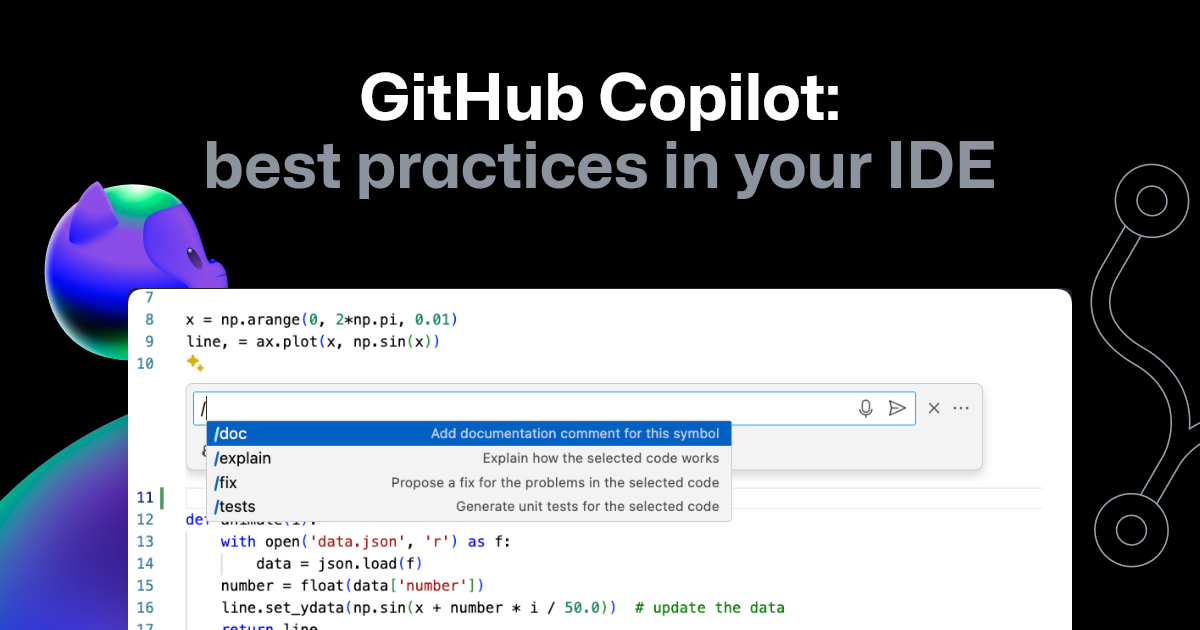
The GitHub blog post, "Documenting and explaining legacy code with GitHub Copilot," is an outstanding resource that provides a structured approach to this.
Documenting and explaining legacy code with GitHub Copilot
This article provides practical tips and a step-by-step guide for using GitHub Copilot to understand and document existing code, particularly older or unfamiliar codebases.
Please read the following sections to get a full workflow: First, read how to document. This section covers the basics of using Copilot to generate explanations and add comments. Next, study the step-by-step guide. This provides a fantastic, actionable workflow, from getting a high-level overview of a file to generating a full README. Finally, review the practical example with Python 2. While the language is different, the process of using the /explain command and then prompting for comments is universal and directly applicable to your Java code.
The Documentation Workflow in Action
The general workflow for documenting a piece of code is as follows:
- Explain: If you don't fully understand a class or method, highlight it and use the
/explaincommand in the Copilot chat. You can add context like, "Explain this to me as if I'm a senior Java developer new to this project." - Document: Once you understand the code, prompt Copilot to document it. You can highlight a method and ask, "Generate Javadoc for this method," or select an entire class.
- Summarize: For a broader view, you can ask Copilot to generate a
README.mdfile for a project, which it will base on its analysis of the entire codebase.
The short video "Generate Perfect Documentation with GitHub Copilot" from Microsoft provides a great visual summary of this process.
Generate Perfect Documentation with GitHub Copilot
This video quickly demonstrates how to generate both inline code comments and a project README file using GitHub Copilot.
Watch these key parts: See how to generate inline comments for an existing file. Observe the process of creating a project README from scratch. Crucially, note the repeated emphasis on the need to review and validate all AI-generated content.
This last point is non-negotiable. AI-generated tests and documentation are excellent first drafts, but they are not infallible. Always review the output for correctness, clarity, and completeness. You are the senior developer in the loop, and the ultimate responsibility for the code's quality remains with you.
Your Turn: Practical Application
Now it's time to apply these skills to create your own "paper trail of competence."
- Choose a service or controller class from one of your existing Spring Boot projects.
- Open the corresponding test file (or create a new one).
- Using a comment or the Copilot chat
/testscommand, prompt Copilot to generate a unit test for at least one public method. If the method has dependencies, prompt Copilot specifically to mock those dependencies. - Once you have a working test, go back to the original Java class.
- Highlight the entire class and use the
/doccommand or a prompt like "Add Javadoc comments to this class and its methods." - Review the generated tests and documentation. Refine them as needed for accuracy and style.
This exercise will give you a tangible artifact and a powerful new habit for improving code quality and saving valuable time.
Conclusion
In this lesson, you've bridged the gap between theory and practice by applying your prompt engineering skills to the high-leverage tasks of generating unit tests and documentation. You learned how to guide AI tools to create everything from simple test cases to complex tests involving mocks and API endpoints, and how to systematically document your code for future maintainability.
Your key takeaways are:
- AI as an Accelerator: Use AI to handle the boilerplate of writing tests and documentation, freeing you to focus on high-level design and logic.
- Prompt with Precision: Specific prompts lead to specific results. Ask for exception tests, mocks, or parameterized tests explicitly.
- Test in Isolation: The concept of mocking is fundamental to unit testing complex applications like those built with Spring Boot. It allows you to verify your logic without external dependencies.
- You Are the Final Reviewer: Always treat AI-generated code as a draft. Your expertise is required to validate its correctness, relevance, and quality.
In our next lesson, we will take another significant step forward. You'll move from using AI as a productivity tool to integrating it as a core feature within an application. We will explore how to integrate an LLM API into a Spring Boot backend to power an AI-driven application feature, opening the door to building truly intelligent systems.