Recommended resources
The freely available resources this lesson will direct you to.
Introduction
In our previous lesson, we saw how to leverage AI tools like GitHub Copilot to accelerate development by generating unit tests and documentation. We treated the AI as a sophisticated pair programmer. Now, we're going to take a significant leap from using AI tools to building with them.
This lesson directly addresses your goal of integrating LLM APIs into your Spring Boot applications. We will build a simple, AI-driven feature by calling an LLM directly from a Java backend. This is the foundational skill required to create the "agentic" workflows you're aiming for. We'll use the Spring AI project, which provides a familiar, idiomatic way for Spring developers to work with various AI models, abstracting away much of the underlying complexity.
The Power of Abstraction: Introducing Spring AI
When you need to integrate with an AI provider like OpenAI, Google Gemini, or Anthropic, you could manually handle HTTP requests, authentication headers, and JSON parsing for each one. However, this approach creates brittle, tightly-coupled code. If you decide to switch from OpenAI to another provider, you would need to rewrite significant parts of your integration logic.
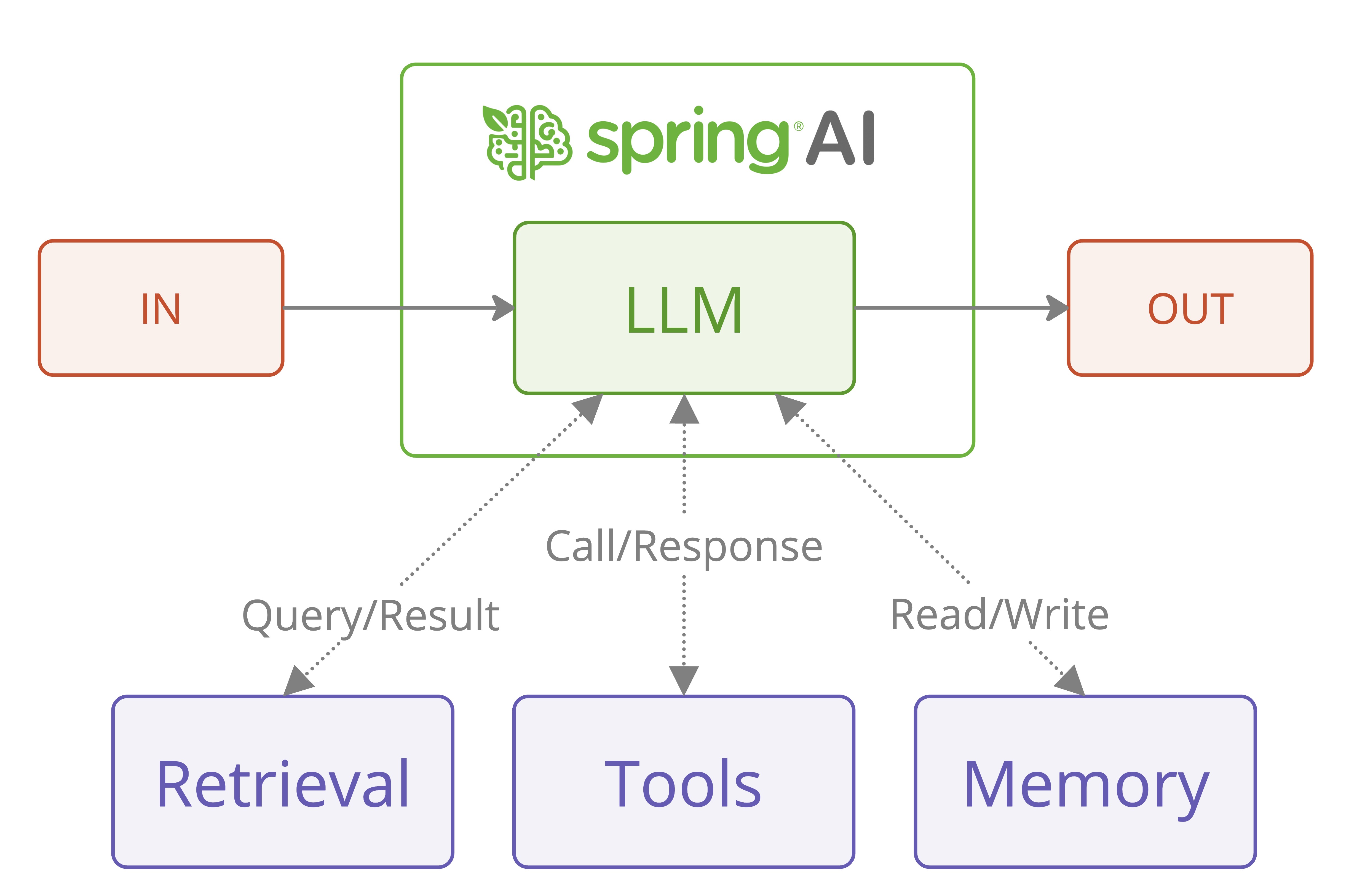
This is where frameworks like Spring AI provide immense value. Much like Spring Data JPA provides a consistent interface for different SQL databases, Spring AI offers a unified API to interact with various Large Language Models.
The central component in Spring AI is the ChatClient. It acts as a gateway, allowing you to send prompts and receive responses using a single, consistent API, regardless of which LLM provider is operating behind the scenes.
Building Your First AI-Powered API with Spring AI
Let's walk through the process of building a Spring Boot REST API that takes a user's question, sends it to OpenAI's GPT model, and returns the answer. This hands-on exercise will demonstrate the simplicity and power of Spring AI.
The blog post "Mastering Spring AI" provides an excellent, detailed guide that we will follow.
Master Spring AI: LLM Integration for Spring Boot Devs
This article provides a superb overview of the Spring AI project and a practical proof-of-concept for integrating LLMs into a Spring Boot application.
To begin, please read the first few sections to understand the "why" and "what" of Spring AI: Read the Introduction to understand the integration challenges that Spring AI solves. Next, read the sections What is Spring AI? and Why Use Spring AI?. Pay close attention to the core value propositions: avoiding vendor lock-in, the minimal learning curve for Spring developers, and the clean ChatClient abstraction. Finally, review the Spring AI Building Blocks to see the main components like ChatClient and provider-specific starters.
Now, let's translate this theory into a working application. The video "Spring AI Tutorial | Build Your First AI App with Java Spring Boot!" provides a fantastic visual walkthrough of this entire process, including common pitfalls and their solutions. We will follow its steps.
Spring AI Tutorial | Build Your First AI App with Java Spring Boot!
This video tutorial walks through creating a Spring AI application from the ground up, explaining each step from project setup to creating a functional REST endpoint.
We will build our application by following the key stages demonstrated in this video. You can watch the segments as we go through each step below, or watch it all at once to get a complete picture.
Step 1: Project Setup and Dependencies
First, create a new Spring Boot project using your preferred method (e.g., start.spring.io or your IDE's project wizard). You will need the Spring Web dependency.
Next, you need to add the Spring AI dependencies to your pom.xml (if you're using Maven). The most important ones are the Spring AI Bill of Materials (BOM) to manage dependency versions and the specific starter for the AI model you want to use. For this lesson, we'll use OpenAI.
Watch the beginning of the video to see this setup in action:
Your pom.xml should include the spring-ai-bom in the <dependencyManagement> section and the spring-ai-openai-starter in the <dependencies> section. You can find the exact XML snippets in the "Code Walkthrough" section of the Mastering Spring AI article under the heading
Step 2: API Key Configuration
To communicate with OpenAI's API, you need to authenticate your requests with an API key. You can generate one from the OpenAI Platform.
Once you have your key, you must configure it in your application.properties (or application.yml) file. Spring AI automatically looks for this property.
spring.ai.openai.api-key=YOUR_OPENAI_KEY_HERE
The video explains why this is necessary and demonstrates how to add it, covering the error you'd get without it:
A crucial best practice for a senior developer: Never commit API keys or other secrets directly to version control. Use environment variables or a secrets management tool in production. For local development, adding the key to application.properties is fine, as long as the file is listed in your .gitignore.
Step 3: Implementing the REST Controller
Now for the core logic. Create a new Java class for your REST controller (e.g., AiController). We need to do two things here:
- Get an instance of the
ChatClient. - Create a request mapping that uses the
ChatClientto interact with the LLM.
A key insight for a Spring developer is that you cannot simply @Autowire the ChatClient interface directly. Instead, Spring Boot's auto-configuration provides a ChatClient.Builder bean. You inject this builder into your controller's constructor and use it to build your ChatClient instance.
The fluent API of the ChatClient makes sending a prompt incredibly concise:chatClient.prompt().user(question).call().content()
Let's break this down:
.prompt(): Starts building the request..user(question): Adds the user's message to the prompt..call(): Executes the call to the LLM API..content(): Extracts just the text content from the AI's response.
The following code demonstrates a complete controller. The video walks through this implementation in detail, from creating the controller to handling the ChatClient instantiation.
import org.springframework.ai.chat.client.ChatClient;
import org.springframework.web.bind.annotation.GetMapping;
import org.springframework.web.bind.annotation.RequestParam;
import org.springframework.web.bind.annotation.RestController;

@RestController
public class AiController {

    private final ChatClient chatClient;

    // Use constructor injection to get the ChatClient.Builder
    public AiController(ChatClient.Builder builder) {
        this.chatClient = builder.build();
    }

    @GetMapping("/ai/simple")
    public String simplePrompt(@RequestParam String question) {
        return chatClient.prompt()
                .user(question)
                .call()
                .content();
    }
}
You can see the full process of converting the application into a web app and building this controller in the video from
Step 4: Test Your API
Run your Spring Boot application. Once it's running, you can test your new endpoint using curl or your browser.
curl http://localhost:8080/ai/simple?question="Write+a+haiku+about+Java+code"
You should receive a three-line poem about Java in response, generated live by the LLM.
Under the Hood: What is ChatClient Abstracting?
As a developer, it's valuable to understand what's happening behind that simple .call().content() chain. When you use the ChatClient, Spring AI is performing several steps on your behalf:
- Constructing the Request Body: It creates a JSON payload that conforms to the OpenAI API specification. This includes the model you're targeting and a list of messages, each with a
role(user,system, orassistant) andcontent. - Setting Headers: It adds the necessary HTTP headers, including the
Content-Typeand theAuthorizationheader with your API key as a bearer token. - Making the HTTP Call: It uses an underlying HTTP client (like Spring's
RestClient) to send a POST request to the correct API endpoint (e.g.,https://api.openai.com/v1/chat/completions). - Parsing the Response: It parses the JSON response from the API and maps it to a Java object, from which
.content()extracts the generated text.
The video provides an excellent deep dive into this, explaining the different message roles and showing the raw API request in Postman from
You can also use the ChatClient's fluent API to control these roles explicitly, allowing you to implement more advanced prompting techniques. For example, you can provide a system message to guide the AI's behavior.
@GetMapping("/ai/joke")
public String getJoke(@RequestParam String topic) {
    return chatClient.prompt()
            .system("You are a helpful assistant that tells jokes. Your personality is witty and a bit sarcastic.")
            .user("Tell me a joke about " + topic)
            .call()
            .content();
}
This is demonstrated clearly in the video from
Your Turn: Practical Application
Now it's time to build this yourself.
- Create a new Spring Boot application with the
Spring Webandspring-ai-openai-starterdependencies. - Obtain an OpenAI API key and add it to your
application.propertiesfile. - Implement the
AiControlleras shown above, using constructor injection for theChatClient.Builder. - Create the
simplePromptendpoint that takes aquestionas a request parameter. - Run the application and test it with a
curlcommand or by visiting the URL in your browser (e.g.,http://localhost:8080/ai/simple?question=What+is+Spring+Boot). - Bonus: Implement the
/ai/jokeendpoint that uses a system prompt to define the AI's personality.
This exercise provides a tangible artifact—a working, AI-powered API—and a solid foundation for the more complex features we will build next.
Conclusion
In this lesson, you've taken a crucial step from being a user of AI tools to becoming a builder of AI-powered applications. You learned how to integrate an LLM API into a Spring Boot backend using the Spring AI project, which elegantly abstracts away vendor-specific details.
Your key takeaways are:
- Spring AI simplifies LLM integration by providing a unified
ChatClientinterface and familiar auto-configuration patterns. - The
ChatClient.Builderis the entry point for creating aChatClientinstance within the Spring context. - The
ChatClient's fluent API allows for concise and readable code to send prompts, including specifying user and system roles. - Behind the scenes, Spring AI handles the complexities of HTTP requests, authentication, and response parsing, allowing you to focus on your application's logic.
You now have a running Spring Boot application capable of communicating with a powerful LLM. In our next lesson, we will build upon this foundation to explore LLM function calling. We'll learn how to give the LLM the ability to execute your own Java code, enabling it to interact with databases, call other APIs, and perform actions—the essence of creating true AI agents.