Recommended resources
The freely available resources this lesson will direct you to.
Introduction
In our previous lesson, we got hands-on with GitHub Copilot, exploring how it can function as an AI pair programmer to accelerate code generation and refactoring. We established that the effectiveness of this tool hinges on the quality of our instructions. Vague requests lead to generic code, while clear, context-rich directions yield precise and useful results.
Today, we'll master the art and science of providing those directions. This lesson is dedicated to prompt engineering—the discipline of crafting effective prompts to get accurate and helpful responses from LLMs for your development tasks. Moving beyond simple commands, you will learn structured techniques to instruct AI, transforming it from a simple code-completion tool into a powerful partner for complex problem-solving. This skill is the bedrock for your goal of integrating AI into applications and building more sophisticated, "agentic" workflows.
The Core of Effective Prompting
At its heart, prompt engineering is about clear communication. Just as you'd give a junior developer specific instructions, you need to provide an LLM with clarity, context, and a well-defined goal. Ambiguity is the enemy of good results.
The video "Prompt engineering essentials" from GitHub provides a fantastic overview of the fundamental principles. It explains the "why" behind crafting good prompts by touching on how LLMs process information through tokens and context.
Prompt engineering essentials: Getting better results from LLMs | Tutorial
This tutorial covers the essential concepts of prompt engineering, from what an LLM is to how to avoid common pitfalls when writing prompts.
Please watch the entire video (full video). As you watch, focus on these key ideas: The role of context, tokens, and limitations in how an LLM operates. The definition of an effective prompt: clear, precise, and contextual. The importance of iteration: refining your prompts if the initial output isn't what you expected. Common problems like prompt confusion and token limits, and the strategy of breaking down complex requests into smaller, sequential steps.
As the video highlights, a vague prompt like "Write a function to square numbers" leaves too much open to interpretation. A developer with your experience intuitively knows to ask clarifying questions: What language? How to handle invalid input? Should the original list be modified? Prompt engineering is the process of preemptively answering those questions for the AI.
The Anatomy of a High-Quality Prompt
A well-structured prompt for a development task often contains several key elements that guide the LLM toward the desired output. The comprehensive "Prompt Engineering Guide" is an excellent resource that formalizes these components.
This guide provides a structured overview of prompt components. We'll focus on the section that breaks down the elements of a prompt.
From the guide's main page, navigate to Introduction in the left-hand menu, then select Prompt Elements. Read through this short page to understand the different parts of a prompt, such as Role, Instruction, Context, and Output Format. The page is found at the URL path /introduction/elements.
Let's translate these elements into a practical example relevant to your work with Spring Boot.
- Role: "Act as a senior Java developer specializing in building RESTful APIs with Spring Boot."
- Instruction: "Create a new
POSTendpoint in theProductController." - Context: "The endpoint should handle creating a new product. It will receive a
ProductDTOobject in the request body. The logic should use the existingproductService.createProduct()method. Here is theProductDTOclass for reference:[paste DTO code]." - Constraints: "Ensure proper exception handling for validation errors, returning a
400 Bad Requeststatus. The method should be documented with Javadoc comments." - Output Format: "Provide only the Java method for the controller. Do not include the full class definition."
By explicitly defining these components, you leave very little room for the AI to guess, dramatically increasing the likelihood of getting usable code on the first try.
Fundamental Prompting Techniques
With the basic structure in mind, let's explore a few standard techniques. These methods control how much information you provide to the model to guide its response.
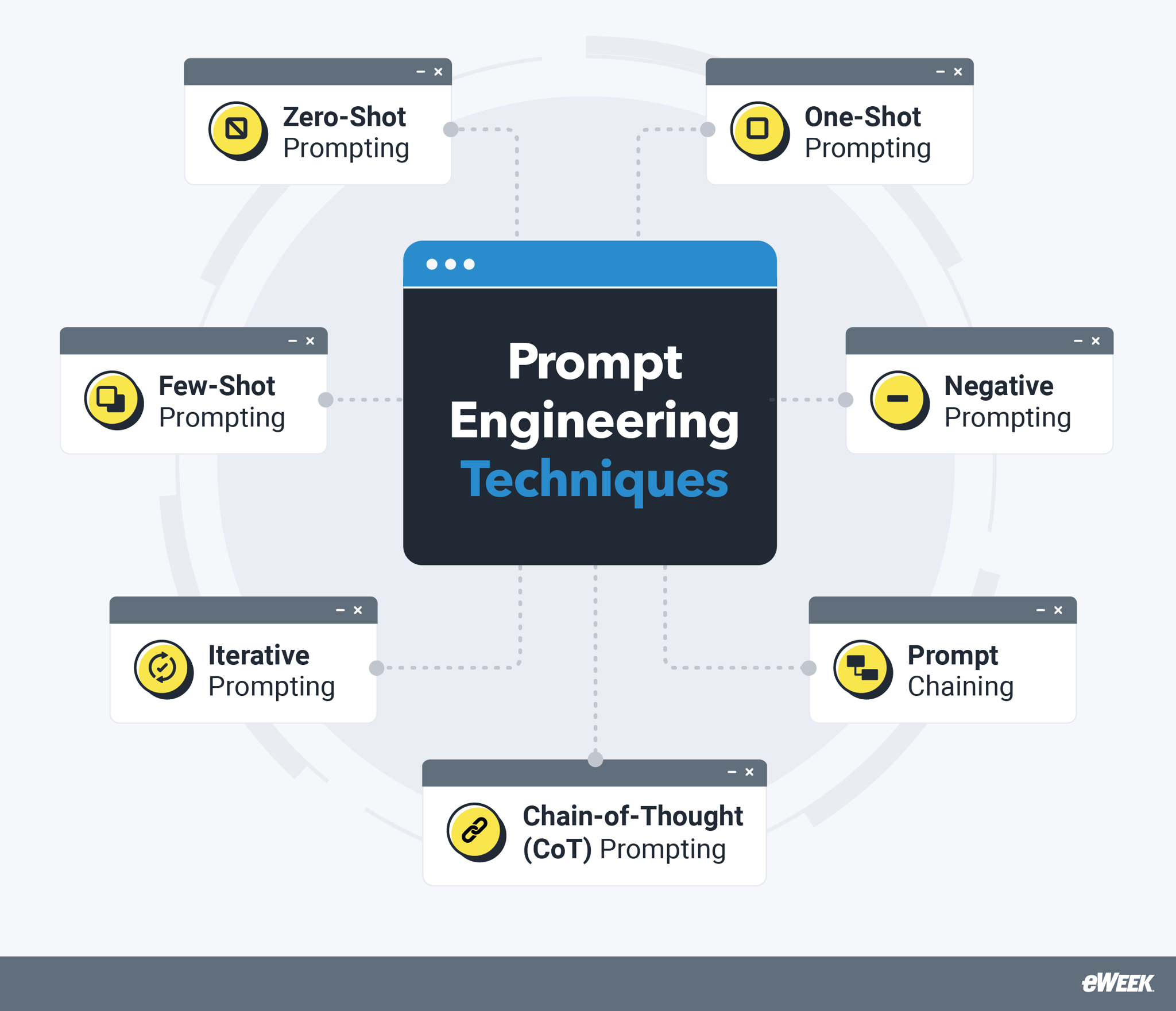
- Zero-Shot Prompting: This is the most basic form, where you simply ask the model to perform a task without giving it any examples. Our Spring Boot prompt above is a zero-shot prompt. It relies entirely on the model's pre-existing training.
- Few-Shot Prompting: This is a powerful technique where you provide one or more examples (the "shots") of the input-output pattern you want. This helps the model understand the desired style, format, and logic. For instance, you could provide an existing endpoint from your project as an example to ensure the new one follows the same pattern.
The video "AI Coding 101: Ultimate Prompt Guide" offers a wealth of practical tips that operationalize these concepts for everyday coding.
AI Coding 101: Ultimate Prompt Guide (37 tips)
This video is packed with actionable advice for getting better results from coding assistants.
Please watch the following sections. They are highly relevant to improving your daily prompting workflow: Specify Technologies: How telling the AI to use Java 17, Spring Boot 3, and JUnit 5 improves output quality. Design First, Use Lists, and Use Examples: The importance of thinking through the solution, breaking it down into steps, and providing examples (few-shot prompting). The Golden Rule of Context: This is perhaps the most critical part. Understand how to provide enough, but not too much, context to the AI. This is key to getting relevant code that fits into your existing project.
Advanced Prompting for Senior-Level Tasks
As you advance in your career, the problems you solve become more complex than generating a single function. You'll be tasked with designing algorithms, architecting systems, and making high-level technical decisions. Advanced prompting techniques can help you leverage AI as a thinking partner for these challenges.
The article "Advanced prompting techniques for complex coding tasks" provides an excellent overview of strategies tailored for this kind of work.
Advanced prompting techniques for complex coding tasks
This article details several powerful prompting strategies that go beyond the basics, helping you use AI for more sophisticated reasoning and architectural tasks.
Please read the introduction and the first two techniques described: Read the introduction. Study the section on Chain of Thought (CoT) prompting. This is incredibly useful for breaking down complex logic. Read the section on Step-back prompting. This technique is directly aligned with your goal of developing architectural skills.
Let's briefly summarize these powerful techniques:
- Chain-of-Thought (CoT) Prompting: By instructing the model to "think step by step," you force it to externalize its reasoning process. This is invaluable for complex logic, like implementing a custom algorithm or a difficult business rule in a Spring service. It slows the model down and often prevents it from making logical leaps that lead to incorrect code.
- Step-Back Prompting: This technique encourages higher-level, architectural thinking. Instead of asking "How do I implement a cache for this endpoint?", you prompt, "Before writing code, let's step back. What are the trade-offs between using an in-memory cache like Caffeine versus a distributed cache like Redis for this specific use case? Consider data consistency, scalability, and security implications." This elevates the AI from a coder to an architectural consultant.
A Practical Framework: Prompt Driven Development
You can integrate these techniques into a systematic workflow. Some developers are starting to call this "Prompt Driven Development" (PDD). It's a mental model for structuring your work when using AI assistants heavily.
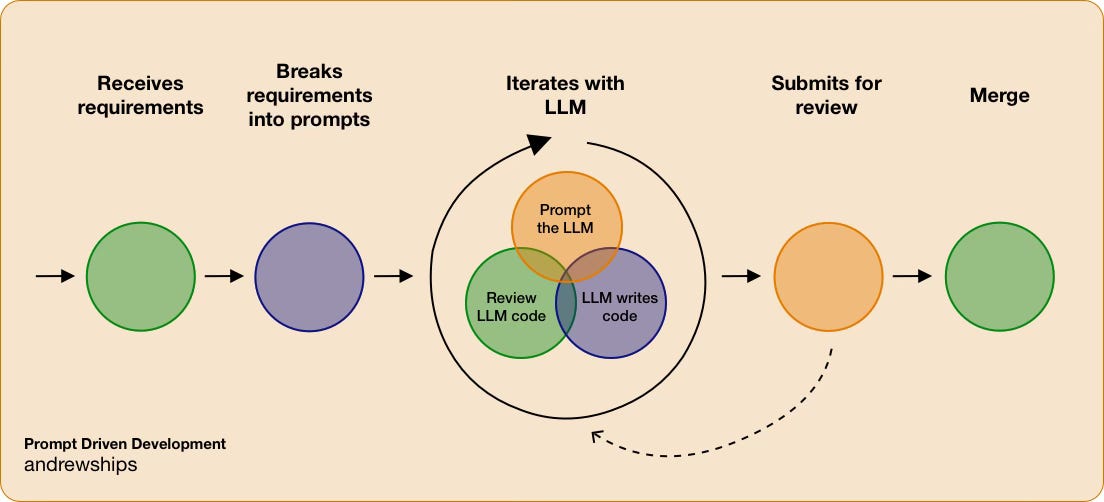
This workflow formalizes the iterative process we've been discussing:
- Receive Requirements: Understand the business or technical goal.
- Break Requirements into Prompts: Decompose the problem into a series of well-crafted prompts. This is where you decide which technique to use (Zero-shot for simple boilerplate, CoT for a complex calculation, Step-back for a design choice).
- Iterate with LLM: This is the core loop where you prompt, review the generated code, and refine your prompts or the code itself.
- Submit for Review & Merge: Once the code meets the requirements and your quality standards, it follows the standard development process.
Conclusion
In this lesson, you've moved from being a user of AI tools to being a director of them. You've learned that prompt engineering is a crucial skill for any developer looking to maximize their productivity and leverage AI for sophisticated tasks.
Here are your key takeaways:
- Structure is King: A well-structured prompt with a clear role, instruction, context, and output format will always outperform a vague request.
- Provide Examples: Few-shot prompting is a simple but highly effective way to guide the model's output to match your project's conventions.
- Manage Context: The "golden rule" is to provide all relevant context (related files, data structures) but no more than necessary. Too little context leads to guessing; too much leads to confusion.
- Elevate Your Prompts for Complex Problems: Use Chain-of-Thought (CoT) prompting for complex logic and Step-back prompting for architectural thinking to use AI as a true intellectual partner.
In our next lesson, we will apply these new prompting skills to a very practical and high-value task: using AI tools to generate unit tests and documentation for existing code. You'll see firsthand how a well-crafted prompt can save you hours of tedious work and improve your code quality.