Recommended resources
The freely available resources this lesson will direct you to.
Hello! In our last lesson, we explored variable scope, understanding how local variables help keep our functions self-contained and modular. This was a crucial step in learning to write clean, organized code.
Today, we'll put that knowledge into practice with a very common and important software development activity: refactoring. You'll learn how to take a program that works but is messy—with all its logic crammed into a single main function—and restructure it into a set of clean, single-purpose functions. This process transforms a "monolithic" program into a modular one, which is easier to read, debug, and expand upon. This lesson directly applies everything we've learned about functions, prototypes, and scope.
1. What is Refactoring and Why Bother?
At its core, refactoring means improving the internal structure of your code without changing its external behavior. The program should do the exact same thing after refactoring as it did before. The goal is to improve qualities like readability and maintainability.
A common reason to refactor is to eliminate repeated code. The following short video uses a simple "Happy Birthday" song example to show why writing a function once and calling it multiple times is better than copy-pasting code.
This video from Bro Code provides a quick, clear motivation for using functions to avoid repetition.
Watch the first couple of minutes to see the problem of repeated code (the problem) and how creating a function solves it (the solution).
Beyond just avoiding repetition, refactoring has several key benefits that are central to professional software development.
Code refactoring principles, techniques, and automation ...
This article from Tabnine gives a professional overview of refactoring. As you read, think about how these principles apply even to the small C programs we are writing.
Please read the following sections: Start with "What is code refactoring?" to get a solid definition. Continue to "Key principles of refactoring". The principles of "do no harm" and "refactor in small steps" are especially important. Finally, read "Benefits of code refactoring" to understand the payoff for this work, such as improved readability and easier debugging.
2. The "Extract Function" Technique
One of the most fundamental refactoring techniques is called Extract Function (or "Extract Method" in object-oriented languages). This is precisely what we'll be doing today. The idea is to find a piece of code within a larger function that forms a logical unit, and then "extract" it into its own new function.
The print_details() example from the Tabnine article you just read is a perfect illustration of this.
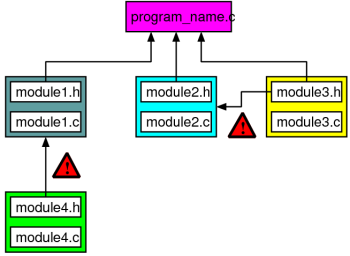
Let's look at the "before" and "after" from that article again.
Before: A single function does three things.
void print_details() {
    printf("Name: %s\n", name);
    printf("Age: %d\n", age);
    printf("Address: %s\n", address);
}
After: The main function orchestrates calls to smaller, single-purpose functions.
void print_name() {
    printf("Name: %s\n", name);
}

void print_age() {
    printf("Age: %d\n", age);
}

void print_address() {
    printf("Address: %s\n", address);
}

void print_details() {
    print_name();
    print_age();
    print_address();
}
This new version is much clearer. Each function has exactly one job. If you need to change how the age is printed, you know exactly which function to edit, without having to read through the logic for printing the name and address.
3. Case Study: Refactoring a Unit Converter
Let's apply this to a slightly more complex example. Here is a "monolithic" C program that acts as a simple unit converter. It works, but the main function is long and cluttered.
The "Before" Code:
#include <stdio.h>

int main() {
    int choice;
    double value, result;

    while (1) {
        // 1. Display Menu
        printf("\n--- Unit Converter ---\n");
        printf("1. Kilograms to Pounds\n");
        printf("2. Meters to Feet\n");
        printf("3. Celsius to Fahrenheit\n");
        printf("4. Exit\n");
        printf("Enter your choice: ");

        scanf("%d", &choice);

        if (choice == 4) {
            printf("Exiting program.\n");
            break;
        }

        // 2. Get input, calculate, and print result based on choice
        switch (choice) {
            case 1:
                printf("Enter value in Kilograms: ");
                scanf("%lf", &value);
                result = value * 2.20462; // Calculation logic
                printf("%.2f kg is %.2f pounds.\n", value, result);
                break;
            case 2:
                printf("Enter value in Meters: ");
                scanf("%lf", &value);
                result = value * 3.28084; // Calculation logic
                printf("%.2f meters is %.2f feet.\n", value, result);
                break;
            case 3:
                printf("Enter value in Celsius: ");
                scanf("%lf", &value);
                result = (value * 9.0/5.0) + 32; // Calculation logic
                printf("%.2f C is %.2f F.\n", value, result);
                break;
            default:
                printf("Invalid choice. Please try again.\n");
                break;
        }
    }

    return 0;
}
The Refactoring Process:
Our main function is doing too many things: displaying a menu, getting user choices, getting values, performing calculations, and printing results. Let's identify the distinct logical blocks to extract:
- The menu display.
- The kg-to-pounds conversion logic.
- The meters-to-feet conversion logic.
- The Celsius-to-Fahrenheit conversion logic.
By extracting these into functions, our main function becomes a clean orchestrator.
The "After" Code:
#include <stdio.h>

// --- Function Prototypes ---
void displayMenu();
double kgToPounds(double kg);
double metersToFeet(double meters);
double celsiusToFahrenheit(double celsius);

// --- Main Function (Orchestrator) ---
int main() {
    int choice;
    double value;

    while (1) {
        displayMenu();
        scanf("%d", &choice);

        if (choice == 4) {
            printf("Exiting program.\n");
            break;
        }

        // Only get input if choice is valid
        if (choice >= 1 && choice <= 3) {
            printf("Enter the value to convert: ");
            scanf("%lf", &value);
        }

        switch (choice) {
            case 1:
                printf("%.2f kg is %.2f pounds.\n", value, kgToPounds(value));
                break;
            case 2:
                printf("%.2f meters is %.2f feet.\n", value, metersToFeet(value));
                break;
            case 3:
                printf("%.2f C is %.2f F.\n", value, celsiusToFahrenheit(value));
                break;
            case 4: // Already handled above
                break;
            default:
                printf("Invalid choice. Please try again.\n");
                break;
        }
    }

    return 0;
}

// --- Function Definitions ---

// Displays the main menu
void displayMenu() {
    printf("\n--- Unit Converter ---\n");
    printf("1. Kilograms to Pounds\n");
    printf("2. Meters to Feet\n");
    printf("3. Celsius to Fahrenheit\n");
    printf("4. Exit\n");
    printf("Enter your choice: ");
}

// Converts kilograms to pounds
double kgToPounds(double kg) {
    return kg * 2.20462;
}

// Converts meters to feet
double metersToFeet(double meters) {
    return meters * 3.28084;
}

// Converts Celsius to Fahrenheit
double celsiusToFahrenheit(double celsius) {
    return (celsius * 9.0/5.0) + 32;
}
Notice how much easier the refactored main function is to read. Its purpose is clear: loop, show a menu, get a choice, and call the right function. Each helper function has a single, well-defined responsibility.
For a more advanced example of this structure, look at the following C program for number system conversions.
Number System Conversion in C - GeeksforGeeks
This GeeksforGeeks article provides a complete, menu-driven program that is well-refactored.
Scan through the code in the "C Program for Number System Conversion" section. Focus on the overall structure: A main function that contains a menu and a switch statement. Separate functions like decimalToBinary, binaryToDecimal, etc. The main function's role is simply to call the correct function based on the user's choice. Do not worry about the specific implementation details of functions like malloc, strcpy, or strrev. We will cover pointers, strings, and dynamic memory in upcoming lessons. For now, just appreciate how the program is organized into logical, reusable pieces.
4. Your Turn: Refactor a Simple Calculator
Now it's time for you to practice. Below is a monolithic C program for a simple calculator. Your task is to refactor it by extracting the arithmetic operations into their own functions.
The "Before" Code to Refactor:
#include <stdio.h>

int main() {
    char operator;
    double n1, n2;

    printf("Enter an operator (+, -, *, /): ");
    scanf(" %c", &operator); // Note the space before %c to consume whitespace

    printf("Enter two operands: ");
    scanf("%lf %lf", &n1, &n2);

    switch (operator) {
        case '+':
            printf("%.1lf + %.1lf = %.1lf\n", n1, n2, n1 + n2);
            break;
        case '-':
            printf("%.1lf - %.1lf = %.1lf\n", n1, n2, n1 - n2);
            break;
        case '*':
            printf("%.1lf * %.1lf = %.1lf\n", n1, n2, n1 * n2);
            break;
        case '/':
            // Check for division by zero
            if (n2 != 0.0) {
                printf("%.1lf / %.1lf = %.1lf\n", n1, n2, n1 / n2);
            } else {
                printf("Error! Division by zero is not allowed.\n");
            }
            break;
        default:
            printf("Error! Operator is not correct\n");
    }

    return 0;
}
Your Goal:
- Create four new functions:
add(double, double),subtract(double, double),multiply(double, double), anddivide(double, double). - Each function should take two
doublearguments and return thedoubleresult. Thedividefunction should handle the check for division by zero internally. - Add function prototypes for your new functions.
- Modify the
mainfunction so it calls the appropriate function based on the operator and prints the result.
Click here to see a possible solution
#include <stdio.h>

// Function Prototypes
double add(double a, double b);
double subtract(double a, double b);
double multiply(double a, double b);
double divide(double a, double b);

int main() {
    char operator;
    double n1, n2, result;

    printf("Enter an operator (+, -, *, /): ");
    scanf(" %c", &operator);

    printf("Enter two operands: ");
    scanf("%lf %lf", &n1, &n2);

    switch (operator) {
        case '+':
            result = add(n1, n2);
            printf("%.1lf + %.1lf = %.1lf\n", n1, n2, result);
            break;
        case '-':
            result = subtract(n1, n2);
            printf("%.1lf - %.1lf = %.1lf\n", n1, n2, result);
            break;
        case '*':
            result = multiply(n1, n2);
            printf("%.1lf * %.1lf = %.1lf\n", n1, n2, result);
            break;
        case '/':
            // The division function handles the error case
            if (n2 != 0.0) {
              result = divide(n1, n2);
              printf("%.1lf / %.1lf = %.1lf\n", n1, n2, result);
            } else {
              // You could also have the divide function return a special
              // value and check it here. For now, checking in main is clear.
              printf("Error! Division by zero is not allowed.\n");
            }
            break;
        default:
            printf("Error! Operator is not correct\n");
    }

    return 0;
}

// --- Function Definitions ---

double add(double a, double b) {
    return a + b;
}

double subtract(double a, double b) {
    return a - b;
}

double multiply(double a, double b) {
    return a * b;
}

double divide(double a, double b) {
    // The function assumes the check for b != 0 is done before calling
    // This is a design choice.
    return a / b;
}
Conclusion
Congratulations! You have successfully applied the principles of modular programming to refactor a C program. This skill is fundamental to writing software that is clean, scalable, and easy for you and others to work on in the future.
Key Takeaways:
- Refactoring improves code structure without changing its functionality.
- Monolithic programs, where
maindoes everything, are difficult to read and maintain. - The "Extract Function" technique involves identifying a logical block of code and moving it into its own single-purpose function.
- A refactored
mainfunction should act as an orchestrator, calling helper functions to get the job done. - This process makes code more readable, reusable, and easier to debug.
Preview of the Next Lesson:
So far, our functions have operated on single values like ints and doubles. But what if we need to work with a list of values, like a set of student grades or daily temperatures? In our next lesson, we will introduce a fundamental C feature for handling collections of data: arrays. You will learn how to declare, initialize, and access elements in an array, which is the first major step towards implementing more sophisticated data structures and algorithms.