Recommended resources
The freely available resources this lesson will direct you to.
Welcome to the next step in demystifying your project's architecture. In our last lesson, we organized our code files into a logical folder structure, much like sorting components into labeled drawers in a workshop. Now that the parts are organized, we need to look at the instruction manual and control panel for the entire project.
Today, we'll explore configuration files. You've likely seen these files—package.json, tsconfig.json, next.config.js—at the root of projects generated by Claude. They can seem cryptic, but their purpose is straightforward: they are settings files that tell your tools how to behave. By the end of this lesson, you will understand what these configuration files are for and why your LLM assistant creates and sometimes asks you to modify them.
What are Configuration Files?
Think of a project you might work on, like preparing a model for a 3D printer. You don't just send the 3D model; you also provide a configuration that specifies the layer height, material, print speed, and support structures. The printer's software reads this configuration to execute the job correctly.
Software projects work the same way. They are built using multiple tools:
- A package manager (like npm) to handle external code.
- A compiler (like TypeScript) to transform code into a usable format.
- A framework (like Next.js) to provide structure and features.
- Linters and formatters (like ESLint and Prettier) to keep code clean.
Each of these tools needs instructions. Configuration files are where those instructions live. They are the "settings panels" for the command-line world.
Even the AI tools you use for "vibe coding" rely on configuration. This is a perfect example of configuration files in your direct workflow.
Vibe Coding: The Complete Developer's Guide (2026) - SitePoint
This article section discusses setting up AI coding tools, highlighting how they use specific files for configuration.
Read the two subsections on setting up Cursor and Claude Code. Focus on the parts describing the .cursorrules file and the CLAUDE.md file. Notice how these simple text files provide "persistent context" and "conventions" to the AI, telling it how you want it to write code for your project.
Just as .cursorrules tells Cursor your preferred coding style, other configuration files tell your project's tools how to build, run, and manage your application.
The Project's Heart: package.json
The most important configuration file in any modern JavaScript project is package.json. It is the central manifest, or "ID card," for your project. When you ask Claude to start a new web app, creating this file is one of the very first things it does.
It serves two primary purposes:
- It contains metadata: The project's name, version, description, and author. This is essential for identifying the project, especially if you share it or publish it.
- It manages dependencies: This is its most critical function. It lists all the external code "packages" your project needs to function.
The following video from Coder Coder provides a great analogy for why we use packages and how package.json helps manage them.
What is NPM, and why do we need it? | Tutorial for beginners
This video explains the role of npm (the Node Package Manager) and the package.json file.
Watch the introduction, which uses a car-building analogy to explain why we need packages. Then, jump to the section that explains the purpose of the package.json file for tracking project information and dependencies.
To dig deeper into the specific fields inside package.json, let's look at a dedicated resource.
What Is package.json? - HeyNode
This article from HeyNode offers a clear and detailed breakdown of the package.json file and its properties.
First, read the introduction to get a solid definition of the file's role, under the heading Get to know package.json. Next, read the section What is the purpose of package.json? to understand its central importance. Finally, skim through the list under "Common fields in package.json". You don't need to memorize them all, but pay special attention to the descriptions for: name and version main scripts dependencies and devDependencies
To summarize the most critical fields:
dependencies: A list of packages your app needs to run in production (e.g., React, Framer Motion). When you deploy your app, these packages are installed.devDependencies: A list of packages only used for development (e.g., testing tools, code formatters). These are not included in the final, live version of your app.scripts: Shortcuts for terminal commands. For example, adevscript that runsnext devallows you to simply typenpm run devto start your local development server.
When you run npm install, npm reads the dependencies and devDependencies in package.json and downloads all the necessary code into the node_modules folder we've discussed before.
A Companion File: package-lock.json
Shortly after package.json is created, you'll see another file appear: package-lock.json. What's the difference?
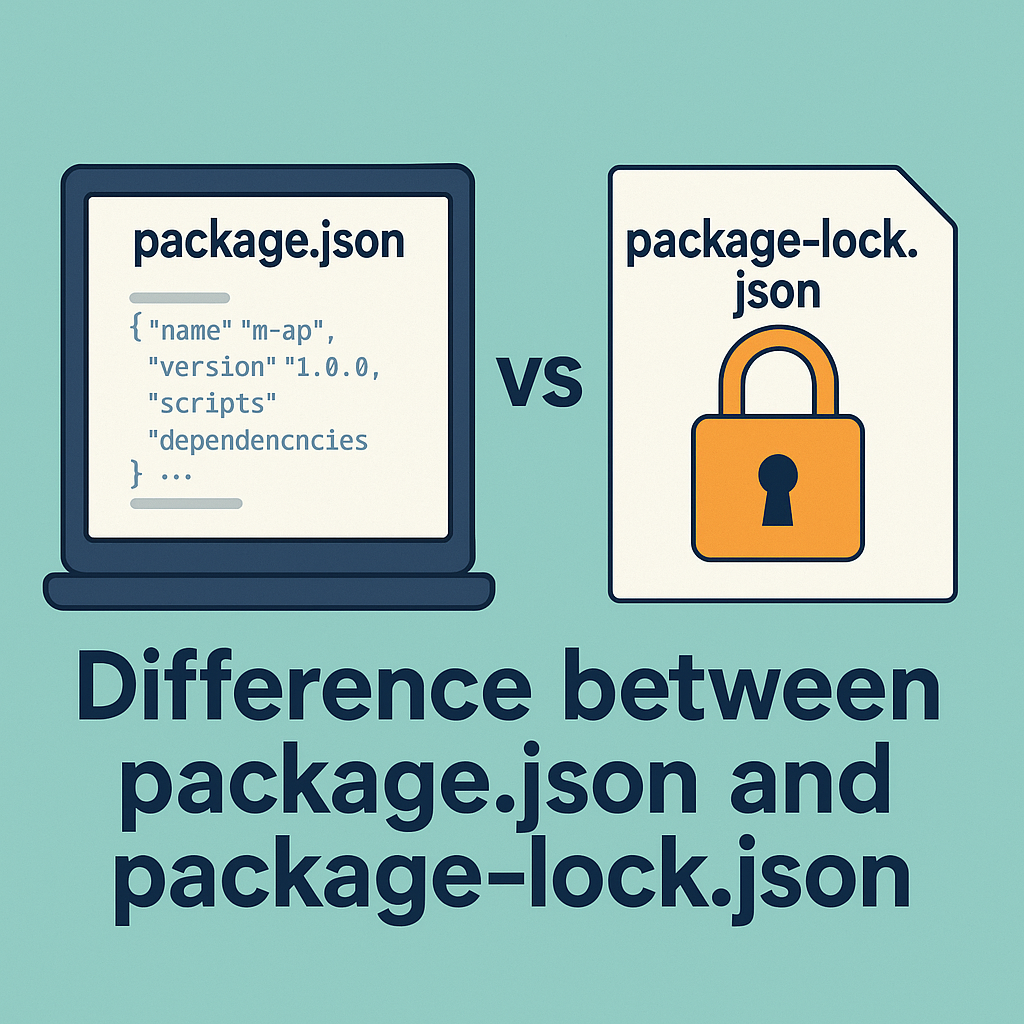
The package.json file often specifies version ranges for dependencies (e.g., ^18.2.0, where the ^ means "any compatible version"). This is flexible but can be risky. Two people installing the project at different times might get slightly different versions of a package, which could lead to bugs.
The package-lock.json file solves this. It is an automatically generated, highly detailed file that records the exact version of every single package and sub-package installed. It acts as a snapshot, ensuring that every person who works on the project, and every server that deploys it, uses the identical set of code. This guarantees a consistent and reproducible build.
You should never edit package-lock.json manually. It is managed entirely by npm.
The same Coder Coder video has an excellent explanation of why this lock file is so important.
What is NPM, and why do we need it? | Tutorial for beginners
This section of the video clarifies the problem that package-lock.json solves.
Watch the clip explaining why the package-lock.json file exists and how it ensures compatibility across different environments.
A Quick Tour of Other Config Files
While package.json is the main configuration hub, projects often have other config files for specific tools. A project generated with Next.js and TypeScript, for example, will have several.
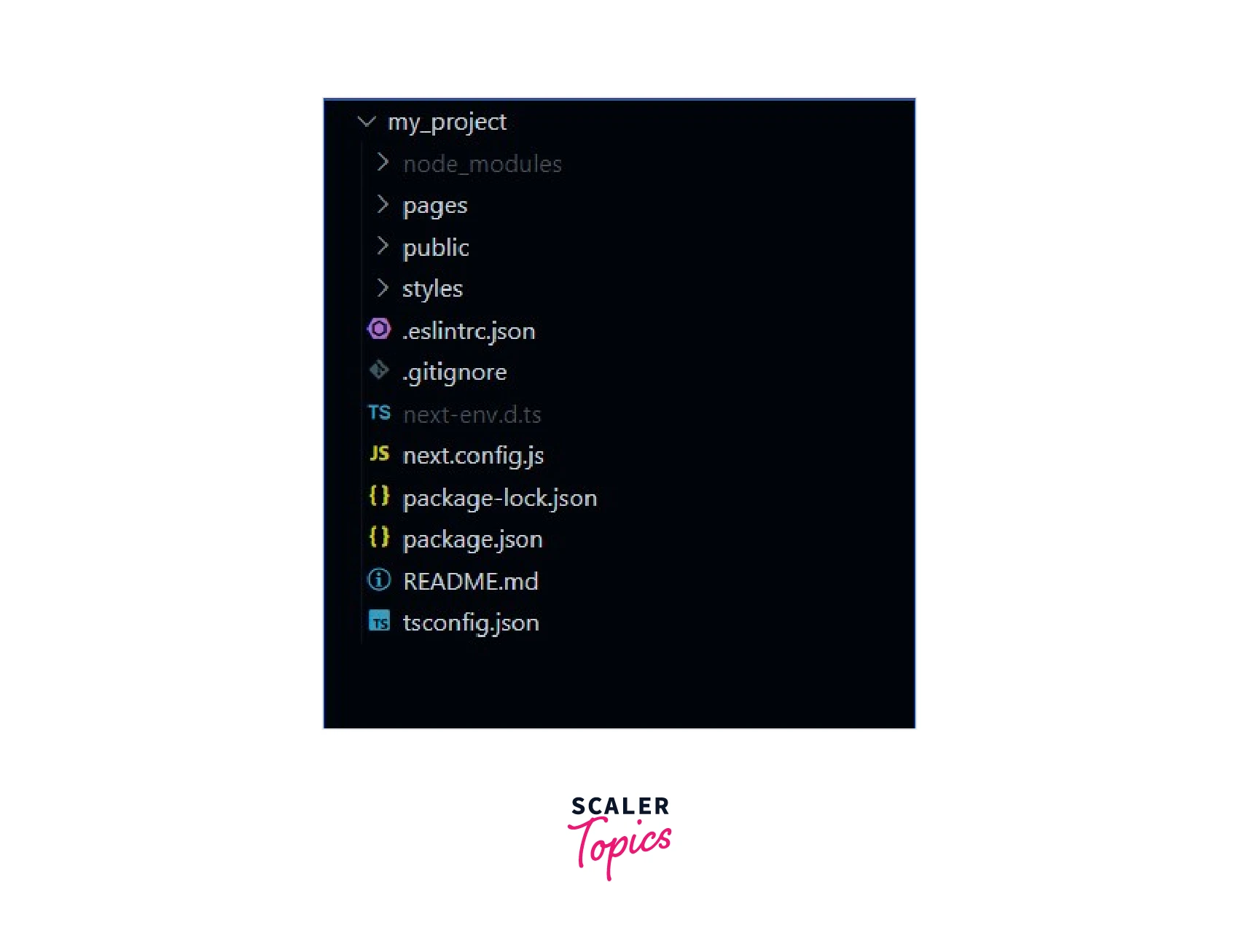
The video below gives a rapid tour of the most common ones you'll encounter.
WTF are all these config files for?
This video from Beyond Fireship explains the purpose of many common configuration files in a modern web project.
Watch these short segments to get a feel for what each file configures: The introduction lists many of the mysterious files you might see. The explanation of tsconfig.json shows its role in controlling the TypeScript compiler. The brief mention of package.json reinforces its role as the dependency manager.
Here’s a quick summary of the key ones from the learning outcome:
tsconfig.json: This is the settings file for the TypeScript language. It tells the TypeScript compiler which files to check, how strictly to enforce typing rules, and what version of JavaScript to compile the code into so that browsers can understand it.next.config.js: This file is specific to the Next.js framework. It lets you customize the framework's behavior, like setting up image optimization rules, creating custom page redirects, or managing environment variables. Think of it as the main settings panel for Next.js itself.
When an LLM asks you to edit one of these files, it's asking you to change a fundamental setting for one of your project's main tools.
Conclusion
Configuration files are the glue that holds a modern development project together. They aren't part of your app's visible UI, but they provide the essential instructions that your tools need to build, run, and manage your code correctly. By understanding their roles, you're gaining insight into the "control panel" of your project, making you less dependent on simply following instructions and more aware of what's happening under the hood.
Key Takeaways:
- Configuration files are instructions for your tools. They define settings for everything from your AI assistant (
.cursorrules) to your package manager (package.json) and framework (next.config.js). package.jsonis the project's central manifest. It lists project metadata and, most importantly, the dependencies (packages) required to run the code.package-lock.jsonensures consistency. It creates a snapshot of the exact versions of all installed packages, guaranteeing that the project builds the same way everywhere.- Tool-specific files like
tsconfig.jsonandnext.config.jscontrol the behavior of the TypeScript compiler and the Next.js framework, respectively.
In our next lesson, we will synthesize what we've learned about files, folders, and configurations to make a crucial distinction: what is the source code that you actively edit, versus the generated or config files that you generally leave alone?