Recommended resources
The freely available resources this lesson will direct you to.
Introduction
Welcome back! In our last lesson, we explored the "why" behind interleaving, establishing that mixing related topics is a powerful way to train your brain to discriminate between concepts. We learned that while it feels harder in the moment, it leads to more flexible and durable knowledge.
Today, we move from theory to practice. This lesson is all about the "how." Our goal is to apply interleaved practice when learning multiple UX methodologies or coding functions. You'll walk away with a clear, step-by-step method for structuring your study sessions to build the kind of adaptable expertise that's essential in design and development. This directly targets your goal of improving how you apply what you learn in real-world contexts.
From "How" to "When": The Core of Interleaving
The most significant shift from blocked to interleaved practice is changing the question you answer.
- Blocked practice trains you on how to execute a single, known procedure.
- Interleaved practice trains you on when to use which procedure from a set of options.
This second skill—choosing the right tool for the job—is the hallmark of an expert. In your work as a UX designer, you're rarely told, "go conduct a card sort." Instead, you're faced with a problem, like "our navigation is confusing," and you must decide that card sorting is the appropriate method. Interleaving builds this exact decision-making muscle.
To hear this crucial distinction explained, let's watch a segment from a video on study hacks.
Interleaving vs Spaced repetition | Study hacks
This video by Artem Kirsanov clearly explains that the real power of interleaving is in learning 'when' to use a skill, not just 'how.'
Please watch from 02:59 to 04:30. The video uses a math problem as an example, but the principle is universal. Focus on how knowing the strategy in advance (like in blocked practice) removes the most important part of the problem-solving process.
A 3-Step Guide to Designing an Interleaved Session
So, how do you actually build an interleaved practice session? It's a straightforward process.
Interleaving Effect | FunBlocks AI
The article 'Unlock Deeper Learning with the Interleaving Effect' provides a practical, step-by-step guide. We'll use its structure as our foundation.
Please read the section titled '7. Practical Guide: Implementing Interleaving in Your Learning'. Focus on the 'Step-by-Step Operational Guide' which includes: Identify Your Learning Goals Break Down Topics/Skills Design an Interleaving Schedule.
Let's summarize and adapt those steps for your specific goals:
- Identify Related Concepts: Choose 2-4 distinct but related topics you want to learn. For example, different UX research methods, Gestalt principles, or a set of JavaScript array methods (
.map(),.filter(),.reduce()). - Create Practice Problems: For each concept, generate a few small problems or questions. The key is that each problem should prompt the application of that concept, not just its definition.
- Mix Them Up: Arrange the problems in a random or systematic order so you are constantly switching between concepts.
Choosing Your Mix: Interleaving Patterns
How you mix the problems can vary. A simple random shuffle works well, but you can also be more systematic.
How to Use Interleaving for Deeper Learning - Coursera
The Coursera article 'How to Use Interleaving for Deeper Learning' offers some excellent, concrete patterns for structuring your session.
Please find the section titled 'How does interleaving work: Choosing an interleaving pattern'. Read about the three patterns it suggests for topics A, B, and C.
To quickly recap those patterns:
- ABCABC...: Quick switches, ideal for reinforcing the discrimination skill.
- AABBCC...: A bit more time on each topic before switching, a good balance.
- AAABBBCCCABC...: A mini-block followed by a quick interleaved review. This can be useful when you're still solidifying the basics of each topic.
Now, let's apply this framework to your areas of interest.
Application 1: Interleaving UX Methodologies
Let's use a common UX framework you're already familiar with: Design Thinking. The five stages are distinct but related, making them perfect for interleaved practice.
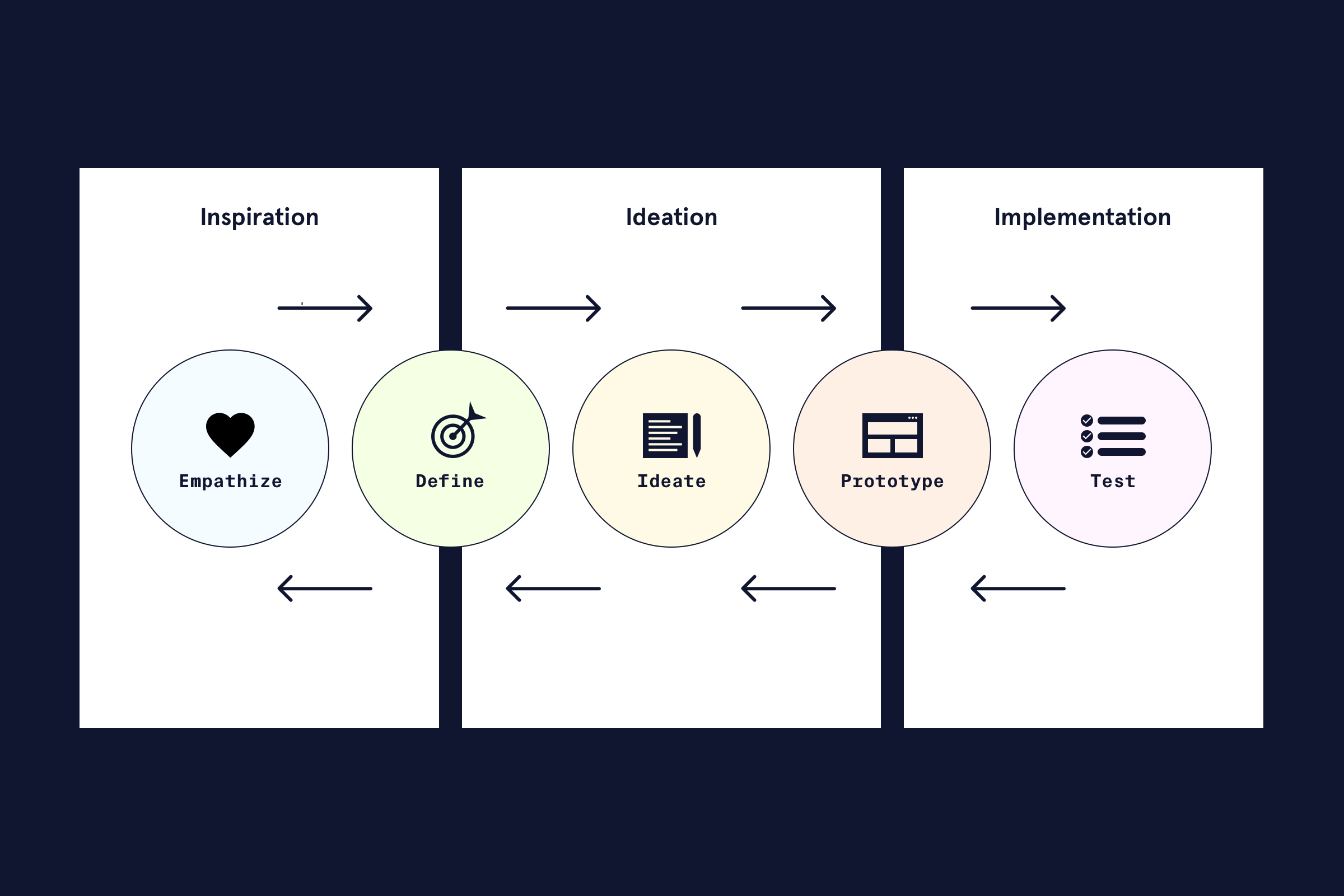
Blocked Practice (Less Effective):
- Monday: Read 3 articles about user interview techniques (Empathize).
- Tuesday: Practice writing 5 "How Might We" statements (Define).
- Wednesday: Run a 1-hour brainstorming session (Ideate).
Interleaved Practice (More Effective):
Create a series of mini-scenarios and mix them up in a single study session. Each scenario should be a snapshot of a project that requires you to identify the stage and propose a relevant action or method.
Example Problem Set:
- Problem A (Ideate): Your team has confirmed that users struggle with finding past orders in an e-commerce app. You need to generate a broad range of potential solutions. What method would you use? (e.g., Brainstorming, Crazy 8s).
- Problem B (Test): You have a clickable prototype for a new "order history" feature. You need to know if users can complete the core task and identify any usability issues. What method would you use? (e.g., Moderated Usability Testing).
- Problem C (Empathize): A startup wants to create a new mobile app for tourists, but they have no clear idea what problems tourists actually face. What is the very first research activity you would recommend? (e.g., Contextual Inquiry, User Interviews).
Practicing with a mixed set like this forces you to analyze the problem and retrieve the appropriate method, just as you would in your job.
Test your understanding!
Using the Design Thinking framework above, create a short practice problem for the Define stage. It should be a scenario that requires the learner to choose a "Define" activity, without explicitly naming the stage.
Show answer
A good example would be: "After conducting five interviews with tourists, you have a notebook full of quotes, observations, and pain points. Your product manager is asking for a clear, concise summary of the core user problem you should focus on solving. What tool or activity would help you synthesize this research into a focused problem statement?"
(Possible answers: Affinity Mapping to cluster insights, creating a Persona, or drafting a "How Might We" statement.)
Application 2: Interleaving Coding Functions
This is also highly effective for learning programming, where it's common to learn concepts in isolated blocks (e.g., a chapter on loops, a chapter on arrays).
Let's take the foundational layers of a webpage as our example.
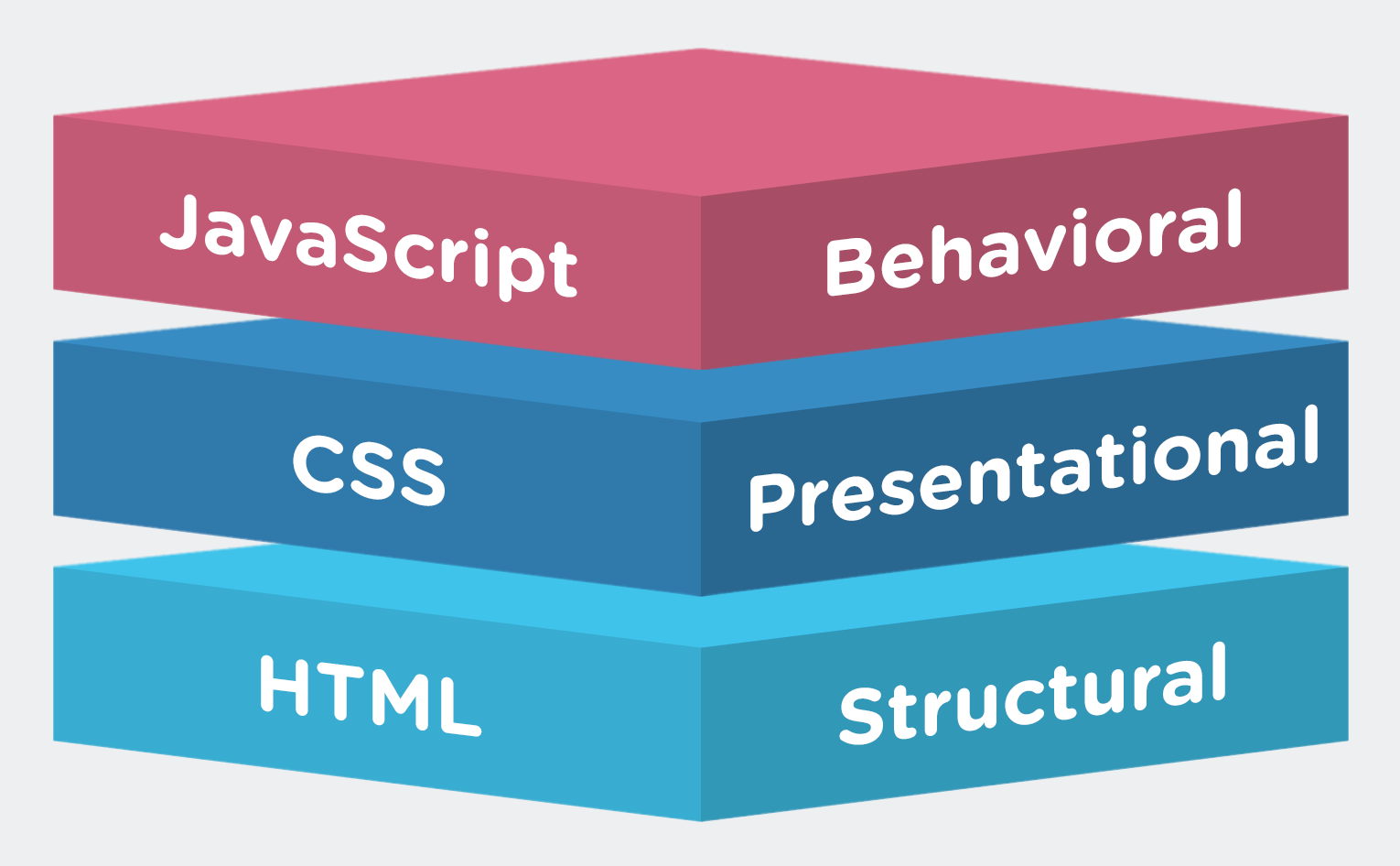
Goal: Learn to create a simple, interactive component.
Blocked Practice (Less Effective):
- Hour 1: Learn all about the
<button>and<p>HTML tags. - Hour 2: Learn all about the CSS
colorandfont-sizeproperties. - Hour 3: Learn how to use the JavaScript
onClickevent.
Interleaved Practice (More Effective):
Structure your practice around a mini-project, with tasks that force you to switch between HTML, CSS, and JavaScript.
Example Interleaved Task List:
- HTML: Create a file with a single
<button>element with the text "Show message" and a<p>element that is initially empty. - CSS: Give the button a blue background and white text.
- JS: Write a script that, when the button is clicked, adds the text "Hello World!" to the empty
<p>element. - CSS: Add a
hovereffect that slightly darkens the button's background color. - JS: Modify your script so that clicking the button toggles the message's visibility.
- HTML: Add an
idattribute to your<p>tag to make your JavaScript selector more robust.
This approach is powerful because it mirrors how features are actually built. It connects the what (a CSS property) with the why (to make this specific button look better). The "Practical Guide" article you read earlier (LINK) includes a worksheet template for planning this kind of session. You can adapt that table for any coding project you tackle.
Final Tips for Implementation
Here are a few extra tips to help you get started.
How to Use Interleaving for Deeper Learning - Coursera
The Coursera article we looked at earlier also contains a great list of actionable strategies for integrating interleaving into your learning.
Please read the numbered list in the section 'What is interleaving in learning?' (from '1. Mix practice problems' to '8. Monitor progress'). Notice how these tips provide a variety of ways to implement the core idea.
A particularly low-tech but effective strategy, mentioned in the video by Artem Kirsanov, is to write each practice problem on a separate index card or sticky note (or take a screenshot of each) and then simply shuffle the deck. This ensures a truly random mix and makes it easy to create practice sessions on the fly.
Conclusion
You now have a practical framework for applying interleaved practice. By moving beyond blocked drills and embracing mixed practice, you are actively training yourself to think like an expert—analyzing a situation, selecting the right tool, and applying it effectively.
Key Takeaways:
- Interleaving trains you on when to use a skill, which is a more critical and transferable ability than just knowing how.
- You can design a session in three steps: Identify related concepts, create small practice problems, and mix them up.
- Use established patterns (like ABCABC or AABBCC) to structure your mixed practice.
- This method is highly effective for learning both UX methodologies (by using scenarios) and coding functions (by building integrated mini-projects).
What's Next?
We've now covered spacing your practice over time (spacing effect) and mixing up topics within a session (interleaving). In the next lesson, we will add another layer of depth by exploring how to use varied examples and contexts during practice to improve concept generalization. This will help you take a skill learned in one context (e.g., applying a UX principle to a finance app) and successfully transfer it to a completely different one (e.g., a healthcare app), making your knowledge even more powerful and flexible.