Recommended resources
The freely available resources this lesson will direct you to.
- Best FREE websites for commercial use CLIPART to use in Teachers pay Teachers Products (In depth)www.youtube.com
- CLIPART AND FONTS for YOUR TEACHERS PAY TEACHERS PRODUCTSwww.youtube.com
- The Ultimate Guide to Fonts and Clip Art for TPT Sellerslindsaybowden.com
- What font should I use when I sell resources on TpT | Episode 2seotpreneur.com
Welcome back! In our last lesson, you established a professional design foundation by creating a style guide within your Illustrator template. You now have a clear vision for how your products should look and feel, emphasizing readability and classroom usability.
Today, we shift from design principles to the crucial legal framework that underpins your entire TPT business. This lesson is about sourcing the "raw materials" for your products—fonts and clipart—in a way that is legal, professional, and sustainable. We will cover how to find assets with the correct commercial licenses, understand the rules that come with them, and set up a system to manage everything. Mastering this isn't just a best practice; it's a non-negotiable requirement for building a long-term, successful TPT store.
The Legal Landscape: Why This Matters
When you're creating a resource for your own classroom, you can pull images from Google without a second thought. When you're creating a product to sell, the rules change completely. Every font, photo, and piece of clipart is a creative work owned by someone, and using it without the proper permission is copyright infringement. This can lead to your product being taken down, your TPT store being closed, or even legal action.
To navigate this, you need to understand the basic ways you can get permission to use an image. The flowchart below provides a fantastic high-level overview.

For TPT sellers, the goal is almost always to find assets that come with a commercial use license. This is a specific contract from the creator that gives you permission to use their work in a product you intend to sell, usually in exchange for a fee and adherence to their specific Terms of Use (TOU).
To grasp the seriousness of this and the fundamental difference between personal and commercial use, let's watch the introduction to this video from a TPT clipart artist.
Best FREE websites for commercial use CLIPART to use in Teachers pay Teachers Products (In depth)
This video, from the channel Tealazzo Clipart, begins by explaining the legal dangers of improperly sourcing clipart for commercial products like those sold on TPT.
Watch the segment from the introduction. The key takeaway is that the freedom you have for classroom creation does not apply to commercial product development. A "big no-no" on Google Images becomes a critical business risk.
Sourcing Your Assets: Safe Harbors and Risky Waters
Now that you understand the "why," let's focus on the "where." Your time is valuable, so it's best to start with sources known for clear, TPT-friendly commercial licensing.
Recommended "Safe" Sources
- Teachers Pay Teachers (TPT): Many font and clipart artists sell their work directly on TPT. The major advantage is that these creators understand the needs and rules of the TPT marketplace.
- Creative Fabrica: This site is a favorite among digital product sellers because its standard commercial license is very clear and explicitly allows for creating new, "transformative" designs for sale.
The following guide from top TPT seller Lindsay Bowden provides an excellent list of places to start your search.
The Ultimate Guide to Fonts and Clip Art for TPT Sellers
This article offers a direct, practical list of recommended sources for both fonts and clipart, tailored specifically for TPT sellers.
First, read the section on fonts. Pay attention to the variety of sources mentioned, especially TPT itself. Next, read the section on using clipart. The advice to choose one or two artists to maintain a consistent style is excellent for building your brand.
To see how to find and evaluate assets on these platforms in real-time, we'll turn back to the Tealazzo Clipart video.
Best FREE websites for commercial use CLIPART to use in Teachers pay Teachers Products (In depth)
This video provides a detailed walkthrough of how to find and assess free commercial-use clipart on TPT and Creative Fabrica.
First, watch the segment on finding clipart on TPT. Notice the process: searching for freebies, checking the description for "300 DPI" (high resolution for printing), and, most importantly, looking for the artist's Terms of Use. Next, watch the segment on Creative Fabrica. The key concept here is their licensing model, which requires you to create a new, flattened design and not just resell the clipart as-is. This is a common requirement you'll see everywhere.
Sources Requiring More Caution
Websites like DaFont, Pixabay, Pexels, and even Canva can be tempting, but they carry significant risks for a business.
- Font Aggregators (e.g., DaFont): Many fonts on these sites are listed as "Free for Personal Use." This means you cannot use them in a TPT product unless you track down and purchase a separate commercial license from the original artist.
- "Free" Stock Photo/Clipart Sites (e.g., Pixabay, Pexels): These platforms allow anyone to upload content. There is no guarantee that the uploader actually owns the rights or has obtained a model release for photos of identifiable people (especially children).
- Canva: Canva's license is complex. It sources content from other platforms like Pixabay and Pexels, and its own terms state that you, the user, are solely responsible for ensuring all necessary rights and releases are in place. This ambiguity makes it a risky choice for core product assets.
The Tealazzo Clipart video does an outstanding job of breaking down these risks. This is critical information for protecting your business.
Best FREE websites for commercial use CLIPART to use in Teachers pay Teachers Products (In depth)
This critical analysis explains the hidden liabilities of using "free" commercial content from popular platforms like Pixabay and Canva.
Watch the segment on Pixabay's risks. The discussion about model releases for photos of children is extremely important. The responsibility falls on you to verify the permission. Next, watch the detailed breakdown of Canva's confusing license. The key takeaways are the restrictions on creating templates, the inability to trademark logos using their graphics, and the fact that you are responsible for the underlying licenses of the content they provide.
The verdict: For building a professional TPT business, stick to sources where the commercial license is explicit and designed for this purpose, like TPT and Creative Fabrica. The risk with other platforms is simply not worth it.
Reading the Fine Print: Terms of Use (TOU)
Every commercial-use asset you download, free or paid, will come with a Terms of Use (TOU) document—usually a PDF. You must read and save this document. It is your legal contract with the artist.
Common requirements in a TOU include:
- Flattening & Securing: You must lock the clipart and fonts into your final PDF so they cannot be easily copied and pasted by your customers. In Illustrator, this is typically done when you export to PDF (by ensuring "Allow file editing" is unchecked) or by converting text to outlines and rasterizing images.
- Credit: You must include a link back to the artist's store on your credits page.
- Restrictions on "Moveable" Pieces: If you create digital, editable resources (like in Google Slides), many artists require an additional, more expensive license to allow their clipart to be used as moveable pieces.
Putting It All Together: Your Management System
Now it's time to turn this knowledge into an actionable business process.
1. Create Your Credits Page
In a previous lesson, you created a template for a "Terms of Use and Credits" page. It's time to set that up. The process is simple: acknowledge the creators whose work you've used.
CLIPART AND FONTS for YOUR TEACHERS PAY TEACHERS PRODUCTS
This video from "It's All Primary" shows a simple, effective example of what a credits page looks like and how to create it.
Watch the short segment on the credits page. The key is to use the artist's logo (which they almost always provide) and hyperlink it to their store.
Your Task: Open your Illustrator product template. On your "Terms of Use & Credits" artboard, create two sections with placeholder text: "Font & Clipart Credits" and "Terms of Use." Under the credits section, you can practice by adding a placeholder for a future credit (e.g., "Clipart by [Artist Name]" with a shape where their logo would go).
2. Build Your License Tracker
As you download and purchase assets, you need a central place to track them. A simple spreadsheet is the perfect tool. This is not just for organization; it's your proof of license if your right to use an asset is ever questioned.
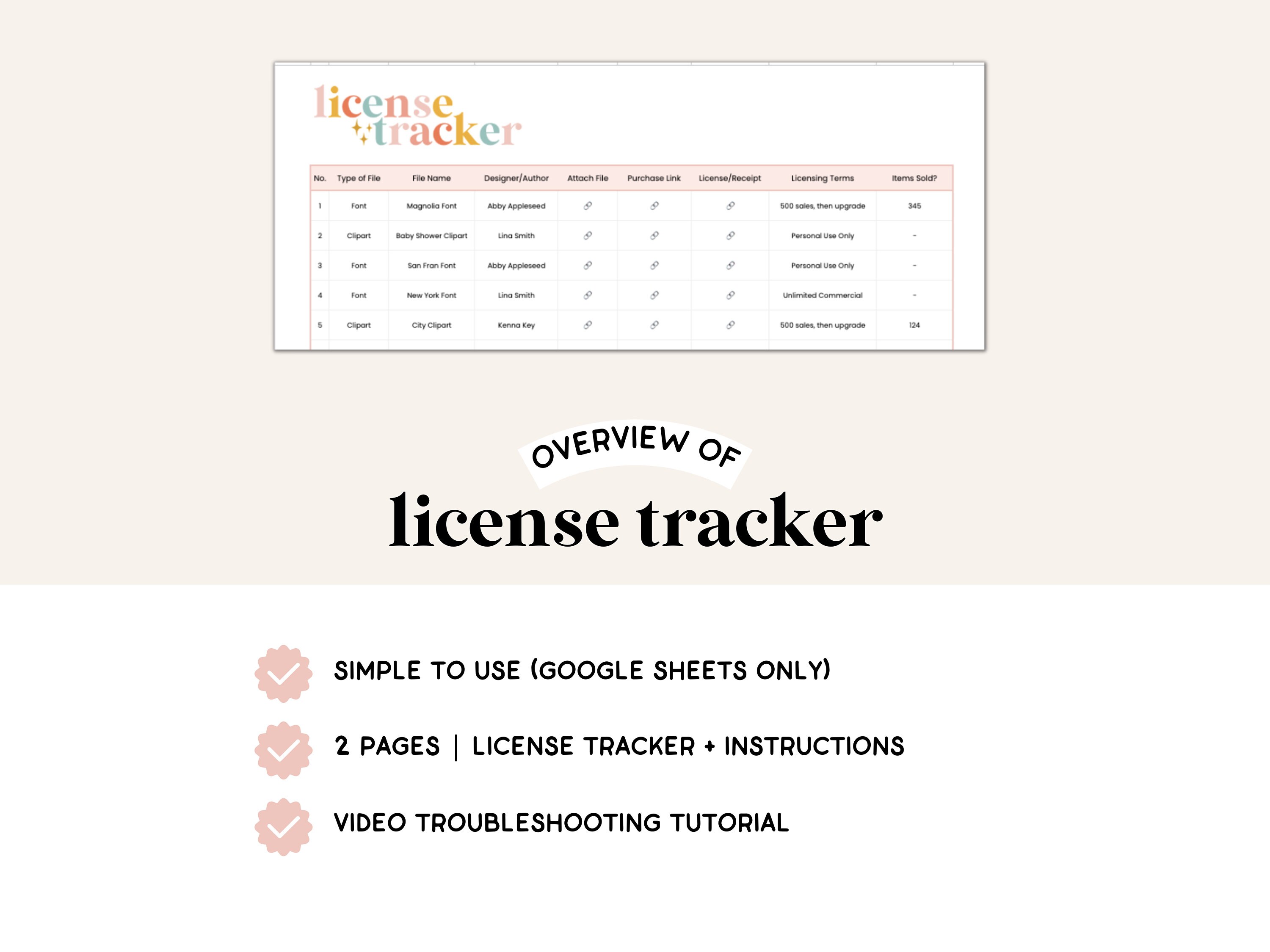
Your Task: Create a new spreadsheet in Google Sheets or Excel. Name it "TPT Asset License Tracker." Create the following columns:
Asset Name(e.g., "KG Red Hands Font," "Spring Flowers Clipart")Asset Type(Font, Clipart, Photo)Artist/CreatorSource Website(e.g., TPT, Creative Fabrica)Purchase/Download URLLocation of License File(Link to where you've saved the TOU pdf in your files)Key TOU Notes(e.g., "Credit required," "Flattening required," "No moveable use")
Set this file up now. From this point forward, every time you download a new font or clipart set, your first step will be to add a new entry to this tracker before you even think about using it in a product.
Conclusion
In this lesson, you've established a professional and legally sound workflow for using fonts and clipart in your TPT products. You learned that everything is copyrighted by default and that you must secure a commercial license to use assets in products for sale. We identified "safe harbors" like TPT and Creative Fabrica and highlighted the significant risks associated with platforms like Canva and Pixabay for commercial work. Finally, you took action by setting up the two pillars of your asset management system: a template for your credits page and a license tracking spreadsheet. This system will protect your business and allow you to create with confidence.
With the legal and technical foundation for your assets now in place, our next lesson will focus on combining them into the single most important marketing tool for your product: an eye-catching, professional product cover that drives clicks and sales in a crowded marketplace.