Recommended resources
The freely available resources this lesson will direct you to.
Welcome to the first lesson of our final module, the Capstone Project. Over the past modules, you've progressed from the fundamentals of LLM inference to the complexities of GPU architecture, high-performance serving, and advanced cost modeling. You've built a solid foundation in the "what" and "why" of running LLMs in production. Now, it's time to put it all together.
This module is where your extensive background in SRE, DevOps, and infrastructure automation will truly shine. We will be designing and building a complete, end-to-end deployment pipeline for a large language model.
Today's lesson focuses on the blueprint for this entire project. Your goal is to design a CI/CD pipeline for LLMs, from model artifact ingestion to canary and production deployment. We will lay out the architecture and strategy, applying familiar DevOps principles to the unique challenges of machine learning systems.
1. The Anatomy of an LLM CI/CD Pipeline
A CI/CD pipeline for a traditional web service is a well-understood process: build, test, and deploy. While an LLM-based service shares these stages, it introduces new artifacts (models, prompts, evaluation datasets) and new risks (non-determinism, performance regressions, quality degradation) that demand a more sophisticated approach.
Your experience managing complex distributed systems has shown you the importance of automated gates and safe rollouts. For LLMs, these gates must go beyond simple unit tests. They need to evaluate the behavior of the model.
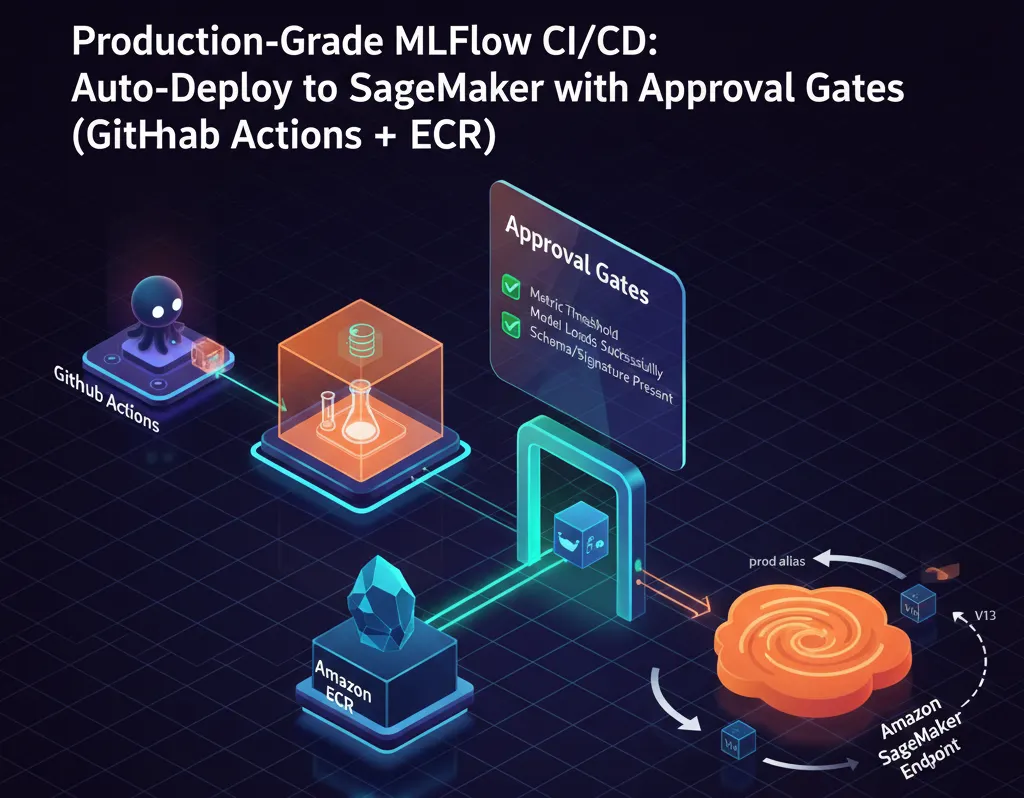
The key differences in an LLM CI/CD pipeline are:
- Artifact Complexity: We manage not just code, but also large model weights, prompt templates, and evaluation datasets.
- Evaluation Gates: Instead of just unit tests, we need automated evaluations that run the model against a "golden dataset" to check for regressions in accuracy, safety, latency, and cost.
- Progressive Delivery: Given the risk of subtle quality degradations, we can't just do a simple rolling update. We need safer strategies like canary deployments to test the new model with live traffic before a full rollout.
2. Core Architecture: GitOps for MLOps
To manage this complexity, we'll adopt a GitOps approach, a pattern you're likely familiar with from your work with Kubernetes and infrastructure automation. We will use two separate Git repositories:
- Application Repository: Contains the application source code, Dockerfiles, prompt templates, and evaluation scripts. This is where developers and data scientists work.
- GitOps (Manifest) Repository: Contains the Kubernetes deployment manifests (e.g., Deployments, Services, and Argo Rollouts). This repository defines the desired state of our production environment.
The CI pipeline, triggered by changes in the application repo, will build artifacts and then update the manifests in the GitOps repo. The CD tool, Argo CD, will then automatically sync those changes to the cluster.
This video from Rayan Labs provides an excellent demonstration of this two-repo GitOps workflow using GitHub Actions for CI and Argo CD for CD.
Kubernetes CI/CD: Build a Pipeline (ArgoCD + Github Actions)
This video, "Kubernetes CI/CD: Build a Pipeline," explains the high-level architecture of a GitOps pipeline and walks through the setup of the application and GitOps repositories.
Watch the first two sections to understand the overall architecture. Pipeline Architecture: This gives a concise overview of how GitHub Actions (CI) and Argo CD (CD) work together. Repository Setup: This explains the roles of the two repositories and the flow from a code change to an automated deployment.
This separation of concerns is a powerful pattern. The application repo is about what to run, and the GitOps repo is about how and where to run it.
3. Designing the Continuous Integration (CI) Phase
The CI phase is our first line of defense. It's triggered when a developer opens a pull request in the application repository. Its job is to verify that the proposed change is safe to merge.
Repository Structure and Versioning
A well-organized repository is crucial. We must treat not only code but also prompts and data as first-class, version-controlled artifacts.
This guide from LaikaTest provides a clear and practical layout for an LLM project repository and outlines what to test in the initial CI stages.
Please read "Step 0: Detailed Prerequisites and Repo Layout" and "Step 1: Unit Tests and Static Checks for LLM Pipelines". Focus on the recommended repository structure and the types of fast-running tests that can catch common errors early.
Based on the article, our CI pipeline, likely implemented with GitHub Actions, will have the following key jobs:
- Lint & Static Analysis: Run standard code linters.
- Unit Tests: This is where your SRE mindset for testing infrastructure code applies. We'll run
pytestto:- Validate prompt template formatting (e.g., ensure no missing placeholders).
- Check schema for prompt configuration files.
- Run smoke tests for the inference wrapper code.
- Evaluation Gate (Offline): This is the most critical LLM-specific step. The CI workflow will:
- Spin up the new model version (or use an API).
- Run an evaluation script (e.g.,
eval/evaluate_prompts.py) against a small, curated "golden dataset." - Compare key metrics (e.g., accuracy, latency, token count) against the current production version.
- Fail the build if any metric shows a significant regression.
Only if all these checks pass can the pull request be merged into the main branch, which in turn triggers our CD process.
4. Designing the Continuous Deployment (CD) Phase
Once a change is merged to main, the CD process takes over. Its goal is to get the change into production safely and automatically.
-
Build & Ingest Artifacts:
- The pipeline builds a new Docker image containing the application code and any updated prompts.
- This image is tagged with a unique identifier (e.g., the Git commit SHA) and pushed to a container registry like AWS ECR or Docker Hub.
- The model itself might be baked into the image or loaded from a model registry.
-
Update Desired State:
- The pipeline automatically commits a change to our GitOps repository. This change updates the image tag in the corresponding Kubernetes manifest to point to the new Docker image version.
-
Progressive Delivery with Argo Rollouts:
- This is where the magic happens. Argo CD, which is constantly watching our GitOps repo, detects the manifest change.
- Instead of initiating a standard Kubernetes
Deployment, we'll use a custom resource called an Argo Rollout. This resource controller extends Kubernetes to enable advanced deployment strategies like canary releases. - Argo Rollouts will execute a predefined, automated sequence of steps to shift traffic gradually while monitoring performance.
This video from DevOps & AI Toolkit clearly demonstrates how Argo Rollouts manages a canary deployment, including an automatic rollback on failure.
Argo Rollouts - Canary Deployments Made Easy In Kubernetes
This video, "Argo Rollouts - Canary Deployments Made Easy In Kubernetes," provides a practical look at how to define and execute a canary release strategy.
Watch these key sections to understand the mechanics: Rollout Definition: Explains the Rollout CRD, focusing on the strategy section where you define the traffic-shifting steps and analysis templates. Simulating a Failure: Shows how Argo Rollouts detects a regression based on Prometheus metrics and automatically rolls back to the stable version. A Successful Deployment: Walks through a successful canary, where the new version passes all checks and is promoted to 100% traffic.
5. Synthesizing Our End-to-End Pipeline Design
Let's bring all these pieces together into a coherent design.

Here is the step-by-step flow of our designed pipeline:
- Trigger (PR): A developer opens a Pull Request with a change to a prompt template in the Application Repo.
- CI Phase (GitHub Actions):
- A workflow is triggered on the PR.
Job 1: Unit Tests: Runspytestto validate the prompt template's syntax.Job 2: Evaluation Gate: Runs an evaluation script that compares the output quality of the new prompt against the old one using a golden dataset. A summary is posted to the PR.
- Merge: The PR is approved and merged into the
mainbranch. - CD Phase (GitHub Actions):
- A new workflow is triggered on the push to
main. Job 1: Build & Push: Builds a new Docker image, tags it with the Git commit SHA, and pushes it to Amazon ECR.Job 2: Update Manifests: Checks out the GitOps Repo, updates theimagetag in the correspondingArgo Rolloutmanifest, and pushes the change.
- A new workflow is triggered on the push to
- Deployment Phase (Argo CD & Argo Rollouts):
- Argo CD detects the change in the GitOps repo and syncs the
Argo Rolloutresource to the Kubernetes cluster. - Argo Rollouts takes over:
- It deploys one
podof the new version (the canary). - It modifies the service mesh/ingress to send 10% of live traffic to the canary.
- It pauses for 5 minutes, querying Prometheus for P99 latency and error rate metrics for the canary version.
- If metrics are within SLOs, it increases traffic to 50%, then 100%, and finally scales down the old version.
- If metrics violate SLOs, it aborts the rollout, immediately routes 100% of traffic back to the old version, and scales down the canary. The pipeline is marked as failed.
- It deploys one
- Argo CD detects the change in the GitOps repo and syncs the
This design provides a robust, automated, and safe pathway for shipping changes to our LLM application.
Conclusion
In this lesson, you designed the architectural blueprint for a production-grade LLM CI/CD pipeline. We've established a strategy that leverages your existing DevOps expertise and adapts it to the specific needs of LLM systems.
Key Takeaways:
- LLM CI/CD builds on DevOps principles but adds critical new components: versioning for models/data, behavioral evaluation gates, and advanced deployment strategies.
- GitOps is the ideal architectural pattern, separating application logic from deployment configuration for a clear and auditable workflow.
- The CI phase acts as a gatekeeper, using unit tests and offline evaluations to catch regressions before they reach the main branch.
- The CD phase uses progressive delivery (canary deployments) via tools like Argo Rollouts to test changes on live traffic, with automated analysis and rollback to minimize production impact.
In our next lesson, we'll move from design to implementation. You will start building the first component of this pipeline: scripting a benchmark evaluation suite that will serve as our powerful, automated "evaluation gate."