Recommended resources
The freely available resources this lesson will direct you to.
Welcome to the next step in our journey to connect AI to your applications! In the last lesson, we explored the Hugging Face Inference API, demystifying how you can call a vast library of specialized AI models directly from your code. You learned the fundamental workflow: get an API key, structure a request, and get a result back.
Today, we shift our focus from the broad "open-source playground" of Hugging Face to the powerful, large-scale models that power tools like ChatGPT and Claude. This lesson will introduce you to the APIs from commercial providers like OpenAI and Anthropic. You'll discover that the core process is remarkably similar to what you've already learned, but with some key differences in how you structure your requests to unlock their conversational power.
By the end of this lesson, you'll understand the standard workflow for using these major LLM APIs, from getting your secret key to structuring the perfect prompt.
What are LLM APIs? The Restaurant Analogy Revisited
In our previous discussions on APIs, we used the analogy of a restaurant. This concept is just as relevant here.
Introduction to Using LLM APIs - ApX Machine Learning
This article provides a fantastic refresher on what an API is, using a simple and effective analogy.
Read the introduction and the section titled What is an API?. The restaurant analogy here perfectly illustrates the relationship: your app is the diner, the API is the waiter, and the LLM service (like OpenAI) is the kitchen.
The main difference between the Hugging Face API and those from OpenAI or Anthropic is the "kitchen" you're ordering from. Hugging Face hosts thousands of different "kitchens" (models) from various creators. OpenAI and Anthropic, on the other hand, operate a few, very large, and highly sophisticated "michelin-star kitchens"—their own proprietary foundation models like GPT-4 and Claude 3.
Using their APIs allows you to bring that world-class capability directly into your own apps, enabling automation, deep integration, and scalability far beyond what you could do by manually copying and pasting from a web interface.
The Core Workflow: Get a Key, Make a Request
The good news is that the process for using these commercial APIs follows the exact same pattern you learned with Hugging Face. The two essential first steps are:
- Authentication: Proving who you are with a secret API key.
- Structuring a Request: Formatting your prompt and instructions in a way the API understands.
Let's tackle the first step. Unlike the free tier of the Hugging Face Inference API, the services from OpenAI and Anthropic are paid products. Using their APIs will incur costs, which is why they require you to have a billing account set up before you can generate a key. This is a crucial piece of the "why": when Claude asks you for an API key from these services, it's because it's about to use a paid resource on your behalf.
The following guide walks you through generating keys for both OpenAI and Anthropic. You don't have to add a lot of credit—often the minimum amount (e.g., $5) is more than enough to get started and run all the examples in this course.
Generating API Keys for OpenAI, Google Gemini, and Anthropic for usage in Apps Script
This guide provides clear, step-by-step instructions for creating API keys for the two services we're focusing on.
Follow the instructions in these two sections: OpenAI API Key Anthropic API Key Remember: Just as with your Hugging Face token, these keys are secret. Copy them immediately and store them in a safe place (like a password manager or, for our projects, a .env file). You will not be able to see them again after you close the window.
For a visual walkthrough of this process, the first few minutes of this video are also a helpful guide, showing the dashboards for both services.
#2 Spring AI | OpenAI and Anthropic API keys
This video from Telusko visually demonstrates the process of navigating the OpenAI and Anthropic dashboards to create API keys.
Watch the section on OpenAI, which shows how to access the API keys section after setting up billing. Then, see the same process for Anthropic.
Structuring a Conversational Request: The messages Array
Here is the most significant difference from the simple Hugging Face APIs you've used. To enable rich, back-and-forth conversations, providers like OpenAI and Anthropic use a structured format called a messages array. Instead of a single input field, you provide a list of messages, each with a specific role.
This infographic breaks down the most common roles beautifully.

Let's break down the three primary roles you'll use:
system: This is your "director's note" to the AI. It sets the context, persona, and rules for the entire conversation. For example: "You are a helpful and witty assistant who provides short, one-sentence answers." This message is typically hidden from the end-user and acts as your way of guiding the AI's behavior.user: This is the input from the person using your app. It's their question or command, like "What is the capital of France?" or "Write me a poem about robots."assistant: This role is used to include the AI's previous responses in the conversation history. By feeding the AI's own past messages back to it, you give it memory and allow it to understand the context of a multi-turn dialogue.
Here’s what that structure looks like in a typical API request. Notice the messages array containing objects, each with a role and content.
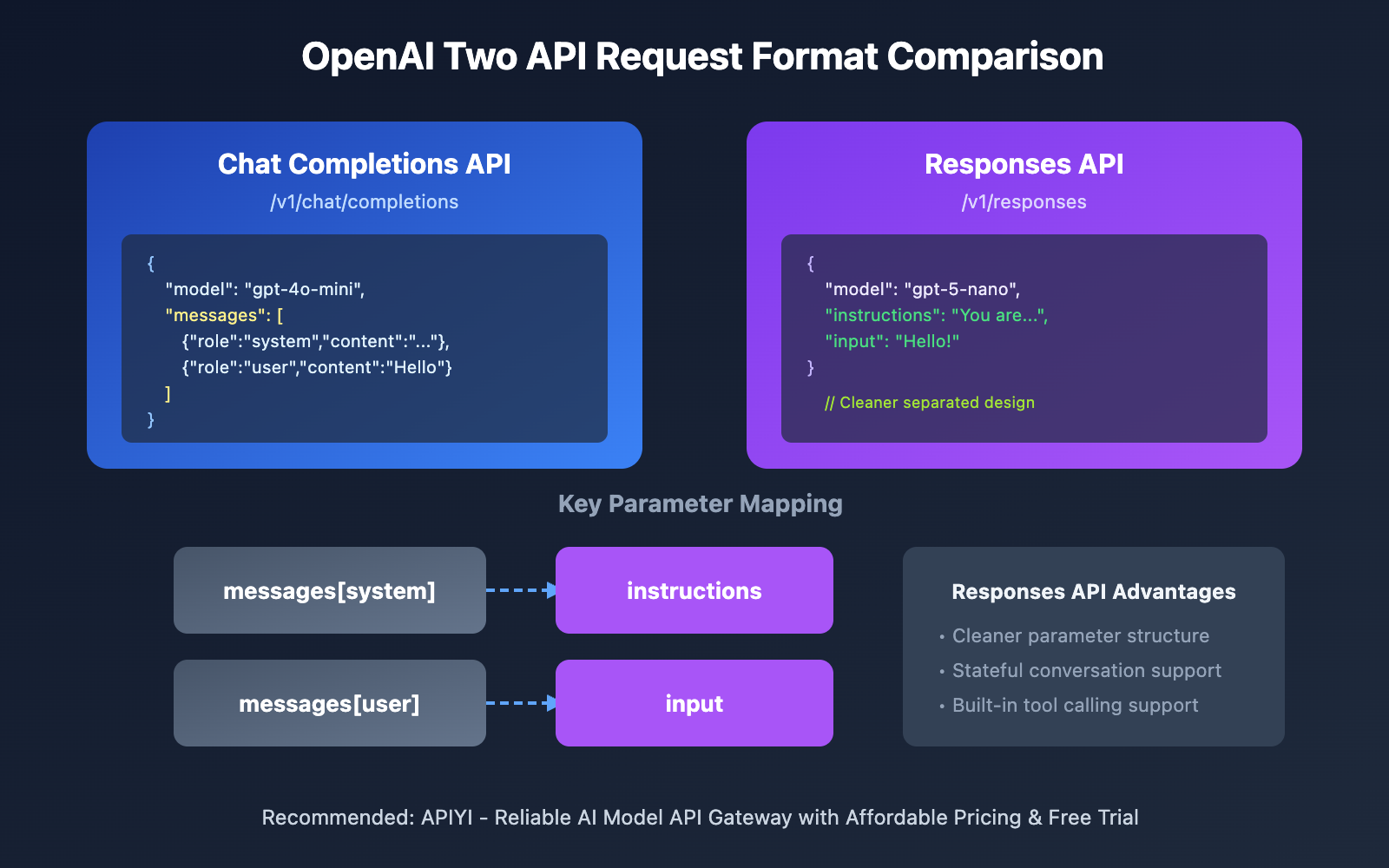
Understanding this role structure is the key to designing sophisticated interactions with an LLM.
Tokens: The Currency of LLMs
You might have heard the term "tokens" or seen warnings about "context window limits." This is directly tied to the cost and capability of LLM APIs.
In simple terms, a token is a piece of a word. The phrase "hello world" might be two tokens, while a more complex word like "vibe-coding" might be broken into three or four. Every piece of text you send to the API (system, user, assistant messages) and every piece of text the API sends back is measured in tokens.
The API provider charges you based on the total number of tokens processed. This is why you must set up a billing account! The video below gives a clear and concise explanation of how tokens relate to API costs.
Don't learn AI Agents without Learning these Fundamentals
This video from KodeKloud offers a practical walkthrough of making an OpenAI API call, including excellent explanations of message roles and the concept of tokens.
First, watch the segment on chat completions, which recaps the system, user, and assistant roles. Next, and most importantly, watch the section on tokens and costs. It breaks down the difference between prompt tokens (what you send) and completion tokens (what you get back) and explains how they contribute to the final cost of an API call.
This concept demystifies why developers are often concerned with prompt length and context windows. A larger prompt or a longer conversation history uses more tokens, which directly translates to a higher cost for each API call.
Conclusion
You now have the foundational knowledge to work with the most popular and powerful LLMs available today. While the specific models and features differ, the underlying API workflow remains consistent and builds directly on what you've already learned.
Here are the key takeaways from this lesson:
- Commercial LLM APIs (from providers like OpenAI and Anthropic) give you access to powerful, proprietary foundation models.
- The workflow is the same: sign up and add billing, generate a secret API key, and structure a request.
- Your API keys are confidential and tied to your paid account. They must be kept secure.
- Conversational APIs use a
messagesarray with roles (system,user,assistant) to manage dialogue and control the AI's behavior. - API usage is measured and charged in tokens, which represent the text you send and receive.
In our next lesson, you'll put this knowledge into practice. We'll connect to the OpenAI API from a simple web project to build a basic chat interface, making your first real call to GPT.