Recommended resources
The freely available resources this lesson will direct you to.
Hello! Welcome back to our journey into real estate risk analysis.
In the previous module, we focused heavily on risk from a lender's perspective, mastering metrics like DSCR, Break-Even Occupancy, and Debt Yield. These are crucial for securing financing. Now, we pivot to analyzing risk from your perspective as the investor. Your financial model is built on a series of assumptions about the future—but what if those assumptions are wrong?
This lesson addresses that critical question. Our learning outcome is to perform sensitivity analysis on key variables (rent, vacancy, exit cap rate) to measure their impact on NPV and IRR. We will explore how to systematically test your assumptions to understand which ones pose the biggest threat or offer the greatest upside to your investment returns.
1. What is Sensitivity Analysis?
Sensitivity analysis is a financial modeling technique used to determine how different values of an independent variable (an assumption) will impact a specific dependent variable (an output, like your return metric). In simpler terms, it's a structured "what-if" analysis.
Think of it like performance profiling in software development. You run a profiler to see which functions or lines of code are consuming the most resources and creating bottlenecks. Similarly, sensitivity analysis helps you identify the "risk bottlenecks" in your investment—the assumptions that, if they turn out to be even slightly off, could dramatically change your financial outcome.
To get a clear overview, let's watch the first part of this helpful video.
Sensitivity Analysis - What-If Scenarios In Real Estate Financial Modeling
This video from the 'Break Into CRE' channel provides an excellent introduction to what sensitivity analysis is and why it's a vital tool in any real estate investor's toolkit.
Watch from 00:29 to 01:33. Focus on the core purpose of sensitivity analysis: testing how changes in key assumptions (like rental growth or exit cap rate) affect your main investment return metrics (like IRR).
As the video highlights, the most common variables to test in a real estate context are your forward-looking assumptions, including:
- Rental Income / Rental Growth Rate
- Vacancy Rate
- Operating Expense Growth
- Exit Capitalization (Cap) Rate
The goal is to see how sensitive your Net Present Value (NPV) and Internal Rate of Return (IRR) are to changes in these inputs.
2. Performing Sensitivity Analysis: The Data Table
The most common way to perform and visualize a sensitivity analysis for one or two variables is by using a data table. This table shows you the resulting output metric (e.g., IRR) for a whole range of input values, laid out in a simple grid.
Let's see how this is built in practice. The following video gives a clear, step-by-step demonstration using Excel, which is the industry standard for this type of analysis. The logic applies directly to how you would structure the same analysis in code.
Sensitivity Analysis - What-If Scenarios In Real Estate Financial Modeling
This extended clip from the same video demonstrates how to identify key assumptions in a pro forma and build a two-variable data table to sensitize IRR against changes in annual rent growth and exit cap rate.
Watch from 01:43 to 09:43. Pay close attention to: Which variables are chosen for the analysis and why (forward-looking assumptions). How the data table is structured, with one variable on the x-axis and the other on the y-axis. How to interpret the resulting grid of IRR values to understand the range of possible outcomes.
The output of this process is a table that gives you an immediate, birds-eye view of your investment's potential outcomes.

The Impact on NPV and IRR
Let's be explicit about how these key variables affect your returns:
- Rent and Vacancy: These directly impact your Net Operating Income (NOI). Higher rents or lower vacancy lead to higher annual cash flows. This increases both the NPV (since the cash flows you are discounting are larger) and the IRR.
- Exit Cap Rate: This has an inverse relationship with your sale price (reversion cash flow). A lower exit cap rate implies a higher sale price (
Sale Price = Year N+1 NOI / Exit Cap Rate). A higher sale price means a much larger cash flow at the end of the holding period, which significantly boosts both NPV and IRR.
The following resource explains how to use sensitivity analysis to improve the accuracy of your NPV calculations.
Understanding NPV in Real Estate Underwriting
This article from CoreCast provides further context on using sensitivity and scenario analysis to strengthen your NPV calculations.
Please read the sections titled 'Enhancing NPV Accuracy Through Sensitivity Analysis' and the FAQ item 'How does scenario analysis improve the accuracy of NPV calculations?'. Focus on how adjusting key variables helps you understand the range of potential financial outcomes.
3. Implementing Sensitivity Analysis in Python
While Excel is great for visualization, you can replicate the logic of a data table in Python. This is especially useful if your main financial model is already built in code. The core idea is to loop through different values for your chosen variables and calculate the investment metric for each combination.
Here is a simplified example. Let's assume you have a function calculate_irr(rent_growth, exit_cap_rate) that runs your full cash flow model and returns the IRR. You could generate the data for a sensitivity table like this:
import numpy as np

# This is a placeholder for your detailed financial model.
# In a real scenario, this function would project multi-year cash flows
# and calculate the IRR based on the inputs.
def calculate_irr(rent_growth, exit_cap_rate):
    # Simplified mock calculation for demonstration purposes
    # A real model would be far more complex
    base_irr = 0.15 # 15%
    rent_sensitivity = (rent_growth - 0.03) * 2.5
    cap_rate_sensitivity = (0.06 - exit_cap_rate) * 3.0
    return base_irr + rent_sensitivity + cap_rate_sensitivity

# 1. Define the range of variables to test
rent_growth_range = np.linspace(0.02, 0.04, 5) # Test 2.0% to 4.0%
exit_cap_rate_range = np.linspace(0.05, 0.07, 5) # Test 5.0% to 7.0%

# 2. Create an empty table to store results
results_table = np.zeros((len(exit_cap_rate_range), len(rent_growth_range)))

# 3. Loop through each combination of variables
for i, cap_rate in enumerate(exit_cap_rate_range):
    for j, rent_growth in enumerate(rent_growth_range):
        # Calculate the IRR for the current combination
        irr = calculate_irr(rent_growth, cap_rate)
        results_table[i, j] = irr

# 4. Print the results table
print("--- IRR Sensitivity Analysis ---")
print("Rows: Exit Cap Rate | Columns: Annual Rent Growth\n")

# Print header row (rent growth)
header = [f"{rg:.1%}" for rg in rent_growth_range]
print(f"{'Cap Rate':<10}" + " | ".join(header))
print("-" * 60)

# Print data rows
for i, cap_rate in enumerate(exit_cap_rate_range):
    row_data = [f"{irr:<5.1%}" for irr in results_table[i]]
    print(f"{cap_rate:<10.1%}" + " | ".join(row_data))
Running this code produces a text-based data table, just like the ones we've been discussing. This forms the foundation for more advanced visualizations.
Test your understanding!
Based on the output of the Python script above, answer the following:
- What is the projected IRR in the "base case" scenario (3.0% rent growth and 6.0% exit cap rate)?
- What is the IRR in the worst-case scenario shown in the table?
- Which variable appears to have a stronger impact on the IRR in this model? A 1% change in rent growth (e.g., from 2.5% to 3.5%) or a 1% change in the exit cap rate (e.g., from 5.5% to 6.5%)?
Show answer
-
The base case (3.0% rent growth, 6.0% exit cap rate) yields an IRR of 15.0%. You can find this in the center of the table.
-
The worst-case scenario in the table corresponds to the lowest rent growth (2.0%) and the highest exit cap rate (7.0%). This results in an IRR of 9.5%.
-
The exit cap rate has a stronger impact. A 1% change in the exit cap rate (e.g., from 6.0% to 7.0% at 3.0% rent growth) causes the IRR to drop from 15.0% to 12.0% (a 3.0% drop). A 1% change in rent growth (e.g., from 2.5% to 3.5% at a 6.0% cap rate) causes the IRR to increase from 13.8% to 16.2% (a 2.4% change). Therefore, the exit cap rate is more sensitive in this simplified model.
Conclusion
Today, you've learned a fundamental technique for managing investment risk. By systematically testing your assumptions, you move from a single, fragile "pro forma IRR" to a robust understanding of the range of possible futures for your investment.
Key Takeaways:
- Sensitivity analysis is a "what-if" exercise to test how changes in your key assumptions (like rent growth and exit cap rate) affect your returns (NPV and IRR).
- It helps you identify the variables that have the most significant impact on your financial outcomes, telling you where to focus your due diligence.
- A two-variable data table is a common way to visualize the analysis, showing a grid of potential outcomes.
- As an investor, you can use this analysis to decide if you are comfortable with the "worst-case" scenarios or if you need to adjust your offer price or strategy to mitigate those risks.
Preview of the Next Lesson:
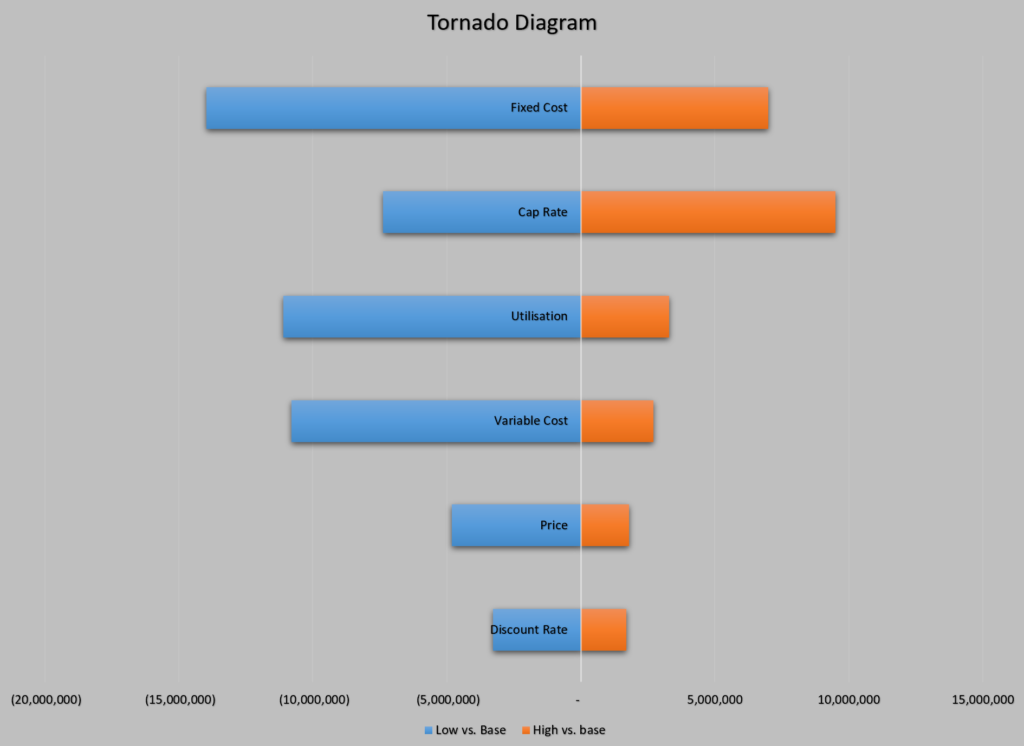
While data tables are excellent for one or two variables, what if you want to compare the impact of ten different assumptions at once? In our next lesson, we will learn how to build tornado diagrams to visualize variable impact on returns. A tornado diagram takes sensitivity analysis a step further by ranking your variables, showing you instantly which assumption is the most critical driver of your deal's success.