Hello! Welcome back to our module on "Optimizing and Scaling LLM Applications."
In our last lesson, we tackled one of the most fundamental constraints in LLM application development: the finite context window. You learned how to use summarization and sliding window techniques to process information that is too large to fit into a model's context at once.
Now, we shift our focus to another critical aspect of building production-ready AI systems: latency. Even the most intelligent AI is unhelpful if users have to wait excessively long for a response. Today, we'll address this by exploring a powerful technique that dramatically improves the user experience.
The learning outcome for this lesson is to implement streaming to reduce perceived latency in user-facing LLM applications. You will learn not just how to stream responses from an LLM, but also why it's the natural way for these models to communicate, and you'll see how to build a streaming API using FastAPI—a skill directly relevant to your goal of deploying AI models.
Why Stream? The Problem of Perceived Latency
As a backend engineer, you're accustomed to APIs that compute a result and return a complete response, often in JSON format. For many applications, this is perfectly fine. However, with LLMs, this "wait-then-receive" pattern can lead to a poor user experience. An LLM might take several seconds to generate a full paragraph, leaving the user staring at a loading spinner.
The solution is streaming. Instead of sending the entire response at the end, we send it piece by piece—token by token, or word by word—as it's being generated.
This has two main benefits:
- Lower Perceived Latency: The user starts seeing the response almost immediately, which makes the application feel much faster, even if the total generation time is the same.
- More Natural Interaction: For chatbots, seeing text appear word-by-word mimics a real conversation, making the interaction feel more dynamic and engaging.
This is possible because of the fundamental way LLMs work.
Streaming Locally Deployed LLM Responses Using FastAPI
This article, 'Streaming Locally Deployed LLM Responses Using FastAPI', provides a great explanation of the core reason streaming is so well-suited for LLMs: their auto-regressive nature.
Please read the short section titled 'What is auto regressive approach ?'. This will give you the foundational concept of why we can stream LLM outputs.
As the article explains, LLMs generate text auto-regressively: they predict one token, append it to the input, predict the next token, and so on. Since the tokens are produced sequentially, it makes perfect sense to send each one to the user as soon as it's ready, rather than waiting for the entire sequence to finish.
Building a Streaming Endpoint with FastAPI
Now, let's get practical. We'll use FastAPI to build an API that streams data. Your experience with web frameworks will be helpful here, but we'll be using a specific feature that might be new to you: StreamingResponse.
The technology we'll use to send these streaming updates from the server to the client is called Server-Sent Events (SSE). It's a simple, efficient, one-way protocol designed for exactly this purpose.
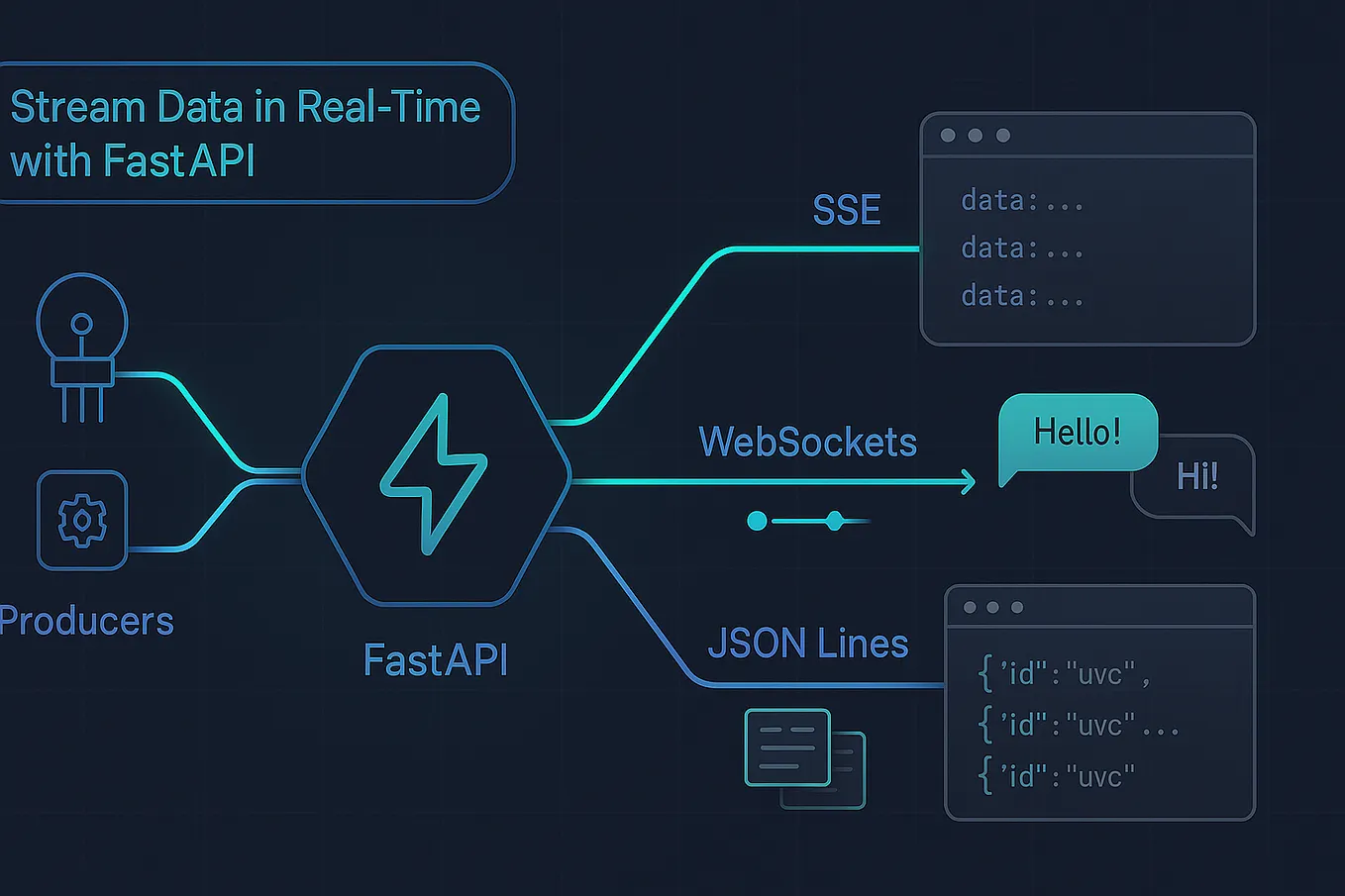
Let's walk through the basic implementation.
A Developer's Guide to Building Streaming LLMs with ...
The article 'A Developer's Guide to Building Streaming LLMs' offers a fantastic, code-first walkthrough of creating a streaming endpoint. We'll follow its guidance to build our first version.
Read 'Step 3: Build the Streaming Endpoint'. Pay close attention to the structure of the event_stream async generator function, which uses yield to send data incrementally. Notice how it's passed to FastAPI's StreamingResponse. This is the core pattern.
The key components here are:
- An
async deffunction that acts as a generator. Instead of usingreturnonce, it usesyieldmultiple times to produce a sequence of data chunks. - The use of
asyncio.sleep()to simulate a delay. In a real application, this is where the work of generating the next token would happen. - FastAPI's
StreamingResponseclass, which takes our generator and themedia_type="text/event-stream"to properly handle the SSE protocol.
Integrating a Live LLM into the Stream
Now we can replace the dummy event_stream generator with a real one that gets its data from an LLM. We'll look at two architectures for this, starting with a simple, direct approach and then moving to a more robust, production-oriented pattern.
Approach 1: The Simple Pipeline Loop
The most straightforward way to integrate an LLM is to call it directly inside our async generator. The Hugging Face transformers library makes this easy.
A Developer's Guide to Building Streaming LLMs with ...
Let's continue with the same guide to see how to replace the dummy data with actual LLM output.
Read 'Step 4: Connect the LLM with Transformers'. Notice how the code now iterates over the output of a pipeline object and yields each chunk. This is a very direct way to hook up a streaming model.
This approach is great for its simplicity. You create a text-generation pipeline and loop through its results, yielding each piece. However, this simplicity comes with a trade-off. The model generation (llm_pipeline(...)) is a synchronous and potentially long-running task that happens directly within the API route handler. In a high-concurrency environment, this can tie up server workers and limit scalability.
Approach 2: Decoupled Generation with a Queue
For a more robust architecture that you'd be more likely to use in production, we can decouple the model's generation process from the web request/response cycle. This is a classic producer-consumer pattern, which should be a familiar concept from your backend engineering work.
- Producer: A separate thread that runs the LLM's
generatemethod. Its only job is to produce tokens and put them into a shared queue. - Consumer: The FastAPI
asyncroute handler. Its only job is to get tokens from the queue andyieldthem to the client.
This prevents the heavy, blocking work of model inference from interfering with the server's ability to handle web requests.
Streaming Locally Deployed LLM Responses Using FastAPI
The article 'Streaming Locally Deployed LLM Responses Using FastAPI' provides an excellent implementation of this more advanced producer-consumer pattern. It leverages tools from both Hugging Face and Python's standard library.
Please read from the section 'How do we extend the same concept for LLM?' through 'Modify the end point'. This is a more involved piece of code, so focus on understanding these three key parts: The CustomStreamer: It inherits from Hugging Face's TextStreamer but overrides the on_finalized_text method to put generated text into a Queue instead of just printing it. The start_generation function: It runs the blocking model.generate call in a separate Thread, passing it the custom streamer. This is our 'producer'. The response_generator function: This async function acts as the 'consumer', pulling values from the Queue and yielding them to StreamingResponse.
This second architecture, while more complex to set up, is far more scalable. By offloading the blocking inference task to a separate thread, you ensure that your FastAPI application remains responsive and can handle many concurrent requests efficiently.
Test your understanding!
You are building a public-facing chatbot service that you expect to handle many concurrent users. The LLM you're using can sometimes take 1-2 seconds of heavy computation before it generates the first token.
Which of the two streaming architectures we discussed (the simple pipeline loop vs. the Queue/Thread approach) would be more suitable, and why? What potential problems might the simpler approach cause under heavy load?
Show answer
The Queue/Thread approach is significantly more suitable for this scenario.
The core issue with the simple pipeline loop is that the synchronous, CPU/GPU-bound model inference runs directly within the API worker process. Under heavy load, this would cause serious problems:
- Worker Exhaustion: If you have, for example, 4 worker processes and 4 users make requests that each take several seconds, all workers will be blocked. A fifth user's request will have to wait until a worker becomes free, leading to high initial latency and a completely unresponsive API.
- Poor Concurrency: The
asyncioevent loop is designed for I/O-bound concurrency, not CPU-bound tasks. Running a long, blocking computation like model inference will starve the event loop, preventing it from handling other tasks.
The decoupled Queue/Thread approach solves this. By moving the model.generate call to a separate thread, the FastAPI worker is freed up almost immediately after starting the thread. It can then efficiently await new items in the queue while also being available to accept new incoming requests. This leads to much better concurrency and a more resilient, scalable service.
Conclusion
You've now learned how to implement one of the most important optimizations for user-facing LLM applications. Reducing perceived latency through streaming is often the difference between a frustrating prototype and a delightful product.
Key Takeaways:
- Streaming improves perceived latency by sending response chunks as they are generated, which is a natural fit for the auto-regressive nature of LLMs.
- FastAPI's
StreamingResponsecombined with anasyncgenerator function (yield) is the primary mechanism for building streaming APIs. - Server-Sent Events (SSE) is a simple and effective protocol for one-way, server-to-client streaming.
- For simple use cases, a direct loop over a model's output can work. For robust, scalable applications, a decoupled producer-consumer architecture using a
ThreadandQueueis superior.
What's Next?
We've optimized the latency of a single, long-running LLM call. But what happens when a single user request requires multiple, independent LLM calls to resolve? In our next lesson, we'll address this by learning how to apply parallel API calls to optimize workflows, further reducing the total time-to-response in complex agentic systems.