Hello! Welcome back.
In our last lesson, you mastered generating backgrounds and scenes with specific aspect ratios, ensuring your visuals are perfectly framed for any platform. This was a crucial step in controlling the canvas of your stories.
Today, we move from the background to the main event: the character. Your goal is to create realistic talking avatars and characters for animated stories, and the foundation for that is a single, high-quality, and consistent character image. This lesson is dedicated to the learning outcome: design a detailed character prompt to generate a consistent-style character image for avatar creation.
We'll cover how to think like a character designer, structure your prompts for precision, and use a powerful free technique to create different images of the same character.
1. What is Character Consistency?
Before we dive in, let's be clear about what we mean by "character consistency." It's the ability to generate images of the same character in different poses, expressions, or settings, while ensuring their core features—like face, hair, and build—remain unchanged.
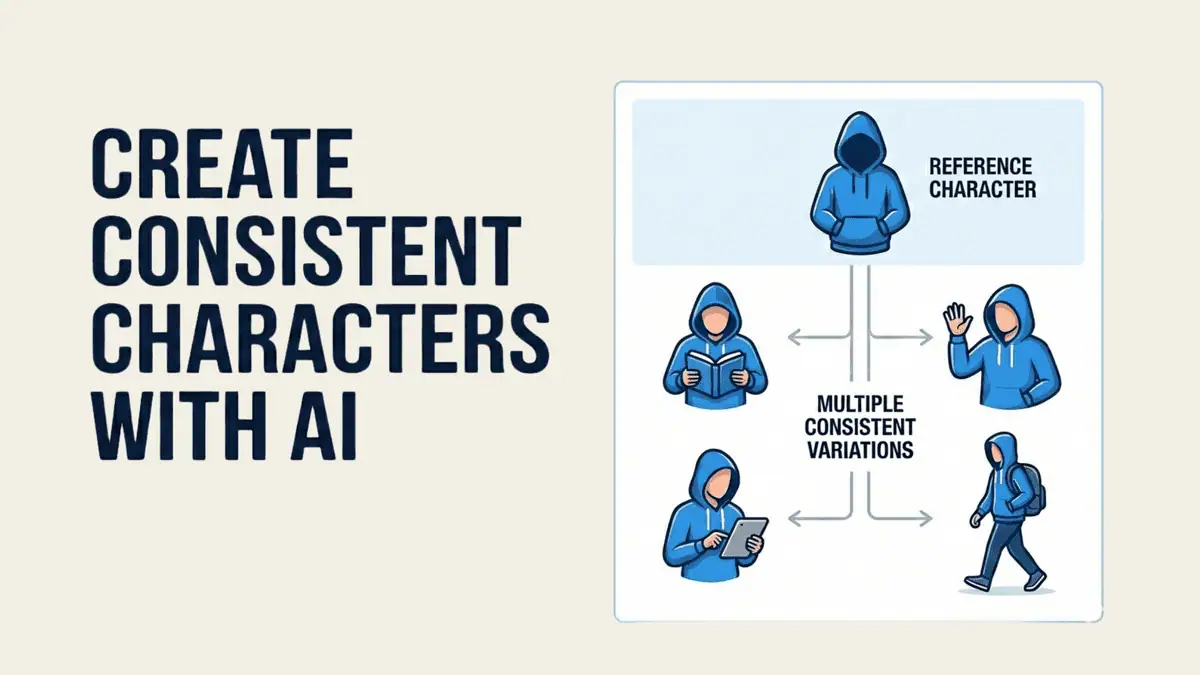
Achieving this consistency is one of the biggest challenges in AI art, but it all starts with a well-designed prompt.
2. Designing a "Blueprint" Prompt
A great character prompt isn't just a simple description; it's a detailed blueprint that gives the AI precise instructions. Thinking of it as "designing a prompt" rather than just "writing a prompt" is key.
A robust structure for a character prompt is:
Identity + Core Traits + Clothing/Style + Pose + Lighting/Camera + Background
Let's break this down using a framework from the following article.
How to Design Consistent AI Characters with Prompts, Diffusion & Reference Control
This article from Design Bootcamp introduces the idea of 'Prompting Is Design' and provides a clear, structured format for character prompts.
Please read the sections titled 'Prompting Is Design', '1. Prompt-Only (Text-based consistency)', and the 'Pro Tips' at the end of the 'Comparison Chart'. Focus on the six-part prompt structure and the tips for repeating key phrases exactly.
The main takeaway is that the Identity and Core Traits should remain fixed to ensure consistency. Other elements like Pose or Background are what you'll change to create new scenes.
This specific structure is an application of a more general formula for writing effective prompts. To understand the "why" behind this structure, the next video offers a brilliant mental model.
Master the Perfect ChatGPT Prompt Formula (in just 8 minutes)!
This video from Jeff Su introduces a universal prompt formula: Task, Context, Exemplars, Persona, Format, and Tone. It will help you understand the deeper principles of what makes a prompt work.
Watch the sections that explain the core formula (00:33-01:41), 'Context' (02:05-02:58), and 'Persona' (04:33-05:18). Think about how our character 'blueprint' fits into this larger framework. For example, 'Identity + Core Traits' is the Context, while 'anime art style' would be part of the Format.
By combining these two ideas, you can create prompts that are both highly detailed and logically structured, giving you maximum control over the AI.
3. A Practical Workflow for Creating Consistent Characters
Now let's see this in action. The following video demonstrates a complete, free workflow using ChatGPT to brainstorm the prompt and another free tool, Google ImageFX, to generate the character. It also introduces the critical technique of using a "seed" to maintain consistency.
Create Unlimited Consistent Characters For FREE (AI Image Generator)
This detailed tutorial by King Charles Tv will walk you through the entire process of generating a character, refining the prompt for consistency, and using a 'seed' to create new images of the same person.
Watch carefully from 01:08 to 11:45. Pay close attention to: Refining the Prompt (03:17): Notice how he changes vague terms like 'colorful beads' to a specific 'brown beads'. Generating the First Image (05:52): Observe the style keywords he adds, like 'realistic' and 'highly detailed'. Locking the Seed (08:29): This is the key moment. Understand how he locks the seed after getting a character he likes, then changes the prompt to create a new pose.
The two most important lessons from this video are:
- Be Boringly Specific: As an article by Neolemon, "Best AI Character Generator for Consistent Characters," advises, avoid vague terms. Don't say "a cool jacket"; say "a black leather biker jacket with silver zippers." Specificity is your best tool.
- The Seed is Your Character's DNA: The "seed" is a number that determines the starting point for the AI's random generation. By locking the seed, you tell the AI to start from the exact same point, which keeps the character's core features consistent even if you change their pose or background.
4. Practical Exercise: Design Your Marketing Avatar
It's time to create your first consistent character. Your goal is to design a character who could be the host of a UGC-style marketing video. We'll use the workflow from the video you just watched.
Tool: Google ImageFX (You can access it by searching for "Google ImageFX" and signing in with a Google account, as shown at the end of the video tutorial at 17:32).
Step 1: Define Your Character's Core Traits (5 minutes)
First, decide on the "non-negotiable" features of your avatar. For example, a tech reviewer might be:
- Identity: A 30-year-old man of East Asian descent, named Kenji.
- Core Traits: Short black hair, friendly smile, wears thin-framed glasses, has a clean-shaven face, athletic build.
- Clothing/Style: Wears a simple, dark grey crewneck sweater.
- Style: Photorealistic, professional headshot.
Step 2: Build Your "Master Prompt" (10 minutes)
Now, assemble these details into a structured prompt. You can use ChatGPT to help you flesh out the description.
- Example Master Prompt:
Photorealistic headshot of Kenji, a 30-year-old man of East Asian descent. He has short black hair, a friendly and trustworthy smile, and is wearing thin-framed glasses. He is clean-shaven with clear skin. He is wearing a simple, dark grey crewneck sweater. The background is a slightly out-of-focus modern home office. The lighting is soft and professional, cinematic quality, highly detailed.
Step 3: Generate and Refine (15 minutes)
- Go to Google ImageFX.
- Paste your master prompt into the text box.
- Add style keywords like
realistic,highly detailed, andphotorealisticby clicking the "More" button, just as shown in the video. - Generate your first set of images.
- Critique and Refine: Does the result match your vision? If not, adjust your master prompt. Maybe the hair is too long, or the glasses are too thick. Tweak the prompt and regenerate until you get a base character you are happy with. Save the image you like best.
- Once you have an image you're happy with, find its seed number. In ImageFX, you can find this by hovering over the image and clicking the info (i) icon. Copy this number.
Step 4: Test Consistency with a Locked Seed (10 minutes)
- Click the padlock icon to lock the seed and paste in the number you copied.
- Now, modify only one part of your master prompt—the
PoseorAction. - For example, change
friendly and trustworthy smiletothoughtful expression, looking slightly to the side. - Generate the image again. You should see the same character, just with a different expression.
Congratulations! You have successfully created a consistent character and generated two different images of them.
Conclusion
In this lesson, you've moved beyond simple image generation and into the realm of character design. You learned that a structured, specific prompt is the blueprint for a consistent character, and the "seed" is the key to unlocking variations.
Key Takeaways:
- Prompting is Design: Structure your prompts with fixed elements (identity, traits) and variable elements (pose, background).
- Specificity is King: Replace vague words with precise, "boringly specific" descriptions.
- The Seed is Your Anchor: Use a tool's seed-locking feature to maintain character consistency while changing scenes or actions.
- Iteration is Part of the Process: Your first prompt rarely yields the perfect result. Refinement is crucial.
Next Lesson Preview:
You now have a great-looking character. But is the image quality high enough for a 4K video? In our next lesson, we will tackle the final step in our asset generation module: how to adjust or upscale image resolution to ensure high-quality output for video.