Hello! In our last lesson, you designed an excellent object-oriented pipeline with Model, DataHandler, and Trainer classes. This powerful, reusable structure is now ready to be put to work.
The goal of this lesson is to select the "battlegrounds" where your from-scratch algorithms will compete. We will be choosing standardized benchmark datasets for both a classification task and a regression task. This is the first and most crucial step of our final capstone module, where you will systematically compare every model you've built.
By the end of this lesson, you will be able to:
- Explain the role and importance of benchmark datasets in machine learning.
- Identify common sources for datasets, including Scikit-learn and Kaggle.
- Apply a set of criteria to select suitable benchmark datasets for your capstone project.
Let's get started.
1. What Are Benchmark Datasets?
Before we start searching, let's clarify what a benchmark dataset is and why it's so important for our goal of comparing algorithms. In short, they are standardized datasets that the machine learning community uses to evaluate and compare model performance objectively.
What are benchmark datasets in machine learning...
The article 'What are benchmark datasets in machine learning, and where can I find them?' from milvus.io provides a concise definition and explains their purpose.
Please read the first section of the article. Focus on why these datasets serve as a 'common ground' for measuring progress and ensuring consistent evaluation.
Using a benchmark ensures that when you compare your from-scratch Logistic Regression to your Support Vector Machine, any performance difference is due to the algorithms themselves, not because one was tested on "easier" or different data. For your capstone, this allows for a fair and meaningful comparison.
2. Where to Find Benchmark Datasets
Now that we know what we're looking for, let's explore the best places to find them. Your experience with libraries like Scikit-learn and platforms like Kaggle will be very useful here.
A. Scikit-learn's Built-in Datasets
Scikit-learn provides a convenient datasets module for loading several standard datasets directly into your environment. You've already used some of these throughout the course. They are perfect for quick experimentation and are categorized into "toy" datasets, "real-world" datasets, and data generation functions.
Scikit-Learn Full Crash Course - Python Machine Learning
Let's watch a segment from the 'Scikit-Learn Full Crash Course' by NeuralNine. It gives a comprehensive overview of the sklearn.datasets module, covering the different ways you can load and generate data.
Watch the section on 'Loading and Managing Datasets' from 05:29 to 23:06. Pay attention to the distinction between load_*, fetch_*, and make_* functions, and how you can get the data as NumPy arrays or Pandas DataFrames.
As the video shows, Scikit-learn offers a variety of datasets. The documentation provides a handy list.
The Scikit-learn documentation for 'Toy datasets' gives a quick summary of the small, standard datasets that are bundled with the library.
Skim through the introduction and the descriptions for the 'Iris plants dataset', 'Diabetes dataset', and 'Breast cancer Wisconsin (diagnostic) dataset'. Notice how each is clearly marked as either classification or regression and includes detailed descriptions of its features.
B. Kaggle: A Universe of Datasets
While Scikit-learn is great for standard academic benchmarks, Kaggle is an invaluable resource for a vast and diverse collection of datasets for nearly any imaginable task.
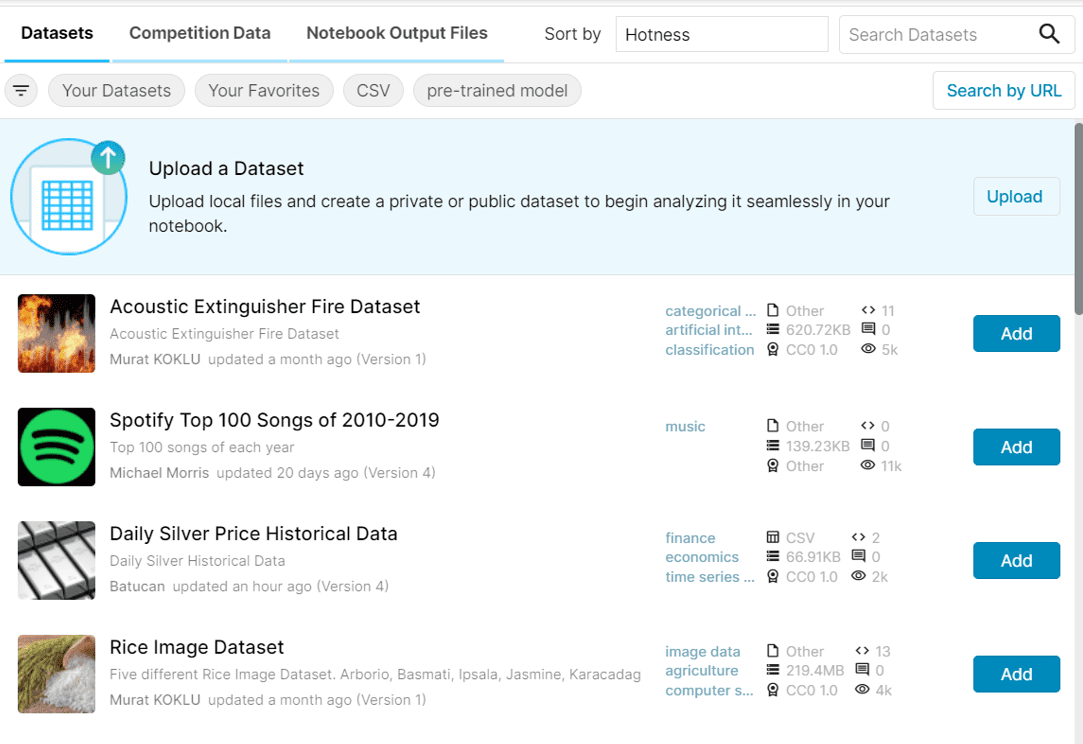
Since you have a strong technical background, you'll appreciate that Kaggle allows you to download datasets not just manually, but also programmatically via its API. This is highly efficient for setting up reproducible experiments.
How to Find and Use Kaggle Datasets in Your Project | Kaggle Datasets for Data Science & ML
This video from ProgrammingKnowledge provides a practical guide on how to find, download, and load Kaggle datasets into a project.
Watch from 01:07 to 07:49. The video covers: How to search and filter datasets on the Kaggle website. How to download and load a dataset manually. The more advanced method of using the Kaggle API to download and unzip data directly in your notebook. The API method is particularly powerful for automating your data acquisition process.
3. How to Choose the Right Datasets
With so many options, how do you select the best ones for your capstone? A good choice will be complex enough to challenge your models but manageable enough to iterate on quickly.
Here are the key criteria to consider:
- Task Alignment: This is the most obvious one. We need one dataset for classification and one for regression.
- Data Quality and Cleanliness: A good benchmark is well-documented and relatively clean (minimal missing values or errors). On Kaggle, the "usability score" is a good indicator. For the capstone, we want to focus on algorithm performance, not extensive data cleaning.
- Size and Complexity:
- Instances: The dataset should have enough samples to require robust techniques like train-validation-test splitting (which your
DataHandlersupports), but not so many that training takes hours. A few thousand to tens of thousands of instances is a good range. - Features: It should have a reasonable number of features. Too few, and all models might perform similarly. Too many, and it might favor more complex models or require feature selection. A mix of feature types (numerical, categorical) can also be a good test for your preprocessing pipeline.
- Instances: The dataset should have enough samples to require robust techniques like train-validation-test splitting (which your
- Not "Too Easy": Datasets like Iris are excellent for teaching, but the classes are so easily separable that most algorithms achieve near-perfect scores. We want a dataset where there's room to see a clear difference between a simple linear model and a more complex one like a Random Forest or SVM with a kernel.
Test your understanding!
You plan to compare a from-scratch Linear Regression model against a from-scratch Decision Tree Regressor. Why might the California Housing dataset be a better benchmark for this comparison than a simple dataset with only one feature that has a perfectly linear relationship with the target?
Show answer
The California Housing dataset has multiple features (e.g., median income, house age, number of rooms) that interact in complex, non-linear ways to determine the final house price.
- A Linear Regression model would capture the linear trends but would fail to model the more complex interactions.
- A Decision Tree Regressor excels at capturing these non-linear relationships and interactions by creating splits based on different features.
On a simple, perfectly linear dataset, both models might perform almost identically, hiding the fundamental strengths and weaknesses of the tree-based model. The complexity of the California Housing data allows these differences to become apparent in the evaluation metrics.
4. Your Capstone Datasets: Recommendations
Based on the criteria above, here are my recommendations for your capstone project. They are well-known, clean, and offer a good level of challenge. Both are conveniently available in Scikit-learn, which will allow you to integrate them into your DataHandler class with minimal friction.
A. For Classification: Breast Cancer Wisconsin Dataset
This is a classic binary classification problem that is a step up in complexity from Iris. The goal is to predict whether a breast mass is malignant or benign based on 30 numeric features computed from a digitized image.
- Source:
sklearn.datasets.load_breast_cancer - Task: Binary Classification
- Instances: 569
- Features: 30 (all numeric)
- Why it's a good choice: It's clean, has a good number of features, and is not perfectly linearly separable, allowing models like SVMs and Random Forests to show their strengths.
To load it:
from sklearn.datasets import load_breast_cancer

# as_frame=True loads it into a pandas DataFrame, which can be handy.
# X will be the features, y will be the target Series.
X, y = load_breast_cancer(return_X_y=True, as_frame=True)

print("Features shape:", X.shape)
print("Target shape:", y.shape)
print("\nFirst 5 rows of features:\n", X.head())
print("\nClass distribution:\n", y.value_counts())
B. For Regression: California Housing Dataset
This dataset is used to predict the median house value in California districts, based on features from the 1990 census.
- Source:
sklearn.datasets.fetch_california_housing - Task: Regression
- Instances: 20,640
- Features: 8 (all numeric)
- Why it's a good choice: It's large enough to be a realistic task, the relationships are non-linear, and it's a standard benchmark for regression algorithms.
To load it:
from sklearn.datasets import fetch_california_housing

X, y = fetch_california_housing(return_X_y=True, as_frame=True)

print("Features shape:", X.shape)
print("Target shape:", y.shape)
print("\nFirst 5 rows of features:\n", X.head())
print("\nTarget statistics:\n", y.describe())
Feel free to explore other options on Kaggle, but these two provide an excellent and straightforward starting point for the capstone.
Conclusion
You have now learned what makes a good benchmark dataset and have selected two excellent candidates for your final project. This is a critical step in ensuring that the upcoming comparison of your from-scratch models will be fair, insightful, and meaningful.
Key Takeaways:
- Benchmark datasets provide a standardized "playing field" to objectively evaluate and compare algorithms.
- Scikit-learn and Kaggle are primary sources for high-quality datasets. The Kaggle API is a powerful tool for programmatic access.
- Choosing a dataset involves balancing task relevance, data quality, size, and complexity to ensure the problem is challenging but manageable.
- You have selected the Breast Cancer Wisconsin dataset for classification and the California Housing dataset for regression as your capstone benchmarks.
Preview of the Next Lesson:
The stage is set! In the next lesson, you will put everything together. You will feed these newly selected datasets into the DataHandler of your pipeline, and then use your Trainer class to systematically train and evaluate every algorithm you have built, from Linear Regression to your Multi-Layer Perceptron. Get ready to see how your models perform head-to-head