Welcome to the final lesson of our first module. In our last session, you developed a personal pre-call routine to manage call reluctance and enter each conversation in a peak state. A key part of that routine was the post-call reset, which included the critical step of logging your notes. Today, we will build the home for those notes.
This lesson is all about turning raw data from your calls into organized, actionable intelligence. We will design a call-tracking system inside Notion, a tool you're already comfortable with. By the end of our session, you will have built a personalized system to capture essential metrics like call outcomes, prospect objections, and clear next steps, providing the foundation for analyzing and improving your performance over time.
Why a System is Non-Negotiable
As a phone setter, you are not just making calls; you are managing a pipeline of potential relationships. Relying on memory or scattered notes is a recipe for missed follow-ups and lost opportunities. A structured tracking system, often called a sales call report or a CRM (Customer Relationship Management) system, is what separates amateurs from professionals. It ensures nothing slips through the cracks and allows you to see patterns in your performance.
So, what exactly should you track? Let's establish the core components of an effective call report.
Sales Call Reports: Templates, Examples & How to Create Them
This article from Cleverly.co provides a comprehensive breakdown of what information is vital to capture after a sales call and why. It also highlights common pitfalls to avoid.
First, read the section Core Components. As you read, think about how each piece of information—like pain points, objections, and next steps—is something you would want to know at a glance before your next follow-up call. Next, review the Common Mistakes section. Pay close attention to mistakes #2 (Being Too Vague) and #4 (No Clear Next Steps), as our Notion system is designed to solve these exact problems.
Building Your Call-Tracking System in Notion
Now, let's translate those core components into a functional system. Given your experience with Notion, we can move quickly to build a powerful and clean setup. We will create a single master database and then use different "views" to see that information in multiple useful ways, such as a daily to-do list and a visual pipeline.
This video provides an excellent walkthrough of this single-database philosophy. We'll follow its core principles to build your custom tracker.
Your NEW Notion CRM | Full Notion Build Tutorial (Organize Clients & Leads)
This tutorial from Productive Setups demonstrates how to build a simple yet powerful CRM using one database with multiple views.
Watch the following segments to understand the structure we're about to build: Creating the core database and adding initial properties like Status and contact dates. Splitting views for 'Clients' and 'Leads' using filters. We will adapt this to create our 'Daily Call List' and 'Pipeline' views. Defining status options and grouping the view by status. Creating a board view for a visual pipeline. Sorting and displaying properties to make the views more actionable.
Action Item: Build Your "Master Leads" Database
Now it's your turn. Create a new page in Notion called "Phone Setting Tracker" and follow these steps to build your system.
1. Create the Master Database
- Create a new full-page Table database. Name it "Master Leads".
- Add the following properties. These are based on the resources we've reviewed and are tailored to your role as a phone setter.
| Property Name | Property Type | Purpose |
|---|---|---|
| Lead Name | Title |
The prospect's name or company. |
| Status | Select |
The current stage of your conversation (see options below). |
| Last Contact | Date |
The date of your most recent interaction. |
| Next Follow-Up | Date |
The date your next action is due. This is your task driver. |
| Phone | Phone |
The prospect's phone number. |
Email |
The prospect's email address. | |
| Source | Select |
Where the lead came from (e.g., Inbound DM, Outbound DM, Referral). |
| Objections | Multi-select |
To tag specific objections that come up (e.g., "Price," "Timing," "No Need"). |
| Call Summary | Text |
A 2-3 sentence summary of the last call. |
| Next Steps | Text |
A specific, concrete action item for you or the prospect. |
For the Status property, create these options. You can customize the colors as you see fit.
To Contact(Gray) - A new lead you haven't called yet.Contact Attempted(Yellow) - You've called/messaged but haven't connected.Conversation Had(Blue) - You've had a live conversation.Meeting Booked(Green) - The primary goal!Closed/Won(Green) - They've become a client for the coach you represent.Not Interested(Red) - The lead is disqualified.
2. Create Your Actionable Views
Now, create two linked views of your "Master Leads" database on the same page.
View 1: The Daily Call List
- Create a Table view of your "Master Leads" database. Name this view "Today's Calls".
- Set up the following Filter:
Next Follow-Upis on or beforeToday- AND
Statusis notMeeting Booked - AND
Statusis notClosed/Won - AND
Statusis notNot Interested
- Set up the following Sort:
Next Follow-Up->Ascending. This puts the most overdue tasks at the top.
This view is now your daily action plan. If it's empty, you're all caught up.
View 2: The Pipeline Board
- Create a Board view of your "Master Leads" database. Name this view "Pipeline".
- Set the Group by option to
Status. - Hide the "Closed/Won" and "Not Interested" columns from the view to reduce clutter by clicking the three dots next to the column name and selecting "Hide".
- You can now drag and drop leads from one stage to the next as you interact with them. For example, after your first call with a
To Contactlead, you'll update their notes and drag them toConversation Had.
Advanced Tracking: Objections and KPIs
Your system is now set up to not only manage your day-to-day work but also to gather data for future analysis.
Tracking Objections
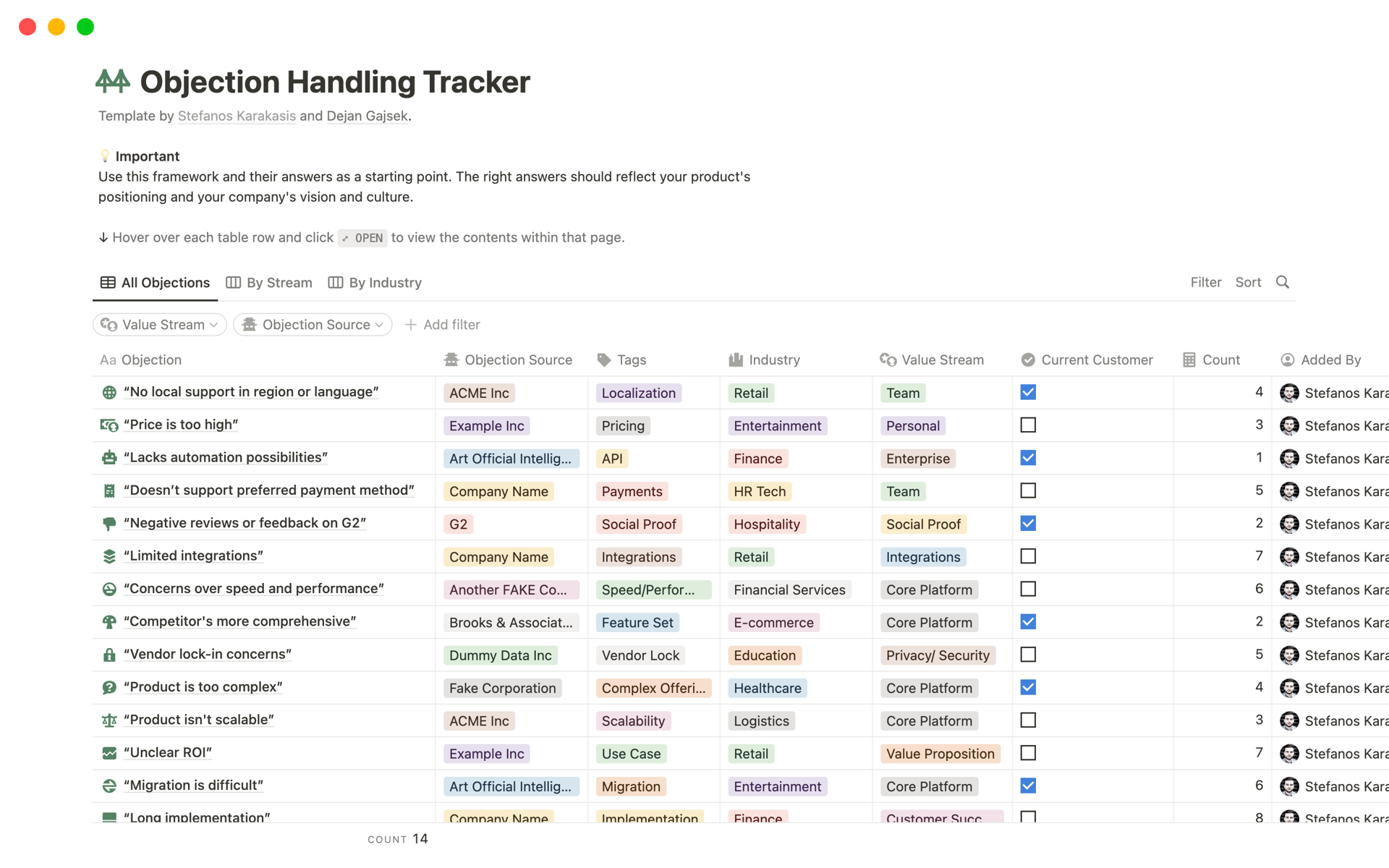
The Objections multi-select property you created is a powerful tool. Every time a prospect raises a concern, tag it. Over time, you can create a new view of your database filtered to show only leads with objections. This will help you spot patterns. Are many people concerned about price? Maybe the value isn't being communicated clearly enough.
For inspiration, look at how a dedicated objection tracker can be structured. Your simple tagging is the first step toward this level of analysis.
Tracking Key Performance Indicators (KPIs)
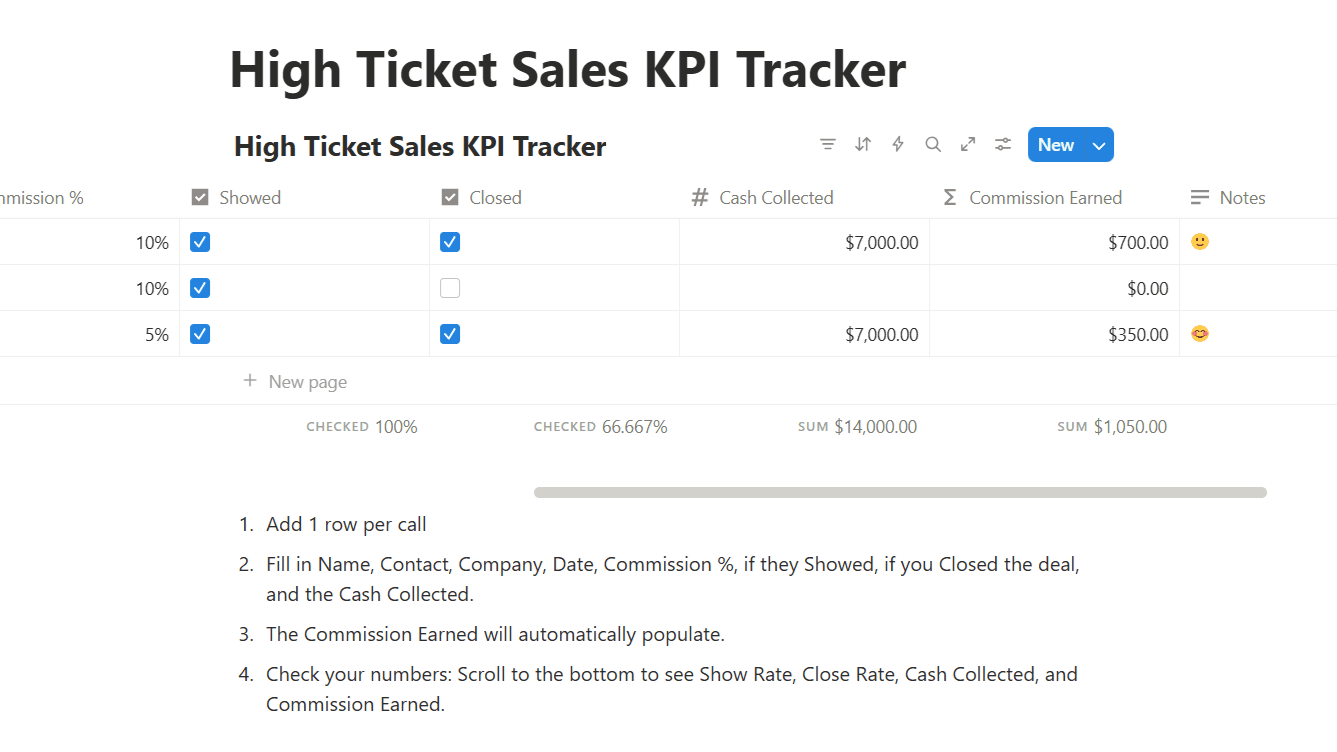
KPIs are the numbers that tell you how you're performing. While our system doesn't calculate them automatically, by logging every call outcome in the Status property, you can start to answer crucial questions:
- Meeting Set Rate: Out of all the conversations you have (
Conversation Had), what percentage become aMeeting Booked? - Objection Frequency: What are the top 3 most common tags in your
Objectionsproperty?
In a later lesson, we will focus specifically on how to analyze this data. For now, focus on the habit of consistent and accurate logging.
Conclusion
You have now built the engine for your phone setting operation. This Notion system is more than just a digital notebook; it's a dynamic tool that organizes your workflow, ensures diligent follow-up, and captures the critical data you need to improve.
Key Takeaways:
- Systematic tracking is essential for professional phone setting.
- A single Notion database with multiple filtered views (like a "Daily List" and a "Pipeline Board") creates a powerful, flexible system.
- The key metrics to capture are lead status, call outcomes, specific objections, and clear, actionable next steps.
- Consistent data entry is the foundation for future performance analysis.
This lesson concludes our first module, "From DM to Voice: Core Principles." You've gone from understanding the psychology of phone sales to building the very system that will support your daily efforts.
In our next lesson, we will begin Module 2, "Structuring the Warm Call," by focusing on the most critical moment of any call: the opening. You'll learn how to formulate an opener that smoothly references your prior DM conversation to build instant rapport and set the stage for a successful call—an outcome you will now be able to track precisely in your new system.