Hello! Welcome to the fourth lesson in our module on Routing and Request Handling.
In our previous lessons, we've successfully defined path operations for reading and creating resources. We learned to extract data from path and query parameters, and most recently, how to receive and validate complex JSON data in request bodies using Pydantic models. You've probably noticed that all of our logic currently resides in a single main.py file. While this is fine for small examples, it quickly becomes unmanageable as an application grows.
Today, we'll address this by learning how to structure a FastAPI application for scalability and maintainability.
Learning Outcome: Organize routes into modules using APIRouter, analogous to Django's app-based include().
This lesson is tailor-made for your background. You've built applications with Django and are familiar with organizing a project into separate "apps," each with its own urls.py. FastAPI provides a very similar and intuitive mechanism called APIRouter that allows you to achieve the same separation of concerns.
1. The Core Analogy: Django Apps and FastAPI Routers
Before we dive into the code, let's establish the parallel between the Django world you know and the FastAPI pattern we're about to learn.
-
In Django, you create distinct apps for different functionalities (e.g., a
usersapp, aproductsapp). Each app has its ownurls.pyfile to define its routes. Your project's mainurls.pythen usesinclude('users.urls')to delegate a URL prefix (like/users/) to that app's routing configuration. -
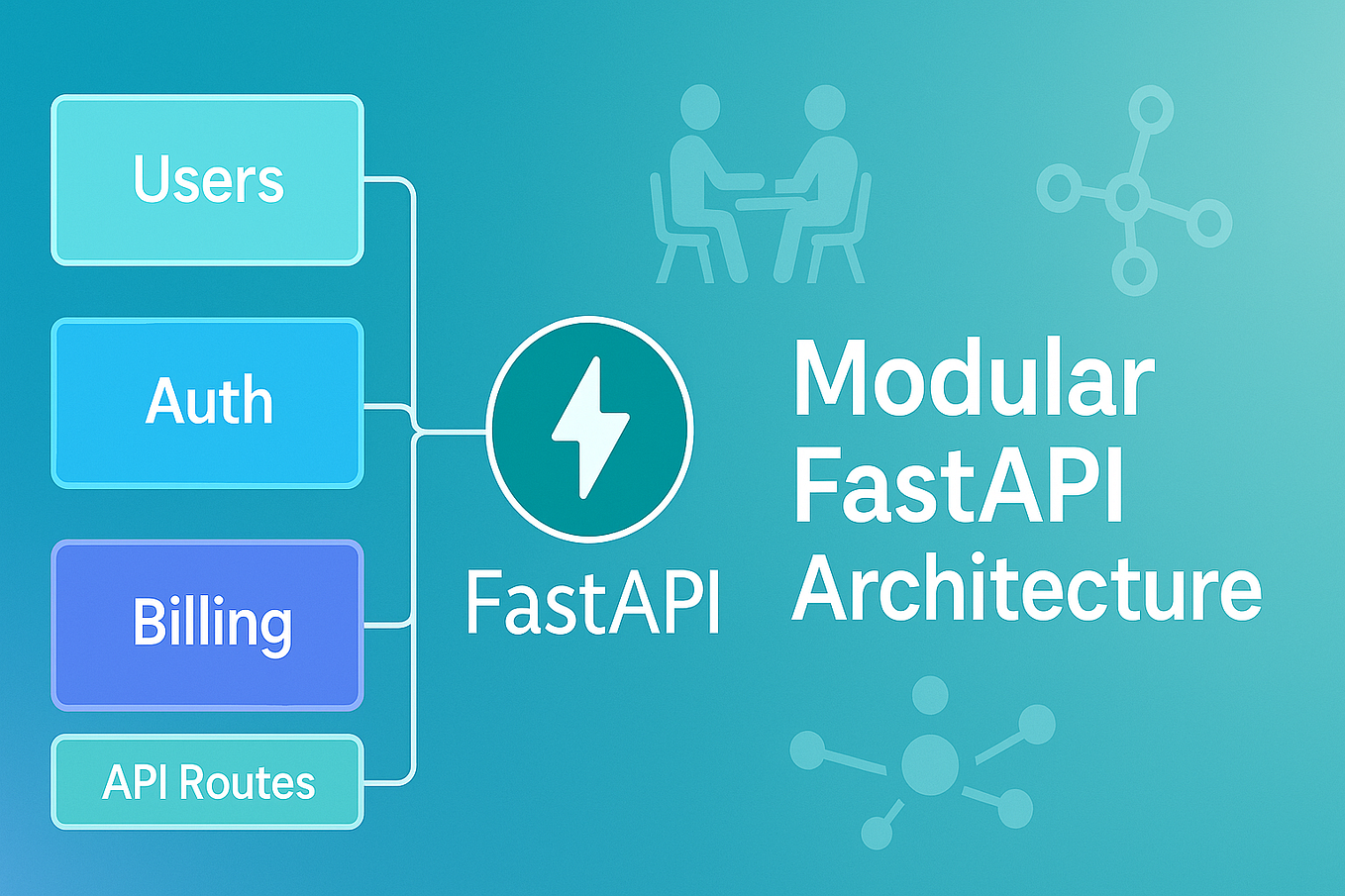
In FastAPI, you do something very similar. You group related path operations (endpoints) into separate Python modules. Inside each module, you use an
APIRouterobject instead of the mainFastAPIappobject to define your routes. Your mainmain.pyfile then usesapp.include_router()to incorporate these modules, often with a URL prefix.
This modular architecture is a cornerstone of professional application development.
2. Why Use Routers?
Putting all your endpoints in main.py is the equivalent of writing an entire Django project inside the project-level urls.py—something you would never do. Using routers keeps your main.py clean and focused on high-level application setup, while the specific logic for each resource lives in its own organized module.
Let's watch a brief segment that introduces this concept from a production-readiness perspective.
4 Tips for Building a Production-Ready FastAPI Backend
This video from ArjanCodes explains why splitting your endpoints into different routes using FastAPI's router mechanism is a crucial first step for building any non-trivial API.
Watch from 01:41 to 02:54. The key takeaway is that most beginner examples put everything in one file, but for a real application, using routers is essential to avoid a single, massive, unmaintainable file.
3. Implementing the Modular Structure
Now, let's get practical. We'll take the simple CRUD application from our previous lesson and refactor it to use an APIRouter.
Step 1: Create the Project Structure
First, we need to organize our files. A common and effective pattern is to create a routers directory to hold our route modules.
Bigger Applications - Multiple Files - Theory
This resource from FastAPI Interactive outlines a recommended project structure for larger applications. It provides a clear visual template for how to organize your files.
Focus on the 'Project Structure' section. Notice the app/ directory containing main.py and a routers/ sub-directory. The __init__.py files are important as they mark the directories as Python packages, allowing for proper imports.
Based on that, let's imagine our project now looks like this:
fastapi_project/
├── main.py
└── routers/
    ├── __init__.py
    └── items.py
main.py: Will contain our mainFastAPIapp instance and include the routers.routers/__init__.py: An empty file that makesroutersa Python package.routers/items.py: Will contain all path operations related to items.
Step 2: Create the APIRouter
Now, let's see how to create, use, and include a router. The following video provides a detailed, step-by-step walkthrough of this refactoring process. We'll break it down into segments.
First, let's watch how to set up the new file structure and create the APIRouter instance.
Modular Project Structure With FastAPI Routers - FastAPI Beyond CRUD (Part 4)
This video from 'FastAPI Beyond CRUD' by Ssali Jonathan demonstrates the entire process of modularizing an application. We'll start with the initial setup.
Watch from 00:57 to 06:32. Follow along as the instructor: Moves Pydantic models and other logic into separate files (we'll do this in a later lesson, but the concept is important). Creates a dedicated file for routes (routes.py in his example, routers/items.py in ours). Imports APIRouter from fastapi. Creates an instance: router = APIRouter(). Replaces all the @app.get, @app.post decorators with @router.get, @router.post.
To recap the core steps for our routers/items.py file:
- Import
APIRouter. - Create an instance:
router = APIRouter(). - Define your path operations using decorators on this
routerinstance (e.g.,@router.post("/items/")).
An APIRouter is essentially a "mini" FastAPI application. It has the same decorator methods (.get, .post, etc.) but is designed to be included in a larger application.
Step 3: Include the Router in the Main App
A router does nothing on its own. You must explicitly include it in your main FastAPI instance. This is the crucial step that connects your modules back to the main application.
Let's continue with the video to see how this is done.
Modular Project Structure With FastAPI Routers - FastAPI Beyond CRUD (Part 4)
Now that the router is defined, let's see how to plug it into the main app instance using app.include_router().
Watch from 06:32 to 08:36. The key line of code is app.include_router(book_router). This is the direct FastAPI equivalent of Django's include() function.
In your main.py, the code would look like this:
# main.py
from fastapi import FastAPI
from routers import items  # Import the module containing your router

app = FastAPI()


# Include the router from the 'items' module
app.include_router(items.router)
4. Advanced Router Configuration: Prefixes and Tags
Including the router makes the code modular, but we can do even better. Right now, you might still be writing full paths like @router.post("/items/") inside routers/items.py. A better way is to specify a common URL prefix when you include the router.
This makes your router module more reusable and cleaner, as the routes within it don't need to know about the top-level prefix they are mounted at.
Organizing FastAPI Projects with Routers
This article from ApX Machine Learning explains how to use the prefix and tags parameters to further organize your routes and documentation.
Read the sections 'Organizing URLs with Prefixes and Tags' and the summary that follows. Pay close attention to the updated app.include_router call and the diagram showing how the main app connects to the router module.
As the article explains, you can update your main.py like this:
# main.py (updated)
from fastapi import FastAPI
from routers import items

app = FastAPI()

app.include_router(
    items.router,
    prefix="/items",
    tags=["Items"]
)
With this change:
prefix="/items": All routes defined initems.routerwill now be automatically prefixed with/items. This means a decorator like@router.post("/")insiderouters/items.pynow corresponds to the full URL pathPOST /items/. This is identical to howpath('items/', include('items.urls'))works in Django.tags=["Items"]: This is a great feature for documentation. In your Swagger UI (/docs), all endpoints from this router will be neatly grouped under the "Items" heading, making your API much easier to navigate.
5. Practical Exercise
Let's refactor the complete code from our previous lesson.
-
Create the file structure:
/ ├── main.py └── routers/ ├── __init__.py └── items.py -
Populate
routers/items.py:
Create this file and add the following code. Notice that the path forcreate_itemis now just"/"because the/itemsprefix will be added inmain.py.# routers/items.py from fastapi import APIRouter from pydantic import BaseModel from typing import Optional, List # Define the Pydantic Model class Item(BaseModel): name: str description: Optional[str] = None price: float tax: Optional[float] = None # This is a stand-in for a database items_db = [] # Create the router instance router = APIRouter() # Define path operations on the router @router.post("/", response_model=Item) async def create_item(item: Item): """ Receives an item JSON, validates it, and stores it. """ items_db.append(item.model_dump()) return item @router.get("/", response_model=List[Item]) async def get_items(): """ Returns all items currently in our 'database'. """ return items_db -
Update
main.py:
Yourmain.pyis now much simpler. Its only job is to create the app and include the router.# main.py from fastapi import FastAPI from routers import items app = FastAPI( title="My Items API", description="An API to manage items, built with FastAPI routers.", version="1.0.0" ) @app.get("/", tags=["Root"]) async def read_root(): return {"message": "Welcome to the Items API!"} # Include the items router with a prefix and tags app.include_router(items.router, prefix="/items", tags=["Items"]) -
Run and Test:
Navigate to your project's root directory in the terminal and run the application:uvicorn main:app --reloadNow, go to
http://127.0.0.1:8000/docs. You should see a clean, organized documentation page with two sections: "Root" and "Items". All the item-related endpoints are grouped together, and their paths correctly show as/items/. Test thePOSTandGETendpoints under the "Items" tag to confirm everything works as before.
Conclusion
You've now taken a significant step toward building professional, scalable FastAPI applications. By moving from a monolithic main.py to a modular structure with APIRouter, you've made your code more organized, reusable, and maintainable.
Key Takeaways:
APIRouteris FastAPI's tool for grouping related path operations into separate modules.- This pattern is directly analogous to using apps and
include()in Django to structure a large project. - You define routes on a router instance (
@router.post) in a separate file and then useapp.include_router()in your main application file to incorporate them. - The
prefixparameter ininclude_routeris used to apply a common URL prefix to all routes from a router, cleaning up your route decorators. - The
tagsparameter groups endpoints in the automatic API documentation, greatly improving its clarity.
In this lesson, we saw how tags can organize the API docs. In our next lesson, we will explore this further and learn how to customize the auto-generated OpenAPI docs (Swagger UI/ReDoc) with more detailed metadata, tags, and response status codes, giving you full control over your API's documentation.