Introduction
In the previous lesson, you successfully connected your Express application to a MongoDB Atlas database. Your server is now configured to establish this connection before it begins listening for requests—a crucial pattern for a reliable application.
This lesson tackles the next logical step: defining the structure of the data your API will manage. You will learn how to use Mongoose to create a Schema. A schema acts as a blueprint, specifying the fields, data types (like String, Number, etc.), and validation rules (such as which fields are required) for the documents you'll store in your MongoDB collection. Mastering this is fundamental to ensuring data consistency and integrity in your application.
1. What is a Mongoose Schema?
Before writing any code, it's important to understand the role of a schema. In Mongoose, everything starts with a schema. It maps directly to a MongoDB collection and defines the shape of the documents within that collection.
The video below gives a quick, clear explanation of how schemas and models work together.
Mongoose Crash Course - Beginner Through Advanced
Watch this short clip from the 'Mongoose Crash Course' by Web Dev Simplified to understand the core concepts of schemas and models in Mongoose.
Watch from 03:09 to 03:43. Pay attention to the distinction between a schema (the structure definition) and a model (the usable object created from the schema).
2. Implementing Your First Schema
For your exam project, you'll be working with a collection of "items." Let's create the schema for these items. Following the project structure we've established, this will live in a models directory.
Action: Create the Item Model File
- Inside your
src/directory, create a new folder namedmodels. - Inside
src/models, create a new file namedItem.js.
This file will contain the blueprint for your Item documents.
3. Defining the Schema Structure
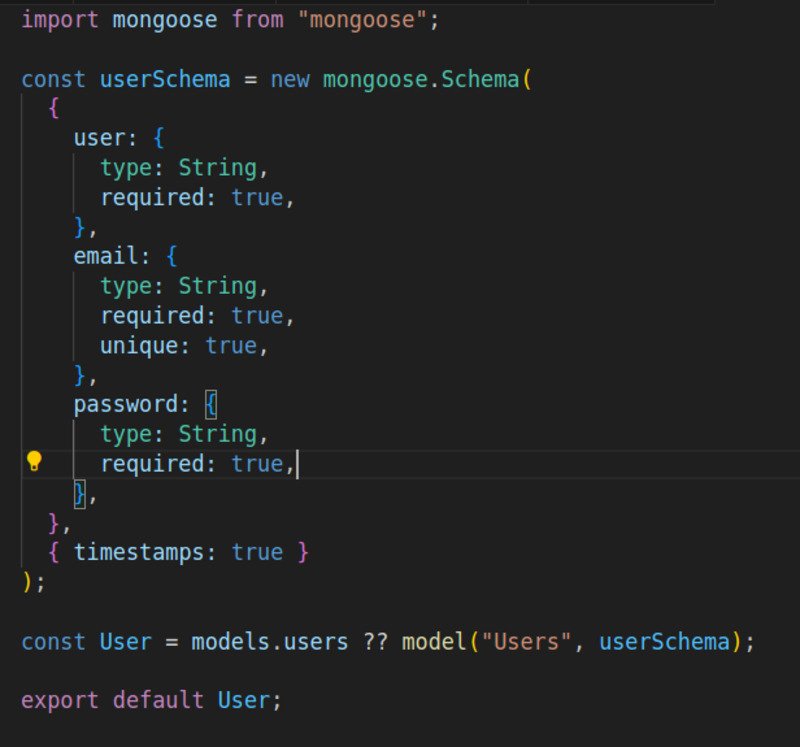
Now, let's write the code to define the itemSchema. A schema is an object that describes your data fields. For each field, you specify its type and any validation rules.
The basic data types you'll need for the exam are:
StringNumberBooleanDate
You'll also use the required option to enforce that a field must have a value.
This Mongoose Cheat Sheet provides a very concise syntax reference for defining a schema with various data types and validation options. Refer to it as you build your own schema.
Quickly scan the 'Schema definition' and 'Validation' sections. Notice the syntax: { name: { type: String, required: true } }. This is the exact pattern you will use.
Action: Add the Schema Code to Item.js
Open src/models/Item.js and add the following code. We are defining a schema for an item that has a name, a quantity, a status, and a creation date.
const mongoose = require('mongoose');
const Schema = mongoose.Schema;

// Define the schema for our 'Item' collection
const itemSchema = new Schema({
    name: {
        type: String,
        required: true // This field must be provided
    },
    quantity: {
        type: Number,
        required: true,
        default: 1 // If not provided, defaults to 1
    },
    isPriority: {
        type: Boolean,
        default: false // If not provided, defaults to false
    },
    createdAt: {
        type: Date,
        default: Date.now // Sets the current date and time by default
    }
});

// The next step is to create and export the model, which we'll do in the next lesson.
// For now, this file only defines the schema structure.
Let's break down this code:
- We require
mongoose. - We create a
new Schema. name: AStringthat is mandatory (required: true).quantity: ANumberthat is also required. We've also provided adefaultvalue.isPriority: ABooleanflag. If a value isn't provided when a new item is created, it will default tofalse.createdAt: ADate. Thedefault: Date.nowis a powerful feature that automatically sets the field to the current timestamp upon creation.
4. Advanced Schema Options
While the basic types cover most use cases for the exam, Mongoose offers more advanced options that you saw in the resources. The video below provides a more in-depth look at defining various data types and options like default values.
Mongoose Crash Course - Beginner Through Advanced
To solidify your understanding, watch this section from the same Mongoose course. It demonstrates how to add more complex fields and options.
Watch from 08:39 to 11:31 and 12:43 to 14:58. Focus on: More Data Types (08:39 - 11:31): See how Date, arrays ([String]), and nested objects are defined. You don't need nested objects for the exam, but it's good to see the pattern. Required & Default (12:43 - 14:58): This part reinforces how to make fields mandatory with required: true and how to set default values, especially using a function like Date.now for timestamps.
The key takeaway is that Mongoose schemas are not just about types; they are a central place to enforce your application's business logic and data rules.
Conclusion
You have now successfully defined the data structure for your API's primary resource. This schema is the foundation upon which all data creation, validation, and retrieval will be built.
Key Takeaways:
- A Mongoose Schema is a JavaScript object that defines the structure and validation rules for documents in a MongoDB collection.
- You define fields with specific data types like
String,Number,Boolean, andDate. - The
required: trueoption makes a field mandatory, a critical validation for most APIs. - The
defaultoption provides a fallback value if one isn't specified, which is useful for timestamps and status flags.
Your Item.js file currently defines the blueprint but doesn't yet provide a way to interact with the database. In the next lesson, you will use this schema to create a Mongoose Model, which is the tool you'll use to perform all CRUD (Create, Read, Update, Delete) operations.