Hello! Welcome to the next lesson in our module on AWS Glue.
In our last session, we saw how AWS Glue Crawlers are incredibly effective at automatically discovering and cataloging schemas for standard data formats like Parquet, JSON, and simple CSVs. We learned that this process relies on a set of built-in classifiers.
However, in real-world data engineering, you'll often encounter data that doesn't fit these standard molds. This could be custom application logs, data from legacy systems with unusual delimiters, or complex nested structures. When a built-in classifier can't make sense of your data, the crawler fails, and the resulting table schema is marked as UNKNOWN.
This is where our topic for today comes in. The learning outcome is to implement custom classifiers for specialized data formats. Mastering this allows you to extend the power of Glue crawlers to virtually any text-based data source, a crucial skill for both practical data pipeline development and the Data Engineer certification exam.
1. The Role of Custom Classifiers
When a crawler runs, it iterates through a list of classifiers to determine the data's format. The key rule to remember is that custom classifiers are always invoked before built-in classifiers.
The process works as follows:
- The crawler tries each custom classifier you've specified, in the order you've listed them.
- Each classifier returns a "certainty score" between 0.0 and 1.0. A score of 1.0 means the classifier is 100% confident it has recognized the data.
- If any custom classifier returns a certainty of 1.0, the crawler uses it to generate the schema and stops.
- If no custom classifier returns 1.0, the crawler then tries the built-in classifiers.
- If no classifier (custom or built-in) achieves a certainty score above 0.0, the data is classified as
UNKNOWN.

There are four types of custom classifiers you can create, each for a different scenario:
- Grok: For parsing line-based, unstructured or semi-structured text files, such as application logs or custom text formats. It uses named regular expressions.
- CSV: For handling delimited files that the built-in classifier can't parse, for example, files using a non-standard delimiter (like
|or#), a different quote character, or needing explicit column header definitions. - JSON: For defining a table schema based on a specific part of a JSON document (e.g., an array of objects nested within a larger structure) using a
JsonPathexpression. - XML: For specifying which XML tag should be treated as a "row" when parsing XML data.
Let's dive into the most common and powerful types: Grok and CSV.
2. Parsing Complex Text with Grok Classifiers
Grok is a powerful tool for giving structure to unstructured text data. At its core, Grok uses named regular expressions to parse strings. Given your background in computer science, you can think of this as defining a formal grammar for your text data.
The basic syntax for a Grok pattern is:%{PATTERN_NAME:field_name:data_type}
PATTERN_NAME: The name of a built-in or custom pattern (e.g.,NUMBER,WORD).field_name: The name you want to assign to the resulting column in your table schema.data_type: An optional data type to cast the column to (e.g.,int,float). If omitted, it defaults tostring.
For example, a log line like [INFO] 192.168.1.1 User login successful could be parsed by a Grok pattern like:$$%{WORD:log_level}$$ %{IP:client_ip} %{GREEDYDATA:log_message}
Here, WORD, IP, and GREEDYDATA are built-in patterns that AWS Glue provides. Sometimes, however, you need to parse a format for which no built-in pattern exists. In that case, you define your own custom pattern, which is simply a name you assign to a regular expression.
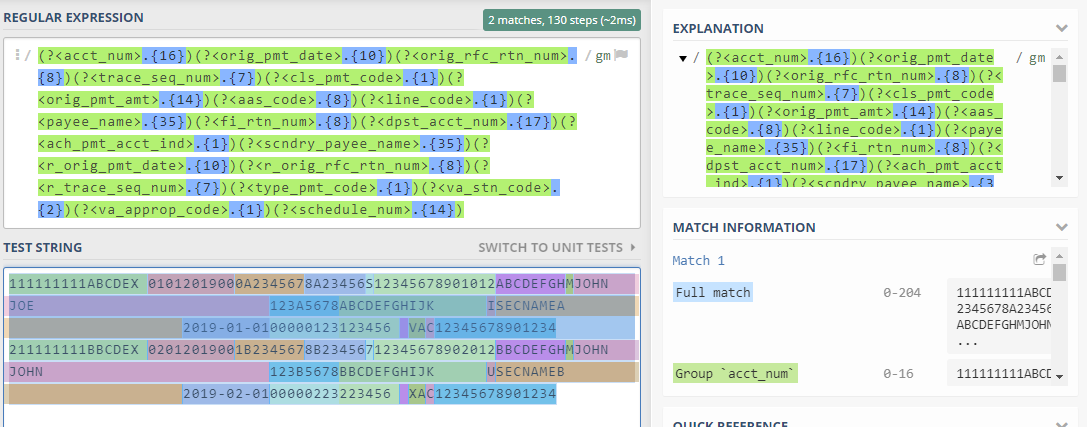
Now, let's see this in action. The following video provides a comprehensive, hands-on demonstration of creating a Grok classifier to parse a custom Apache error log format.
AWS Glue custom classifier | Grok | AWS Glue tutorial | p6
This video from Srce Cde will guide you through the entire process of creating and using a Grok custom classifier, from theory to execution in the AWS console.
Please watch the following segments carefully: Classifier Theory (00:00 - 05:47): A review of how classifiers work, the certainty score, and when to use a custom classifier. Grok Pattern Deep Dive (05:47 - 17:25): Pay close attention to the syntax, the difference between built-in and custom patterns, and how individual patterns are combined to parse a full log line. This is the most critical theoretical part. Hands-On Demo (23:05 - 28:22): Follow the steps to create a custom classifier in the console, configure a crawler to use it, run the crawler, and inspect the resulting table schema. Notice how the alias names in the Grok pattern become the column names. Modifying a Classifier (28:22 - 30:27): This is a key section for the exam. Observe how to add a data type (int) to the pattern and the crucial fact that you must create and run a new crawler (or duplicate and edit) for the changes to take effect on a new table.
Test your understanding!
You have a log file with entries like this: 2023-10-27T10:00:00Z|TRANSACTION|ID-98765|SUCCESS
The fields are timestamp, log type, transaction ID, and status, separated by a pipe (|). The TRANSACTION part is constant. Using AWS Glue's built-in Grok patterns (TIMESTAMP_ISO8601, WORD, GREEDYDATA), write a Grok pattern to correctly classify this log line.
Show answer
A correct Grok pattern would be:%{TIMESTAMP_ISO8601:event_time}\|TRANSACTION\|ID-%{WORD:transaction_id}\|%{GREEDYDATA:status}
%{TIMESTAMP_ISO8601:event_time}captures the timestamp.\|escapes the pipe character, as it's a special character in regular expressions.TRANSACTIONis a literal string match.ID-%{WORD:transaction_id}matches the literal "ID-" and then captures the alphanumeric ID.%{GREEDYDATA:status}captures the rest of the line as the status.
3. Handling Non-Standard Delimited Files with CSV Classifiers
Another common scenario is receiving delimited files that don't follow the standard comma-separated format. Perhaps they use a semicolon or hash as a delimiter, or they have unusual quoting rules. In these cases, the built-in CSV classifier will fail, resulting in an UNKNOWN classification or an incorrect schema.
The solution is to create a custom CSV classifier. Here, instead of writing a complex Grok pattern, you simply specify the file's properties:
- Column delimiter: The character separating columns (e.g.,
#,;,|). - Quote symbol: The character used to enclose fields that may contain the delimiter.
- Column headings: You can either tell Glue to detect them, confirm they exist, or provide a manual list of header names.
- Custom datatypes: You can optionally provide a comma-separated list of data types to enforce a specific schema.
Let's watch a practical example.
AWS Glue custom classifier | CSV | AWS Glue tutorial | p7
This video, also from Srce Cde, perfectly illustrates a scenario where a built-in classifier fails on a modified CSV file and how a custom CSV classifier solves the problem.
Watch the following segments: The Problem (07:34 - 10:55): The presenter runs a crawler on a modified CSV file (using '#' as a delimiter and quotes) and shows that the built-in classifier fails, resulting in an UNKNOWN classification. Creating the Custom CSV Classifier (10:55 - 15:34): Observe the configuration of the custom CSV classifier. Pay attention to the settings for Column delimiter, Quote symbol, and Column headings. This is exactly what you'd do in a real-world project. The Solution (15:34 - 19:09): The presenter creates a new crawler using the custom classifier, runs it, and shows that the table is now created correctly with the proper schema.
As the video also briefly demonstrates (from 19:09 onwards), it's often possible to solve the same problem with a Grok classifier. However, for delimited files, using a custom CSV classifier is almost always simpler and more direct. For the exam, know when to choose the right tool for the job.
4. A Quick Look at JSON and XML Classifiers
While Grok and CSV classifiers are the most common, it's good to know the purpose of JSON and XML classifiers.
Writing custom classifiers for diverse data formats - AWS Glue
Let's refer to the official AWS documentation for a concise explanation of JSON and XML classifiers.
Quickly read the sections 'Writing XML custom classifiers' and 'Writing JSON custom classifiers'. Focus on the primary configuration parameter for each: For XML, understand that the Row tag parameter is used to tell the crawler which XML element represents a single record in your table. For JSON, understand that the JSON path parameter is used to point the crawler to the specific part of the JSON document that contains the array of records. For example, $.records[*] would tell the crawler to treat each object in the records array as a row.
Conclusion
You've now learned how to make AWS Glue Crawlers smarter by teaching them to understand your unique and specialized data formats. This is a powerful feature that moves you from being a user of Glue to an engineer who can tailor it to specific business needs.
Key Takeaways:
- Custom classifiers are used when AWS Glue's built-in classifiers cannot infer the schema of your data.
- They run before built-in classifiers and are chosen based on a certainty score.
- Grok classifiers use named regular expressions to parse semi-structured text and log files. You define a
Grok patternand optionalCustom patterns. - CSV classifiers are for delimited files with non-standard delimiters, quote characters, or headers. They are configured with simple parameters, not patterns.
- JSON and XML classifiers are used to specify which part of a document (
JSON pathorRow tag) should be used to define the table's schema. - Modifying a custom classifier requires re-running the crawler on the data source to create or update the table metadata. It does not retroactively change tables created by previous crawler runs.
Next Up:
So far in this module, we have focused on cataloging data. We've defined a Data Catalog, used crawlers to populate it with standard data, and now we've taught our crawlers to handle custom formats. With our data fully discovered and its schema understood, we are ready for the next step in the ETL process: transformation. In the next lesson, we will design a Glue ETL job using the Spark environment for scalable data transformation.