Introduction
In our previous lesson, we successfully addressed the challenge of game state persistence by serializing your linked list inventory into a structured text file. You learned to traverse the list and write the essential data for each item, deliberately leaving behind the in-memory pointers. Now, we will complete the cycle.
This lesson focuses on deserialization: the process of reading that file and resurrecting the linked list in your program's memory. We will tackle the technical details of parsing formatted text, dynamically allocating memory for each item, and correctly linking the nodes together. By the end of this lesson, you will have a fully functional save and load system for your game's inventory, a cornerstone for the capstone project ahead.
Part 1: The Challenge of Parsing Formatted Text
Our savegame.txt file contains lines structured like this:id|name|quantity|value\n
For example:101|Health Potion|5|25.00
The task is to read this line and extract each field into the correct variables of an Item struct. The natural tool for this is fscanf, the file-reading counterpart to fprintf. However, a naive approach has a significant flaw, especially when dealing with strings.
If we were to use a format string like "%d|%s|%d|%lf\n", the %s specifier would stop reading at the first whitespace. This means an item named "Iron Sword" would be incorrectly parsed as just "Iron", breaking our data integrity.
To solve this, we must use a more powerful feature of the scanf family of functions: the scanset. A scanset, written as %[...], allows you to specify a set of characters to read. Its inverse, %[^...], reads characters until it encounters one from the set. This is exactly what we need for parsing delimited data.
Reading/Writing structs to files (aka Serialization)
This video from CodeVault, while demonstrating struct serialization in general, provides an excellent explanation of how to use scansets with fscanf to read delimited strings.
Watch the segment from the explanation of format specifiers. The presenter discusses why %s is insufficient for strings containing spaces and introduces the %[^...] syntax to read until a specific delimiter, like a comma in their example.
Applying this to our pipe-delimited format, the correct format string for fscanf would be:"%d|%49[^|]|%d|%lf\n"
Let's break this down:
%d: Reads an integer (theid).|: Matches and consumes the literal pipe character from the file.%49[^|]: This is the crucial part. It reads up to 49 characters that are not a pipe (|). This correctly captures names with spaces, like "Health Potion". We use 49 because ourItem.namefield ischar name[50], and we must leave one byte for the null terminator (\0) to create a valid C string. This is a critical security practice to prevent buffer overflows.|: Matches the second pipe.%d: Reads the integerquantity.|: Matches the third pipe.%lf: Reads a double-precision floating-point number (value).\n: Matches and consumes the newline character.
Part 2: Reconstructing the Linked List
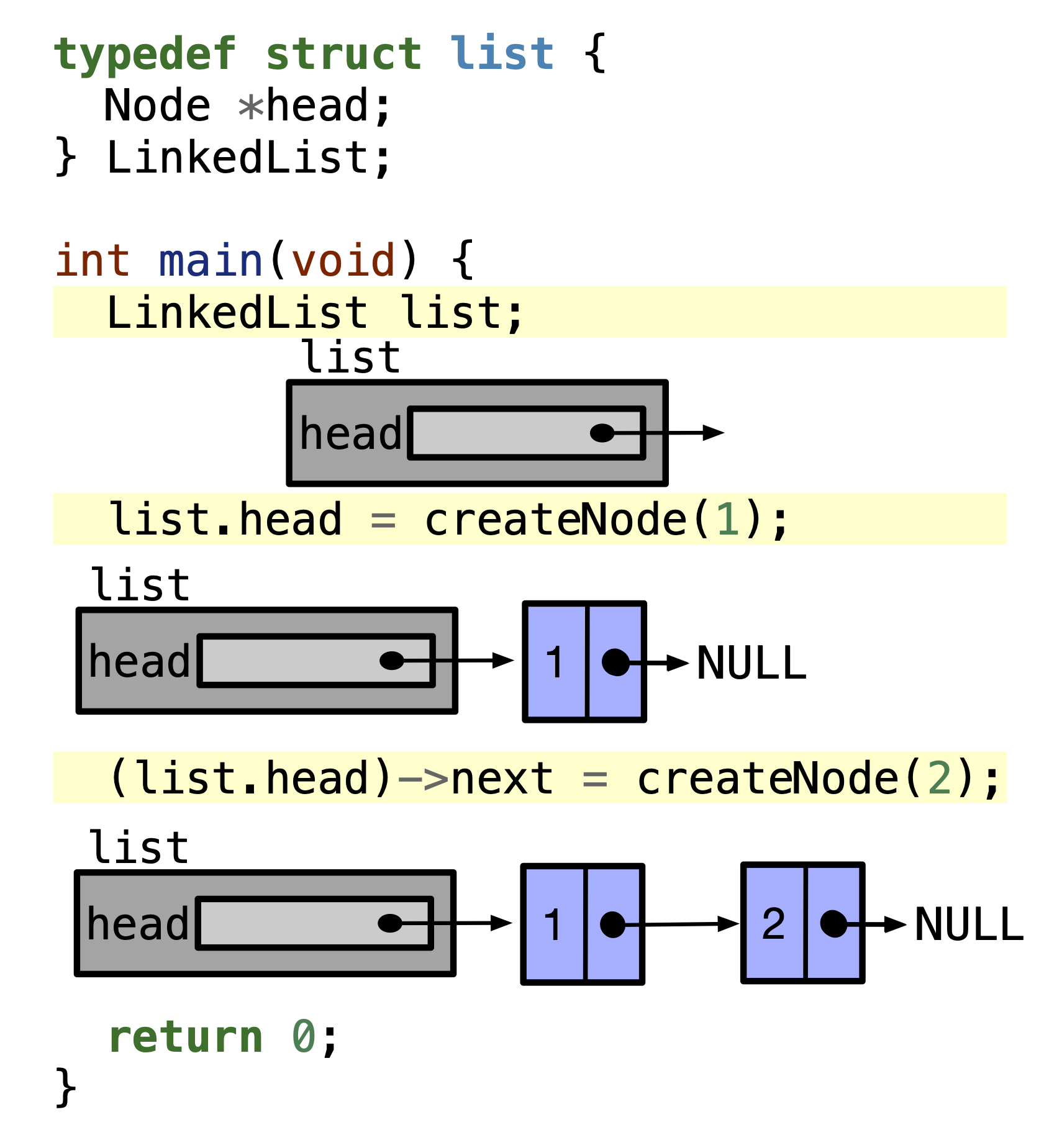
With a reliable way to parse each line, we can now outline the algorithm for reconstructing the entire linked list from the file. The process is a loop that continues as long as we can successfully read lines from the file.
The core logic for each iteration of the loop is:
- Parse: Use
fscanfwith our new format string to read one line of data into temporary variables. - Allocate: Create a new node on the heap using
malloc(sizeof(Node)). - Populate: Copy the data from the temporary variables into the
datafield of the newly allocated node. - Insert: Add the new node to your linked list. A common and efficient method is to add to the end of the list, preserving the original order.
The following video demonstrates this exact loop for deserializing a list of integers. While the data is simpler, the fundamental pattern of reading, allocating, and inserting is identical to what we need.
Reading and writing a linked list to a file in C
This CodeVault video demonstrates implementing a deserialize function to reconstruct a linked list from a file.
Please watch the segment from the beginning of the deserialize function. Pay close attention to: The use of a while loop conditioned on the return value of fscanf. fscanf returns the number of items successfully assigned, so the loop continues as long as it's parsing correctly. The use of an insert_end function to append the new data to the list. The presenter's use of a double pointer (Node **root) as the function parameter. As we covered in Module 8, this allows the function to modify the caller's head pointer, which is necessary if the list is initially empty (head is NULL).
Part 3: A More Robust Implementation
Using fscanf in a while loop is effective, but it can be brittle. If a single line in the file is malformed (e.g., missing a field or having extra delimiters), fscanf can fail in a way that leaves the file stream in an unpredictable state, potentially causing the rest of the loading process to fail.
A more robust and widely-used pattern in C programming is to separate reading from parsing:
- Read an entire line from the file into a character buffer using
fgets(). - Parse the contents of that buffer using
sscanf()(the string-based version offscanf).
This approach isolates failures. If sscanf fails to parse one line, you can simply report an error for that line and continue the loop to process the next one, without disrupting the file reading process.
The Stack Overflow thread below discusses this exact problem, with the provided answers demonstrating this superior fgets/sscanf pattern.
Reading data from file into structure in c programming ...
This Stack Overflow post provides excellent, practical examples of reading structured text data in C.
First, read the answer by user "jacob galam" here. Notice the read_line helper function, which uses fgets to get a line before any processing happens. Then, look at the second answer further down, which shows a more concise while (fgets(...)) loop followed immediately by an if (sscanf(...) ...) check. This second example is a very common and effective C idiom.
Let's combine these ideas into a complete load_inventory_from_file function. This function will create and return a new linked list, so its return type will be Node*.
#include <stdio.h>
#include <stdlib.h>
#include <string.h>

// Assume Item, Node, and your list insertion function (e.g., insert_at_end)
// are defined in "inventory.h"


#include "inventory.h"


#define MAX_LINE_LENGTH 256 // A reasonable buffer size for a line from the file

/**
 * @brief Loads an inventory from a text file, reconstructing it as a linked list.
 *
 * @param filename The path to the save file.
 * @return A pointer to the head of the newly created linked list, or NULL on failure.
 */
Node* load_inventory_from_file(const char* filename) {
    FILE* fp = fopen(filename, "r");
    if (fp == NULL) {
        perror("Failed to open save file for reading");
        return NULL;
    }

    printf("Loading inventory from %s...\n", filename);

    char buffer[MAX_LINE_LENGTH];
    Node* head = NULL; // Start with an empty list
    int line_num = 0;

    // Read the file line by line
    while (fgets(buffer, sizeof(buffer), fp) != NULL) {
        line_num++;
        Item temp_item;

        // Parse the line from the buffer using sscanf
        int items_scanned = sscanf(buffer, "%d|%49[^|]|%d|%lf",
                                   &temp_item.id,
                                   temp_item.name,
                                   &temp_item.quantity,
                                   &temp_item.value);

        if (items_scanned == 4) {
            // If parsing was successful, create a new node and add it to the list
            // Note: A robust insert_at_end function would take a double pointer: &head
            insert_at_end(&head, temp_item);
        } else {
            fprintf(stderr, "Warning: Malformed data on line %d. Skipping.\n", line_num);
        }
    }

    fclose(fp);
    printf("Inventory loaded successfully.\n");
    return head;
}
This function is now resilient. It correctly parses our delimited format, safely handles strings, rebuilds the linked list dynamically, and gracefully skips any corrupted lines in your save file.
Conclusion
You have now built the other half of your persistence system. By mastering deserialization, you can breathe life back into the data you saved, transforming a static text file into a dynamic, in-memory linked list.
Key Takeaways:
- Deserialization is the process of reading stored data and reconstructing the original data structures.
- The
fscanfandsscanffunctions are the primary tools for parsing formatted text in C. - The scanset format specifier (
%[^...]) is essential for correctly parsing delimited strings that may contain spaces. - For robustness, the
fgets+sscanfpattern is superior to usingfscanfin a loop, as it isolates parsing errors to individual lines. - Reconstructing a linked list involves a loop of parsing data, allocating new nodes with
malloc, and calling an insertion function to append them to the list.
With a complete save and load cycle, you have cleared a major milestone. You now possess the full set of skills—structs, dynamic memory, linked lists, and file I/O—to build a complex, persistent application. The next module is the final one: building your capstone text-based adventure game from scratch.