Introduction
Welcome to our lesson on Docker. In our previous session, we established a clear distinction between virtualization (heavyweight, hardware abstraction) and containerization (lightweight, OS-level abstraction). We concluded that containers offer significant advantages in speed, efficiency, and portability by sharing the host operating system's kernel.
Today, we will focus on the technology that has become synonymous with containerization: Docker. This lesson is designed to directly address the learning outcome: Explain the role of Docker as a containerization platform. We will define what Docker is, explore the critical problem it solves for developers, and, most importantly, dissect its architecture and core components to understand how it functions as a complete platform for building, sharing, and running applications.
1. What is Docker?
At its core, Docker is an open-source platform that automates the deployment of applications inside lightweight, portable containers.
To get a solid, exam-ready definition, let's start with a reading from a well-structured article.
What is Docker? - GeeksforGeeks
The article 'What is Docker?' from GeeksforGeeks provides a concise and accurate definition that you should learn. It also immediately addresses the fundamental problem that Docker solves.
Read the introductory section, starting from 'Docker is an OS-level virtualization...' down to '...uses fewer system resources.' Focus on the key terms: OS-level virtualization, lightweight, portable, isolated, and the solution to the 'works on my machine' problem.
As the article highlights, Docker's primary role is to eliminate the classic "it works on my machine, but not in production" problem. It achieves this by packaging an application with all of its dependencies—such as libraries, system tools, and runtime—into a standardized unit called a container. This ensures that the application runs identically, regardless of the underlying environment.
A very common analogy used to explain this concept is that of a shipping container.
Lec-34: What is Docker 🚢 Best Explanation with Real Life Examples
To help visualize this concept, the following video segment uses the real-world analogy of shipping containers.
Watch the segment from 02:44 to 03:36. Notice how standardized shipping containers can carry anything (food, electronics, etc.) and be moved by any standardized ship or crane. Docker containers do the same for software: they package any application and can be run on any system that has Docker installed.
2. The Docker Platform: Architecture and Components
Docker is not a single tool but a complete platform with a client-server architecture. Understanding this architecture is key to explaining its role. The diagram below provides a high-level overview of how the different components interact.

Let's break down each of these components, which together form the Docker platform.
Docker Engine
The Docker Engine is the core software that enables containerization. It's a client-server application composed of three main parts:
-
The Docker Daemon (
dockerd):- This is the server component. It's a long-running background process that runs on the host machine.
- Its primary job is to listen for commands from the Docker Client via the REST API and manage all Docker objects: building images, running containers, and managing networks and storage volumes.
-
The Docker Client (
dockerCLI):- This is the client component and the primary way users interact with Docker.
- When you type a command like
docker run <image>ordocker build ., you are using the Docker Client. - The client translates these commands into API requests and sends them to the
dockerddaemon.
-
The REST API:
- This is the interface that specifies how the Docker Client and Docker Daemon communicate.
- It allows the client to give instructions to the daemon. The client and daemon can be on the same machine or on different machines.
To see this client-server interaction explained, watch the following short video.
Docker Architecture | Components
The video 'Docker Architecture | Components' from Telusko clearly explains the relationship between the client, the REST API, and the daemon.
Watch the segment from 00:44 to 02:14. Focus on how the user's command goes to the client (CLI), which then sends a request via the REST API to the server (daemon) to do the actual work.
Docker Objects
The Docker Daemon creates and manages several key objects:
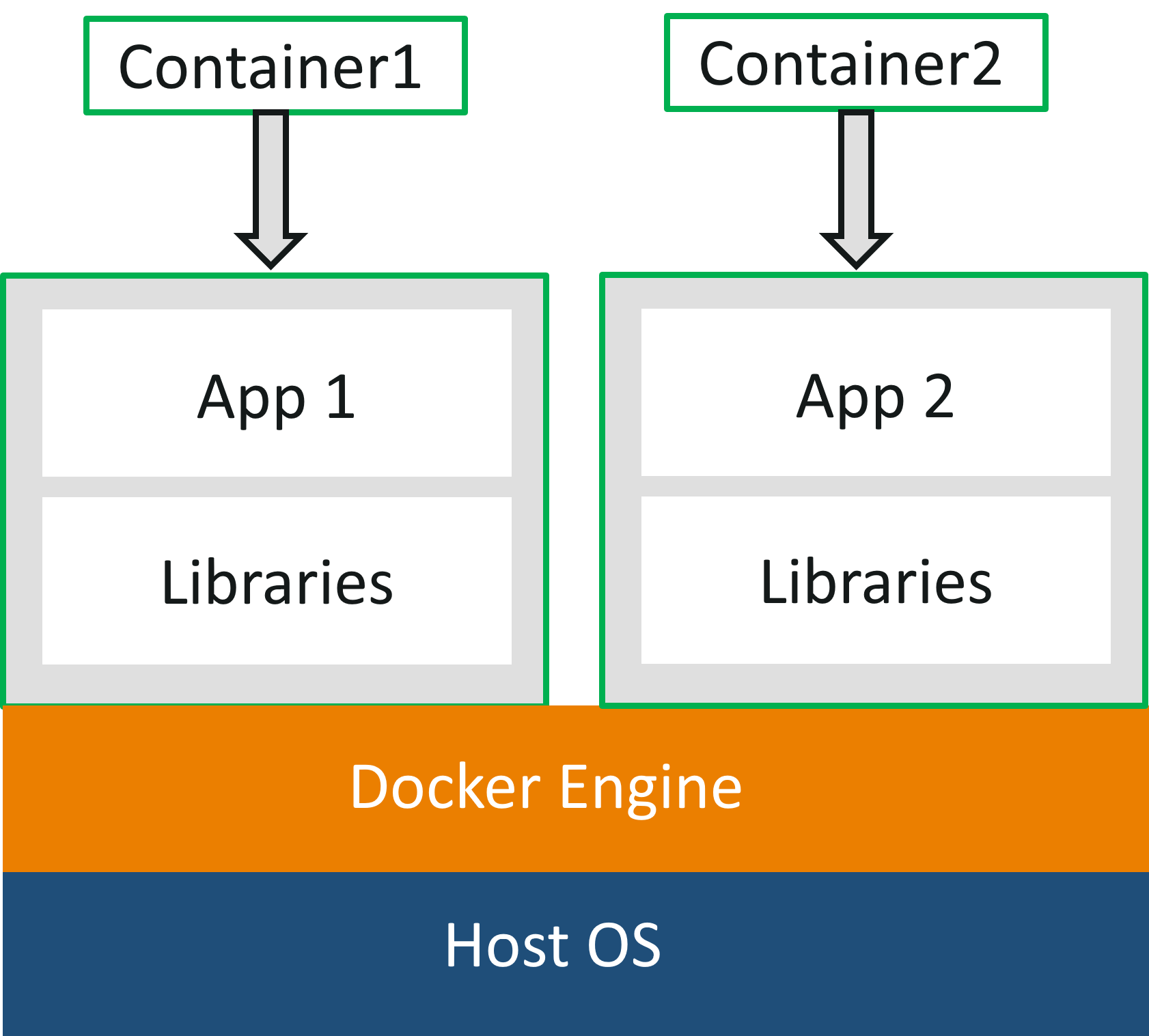
- Images: A read-only template with instructions for creating a Docker container. An image contains the application code, a runtime, libraries, and dependencies. You can think of an image as the blueprint or a class in object-oriented programming.
- Containers: A runnable instance of an image. A container is the live, running application. You can create, start, stop, move, or delete a container. It can be thought of as the instance of a class.
Docker Registry
A Docker Registry is a storage and distribution system for Docker images.
- Docker Hub: This is the default public registry used by Docker. It's a vast library of pre-built images that you can pull and use. You can also store your own custom images there, either publicly or privately. Think of Docker Hub for container images as what GitHub is for source code.
For a detailed, text-based summary of these components, which will be very useful for your exam preparation, please review the following resource.
What is Docker? - GeeksforGeeks
This GeeksforGeeks article provides clear, bullet-pointed definitions of all the core Docker components. Pay close attention to the section on Docker Engine.
First, read the section 'Components of Docker' for a quick list. Then, read the section 'Docker Engine' which details the client-server architecture and its components (Server, REST API, Client). This is a critical section for your exam.
3. Summary of Docker's Role and Benefits
By combining these components—the Engine to build and run, Images to package, Containers to execute, and Registries to share—Docker provides a comprehensive platform that fulfills a crucial role in modern software development.
The overall workflow is:
- A developer defines an application and its environment in a
Dockerfile. - Using
docker build, an Image is created. - This image is pushed to a Registry like Docker Hub.
- Other developers or production servers can pull the image.
- Anyone can now run a Container from that image using
docker run, with the guarantee it will work identically everywhere.
This platform approach provides several key benefits, which are frequently asked about in exams:
- Portability: Applications run without modification on any system with Docker.
- Consistency: Eliminates environment-specific bugs ("works on my machine").
- Speed: Containers start in seconds, much faster than VMs.
- Efficiency & Density: Containers are lightweight and share the host kernel, meaning you can run many more containers on a single server compared to VMs.
- Scalability: You can easily create and destroy containers to scale applications up or down.
Conclusion
In this lesson, we have defined Docker's role as a complete containerization platform. We established that it is not just a single tool, but a system built on a client-server architecture.
Key Takeaways:
- Docker's Role: To automate the creation, deployment, and management of applications inside standardized, portable containers.
- Core Problem Solved: It ensures consistency across development, testing, and production environments, solving the "it works on my machine" problem.
- Key Architecture: Docker uses a client-server model consisting of the Docker Client (CLI), a REST API, and the Docker Daemon (
dockerd). - Main Components: The platform manages Images (blueprints), Containers (running instances), and uses Registries (like Docker Hub) for sharing.
Preview of the Next Lesson:
Now that you understand the Docker platform at a high level, our next lesson will zoom in on the practical building blocks. We will explore the purpose of a Dockerfile and break down its key instructions (FROM, RUN, COPY, CMD), and further discuss the function of a container registry like Docker Hub.