In our last lesson, you mastered conditional statements, giving your programs the ability to make decisions and follow different paths. However, those decisions were one-time events. To unlock the true power of automation, your programs need the ability to perform actions repeatedly. This lesson introduces loops, the fundamental construct for iteration in Python.
We will explore Python's two main types of loops: the for loop, which is ideal for iterating over a known sequence of items, and the while loop, which repeats as long as a specific condition remains true. You will also learn how to use the range() function to generate sequences of numbers for your for loops, and how to precisely control loop behavior using the break and continue statements. As you have a background in C++, the concepts of loops will be familiar, but you'll find Python's for...in syntax a particularly expressive and readable alternative to the traditional C-style for loop.
1. The for Loop: Iterating with a Purpose
The for loop in Python is designed for definite iteration—that is, looping over a collection of items where the number of iterations is known beforehand. This collection could be a list of numbers, a string of characters, or any other iterable object. The syntax is clean and intuitive: for item in sequence:.
Let's watch a video that provides an excellent visual breakdown of how for loops work, how they use sequences, and how the range() function is used to create numeric sequences for iteration.
Python Loops (Visually Explained) | For, While, Break, Continue, Else
This video from the "Data with Baraa" channel masterfully visualizes the mechanics of loops. Pay close attention to how the loop variable takes on the value of each item in the sequence, one by one.
Watch the following segments to build a strong foundation for for loops: The for loop concept: This part explains the core idea of iterating through a sequence and how Python handles it behind the scenes. Iterating over different sequences: Observe how for loops can work with tuples, lists, and even strings. Using the range() function: This is a critical section. Understand the three arguments: stop, start, and step, and especially note that the stop value is exclusive.
As you saw, the range() function is a powerful tool. Let's recap its usage:
range(stop): Generates numbers from0up to (but not including)stop. Example:range(5)produces0, 1, 2, 3, 4.range(start, stop): Generates numbers fromstartup tostop. Example:range(1, 5)produces1, 2, 3, 4.range(start, stop, step): Generates numbers fromstartup tostop, incrementing bystep. Example:range(0, 10, 2)produces0, 2, 4, 6, 8.
The for loop is your go-to tool when you need to process every item in a collection, such as processing all files in a directory, all rows in a dataset, or all characters in a string.
2. The while Loop: Repeating Until a Condition Changes
While for loops are for a known number of iterations, while loops are for indefinite iteration. A while loop continues to execute as long as its condition evaluates to True. This is useful when you don't know in advance how many times you need to loop, such as waiting for user input or processing a data stream.
To avoid creating an infinite loop that crashes your program, a while loop typically requires three components:
- Initialization: A variable is initialized before the loop starts.
- Condition: The
whilestatement checks this variable. - Update: The variable is modified inside the loop, so that the condition will eventually become
False.
The next segment of the video explains this structure clearly.
Python Loops (Visually Explained) | For, While, Break, Continue, Else
This part of the video contrasts the while loop with the for loop and explains the critical components needed to prevent an infinite loop.
Watch the section explaining the while loop. Focus on the "initialization, condition, update" pattern. Notice how forgetting the update step leads to an infinite loop.
3. Altering Loop Behavior: break and continue
Sometimes, you need to exit a loop early or skip a single iteration. Python provides two statements for this purpose: break and continue.
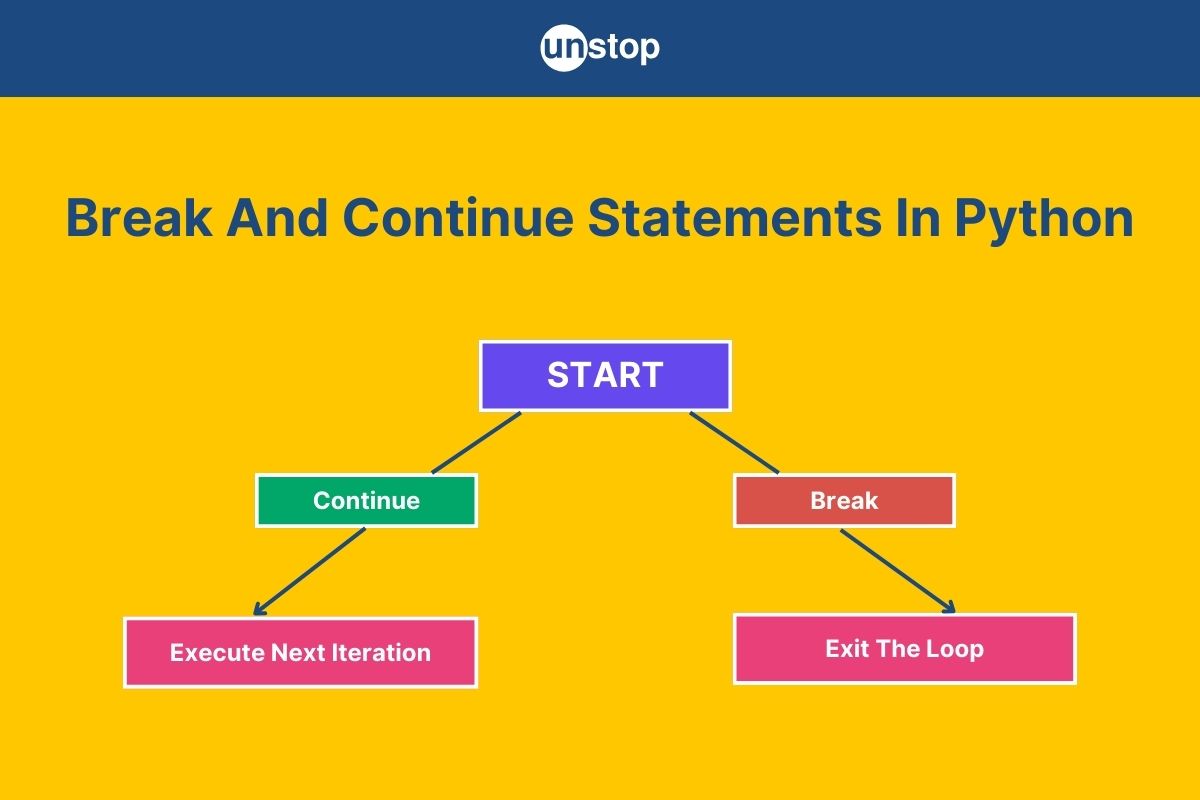
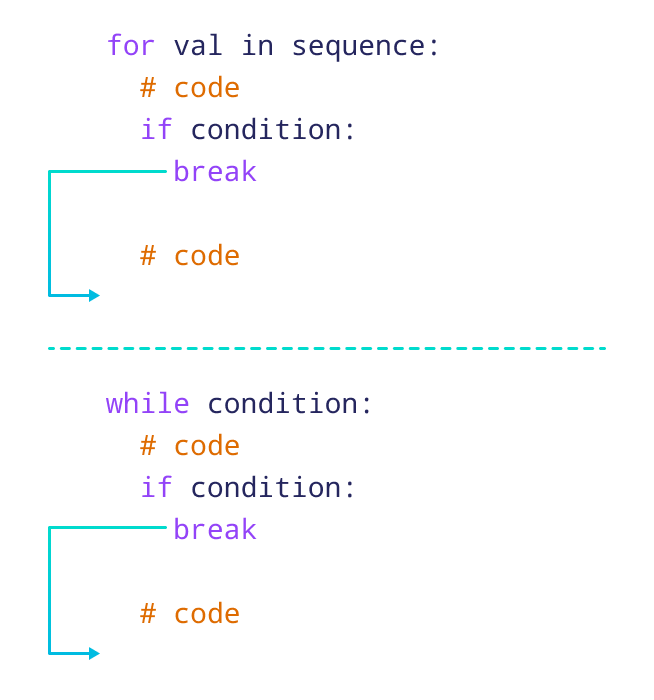
break: Immediately terminates the entire loop. The program's execution continues at the first statement after the loop. It's often used inside anifstatement to stop looping once a specific condition is met (e.g., an item is found).continue: Immediately stops the current iteration and jumps to the beginning of the next one. The loop itself keeps running. It's useful for skipping over invalid or irrelevant items in a sequence.
The following flowchart provides a simple visual distinction.
This visual guide shows the syntax.
Now, let's watch a detailed visual explanation that really clarifies the difference in program flow.
Python Loops (Visually Explained) | For, While, Break, Continue, Else
This is one of the most important parts of the lesson. The video uses flowcharts to show exactly how break and continue alter the path of execution within a loop.
Watch the entire segment on special loop statements. It covers break, continue, and pass with clear examples, explaining when and why you would choose one over the other. The discussion of risk levels (critical vs. medium) is particularly insightful.
As a quick summary:
- Use
breakwhen the task of the loop is finished (e.g., you found the item you were searching for). - Use
continuewhen you want to ignore the current item but keep processing the rest of the sequence.
4. A Pythonic Feature: The else Clause in Loops
Python offers a unique feature that is uncommon in other languages: an else clause for loops. This else block is executed only if the loop completes all its iterations without being terminated by a break statement.
This is extremely useful for search operations. You can use the loop to search for an item. If you find it, you break. If the loop finishes without finding the item (and thus without breaking), the else block runs, allowing you to handle the "not found" case.
Python Loops (Visually Explained) | For, While, Break, Continue, Else
This final video segment explains the unique for...else construct and how it pairs with the break statement to create powerful and readable validation logic.
Watch the section on the else statement in for loops. The key insight is that the else block is skipped if a break occurs.
5. Practice Exercises
Your preference is for hands-on practice, so let's dive into some coding challenges. The best way to solidify your understanding of loops is to use them to solve problems.
Python if else, for loop, and range() Exercises with Solutions
This page from pynative.com offers a fantastic set of exercises. We'll tackle a few to cover the concepts from this lesson. For each exercise, try to write the code yourself before looking at the solution.
Attempt the following exercises: Exercise 1: A straightforward problem to practice the basic structure of a while loop. Exercise 3: This will have you use a for loop with range() and an accumulator variable. Exercise 5: A great problem for practicing break and continue within a loop. The logic requires you to stop, skip, and process items based on different conditions. Exercise 11: This is a classic computer science problem that requires a nested loop and conditional logic. It's a great test of your combined skills.
For more practice, you can also solve the exercise at the bottom of the learnpython.org page on loops.
Loops - Learn Python - Free Interactive Python Tutorial
This interactive page provides another excellent practice problem combining several concepts.
Scroll to the bottom of the page and complete the exercise. It requires you to use a for loop, conditionals, continue, and break.
Conclusion
You've now learned how to make your programs perform repetitive tasks efficiently. Loops are the engine of automation in programming, and mastering them is a huge step toward Python proficiency.
Here are the key takeaways:
forloops are used for definite iteration over a sequence. Thefor item in sequence:syntax is a readable way to process each element.range()is a crucial function for generating number sequences, often used withforloops to repeat an action a specific number of times.whileloops are for indefinite iteration, running as long as a condition isTrue. Be sure to include logic to eventually make the conditionFalse.breakprovides an "emergency exit" from a loop, terminating it immediately.continueskips the current iteration and proceeds to the next one.- The
elseclause on a loop runs only when the loop completes naturally, without abreak.
In our next lesson, we will address a reality of programming: things can go wrong. You will learn how to anticipate and handle runtime errors gracefully using Python's try and except blocks, making your programs more robust and user-friendly.