Welcome back. In our last lesson, you placed your Django application behind an AWS Application Load Balancer, a significant step towards building a scalable and fault-tolerant system. Your application can now handle traffic distributed across multiple instances, but this also opens it up to the public internet, making it vulnerable to overuse, whether intentional or accidental.
This lesson focuses on protecting your API by implementing rate limiting. You'll learn how to use Django REST Framework's throttling capabilities to control the number of requests clients can make, preventing any single user from overwhelming your service. This directly addresses the Infilect job description's requirement for experience in building "scalable backend/cloud applications" and "system and product development at scale," as rate limiting is a fundamental component of any robust, public-facing API.
By the end of this lesson, you will be able to configure and apply different rate limiting policies to your DRF API endpoints to ensure stability and fair usage.
1. What is Rate Limiting and Why Is It Important?
Before we write any code, it's essential to understand the "what" and "why" of rate limiting. At its core, rate limiting is a technique to control the consumption of resources by limiting the number of requests a client can make to an API within a specific timeframe.
The following video provides an excellent high-level overview of the concept, its motivations, and common implementation strategies.
What is Rate Limiting / API Throttling? | System Design Concepts
This video from the "Be A Better Dev" channel clearly explains the core concepts of rate limiting, which are applicable to any backend system, not just Django.
Please watch the first two sections to build a strong conceptual foundation: What is rate limiting? This part defines the concept and shows an example of a rate limit error from the Twitter API. Why applications rate limit. This section covers the key business and technical reasons, such as preventing abuse (like Denial-of-Service attacks), ensuring server stability for all users, and controlling operational costs.
As the video explained, implementing rate limiting helps achieve several critical goals:
- Preventing Abuse: It mitigates the risk of malicious actors or buggy clients overwhelming your API with requests.
- Ensuring Fair Use: It ensures that no single user can monopolize server resources, guaranteeing a stable and consistent experience for everyone else.
- Cost Management: In a cloud environment where you pay for compute, database access, and data transfer, rate limiting helps prevent unexpected cost spikes from excessive API usage.
When a client exceeds their allowed rate, the server typically responds with an HTTP 429 Too Many Requests status code. The response often includes a Retry-After header indicating how long the client should wait before making a new request.
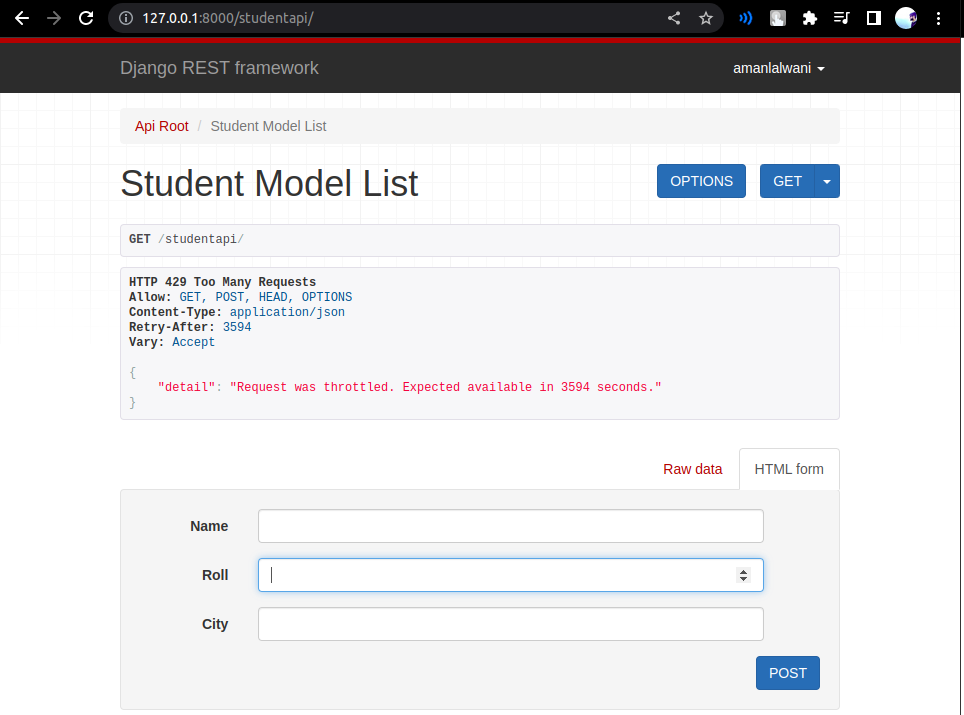
An example of the response from a Django REST Framework API when a request has been throttled. Notice the 429 status code and the Retry-After header.
2. Throttling in Django REST Framework
Django REST Framework (DRF) provides a powerful and flexible throttling system out of the box. It works by inspecting incoming requests and keeping a record of recent request timestamps for each client in Django's cache.
The following diagram shows the high-level flow. When a request comes in, DRF checks the client's request history against the configured rate limits stored in a cache (like Redis) before deciding whether to process the request or reject it with a 429 error.
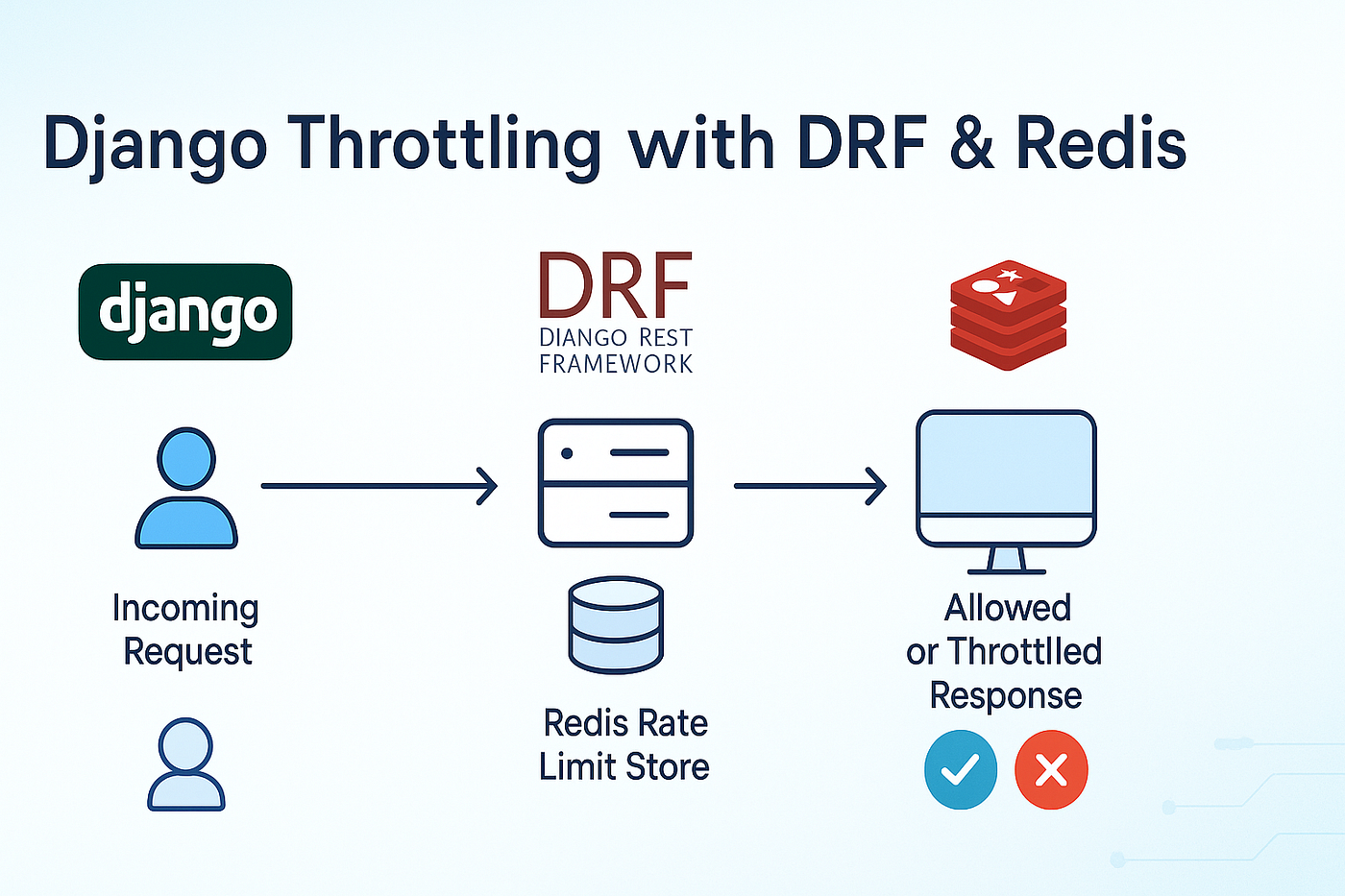
An incoming request is intercepted by DRF, which consults a Redis rate limit store to determine if the request is within the allowed limit. The response is either the requested data or a throttled error.
Before we implement this, it's crucial to understand the scope of DRF's throttling. For a definitive explanation, we'll turn to the official documentation.
The DRF documentation provides a critical disclaimer about the purpose of its throttling feature.
Please read the introductory section, from the beginning. Pay close attention to the text in bold.
The key takeaway is that DRF's throttling is designed for implementing business policies (like different API tiers for paying customers) and basic protection against overuse. It is not a sufficient defense against sophisticated, large-scale Denial-of-Service (DoS) attacks, which should be handled by dedicated infrastructure-level tools like AWS Shield or Cloudflare.
3. Hands-On: Implementing Global Throttling
Now, let's apply this to your infilytics project. We'll start by setting a global policy that applies different rates for anonymous and authenticated users. The video below provides a fantastic visual guide for the steps we're about to take.
API Throttling with Django REST Framework
This video by BugBytes provides a clear, practical walkthrough of setting up throttling in a DRF project.
You will be following the steps demonstrated in these two segments: Global settings for anonymous users. This shows how to configure AnonRateThrottle. Global settings for authenticated users. This adds UserRateThrottle.
Task 1: Configure Global Throttling Policies
Open your project's settings.py file. Find the REST_FRAMEWORK dictionary you've configured in previous lessons and add the throttling configuration. If you don't have this dictionary yet, create it.
# in infilytics/settings.py

REST_FRAMEWORK = {
    # ... any other settings like DEFAULT_AUTHENTICATION_CLASSES ...

    'DEFAULT_THROTTLE_CLASSES': [
        'rest_framework.throttling.AnonRateThrottle',
        'rest_framework.throttling.UserRateThrottle'
    ],
    'DEFAULT_THROTTLE_RATES': {
        'anon': '5/min',
        'user': '20/min'
    }
}
Let's break this down:
DEFAULT_THROTTLE_CLASSES: This list tells DRF which throttling policies to apply to every view by default.AnonRateThrottle: Applies to requests from unauthenticated (anonymous) users. It uses the client's IP address to track requests.UserRateThrottle: Applies to requests from authenticated users. It uses the user's ID to track requests.
DEFAULT_THROTTLE_RATES: This dictionary defines the rates for the scopes used by the throttle classes.'anon': '5/min': Anonymous users are limited to 5 requests per minute.'user': '20/min': Logged-in users get a higher limit of 20 requests per minute.
Task 2: Test the Throttling
Now, let's see it in action.
- Start your Django development server:
python manage.py runserver. - Test as an anonymous user: Open your browser in an incognito/private window (to ensure you are not logged in). Navigate to one of your API endpoints, for example,
http://127.0.0.1:8000/api/products/. - Refresh the page repeatedly. After the 5th request within a minute, you should see the "Too Many Requests" error page, just like the screenshot shown earlier.
- Test as an authenticated user: Close the incognito window and open a regular browser window. Navigate to the same endpoint and log in using the DRF browsable API's login button (with your superuser account).
- Now, start refreshing the page. You will be able to make 20 requests within a minute before being throttled.
This simple exercise demonstrates the power of DRF's built-in policies for differentiating access based on authentication status.
4. Fine-Grained Control with Scoped Throttling
A global policy is a good start, but often you need more granular control. For instance, in a retail analytics platform like Infilect's, you might want to allow frequent requests to view analytics dashboards but heavily restrict more resource-intensive actions like uploading large images for processing.
ScopedRateThrottle allows us to define different rate limits and apply them to specific views.
A Guide To API Rate Limiting In Django
This section of the CoderPad article explains and provides code examples for using ScopedRateThrottle.
Focus on the section Scoped rate throttle. This shows how to update your settings and apply a throttle_scope property to your views.
Task 3: Implement Scoped Throttling
Let's implement a policy where listing data is less restricted than creating or deleting it.
-
First, update
settings.pyto useScopedRateThrottleand define new rates.# in infilytics/settings.py REST_FRAMEWORK = { # ... other settings ... 'DEFAULT_THROTTLE_CLASSES': [ 'rest_framework.throttling.ScopedRateThrottle', ], 'DEFAULT_THROTTLE_RATES': { 'anon': '5/min', # This is a fallback, good to keep 'user': '20/min', # This is a fallback, good to keep 'data_read': '50/min', 'data_write': '10/min', } }We've defined two new scopes:
data_readwith a high limit anddata_writewith a lower one. -
Next, apply these scopes to your views. Open the
views.pyfile for one of your apps (e.g.,products/views.py). We will apply different scopes to different actions within aViewSet.# in products/views.py for example from rest_framework import viewsets from .models import Product from .serializers import ProductSerializer class ProductViewSet(viewsets.ModelViewSet): queryset = Product.objects.all() serializer_class = ProductSerializer # Apply a specific scope to the 'list' and 'retrieve' actions throttle_scope = 'data_read' # We can override this for specific actions if needed. # For ModelViewSet, create, update, and destroy are considered 'write' operations. # To apply a different scope, we would need to override the actions, but for now # we can demonstrate by applying a scope to a different ViewSet.
Let's add a different scope to another `ViewSet`, for example, your `RetailOutletViewSet`.

```python
# in outlets/views.py for example

from rest_framework import viewsets
from .models import RetailOutlet
from .serializers import RetailOutletSerializer

class RetailOutletViewSet(viewsets.ModelViewSet):
    queryset = RetailOutlet.objects.all()
    serializer_class = RetailOutletSerializer

    # Assume creating outlets is a more sensitive operation
    throttle_scope = 'data_write'
```
3. Test the Scoped Throttles:
* Run the server and log in as an authenticated user.
* Navigate to the product list (/api/products/). You should be able to refresh up to 50 times per minute.
* Now, navigate to the retail outlet list (/api/outlets/). Here, you will be throttled after only 10 requests per minute.
This demonstrates how you can create nuanced API usage policies tailored to the specific cost and sensitivity of different endpoints.
Conclusion
In this lesson, you have secured your scalable architecture by implementing a crucial protection mechanism: rate limiting. This prevents service degradation from overuse and is a hallmark of a production-ready backend system.
You have learned:
- The importance of rate limiting for API stability, security, and cost control.
- How to implement global throttling policies in DRF for anonymous and authenticated users using
AnonRateThrottleandUserRateThrottle. - How to apply fine-grained control over specific endpoints using
ScopedRateThrottle. - That DRF's throttling relies on the client's IP address (via the
X-Forwarded-Forheader when behind a load balancer) to identify unauthenticated users.
You have now made your application both more scalable (with the ALB) and more resilient (with throttling).
In our next lesson, we will tackle another key scalability technique: caching with Redis. While throttling protects your API from being overwhelmed, caching will make it significantly faster and more efficient by storing and reusing the results of expensive operations, further reducing the load on your database.