Hello! Welcome back to our module on Advanced State Management.
In our previous lesson, we established a crucial mental model for organizing state in a React application. We broke it down into four categories: Local, Shared, URL, and Server State. We concluded that while tools like Context and Zustand are great for managing state that lives exclusively on the client, Server State is a fundamentally different beast that requires a specialized approach.
Today, we'll dive deep into that distinction. Our learning outcome is to explain the concepts of client state vs. server cache. Understanding this difference is one of the most significant steps you can take to level up as a React developer. It will fundamentally change how you think about data in your applications, leading to simpler, faster, and more robust code. For a software engineer, this is analogous to understanding the difference between an in-memory variable and a record in a distributed database—they may hold similar data, but their lifecycle, ownership, and access patterns are worlds apart.
The Two Worlds of State
At a high level, all the data that your application manages can be split into two categories. Let's start with clear definitions.
1. Client State
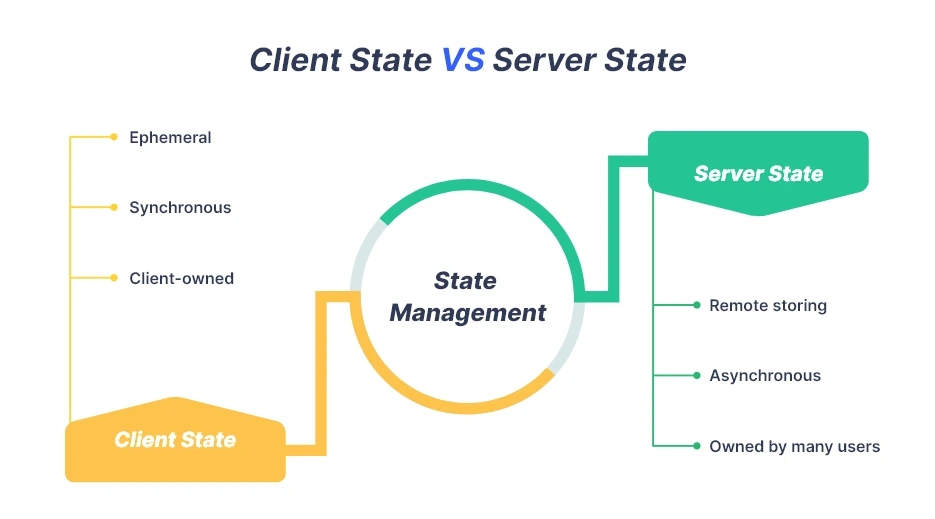
Client state is data that is "owned" by the client (the browser). It's synchronous, ephemeral, and its source of truth is the running application itself.
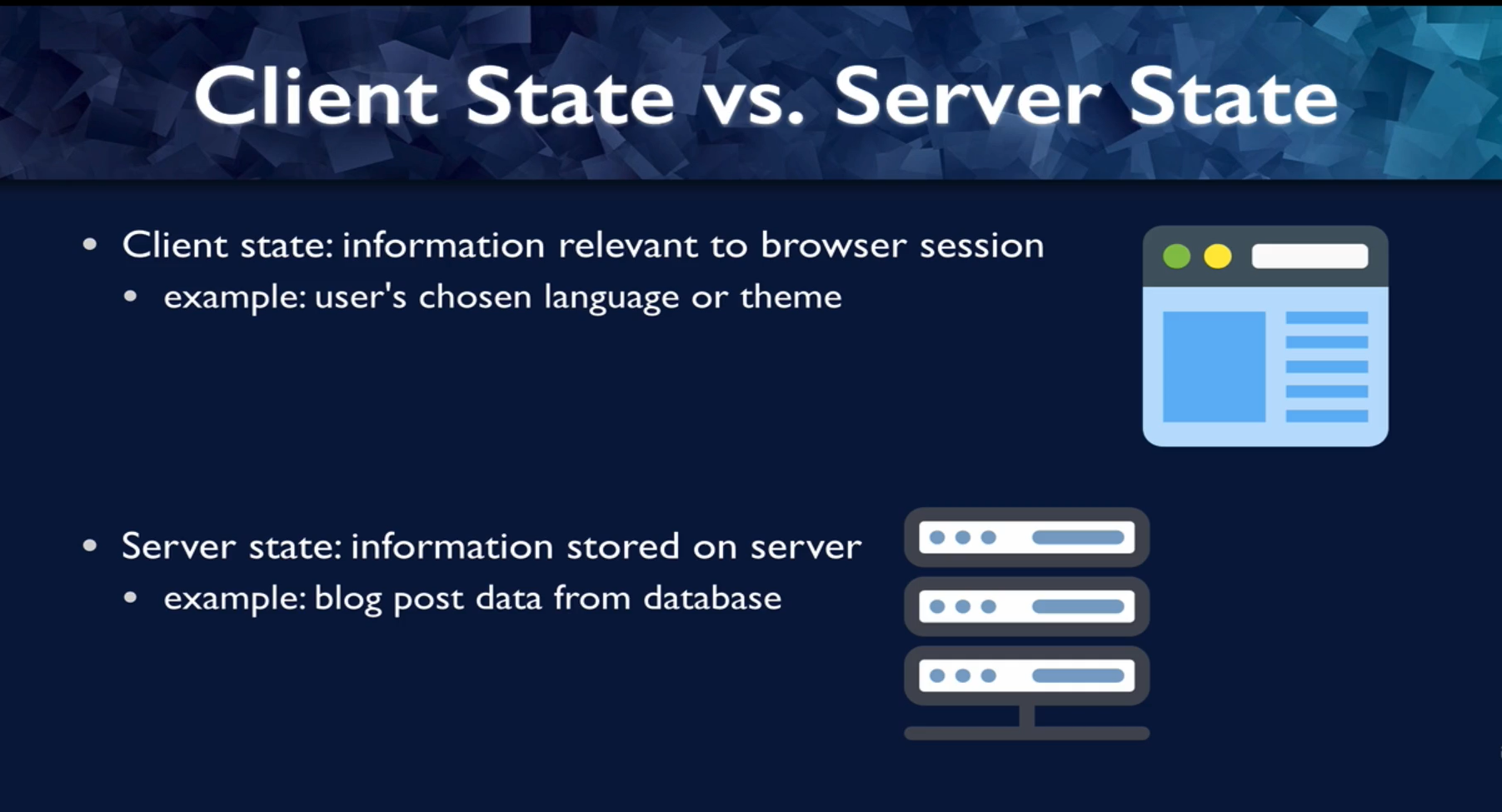
Think of data like:
- The current value of a form input.
- Whether a dropdown menu is open or closed.
- The user's selected theme (e.g., 'dark' or 'light').
- The contents of a shopping cart before checkout.
This is the state you've been managing with useState, useReducer, and what you might use a library like Zustand for. It lives and dies with the user's session.
2. Server State
Server state is data that is "owned" by the server. Your client application is merely "renting" it. It is persisted remotely, accessed asynchronously over the network, and can be changed by other users or processes without your client's knowledge.
This means your application never has the state itself, but rather a snapshot or a cache of that state at a particular point in time. This is why the learning outcome uses the term server cache—it's a more accurate description of what you're managing on the client.
To really solidify these definitions, let's hear from Tanner Linsley, the author of TanStack Query, one of the most important libraries in this space.
React Query: It’s Time to Break up with your "Global State”! –Tanner Linsley
In this clip from his talk, 'React Query: It’s Time to Break up with your "Global State"!', Tanner Linsley provides a crystal-clear distinction between what he calls Client State and Server State.
Watch from 03:23 to 04:59. Pay close attention to the contrasting properties he lists for each state type: location, access speed, and ownership.
The Mismatch: Why Managing Server Cache is Hard
In the early days of React, developers didn't make this distinction. We tried to manage server state using the same tools we used for client state. This often involved fetching data in a useEffect hook and stuffing it into a useState variable or a global store like Redux.
This approach is fraught with problems because client state tools are not designed to handle the unique challenges of a server cache.
Let's watch a practical demonstration of these pain points.
Learn React State Managment in 2023 | Client Side vs SSR and React Query Tutorial
This video from 'developedbyed' walks through the traditional useState and useEffect approach for data fetching. It's a perfect illustration of the problems we're about to discuss.
Watch from the beginning to 12:32. As you watch, notice the issues that arise: the need for manual loading states (spinners), data being re-fetched unnecessarily on navigation, and the difficulty of sharing this state across components.
As you saw in the video, treating server state as simple client state forces you to manually solve a complex set of problems. This article from DeveloperWay provides a great written summary of these challenges.
React State Management in 2025: What You Actually Need
This article, 'React State Management in 2025', has a section on 'Remote State' that succinctly lists the difficulties of managing data from a server.
Read the subsection titled 'Remote State'. It quickly covers everything from handling loading/error states to caching, request waterfalls, and optimistic updates.
Let's consolidate those challenges. When you manage a server cache, you need to think about:
- Caching: Storing data so you don't have to fetch it again.
- Deduplicating requests: Preventing multiple requests for the same data if, for example, several components mount at once.
- Updating stale data: Knowing when your client's cache is out-of-date and needs to be refetched in the background.
- Handling mutations: Updating data on the server and then intelligently invalidating and updating the cache on the client.
- Optimistic updates: Updating the UI instantly for a snappy user experience before the server confirms the change, and rolling back if the server request fails.
- Pagination and infinite scrolling: Fetching large data sets in manageable chunks.
- Garbage collection: Removing old, unused data from the memory cache.
Trying to build this logic yourself for every API endpoint using useState and useEffect is not only tedious and error-prone but also reinvents a wheel that has already been perfected.
The Solution: A New Mental Model
The solution is to stop thinking of server data as "state" and start thinking of it as a "cache" that needs to be synchronized with the server. This conceptual shift leads to a powerful conclusion: you should not use a client state manager to handle server cache.
Instead, you should use a dedicated server state management library. These libraries are purpose-built to solve all the problems listed above out of the box. The most popular one in the React ecosystem is TanStack Query (formerly React Query).
The official TanStack Query documentation makes this point beautifully. It's not a replacement for client state managers like Redux or Zustand; it's a tool for a different job.
Does TanStack Query replace Redux, MobX or other ...
This page from the TanStack Query docs directly addresses whether it replaces tools like Redux. It makes the distinction between client and server state clearer than almost any other resource.
Read the entire page. It's very short. Focus on the 'Contrived Example' which shows a globalState object before and after migrating server state to TanStack Query. This is a powerful visual.
As the documentation shows, once you move your server state to a proper cache manager, the amount of true global client state you have left is often tiny:
- Before:
globalState = { projects, teams, tasks, users, themeMode, sidebarStatus } - After:
globalState = { themeMode, sidebarStatus }
The data related to projects, teams, tasks, and users is now handled by TanStack Query, which manages its caching, background updates, and mutations, while your client state manager is left to handle the simple, synchronous UI state.
Test your understanding!
You are building a complex dashboard for a project management tool like Jira or Asana. Below is a list of data points your application needs to manage. Categorize each one as either Client State or Server State/Cache.
- A list of all projects for the current user.
- The text a user is currently typing into a "new task" input field.
- Whether the left-hand navigation sidebar is collapsed or expanded.
- The profile information (name, avatar) of the currently logged-in user.
- A boolean flag,
isNewTaskModalOpen. - The list of comments on a specific task.
Show answer
- Server State/Cache: This is a list of data fetched from your backend database. It can be changed by other users and can become stale.
- Client State: This is ephemeral, synchronous state that is owned entirely by the client. It has no representation on the server until the form is submitted.
- Client State: This is pure UI state. It affects the layout but doesn't correspond to any persisted data on the server.
- Server State/Cache: Like the project list, this is data fetched from the server. The user might update their profile on another device, making the client's version stale.
- Client State: A classic example of local UI state, controlling the visibility of a modal dialog.
- Server State/Cache: This data is fetched from the server for a specific task. Other users can add comments, so the client's list needs to be kept in sync.
Conclusion
Today, you've learned one of the most important concepts in modern web development. By separating your application's data into two distinct categories, you can use the right tool for the right job, leading to a massive reduction in complexity and a huge boost in performance and user experience.
Key Takeaways:
- Client State is synchronous, ephemeral, and owned by the client. It's managed with tools like
useStateor client state libraries. - Server State is asynchronous, persisted remotely, and has shared ownership. The client only ever holds a cache of this state.
- Managing server cache with client state tools is difficult and requires manually solving complex problems like caching, deduplication, and synchronization.
- Dedicated server state libraries (like TanStack Query) are designed to manage the entire lifecycle of the server cache, drastically simplifying your application's data-fetching logic.
Preview of the Next Lesson:
We've made a strong case for moving all your asynchronous data into a specialized server state manager. This leaves us with a question: what is the best way to handle the small amount of global client state that remains? In our next lesson, we will answer that by introducing the core principles of Zustand, a minimal and powerful library perfect for managing that leftover global client state without the boilerplate of older solutions.