Hello! Welcome back to your journey into Go.
In the last lesson, we focused on the fundamental Go workflow, using go run for quick development, go build to create distributable binaries, and go install to make your tools system-wide. You now have a solid foundation for turning code into executable programs.
Today, we'll shift our focus from the workflow to the code itself. This lesson covers how to declare and use variables using Go's static type system and type inference. This is the first step in managing data and state within your applications, a core skill for building any tool, from a simple configuration parser to a complex automation service.
Go's Static Typing: A Practical Perspective for DevOps
Coming from a background in Python and Bash, you're accustomed to dynamically typed languages. In Python, you can do this:
# In Python
config_value = 123      # config_value is an integer
config_value = "active" # Now it's a string, no problem
Go works differently. It is a statically typed language. This means that once a variable is declared to hold a certain type of data (like an integer), you cannot assign it a value of a different type (like a string). This isn't a limitation but a powerful feature for building robust systems. It allows the Go compiler to catch a whole category of bugs before you even run the program, preventing runtime errors that could crash your production automation scripts or services.
To see a direct comparison between Go and Python on this topic, the following article provides a concise explanation.
A Gentle Introduction to Go for Python Programmers
Read the first section of 'A Gentle Introduction to Go for Python Programmers' by Tolganay Zhuman. It directly contrasts Python's dynamic typing with Go's static approach and introduces the two main ways to declare variables.
Read the section titled '1. Basic Syntax and Variables'. Focus on the code examples for var name string = ... and age := 5.
This short video also provides a clear visual explanation of the difference between static and dynamic typing.
Watch this brief segment from Boot.dev to solidify your understanding of static typing and see how Go enforces it.
Watch from 01:12 to 01:59. It shows a simple example of declaring an integer in Go and explains why its type cannot be changed later.
Declaring Variables in Go
Go gives you a few ways to declare variables, each suited for different situations. We'll explore them using a fantastic visual guide.
Go Variables - A Visual How-to Guide
The article 'Go Variables - A Visual How-to Guide' by Inanc Gumus provides clear, diagram-based explanations of variable declarations. We'll use it to walk through the main concepts.
Please read the sections titled 'Long Declaration', 'Short Declaration', and the advice under 'Which declaration form should I use?'. The diagrams are particularly helpful for visualizing the concepts.
Let's summarize the key points from the guide.
1. Long Form Declaration with var
The most explicit way to declare a variable is using the var keyword, followed by the variable name and then its type.
var hostname string
hostname = "localhost"

// You can also declare and initialize in one line
var port int = 8080
A crucial concept in Go is the zero value. If you declare a variable with var but don't assign it a value, Go automatically initializes it to a "zero value" corresponding to its type.
0for numeric types (likeint,float64)""(an empty string) forstringfalseforbool
This prevents "uninitialized variable" errors that can occur in other languages. You use var when you need to declare a variable that will be assigned a value later or for variables declared outside of any function (at the package level).
2. Short Form Declaration with := (Type Inference)
Inside functions, you'll most often use the := operator. This is the short variable declaration operator, which tells Go to figure out the type automatically from the value you're assigning. This is called type inference.
// Inside a function (e.g., func main())
hostname := "localhost" // Go infers that hostname is a string
port := 8080            // Go infers that port is an int
isEnabled := true       // Go infers that isEnabled is a bool
This syntax is concise and readable, much like Python's assignment, but with one critical difference: the variable's type is now locked in.
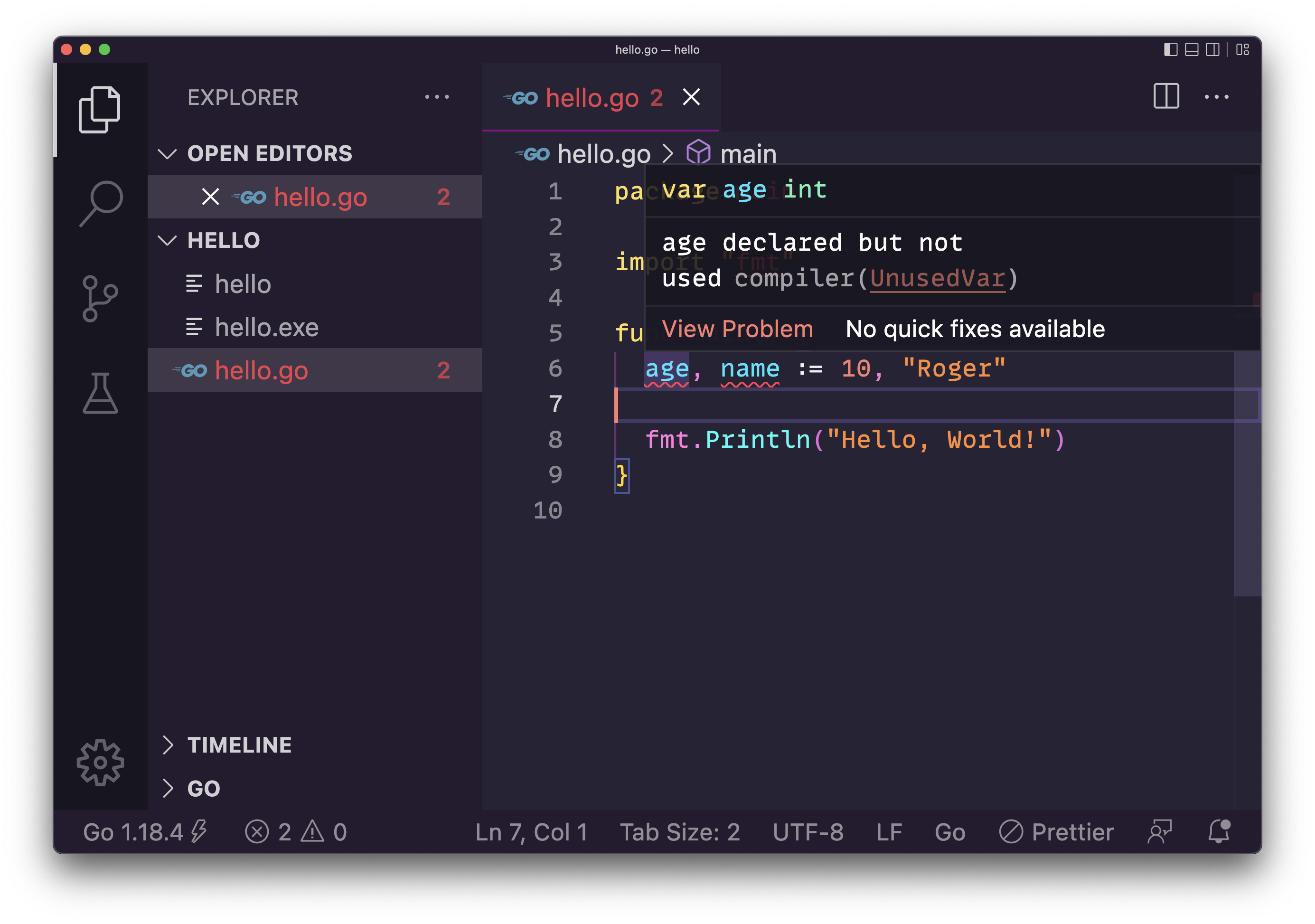
The general rule of thumb is:
- Use
varwhen declaring variables at the package level (outside functions). - Use
varinside a function if you need to declare a variable without initializing it immediately. - Use
:=in all other cases inside a function. It's the most idiomatic and common approach.
Go's Basic Data Types
Now that you know how to declare variables, let's look at the fundamental types you'll be working with. The video below gives a great overview, paying special attention to numeric types—something that is very important when considering performance and memory usage for your tools.
This clip from the 'Learn GO Fast' tutorial details Go's basic data types. Pay close attention to the discussion on different integer and float sizes, as this is a key concept for optimizing your applications.
Watch from 06:40 to 11:19. This covers integers, floats, strings, and booleans.
Here's a summary of the basic types:
- Strings (
string): Used to store text. Go strings are UTF-8 encoded by default.configPath := "/etc/app/config.yaml" - Booleans (
bool): Can be eithertrueorfalse.enableTLS := true - Integers (
int,int8,int16,int32,int64): For whole numbers.intis the most common and its size (32 or 64 bit) depends on your system architecture.- Use specific sizes like
int64when you need to guarantee the size and range of the number, for example, when working with database IDs or timestamps. - There are also unsigned integer types (
uint,uint8, etc.) which can only store non-negative values. Anuint8is often used to represent a byte.
- Floating-point numbers (
float32,float64): For decimal numbers.float64is the default and is generally what you should use unless you have a specific need to conserve memory.
Choosing the right numeric type is a practical consideration. For a tool parsing CPU metrics, float64 is appropriate. For a simple counter that won't exceed a few thousand, int is fine. For handling a large user ID from an API, int64 might be necessary to avoid overflow errors.
Hands-On Practice
Let's apply these concepts. Open your my-first-tool project and replace the contents of main.go with the following code. It declares a few variables that might be used in a typical DevOps script.
package main

import "fmt"

func main() {
	// Using short declaration for variables inside the function
	targetHost := "api.example.com"
	port := 443
	timeoutSeconds := 10.5 // Go infers this as float64
	isProduction := false

	// The 'var' keyword can be used to group declarations
	var (
		username string = "admin"
		password string // This will have a zero value: ""
	)

	fmt.Println("Connecting to:", targetHost)
	fmt.Println("Port:", port)
	fmt.Println("Timeout:", timeoutSeconds, "seconds")
	fmt.Println("Production Environment:", isProduction)
	fmt.Println("Username:", username)
	fmt.Println("Password set:", password != "") // Check if password is not its zero value
}
- Run the program using
go run .to see the output. - Experiment: Try to reassign a variable to a different type. For example, add the line
port = "8080"after its declaration. What happens when you try to run the code? The compiler error you see is static typing in action. - Modify: Change the value of
isProductiontotrueand run it again.
Test your understanding!
Consider the following Go code snippet:
var apiVersion int
serviceName := "auth-service"
var isEnabled bool
- What is the value of
apiVersionafter it is declared? - What is the data type of
serviceName? - If you later write
isEnabled = "true", will the program compile? Why or why not?
Show answer
- The value of
apiVersionis0. This is the zero value for theinttype. - The data type of
serviceNameisstring. The:=operator causes Go to infer the type from the value"auth-service". - No, the program will not compile. The variable
isEnabledwas declared as abool, and Go's static type system prevents you from assigning astringvalue to it.
Conclusion
In this lesson, you've learned the fundamentals of how Go handles data through variables. This is a significant departure from dynamically typed languages like Python, but it brings immense benefits in reliability and error prevention.
Key Takeaways:
- Static Typing: Go enforces that a variable's type is fixed at compile time, which helps you write safer, more robust code.
- Variable Declaration: You can use the explicit
var name typesyntax or the more common, concisename := valueshorthand inside functions. - Zero Values: Variables declared without an initial value are automatically set to a sensible default (
0,"",false), eliminating a source of bugs. - Basic Types: You now know the essential building blocks for data:
string,int,float64, andbool, and understand the importance of choosing sized numeric types for specific use cases.
Next Up
Now that you can store data in variables, the next step is to make decisions and perform repetitive tasks based on that data. In our next lesson, we will explore Go's control structures: if statements, for loops, and switch statements.