Hello again!
In our last lesson, we successfully integrated MDX into our Astro project and set up our first content collections. We created a basic src/content/config.ts file and saw a glimpse of how schemas provide structure.
Today, we'll build on that foundation to master a critical skill for creating a maintainable, error-free website. The learning outcome for this lesson is to define type-safe content schemas using Zod to validate frontmatter. We'll move beyond simple string validation and explore the rich features Zod offers to enforce complex rules on our content. This is the key to ensuring every blog post, service page, and testimonial on your accounting website is consistent and complete, which is essential for a professional and trustworthy online presence.
Why Bother with Strict Schemas?
Before we dive into the code, let's solidify why this is so important. As a developer who values clean code and thoughtful design, you understand the cost of inconsistencies. In a content-driven site, frontmatter is your data source. Without rules, it's easy for mistakes to creep in:
- A date is formatted as
July 26, 2024in one post and2024-07-26in another. - A required
descriptionfield for SEO is forgotten in a new service page. - A
categoryis misspelled ("Acounting" instead of "Accounting"), breaking a filter on your blog.
Schemas prevent all of this. By defining a single source of truth for your content's structure, you gain three major benefits:
- Data Consistency: Every piece of content adheres to the same rules.
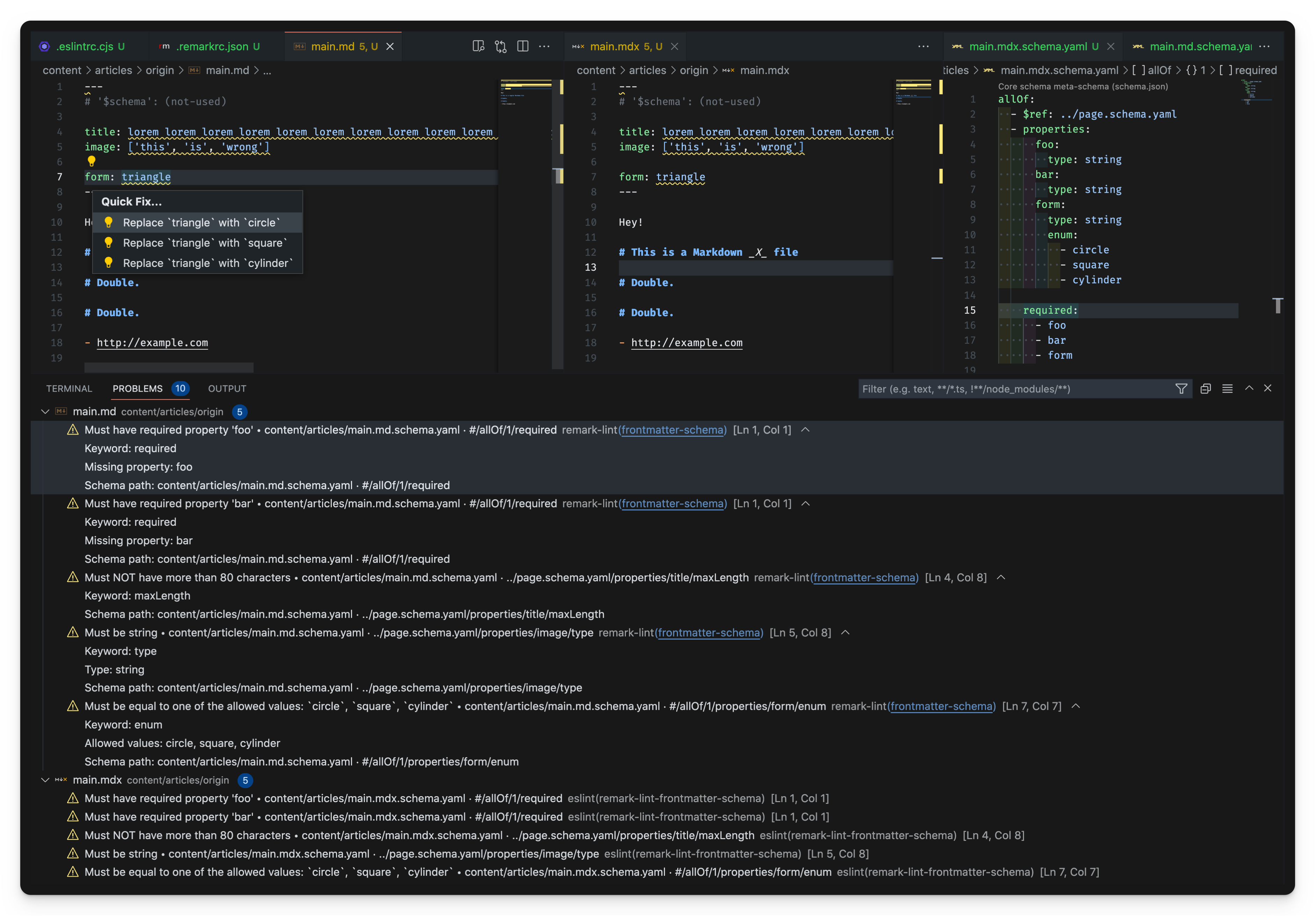
- Error Prevention: Astro will alert you with clear error messages during development if a rule is broken, long before it can cause issues on the live site.
- Superior Developer Experience: You get full TypeScript support and autocompletion when working with your content, because Astro knows exactly what shape your data has.
This immediate feedback loop is incredibly powerful.
Defining a Rich Schema with Zod
Let's return to our src/content/config.ts file. In the last lesson, we created a simple blog collection. Now, we'll enhance it using more of Zod's powerful features.
Astro conveniently re-exports Zod as the z utility from "astro/zod", so you don't need to install it separately.
Content collections - Astro Docs
First, let's get a comprehensive overview from the official Astro documentation. It explains the core purpose of schemas and shows the basic syntax for defining various data types.
Please read the sections titled "Defining the collection schema" and "Defining datatypes with Zod". Focus on how z.object() is used to structure the schema and the different Zod data types available (e.g., z.string(), z.coerce.date()).
Now, let's explore some of the most useful Zod features for our project.
Common Data Types and Modifiers
-
Strings, Numbers, Booleans: These are the basics.
title: z.string()readingTime: z.number()isFeatured: z.boolean()
-
Dates: Frontmatter dates are written as strings (
"2024-07-27"). To use them as actual JavaScriptDateobjects in your code, you need to tell Zod to convert them.z.coerce.date()is the perfect tool for this.pubDate: z.coerce.date()
-
Optional Fields: Not every piece of frontmatter is required. An
updatedDatemight only exist if a post has been edited. Use the.optional()modifier.updatedDate: z.coerce.date().optional()
-
Default Values: To avoid repetition in your frontmatter, you can set default values. For example, you can assume posts are not drafts unless specified otherwise.
isDraft: z.boolean().default(false)
-
Enums (Fixed Choices): To prevent typos and ensure consistency for fields like categories, use
z.enum(). This restricts the value to be one of the provided options.category: z.enum(["Tax Advisory", "Audit & Assurance", "Business Consulting"])
-
Arrays: For things like tags, you'll want an array of strings.
tags: z.array(z.string())
-
Nested Objects: Sometimes you need to group related data. For example, specific SEO metadata.
seo: z.object({ metaTitle: z.string(), metaDescription: z.string() })
The article "Typesafe Markdown With Astro Content Collections" by Jason Lengstorf provides an excellent practical example of combining many of these features into a single, robust schema.
Typesafe Markdown With Astro Content Collections
This article walks through building a blog schema from scratch, explaining the reasoning behind each choice. It's a great practical application of the concepts we just covered.
Please read all of "Step 3: Define a content collection schema", including the subsections "Decide what fields you want in your blog metadata" and the explanation of the Zod schema that follows. Pay close attention to how .default(), .transform(), and .strict() are used.
The article also demonstrates one of the most satisfying parts of using schemas: seeing Astro catch an error for you. When a required field is missing, you get a helpful message telling you exactly what's wrong and in which file. This is the type-safety we're aiming for.
Building Schemas for the Accounting Website
Let's apply this to our project. We'll define robust schemas for our blog and services collections.
Here's an updated src/content/config.ts:
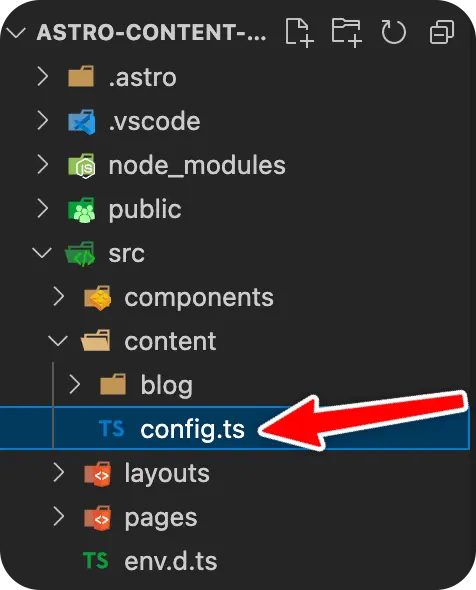
// src/content/config.ts
import { defineCollection, z } from 'astro:content';

const blogCollection = defineCollection({
  type: 'content',
  schema: z.object({
    title: z.string().max(100), // Add a max length for SEO-friendly titles
    description: z.string().max(160), // Max length for meta descriptions
    pubDate: z.coerce.date(),
    updatedDate: z.coerce.date().optional(),
    heroImage: z.string().optional(), // We'll make this more robust later with image validation
    category: z.enum(["Tax", "Audit", "Consulting", "News"]),
    tags: z.array(z.string()).optional(),
    isDraft: z.boolean().default(false),
  }),
});

const servicesCollection = defineCollection({
    type: 'content',
    schema: z.object({
        title: z.string(),
        tagline: z.string(),
        // For now, we'll store the name of an icon file.
        // We can use this later to dynamically render an SVG.
        icon: z.string(),
        isFeatured: z.boolean().default(false)
    })
});

export const collections = {
  'blog': blogCollection,
  'services': servicesCollection,
};
Let's break down the blogCollection schema:
- We've added
.max()validation totitleanddescriptionas a simple guardrail for good SEO practices. - We use
z.enum()forcategoryto enforce consistency. tagsis an optional array of strings.isDraftdefaults tofalse, so you only need to addisDraft: trueto the frontmatter of posts you want to hide.
This schema is now much more descriptive and provides stronger guarantees about your content.
Test your understanding!
Your accounting website needs a "Testimonials" section. Create a Zod schema for a testimonials collection in src/content/config.ts. Each testimonial must have:
- The main quote from the client (as
body, which is the main content of the MDX file, so it doesn't need to be in the schema). - The client's full
name(string). - The client's
company(string). - An optional
roleat the company (string). - A star
ratingout of 5 (a number between 1 and 5).
How would you define this testimonialsCollection?
Show answer
You would add another collection definition to your src/content/config.ts file.
// src/content/config.ts
import { defineCollection, z } from 'astro:content';

// ... (blogCollection and servicesCollection definitions)

const testimonialsCollection = defineCollection({
    type: 'content', // or 'data' if you chose to use JSON files
    schema: z.object({
        name: z.string(),
        company: z.string(),
        role: z.string().optional(),
        // You can add min/max validation to numbers!
        rating: z.number().min(1).max(5),
    })
});

export const collections = {
  'blog': blogCollection,
  'services': servicesCollection,
  'testimonials': testimonialsCollection, // Add the new collection to the export
};
This schema ensures every testimonial has the required author information and a valid rating, again preventing broken UI components or inconsistent data on your site.
Conclusion
You've now taken a significant step towards building a truly robust and maintainable website. By defining clear, type-safe schemas, you've created a contract for your content that will pay dividends throughout the project's lifecycle.
Here are the key takeaways from this lesson:
- Schemas Enforce Quality: They are your first line of defense against inconsistent or incomplete content.
- Zod is Powerful and Flexible: You can define everything from simple strings to complex nested objects with custom rules.
- Key Zod Tools: We learned to use fundamental types (
string,number,boolean), handle dates withz.coerce.date(), and apply modifiers like.optional(),.default(),.min(), and.max(). - Complex Structures: We can now model more complex data using
z.array(),z.enum(), andz.object().
This foundation of type-safe content is what will allow you to build pages and components with confidence, knowing the data you're working with is predictable and valid.
Up Next: With our schemas defined, it's time to start writing content that uses them. In the next lesson, we will author content in MDX files using frontmatter metadata. We'll create a few sample blog posts and service pages that conform to our new schemas and see how this structured data comes to life.