Hello! Welcome to the next lesson in our journey to becoming a full-stack Python developer.
In our last session, we dug into the specifics of classes, differentiating between class variables (shared by all objects) and instance variables (unique to each object). This understanding of how data is organized within a class is essential.
Today, we'll explore one of the most powerful concepts in object-oriented programming: inheritance. This lesson directly addresses the learning outcome: implement inheritance by creating a child class that extends a parent class. Inheritance is the mechanism that allows us to create new, specialized classes based on existing ones, promoting code reuse and logical structure. For our task manager project, this could mean defining a generic Task class and then creating specialized child classes like BugReport or FeatureRequest that inherit common properties but add their own unique features.
1. The Core Idea: What is Inheritance?
Inheritance allows us to define a class that inherits all the methods and properties from another class. It models a real-world "is-a" relationship. For example, a Car is a Vehicle, a Dog is an Animal.
The terminology is straightforward:
- Parent Class (or Base Class / Superclass): The class being inherited from.
- Child Class (or Subclass / Derived Class): The class that inherits from another class.
This structure allows you to write common code once in a parent class and then reuse it across multiple child classes, adhering to the "Don't Repeat Yourself" (DRY) principle, which is a cornerstone of good software engineering.
The basic syntax is simple and intuitive, as shown in the image below.
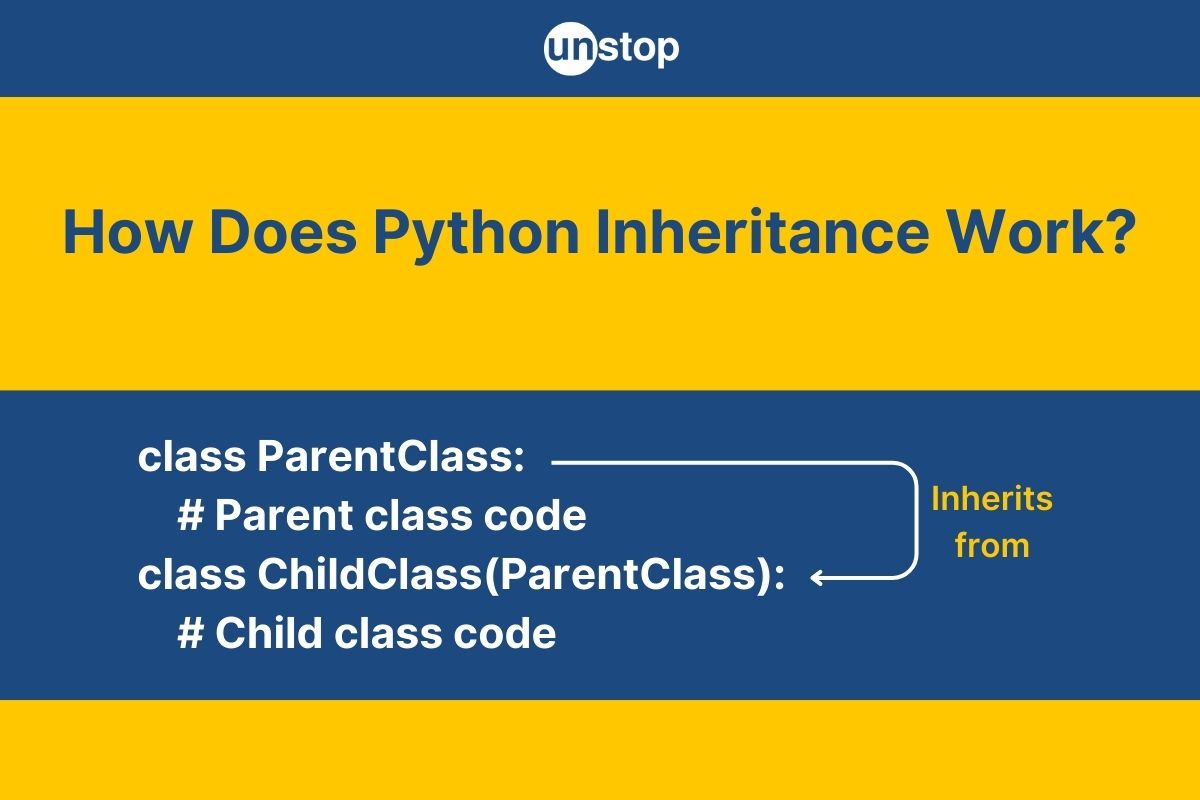
To get a solid grasp of this concept and see it in a practical context, let's start with a reading assignment.
Understanding Inheritance | How To Code in Python 3
The following article, "Understanding Inheritance," provides a great introduction to the concepts of parent and child classes using a clear Fish example.
Please read from the beginning of the page through the end of the 'Child Classes' section. Focus on: The definitions of parent and child classes. How the Trout class is created by passing Fish in parentheses. How the Trout object can use methods from the Fish class without them being redefined.
2. Basic Implementation: Inheriting for Free
As you saw in the reading, a child class automatically gains access to all the attributes and methods of its parent class without any extra code. Let's see a detailed walkthrough of this process.
The following video from Corey Schafer uses an Employee class as the parent and creates a Developer child class. This is a classic example that mirrors real-world software design.
Python OOP Tutorial 4: Inheritance - Creating Subclasses
This first clip from the video "Python OOP Tutorial 4: Inheritance - Creating Subclasses" demonstrates how a newly created child class immediately has all the functionality of its parent.
Watch from the beginning to 04:13. Pay close attention to: The syntax used to make Developer a child of Employee. How an instance of Developer can be created using the same arguments as Employee. The concept of the Method Resolution Order (MRO), which explains how Python finds the __init__ method in the parent Employee class when it's not found in the child Developer class.
As the video showed, even an empty child class is fully functional because it inherits everything from its parent. Python's Method Resolution Order (MRO) defines the "chain of command" it follows to look for a method—first in the child class, then in the parent class, and so on.
3. Customizing the Child Class
The real power of inheritance comes from the ability to customize or extend the functionality of the parent class. You can:
- Add new attributes and methods.
- Override existing methods with new behavior.
When we do this, we often need to customize the __init__ method. A child class's __init__ needs to handle its own new attributes, but it also must ensure the parent class's attributes are properly initialized. This is done using the super() function.
super().__init__(...) explicitly calls the __init__ method of the parent class, passing along any required arguments. This lets the parent class do its setup work before the child class adds its own specializations.
Let's return to the video to see exactly how this is done.
Python OOP Tutorial 4: Inheritance - Creating Subclasses
This part of the video explains how to give the Developer class its own __init__ method to handle a new attribute (prog_lang), while still using super() to leverage the parent Employee class's __init__ method.
Watch from 06:06 to 10:16. Focus on: Why the Developer class needs its own __init__ method to accept the prog_lang argument. How super().__init__(first, last, pay) is used to avoid duplicating code from the parent's constructor. How the new prog_lang attribute is set on the instance after the super() call.
This pattern is extremely common and powerful. The child class takes full responsibility for its unique features while delegating the common setup work to the parent.
Overriding Methods
Beyond __init__, you can override any method from the parent. For example, if our BugReport child class needed a different way to display itself compared to a generic Task, we could define a new display() method in BugReport. This new method would completely replace the parent's display() method for all BugReport objects.
Sometimes, you want to add to the parent's method, not completely replace it. You can do that by calling the parent's method inside the child's overridden method using super().method_name().
class Task:
    def __init__(self, title):
        self.title = title
        self.status = "To Do"

    def display(self):
        print(f"Task: {self.title} | Status: {self.status}")

class BugReport(Task):
    def __init__(self, title, severity):
        # Call the parent's __init__ to handle 'title'
        super().__init__(title)
        # Add new attribute specific to BugReport
        self.severity = severity

    # Override the parent's display method
    def display(self):
        # First, call the parent's display method to get the base info
        super().display()
        # Then, add the new info
        print(f"  └─ Severity: {self.severity}")

# --- Let's create instances ---
task_generic = Task("Write documentation")
bug_specific = BugReport("Button is not clickable", "High")

task_generic.display()
print("-" * 20)
bug_specific.display()

# --- Output ---
# Task: Write documentation | Status: To Do
# --------------------
# Task: Button is not clickable | Status: To Do
#   └─ Severity: High
Test your understanding!
Your turn to practice! You are building an application for a logistics company.
-
Create a
Vehicleparent class.- In its
__init__method, it should acceptmakeandmodeland store them as instance variables. - Add a method called
display_info()that prints the make and model.
- In its
-
Create a
Truckchild class that inherits fromVehicle.- Its
__init__method should acceptmake,model, andcargo_capacity(in tons). - Use
super()to have theVehicleclass handle themakeandmodel. - Store
cargo_capacityas a new instance variable. - Override the
display_info()method to print the make, model, AND the cargo capacity.
- Its
-
Create an instance of
Truckand call itsdisplay_info()method to verify your work.
Show answer
Here is a working solution.
class Vehicle:
    def __init__(self, make, model):
        self.make = make
        self.model = model

    def display_info(self):
        print(f"Make: {self.make}, Model: {self.model}")

class Truck(Vehicle):
    def __init__(self, make, model, cargo_capacity):
        # Call the parent constructor to set make and model
        super().__init__(make, model)
        # Set the attribute specific to the Truck class
        self.cargo_capacity = cargo_capacity

    # Override the parent's display_info method
    def display_info(self):
        # You can call the parent's method first if you like...
        # super().display_info()
        # ...or just handle all the printing here.
        print(f"Make: {self.make}, Model: {self.model}, Cargo Capacity: {self.cargo_capacity} tons")

# Create an instance of the Truck child class
my_truck = Truck("Ford", "F-150", 1.5)

# Call the overridden method
my_truck.display_info()

# Expected output:
# Make: Ford, Model: F-150, Cargo Capacity: 1.5 tons
This exercise comes from a great set of practice problems available in the "Programming Exercises" section of the School of Computing's Python course, which you can explore for more practice.
Conclusion
Excellent work! You've just unlocked a fundamental pillar of object-oriented programming. Inheritance is key to building scalable, logical, and maintainable applications. By defining clear parent-child relationships, you can avoid repeating yourself and create a codebase that's much easier to reason about and extend in the future.
Key Takeaways:
- Inheritance creates a parent-child relationship between classes, promoting code reuse.
- A child class is defined with the syntax
class ChildName(ParentName):. - The child class inherits all methods and attributes from the parent.
- Use
super().__init__()within the child's constructor to call the parent's constructor and ensure all attributes are initialized correctly. - A child class can override parent methods by defining a method with the same name, providing a more specialized implementation.
Preview of the Next Lesson:
Now that we can create complex classes and class hierarchies, we need a better way to inspect our objects. Printing an object directly currently gives us a cryptic memory address (e.g., <__main__.Task object at 0x...>>). In the next lesson, we will learn how to use the special methods __str__ and __repr__ to define human-readable string representations for our objects, which is incredibly useful for debugging and logging.