Hello! Welcome back.
In our last lesson, you wrote and ran your first Lua program. You learned how to use the print() function to make the computer display text, which is a way of telling the computer to do something. That's a huge first step!
Today, we're moving on to another core concept in programming: how to make the computer remember things. We will explore what variables are and, more importantly, why they are one of the most powerful tools a programmer has. Understanding this will be key to writing any script, from a simple calculator to a complex Factorio mod.
What is a Variable?
At its simplest, a variable is a named container for a piece of information. Think of it as a labeled box where you can store something to use later.
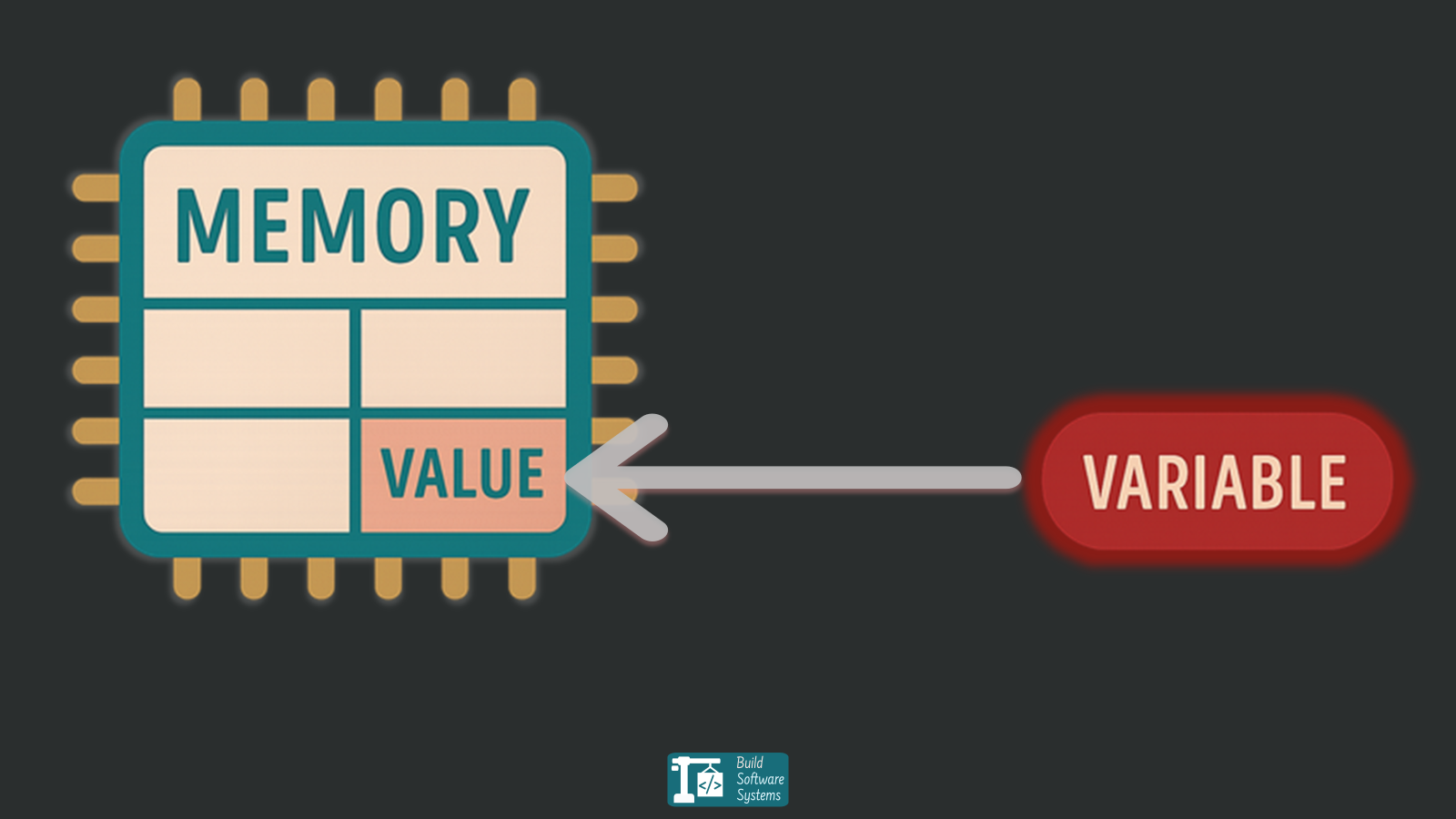
To get a better feel for this, let's start with a short video that introduces this "box" analogy.
Coding Basics: Variables | Programming for Beginners |
This video from Transcode, titled "Coding Basics: Variables", uses a great analogy of packing and labeling boxes to explain what variables are. It's a very clear and intuitive way to grasp the concept.
Watch the first 52 seconds of the video. Focus on how a variable is like a labeled box that holds information you can use or change later.
Just like you'd write "Kitchen Supplies" on a box to know what's inside without opening it, you give a variable a name to know what data it holds. In programming, instead of "Kitchen Supplies", you might have a variable named player_score or item_count.
Why Are Variables So Important?
Now we know what a variable is. But why do we need them? Why not just use the values directly? The answer lies in making our code manageable, readable, and easy to change.
Let's imagine you're writing a simple script that prints messages about an item in Factorio. Without variables, you might write:
print("Crafting: Iron Plate")
print("We need 10 Iron Plate.")
print("Warning: Inventory is low on Iron Plate!")
This works, but what happens if you decide you want to change the item to "Copper Plate"? You would have to go through every line of your code and manually change "Iron Plate" to "Copper Plate". Now imagine your script is hundreds or thousands of lines long! This would be tedious and you might miss one, causing a bug.
This is where variables become essential. By storing "Iron Plate" in a variable, you only have to change it in one place.
The following video segment demonstrates this exact benefit.
Variables and Data Types - Lua Basics (Part 3)
In this clip from "Variables and Data Types - Lua Basics" by Steve's teacher, you'll see a practical demonstration of why variables are so useful for code that's easy to update.
Watch from 08:20 to 10:11. Pay close attention to the 'before' and 'after' scenario. Notice how changing the name from 'Steve' to 'Mike' is much easier when a variable is used.
As the video showed, variables help us follow a core programming principle: Don't Repeat Yourself (DRY). By storing a value in a variable, you create a single source of truth.
The main reasons to use variables are:
- Reusability: Use the same piece of data multiple times in your script.
- Readability: A well-named variable like
player_healthis much clearer than just the number100. - Maintainability: When a value needs to change, you only have to update it in one spot.
For a summary of these ideas in text, and to see another example involving calculations, the following guide is a good read.
Lua - Ultimate Beginner's Guide
The "Lua - Ultimate Beginner's Guide" on Steam provides a concise section on variables that explains their purpose and shows how they can be used to store data for calculations.
Read the section titled "Variables". It starts with "What are variables?" and ends just before the "Operators" section. Focus on how variables are defined and then used to perform calculations.
Let's Try It!
Let's apply this to a new Lua script.
- In VS Code, create a new file named
inventory.lua. - Type the following code into the file. Notice how we create a variable named
item_nameon the first line and then reuse it.
-- We store the name of our item in a variable.
item_name = "Iron Gear Wheel"

-- Now we can use the variable in our print statements.
-- The '..' is Lua's way of joining strings together.
print("Now crafting: " .. item_name)
print(item_name .. " successfully created.")
print("We need more " .. item_name .. " for our science packs!")
- Run the script using the shortcut
Ctrl+Shift+B.
You should see the following output in your terminal:
Now crafting: Iron Gear Wheel
Iron Gear Wheel successfully created.
We need more Iron Gear Wheel for our science packs!
Now, go back to your code and change only the first line to item_name = "Copper Cable". Run the script again. Notice how all three lines of output have changed automatically. You've just experienced the power of variables!
Test your understanding!
Imagine you have a 500-line script for your Factorio mod that mentions the player's starting health value, which is 100, in 15 different places.
- If you did not use a variable for the health value, how many lines would you have to edit to change the starting health to
150? - If you did use a variable called
starting_healthat the top of your script, how many lines would you have to edit?
Show answer
- You would have to find and edit all 15 lines where the number
100is used for the player's health. - You would only have to edit 1 line: the one where the variable is defined (e.g.,
starting_health = 150). This is far more efficient and less prone to errors.
Conclusion
In this lesson, you've learned one of the most fundamental concepts in programming. We've moved from simply giving the computer commands to giving it information to remember and reuse.
Here are the key takeaways:
- A variable is a named container used to store data in a program.
- Variables make code reusable, readable, and much easier to update and maintain.
- By storing a value in one place, you can change it once and have the change apply everywhere the variable is used.
You now understand the "what" and the "why" of variables. This is the foundation upon which more complex programs are built.
Preview of the next lesson: Now that you know why variables are so important, our next step will be to dive into the specifics of using them in Lua. We'll learn how to properly declare variables and explore the different types of data they can hold, such as numbers, text (strings), and booleans (true/false). We will also learn how to add comments to our code to make it easier to understand.