Introduction
In our last lesson, you mastered the art of creating annotated mockups, learning how to articulate the strategic "why" behind your design decisions. With your case study content now prepared—complete with a compelling narrative, supporting visuals, and detailed rationale—it's time to decide where you'll present this work to the world.
This lesson is about making a crucial business decision. Your learning outcome is to compare portfolio platform types (e.g., Behance, Webflow, a personal site) for freelance positioning. This isn't just about picking a tool; it's about choosing a platform that reflects your brand, attracts the right clients, and supports your long-term freelance ambitions. Drawing on your background in finance, think of this as evaluating an investment: you'll weigh the costs (time, money, effort) against the potential returns (client perception, lead generation, and brand equity).
1. The Landscape of Portfolio Platforms
The options for hosting your portfolio can be grouped into three main categories, each serving a different strategic purpose. A successful freelance strategy often involves using a combination of these, with one serving as your central "hub" and others as "spokes" to drive traffic and visibility.
- Social & Community Platforms (e.g., Behance, Dribbble): Best for visibility, networking, and getting discovered. They are less suited for telling the in-depth story of a UX project.
- Simple & Document-Based Builders (e.g., Notion, Canva): Excellent for speed, low cost, and detailed process documentation. However, they can lack brand personality and may be perceived as less professional for a primary portfolio.
- Dedicated Website Builders (e.g., Webflow, Framer, Squarespace): The gold standard for professional freelancers. They offer maximum control over branding, storytelling, and user experience, signaling a high level of professionalism to clients.
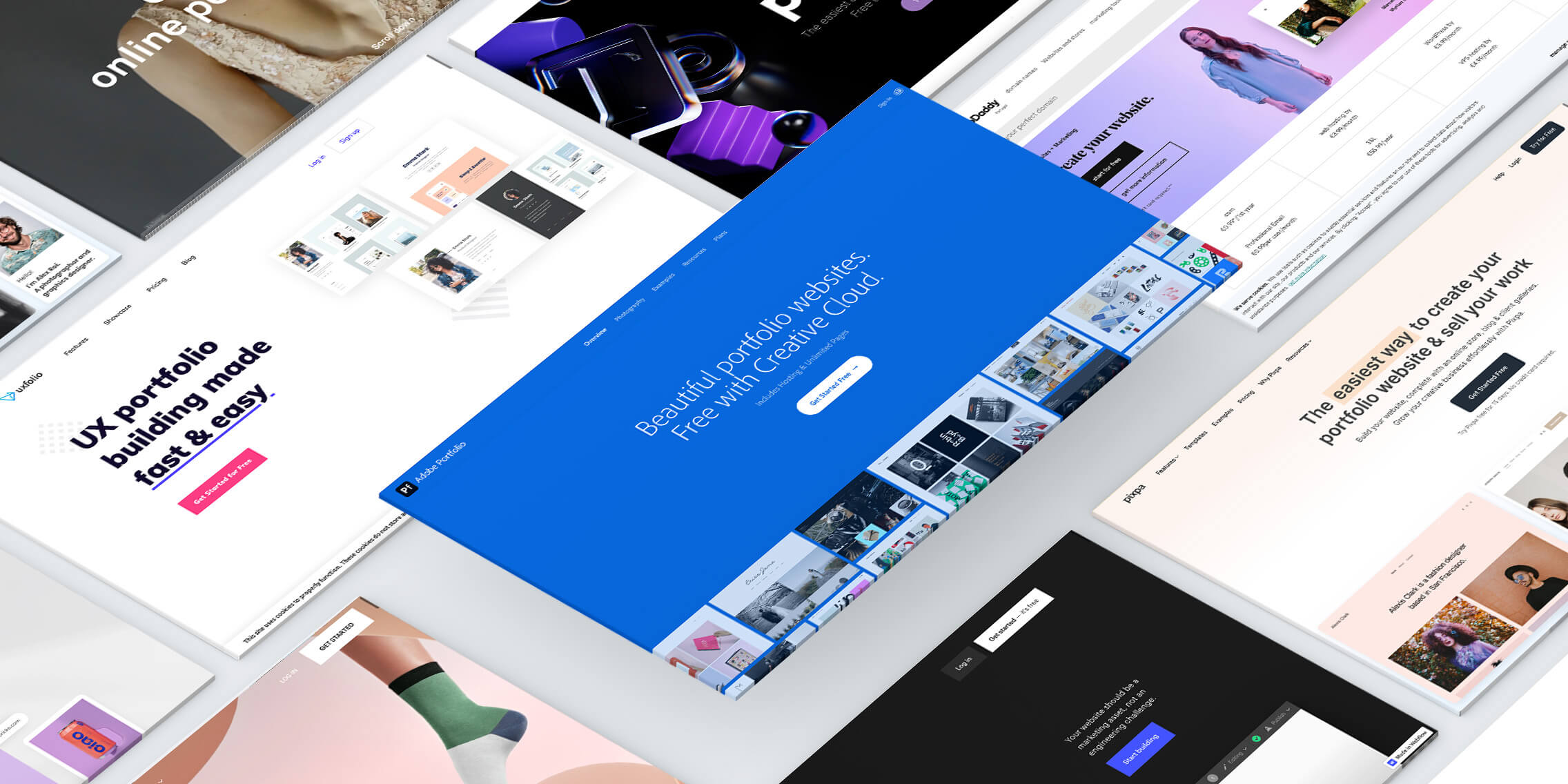
Let's begin by understanding the role of the first two categories as valuable supporting players in your freelance toolkit.
2. The Supporting Cast: Visibility and Simplicity
While a dedicated website is the ultimate goal for establishing your professional brand, community platforms and simple builders have an important role to play.
Which is the best UX Portfolio Platform: Website, Notion, Behance, or Dribbble?
To get a high-level sense of the trade-offs, watch this video from Anirudh Palaskar. He provides a concise breakdown of when to use platforms like Notion versus when to use community sites like Behance.
Focus on these two sections: Notion Portfolios: Note his points on the minimal learning curve and ease of updating, making it ideal for process-heavy documentation. Behance and Dribbble: Pay attention to the key distinction he makes: these platforms are for showcasing your skills to a large community, not necessarily for presenting detailed case studies.
The video gives a great overview. Now, let's dive deeper into the specific pros and cons for each platform type as it relates to your freelance goals.
Best No-Code Portfolio Websites for Designers in 2026
The article "Best No-Code Portfolio Websites for Designers" from Supercharge.design offers excellent, concise analyses of these platforms.
Please read the sections on Notion, Canva, Dribbble, and Behance. As you read, consider the following: Notion: How does its strength in "documenting and displaying processes" align with the detailed case studies you are building? What is the main drawback regarding its "generic look"? Canva: Given your prior experience with Canva, recognize its strength in speed and ease of use. However, note the article's point about its limitations in depth and flexibility for a professional UI/UX portfolio. Behance & Dribbble: Understand their role as "teaser" platforms. They are excellent for gaining exposure and driving traffic to your main portfolio, but are not ideal for hosting the full, nuanced case studies recruiters and serious clients expect.
Strategic Takeaway: Think of Behance and Dribbble as your marketing channels, similar to a social media presence. Use them to post visually striking "shots" or summaries of your work with a clear link back to your main portfolio. Notion can serve as a quick, no-fuss way to share a single, process-heavy case study if a potential client asks for one in a specific format.
3. The Main Stage: Professional Website Builders
For a freelancer aiming to build a credible and profitable business, a dedicated, custom website is non-negotiable. It is your digital storefront, and it signals to clients that you are a serious professional. The leading contenders in the no-code space for designers are Webflow and Framer, with platforms like Squarespace and Wix being simpler, more template-driven alternatives.
To make an informed choice, you need a clear set of evaluation criteria. Your analytical skills will be invaluable here.
The Best UX Portfolio Website Builders in 2026 - IxDF
The Interaction Design Foundation (IxDF) provides an excellent framework for making this decision.
Read the section "How to Choose the Right Portfolio Builder." Pay close attention to the key factors they list: Price Ease of Use Customization Options Responsive Portfolio Websites Templates These criteria will form the basis of our comparison.
Deep Dive: Framer vs. Webflow
Framer and Webflow are the two most powerful and popular choices for designers who want full creative control without writing code. They both have Figma plugins, making the transition from design to live website incredibly efficient.
Framer vs Webflow for portfolio websites: Which is better?
This video from Matt Thorne provides a fantastic, hands-on comparison of building the same portfolio page in both Framer and Webflow. It will give you a real feel for the user experience of each tool.
Watch the following segments: Building in Framer: Notice how similar the interface is to Figma. The presenter calls it a "great starting point for anyone who's a beginner." Building in Webflow: He notes the "steeper learning curve" but highlights its incredible flexibility, power, and expandability for building "pro-level apps" and productizing your services—a key consideration for your long-term freelance goals.
To round out your understanding, let's see how the Supercharge.design article evaluates these two platforms.
Best No-Code Portfolio Websites for Designers in 2026
Return to the Supercharge.design article and read the sections on Framer and Webflow.
Notice how the descriptions align with the video. Framer is positioned as the tool to "ship professional websites fast," while Webflow gives you "full control" but comes with a "more complex learning curve."
Summary of Top Contenders
Here is a summary table comparing the top choices based on the criteria relevant to you as a freelancer.
| Platform | Best For | Freelance Positioning | Ease of Use | Customization |
|---|---|---|---|---|
| Webflow | Full control, scalability, complex interactions, and long-term business growth. | Signals expertise, technical proficiency, and a premium service offering. | Steeper learning curve | High |
| Framer | Speed, ease of use for Figma users, and creating beautiful, modern sites quickly. | Signals modern, design-savvy, and efficient. Excellent professional choice. | Moderate (Figma-like) | High |
| Squarespace/Wix | Beginners who want a simple, template-driven site with minimal fuss. | Signals entry-level or generalist. Can be effective but lacks design distinction. | Easy | Low-Moderate |
| Behance | Gaining visibility, community engagement, and showcasing visual design skills. | A professional social presence, but insufficient as a standalone portfolio. | Easy | Low |
| Notion | Quickly sharing detailed, text-heavy process documentation. | A supplementary tool; using it as a main portfolio may signal a lack of investment. | Easy | Very Low |
4. Your Turn: The Portfolio Platform Scorecard
Now it's time to make a decision based on what matters most to you and your business strategy. This activity is designed to help you quantify your priorities and choose the platform that best aligns with them.
Activity: Complete Your Portfolio Platform Scorecard (15 mins)
For the top professional contenders (Webflow and Framer), and one simple option (Notion, as a baseline), rate each platform from 1 (poor) to 5 (excellent) on the following criteria. There's no single "right" answer; this is about what's right for your freelance journey.
| Criterion | My Score (1-5) | Justification (A brief note on why you gave that score) |
|---|---|---|
| Webflow | ||
| 1. Speed to Launch | ||
| 2. Brand Expression | ||
| 3. Long-Term Scalability | ||
| 4. Client Perception | ||
| 5. Learning Investment | ||
| Framer | ||
| 1. Speed to Launch | ||
| 2. Brand Expression | ||
| 3. Long-Term Scalability | ||
| 4. Client Perception | ||
| 5. Learning Investment | ||
| Notion | ||
| 1. Speed to Launch | ||
| 2. Brand Expression | ||
| 3. Long-Term Scalability | ||
| 4. Client Perception | ||
| 5. Learning Investment |
After filling out the scorecard, total the scores for each platform. The highest score likely points to your best path forward. This exercise will provide you with a clear, reasoned choice to commit to as you move into the final stages of building your portfolio.
Conclusion
You've now navigated the complex landscape of portfolio platforms and have a structured framework for making a strategic choice. This decision is a foundational step in building your freelance business, directly impacting how potential clients perceive your brand and professionalism.
Key Takeaways:
- Your portfolio is a strategic business asset, and your choice of platform is an investment in your brand.
- A hybrid strategy is most effective: use a dedicated website (like Webflow or Framer) as your professional "hub" and leverage community platforms (like Behance) as "spokes" for discovery.
- Webflow offers maximum power and scalability for long-term growth but requires a greater initial time investment.
- Framer offers a faster path from Figma to a live site, making it an excellent choice for launching a highly professional portfolio quickly.
- Simpler tools like Notion and Canva are best used as supplementary aids rather than your primary professional storefront.
Preview of the Next Lesson:
With a platform in mind, the next logical step is to architect the experience of your portfolio site itself. In our next lesson, we will focus on how to define the site structure and page hierarchy for your personal portfolio website, ensuring that visiting clients have a clear, compelling, and persuasive journey through your work.