Introduction
In our last lesson, you mastered the ergonomics of mobile design, learning how to optimize touch targets and respect thumb zones to create interfaces that are physically comfortable to use. You now have a solid foundation for designing individual screens that are both platform-appropriate and highly usable.
Today, we'll zoom out from individual screens to look at one of the most critical sequences in any app: the user's first experience. This lesson focuses on defining the goals and structure of a mobile app onboarding flow. We'll explore the "why" behind onboarding—its strategic purpose for both the user and the business—and the "how" by examining common structures and patterns that guide new users to success. For a freelance designer, mastering onboarding is a high-value skill, as it directly impacts user retention and the overall success of a digital product.
Part 1: The Core Goals of Onboarding – The "Why"
Before designing any screens, we must understand what we're trying to achieve. A successful onboarding flow is far more than a simple feature tour; it's a carefully crafted journey designed to convince a new user that your app is worth their time.
The video below, from the DesignerUp channel, provides an excellent overview of the fundamental principles behind effective onboarding.
Onboarding Best Practices from 200+ Top Apps!
This video, "Onboarding Best Practices from 200+ Top Apps!", breaks down the core purpose of onboarding, focusing on user success and business alignment.
Please watch the following three segments: Start with the golden rule of onboarding. Note the focus on user results over product features. Next, watch the section on defining success for your users and getting them to their "first win" quickly. Finally, understand the need to balance user needs and business goals, where the presenter discusses the pitfalls of being too aggressive or too passive with monetization.
As the video highlights, the primary goals of any onboarding flow are to:
- Demonstrate Value & Deliver the "Aha! Moment": The single most important goal. The "Aha! Moment" is when the user internalizes the core value of your product and thinks, "Ah, I get it. This is useful for me." Your onboarding must guide them to this moment as quickly as possible.
- Drive User Activation: Activation is the point where a user has completed a specific set of key actions that correlate with long-term retention. The goal of onboarding is to guide the user through these actions, turning them from a curious visitor into an "activated" user who is likely to stick around.
- Gather Essential Information for Personalization: To provide a relevant experience, you often need some information (e.g., their role, goals, interests). Onboarding is the place to collect this, but it must be done with minimal friction, asking only for what's absolutely necessary.
- Align with the Business Model: The flow should support the app's business strategy, whether that's encouraging a subscription, showing how integrations work, or preparing the user for an ad-supported experience.
Your preference for the Growth.Design framework connects directly to this. The Psych = Motivation - Friction model is a perfect lens for viewing onboarding goals. A great onboarding flow maximizes Motivation by clearly demonstrating value and minimizes Friction by making the path to activation as smooth as possible.
Part 2: Common Onboarding Structures – The "How"
Now that we understand the goals, let's explore the common structures used to achieve them. There are three high-level patterns for onboarding.
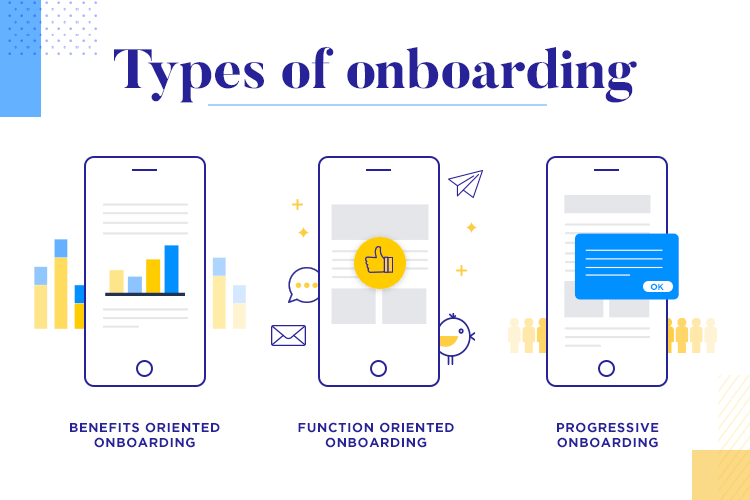
- Benefits-Oriented Onboarding: This is the most common type. It presents a series of screens (often a "carousel") that highlight the core benefits and value proposition of the app. It's excellent for selling the user on the outcome before asking for commitment (like signing up).
- Function-Oriented Onboarding: This pattern acts as a guided tour, pointing out key features and explaining how to use the interface. This can be useful for complex apps but carries the risk of feeling like a mandatory lecture that users will skip.
- Progressive Onboarding: This is a more integrated approach where information and guidance are provided "just-in-time" as the user naturally explores the app. It often uses tooltips, pop-ups, and highlighted UI elements to teach by doing.
In practice, the best onboarding experiences often blend these patterns. A benefits-oriented carousel might lead into a progressive, action-driven setup process.
The following article provides a fantastic, step-by-step framework that is highly practical. While it's written for SaaS products, the principles are perfectly applicable to mobile apps and align with your business-focused background.
The 9-Screen SaaS Onboarding Framework That Works - Saasfactor
This article from Saasfactor provides a concrete, screen-by-screen guide to building an onboarding flow that converts. It explains the purpose of each step in a clear, actionable way.
Read the following sections to understand the full arc of a structured onboarding flow: Start with the Introduction. Read the descriptions for Screen 1: The Signup Screen, Screen 2: The Segmentation Screen, Screen 3: The Aha Moment Screen, and Screen 4: The Quick Win Celebration. Then, jump to Screen 9: The Activation Confirmation Screen to understand how to define the end-goal of onboarding. Finally, read The Psychology That Makes All of This Work to see how this framework connects to user motivation and behavior.
To summarize the complete 9-screen flow from the article, it provides a powerful narrative:
- Screens 1-4 get the user in the door and guide them to their first moment of success.
- Screens 5-8 (which you can skim in the article if you wish) handle ongoing education: introducing complexity slowly (Progressive Disclosure), providing help when needed (Contextual Guidance), re-engaging users outside the app (Email Bridge), and introducing social features (Collaboration).
- Screen 9 formally defines the moment a user is considered "onboarded."
This structured approach gives you a repeatable blueprint for designing onboarding flows that are logical, user-centric, and aligned with business goals.
Here is an example of a benefits-oriented flow that leads into a signup screen, similar to what the Saasfactor article describes.

Part 3: Defining Your First Onboarding Flow
It's time to put these concepts into practice. Let's imagine you've been hired to design a mobile app for small creative businesses, drawing on your own entrepreneurial experience.
The App Idea: "ArtisanHQ" — A mobile app for bespoke crafters and event professionals (like your gifting business) to manage client projects, track tasks, and share progress galleries.
Your task is to define the goals and structure for ArtisanHQ's onboarding flow. Using the Saasfactor framework as your guide, think through the key stages. You don't need to design any screens yet; just outline the strategy.
Answer the following questions:
-
Overall Goal: What is the ultimate promise of ArtisanHQ? What problem does it solve for a bespoke gifting designer?
-
The "Aha! Moment" (Screen 3): What is the single most powerful "first win" a user could experience in this app?
- Hint: Is it just creating an account? Or is it something more tangible, like creating their first client project board or uploading a photo to a gallery?
-
Segmentation (Screen 2): How might you segment users? What 2-3 distinct user types might use this app?
- Example: "Wedding Planners," "Custom Gifting Pros," "Event Stylists." How would their needs differ?
-
Activation Criteria (Screen 9): What 3-4 key actions would signify that a user is truly "activated" and likely to become a long-term user of ArtisanHQ?
- Example: Created 1 project, added 3 tasks, uploaded 1 image, logged in twice in the first week.
-
Structural Outline: Briefly outline the first 4-5 screens in your proposed onboarding flow. For each screen, state its one primary purpose.
- Screen 1: Welcome/Benefit 1 - Purpose: To state the main value prop.
- Screen 2: Benefit 2 - Purpose: ...
- Screen 3: Segmentation - Purpose: ...
- Screen 4: Signup/Login - Purpose: ...
- Screen 5: The Aha Moment - Purpose: Guide user to complete [your defined Aha! Moment].
Take 10-15 minutes to think through this. This exercise directly mirrors the strategic thinking required at the start of any real-world design project.
Conclusion
In this lesson, you've moved beyond single-screen design to understand the strategic thinking behind a user's first journey through an app. You learned that effective onboarding is a deliberate process with clear goals and proven structures, designed to guide users to value and secure their long-term engagement.
Key Takeaways:
- Onboarding has dual goals: It must deliver the value the user is seeking (the "Aha! Moment") while also achieving key business objectives (like activation and retention).
- Structure follows strategy: The choice between benefits-oriented, function-oriented, or progressive onboarding depends on the app's complexity and the user's initial motivation.
- Guide, don't just show: The best onboarding flows are action-oriented, helping the user accomplish something meaningful in their first session.
- Define success: A clear definition of "activation" (e.g., a checklist of key actions) transforms onboarding from a vague welcome tour into a measurable process with a clear finish line.
Preview of the Next Lesson:
Now that you've defined the strategic blueprint for an onboarding flow, the next step is to bring it to life. In our next lesson, you will design the high-fidelity onboarding screens for a mobile app, applying the platform-specific conventions (iOS and Android) and ergonomic principles you've already mastered.