Welcome to your second lesson! In our previous session, you learned the fundamentals of declaring variables in Kotlin with val and var. Now that you know how to store data, we'll explore how to use that data to create dynamic and readable strings.
This lesson focuses on string templates, a feature that allows you to embed variables and even complex expressions directly inside a string. Coming from Java, you're likely familiar with building strings using concatenation (+), which can quickly become cumbersome. You'll find Kotlin's approach to be significantly more elegant and concise, a theme you'll see repeated as we continue our journey toward building Android apps with Jetpack Compose.
By the end of this lesson, you will be able to use string templates to seamlessly integrate your variables and logic into strings, making your code cleaner and more intuitive.
1. From Concatenation to Interpolation
In Java, constructing a string from variables typically involves "concatenating" or joining pieces together with the + operator.
// The Java way
String name = "Alex";
int unreadCount = 42;
String message = "Hello, " + name + "! You have " + unreadCount + " unread messages.";
System.out.println(message);
// Output: Hello, Alex! You have 42 unread messages.
While this works, it's verbose and can be hard to read, especially when many variables or method calls are involved. Kotlin simplifies this dramatically with string templates, also known as string interpolation.
To see the direct comparison, the official Kotlin documentation provides a perfect side-by-side example.
This short guide from the official Kotlin documentation directly contrasts Java's string concatenation with Kotlin's string templates. It's a great starting point to see the idiomatic Kotlin way of handling strings.
Focus on the first section, "Concatenate strings", which shows how a common Java pattern is simplified in Kotlin.
As you saw, the Kotlin equivalent is much cleaner:
// The Kotlin way
val name = "Alex"
val unreadCount = 42
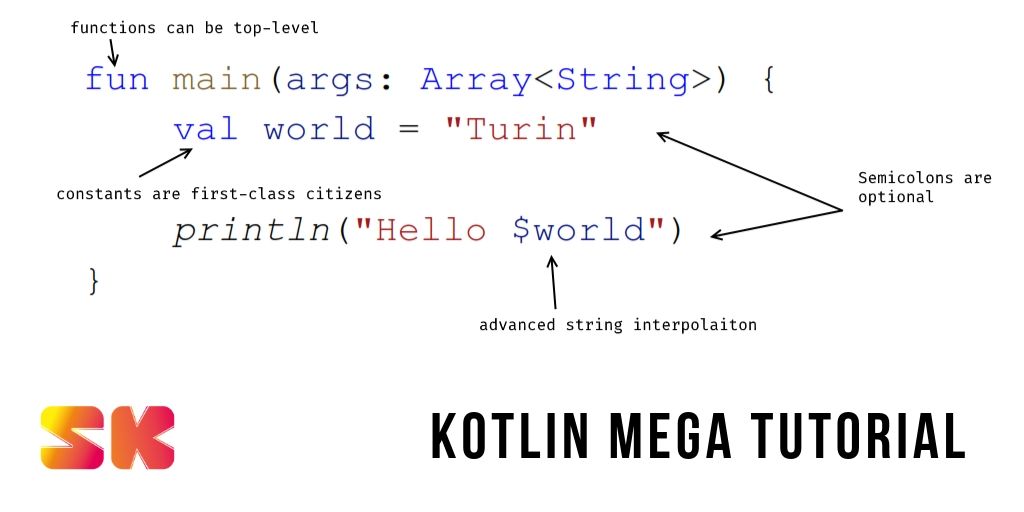
val message = "Hello, $name! You have $unreadCount unread messages."
println(message)
// Output: Hello, Alex! You have 42 unread messages.
You simply prefix the variable name with a dollar sign ($), and Kotlin inserts its value directly into the string.
2. Embedding Expressions in Strings
String templates are not limited to simple variables. What if you need to perform a calculation or call a method? For this, Kotlin uses curly braces {} after the dollar sign. You can place any valid Kotlin expression inside ${...}.
For example, let's say we have an object with properties, and we want to access one of them inside a string.
data class User(val name: String, val email: String)
val user = User("Jane", "jane.doe@example.com")

// We need braces to access the 'name' property of the 'user' object
println("User's name is ${user.name}")
You can even perform simple arithmetic or call functions:
val items = listOf("Apple", "Banana", "Cherry")
println("You have ${items.size} items in your cart.")
println("The total cost is ${5 * 2.50}")
The following video provides a clear, quick demonstration of using both simple variable templates ($name) and expression templates (${expression}).
Kotlin Crash Course for Java Developers
This segment from the "Kotlin Crash Course for Java Developers" video focuses specifically on string templates.
Watch the short section from the beginning of the explanation to see how to embed both variables and simple expressions within strings.
3. Advanced Usage and Raw Strings
Kotlin's string features go even further, allowing for complex logic and multi-line strings without the usual hassle. A detailed article from Baeldung will guide you through these more advanced capabilities.
First, let's explore the full power of expressions within templates.
This article provides a comprehensive look at how string templates work. The first section we'll read covers using expressions, including conditional logic, right inside a string.
Please read section 3, "String Templates". Pay close attention to how an if/else statement can be embedded directly within ${...}. Also, note the final point about how to escape the $ character if you need to use it literally.
As you've just read, you can include conditional logic, making your templates surprisingly powerful. However, it's generally best to keep the logic within templates simple to maintain readability.
Raw Strings and Escaping
Sometimes you need to write strings that span multiple lines or contain special characters that you don't want to escape, such as backslashes in file paths or dollar signs in code snippets. For this, Kotlin provides raw strings, denoted by triple quotes (""").
In a raw string, no characters need to be escaped. This is particularly useful for embedding snippets of other languages, like JSON or SQL, into your Kotlin code.
// In Java, you'd have to escape quotes and newlines
String json = "{\n" +
              "  \"name\": \"Kotlin\",\n" +
              "  \"version\": \"1.9\"\n" +
              "}";

// In Kotlin, a raw string preserves formatting
val json = """
{
  "name": "Kotlin",
  "version": "1.9"
}
"""
But what happens when a raw string needs to contain a literal dollar sign? Since templates still work inside raw strings, Kotlin will try to interpret $gte in a MongoDB query as a variable, causing an error. The Baeldung article explains the idiomatic solution to this common problem.
Now, let's continue with the same article to learn about raw strings and how to correctly handle literal dollar signs.
First, read section 4, "Raw Strings", for an introduction to the """ syntax. Then, jump to section 5.2, "Using String Interpolation With Literals", to see the recommended way to include a literal $ in any string.
The key takeaway is using the expression syntax with a character literal: ${'$'}. This tells Kotlin you want the literal dollar character, not the start of a template.
Conclusion
In this lesson, you've discovered how Kotlin's string templates offer a powerful and readable alternative to traditional string concatenation. This is a fundamental feature that will make your future Android development code much cleaner.
Here are the key points we covered:
- Simple Interpolation: Use the
$prefix to embed a variable directly into a string (e.g.,"Hello, $name"). - Expression Interpolation: Use the
${...}syntax to embed the result of any expression, from property access (${user.name}) to calculations (${price * quantity}) to conditional logic. - Raw Strings: Use triple quotes (
"""...""") to create multi-line strings where special characters don't need to be escaped. - Escaping the Dollar Sign: To include a literal
$in a string, use the${'$'}syntax.
In our next lesson, we will tackle one of Kotlin's most celebrated features: nullable types and null safety. You'll learn how Kotlin helps you avoid the dreaded NullPointerException that is all too common in Java, leading to more robust and reliable applications.