Hello! In our last lesson, we did some essential housekeeping by organizing our project into modules and separate files. This clean structure is the perfect foundation for what comes next: building the core data models for our chess game.
Today, we will replace the placeholder Rook and Knight structs with a unified and formal model for all chess pieces. You will learn how to use Rust's enum type to represent the fixed set of piece types (Pawn, King, etc.) and their colors (White, Black). By the end of this lesson, you'll have a robust Piece struct that can represent any piece on the board, a crucial step toward building our game logic.
1. The Right Tool for the Job: Enums
So far, we've used structs to group related data. But what if you have a value that can only be one of a specific set of things? For a chess piece, its color can only be White or Black. Its type can only be Pawn, Knight, Bishop, Rook, Queen, or King.
This is a perfect scenario for using an enum (short for enumeration). An enum is a custom type that lets you list all its possible variants.
To get a clear idea of what enums are and how to define them, let's start with a short, focused video.
Enums and Pattern Matching in Rust
This video, 'Enums and Pattern Matching in Rust' from the Let's Get Rusty channel, provides a clear and concise introduction to the concept of enums.
Watch from 00:39 to 01:49. Focus on how the enum keyword is used to define a type with a fixed set of variants, like the IpAddrKind example in the video.
As you can see, enums are ideal for modeling concepts that have a finite, known set of possibilities.
2. Modeling Piece Types and Colors
Now, let's apply this concept directly to our chess game. We need to represent two key properties of a piece: its color and its type. We can define two separate enums for this.
This is a very common pattern in Rust for game development. Watch how another developer models these exact concepts for their chess engine.
Learn Rust and Build a Chesscomputer Ep.1: Board representation
In this clip from 'Learn Rust and Build a Chesscomputer', the author defines the enums for piece color and type. This is a practical demonstration of exactly what we need to do.
Watch from 00:24:22 to 00:25:20. Notice how straightforward it is to list the variants for Color and PieceType.
The code to achieve this is very clean:
pub enum PieceColor {
    White,
    Black,
}

pub enum PieceType {
    Pawn,
    Knight,
    Bishop,
    Rook,
    Queen,
    King,
}
3. Creating the Piece Struct
An actual piece on the board is a combination of a PieceType and a PieceColor. A struct is the perfect way to group these two enums together.
The diagram below shows how these data structures relate. The Piece contains a Color and a Type, both of which are enums.
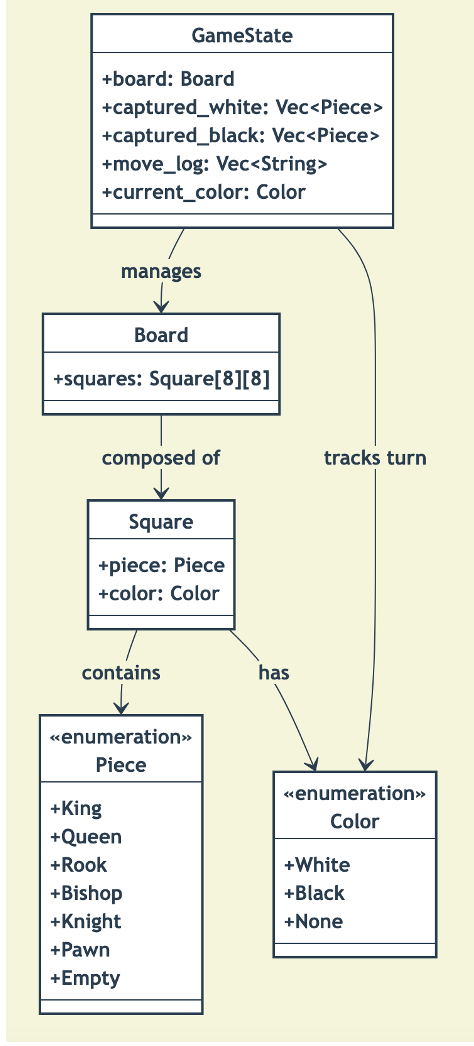
The following reading provides a concise code example of a Piece struct that holds the two enums we just designed.
How best to use traits vs enums when describing a chess board
This Stack Overflow answer provides a very clear and direct code snippet for modeling the pieces.
Focus on the first code block in the accepted answer. It shows the Piece, PieceKind (which we'll call PieceType), and PieceColor definitions.
Combining these ideas, we can define our Piece struct like this:
#[derive(Debug, Clone, Copy, PartialEq)]
pub struct Piece {
    pub color: PieceColor,
    pub piece_type: PieceType,
}
You might notice the #[derive(Debug, Clone, Copy, PartialEq)] line above the struct. We've seen Debug before. Here's a quick rundown of what the others do, which are extremely useful for a data structure like this:
CloneandCopy: These traits allow Rust to make cheap, bit-for-bit copies of ourPiecestruct. Since a piece's data is small and simple, it's more efficient to copy it than to manage ownership with borrowing.PartialEq: This trait allows us to compare twoPieceinstances for equality using the==operator.
We'll cover traits in more detail later, but for simple data structs, deriving these is a common and powerful practice.
4. Hands-On: Refactoring to the New Model
It's time to integrate this new, more robust model into our project. This involves creating a new file for our data definitions, removing the old placeholder code, and updating our main function.
-
Create a new file for our piece data:
Inside thesrc/pieces/directory, create a new file nameddata.rs. -
Populate
data.rs:
Opensrc/pieces/data.rsand add our new enums and thePiecestruct. Make sure everything is public (pub) so it can be used by other parts of our program.// src/pieces/data.rs #[derive(Debug, Clone, Copy, PartialEq)] pub enum PieceColor { White, Black, } #[derive(Debug, Clone, Copy, PartialEq)] pub enum PieceType { Pawn, Knight, Bishop, Rook, Queen, King, } #[derive(Debug, Clone, Copy, PartialEq)] pub struct Piece { pub color: PieceColor, pub piece_type: PieceType, }Note: We derive the traits on the enums as well, so that structs containing them can also derive the same traits.
-
Update the
piecesmodule entry point:
Now, modifysrc/pieces/mod.rsto use our newdata.rsfile. We will declaredataas a public module and re-export its contents. This keeps our project structure clean.// src/pieces/mod.rs // We still need this for the Movable trait use super::board::Square; // Declare the `data` module as public pub mod data; // Re-export the types from the data module so they are accessible // directly through `pieces::Piece`, etc. pub use self::data::{Piece, PieceColor, PieceType}; // The Movable trait remains here for now. pub trait Movable { fn generate_moves(&self, position: Square) -> Vec<Square>; } -
Clean up old files:
OurRookandKnightstructs are now obsolete. You can delete the following files:src/pieces/rook.rssrc/pieces/knight.rs
-
Update
main.rs:
Our main file will no longer compile because it refers to theRookandKnightstructs we just deleted. This is a normal part of refactoring! Let's update it to use our newPiecestruct.// src/main.rs mod board; mod pieces; // Update the `use` statements to bring our new types into scope use board::Square; use pieces::{Piece, PieceColor, PieceType}; fn main() { // Let's create an instance of our new Piece struct! let white_pawn = Piece { color: PieceColor::White, piece_type: PieceType::Pawn, }; // We can print it thanks to `#[derive(Debug)]` println!("Created piece: {:?}", white_pawn); let black_king = Piece { color: PieceColor::Black, piece_type: PieceType::King, }; println!("Created piece: {:?}", black_king); // The old code is commented out because the Movable trait is not // implemented for our new Piece struct yet. We'll get to that! /* fn print_moves<T: Movable>(piece: T, position: Square) { println!("--- Finding moves for {:?} ---", piece); let moves = piece.generate_moves(position); println!("Possible moves: {:?}", moves); println!("--------------------------\n"); } let start_square = Square { file: 3, rank: 3 }; // d4 print_moves(rook, start_square); print_moves(knight, start_square); */ } -
Run your project:
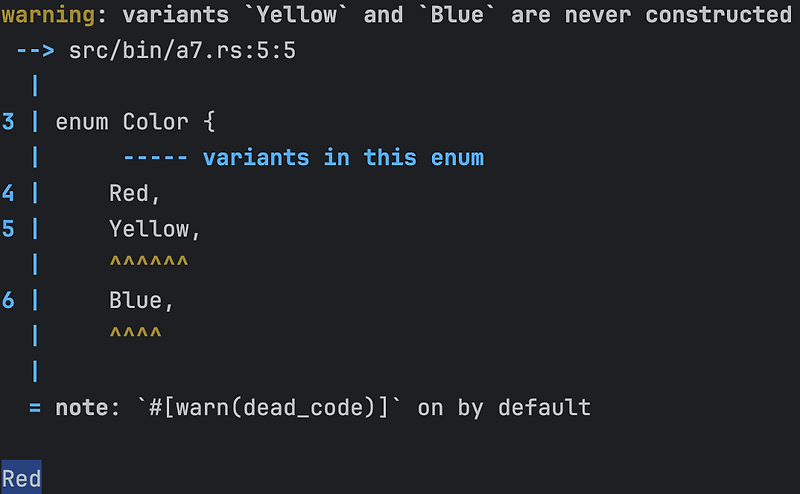
Executecargo runin your terminal. You should see the debug output for the two pieces you created. If you see warnings aboutMovableorprint_movesbeing unused, that's perfectly fine. It's just the Rust compiler helpfully telling us we have some cleanup to do in future lessons.
Conclusion
Excellent work! You've just replaced our simple placeholder structs with a flexible and accurate data model for any chess piece. This is a major step in building a solid foundation for our game's logic.
Key Takeaways:
- Enums are used to define a type that can have one of a few definite variants, making them perfect for
PieceTypeandPieceColor. - A
structcan hold enum instances as fields, allowing us to compose them into more complex types like ourPiecestruct. - The
#[derive]attribute is a convenient way to give your structs and enums common behaviors likeDebug,Clone,Copy, andPartialEq. - Refactoring code is a normal part of development. By creating a new model, we made old code obsolete and have temporarily commented out logic that we will rebuild on our new, better foundation.
In the next lesson, we will continue modeling our game by defining the Square that pieces sit on and the main Board struct that will hold the state of the entire 8x8 grid. We'll see how Option<Piece> can be used to represent squares that are either empty or occupied.