Hello! Welcome to your fifth lesson in the "Foundations of Data Management" module.
In our previous lesson, we established a crucial hierarchy by distinguishing between data, information, and knowledge using the DIKW pyramid. We learned that data is the raw material, which we transform into valuable, actionable insights.
Today, we will build on that by classifying the raw material itself. The learning outcome for this lesson is to distinguish between structured, semi-structured, and unstructured data. This is one of the most fundamental distinctions in data management. Understanding it is essential because the type of data you are dealing with dictates how you can store, manage, analyze, and secure it.
Getting Started: An Overview of Data Types
First, let's get a high-level introduction to these three categories. To do this, please watch the following short video. It clearly explains the core differences and provides some excellent initial examples.
What is the difference between structured and unstructured data?
This video from Bernard Marr provides a concise and clear explanation of the difference between structured and unstructured data, and also introduces the concept of semi-structured data.
Please watch the video from the beginning (0:00) to 2:08, and then from 4:48 to the end (6:48). Focus on the core definition of each data type and the examples provided, such as spreadsheets for structured data and photos or emails for unstructured and semi-structured data.
As the video highlighted, data can be broadly categorized based on its organizational model. Let's now explore each of these types in more detail, using examples that might be familiar from your work in engineering and contract management.
1. Structured Data: The World of Order and Predefined Models
Structured data is highly organized and conforms to a strict, predefined data model. Think of it as data that fits neatly into the rows and columns of a table. It's predictable, easy to query, and is the foundation of traditional database systems.
Key Characteristics:
- Predefined Schema: The format is known in advance (e.g., a column for 'Date', a column for 'Cost', a column for 'Supplier Name').
- Easy to Query: Can be easily searched and manipulated using languages like SQL (Structured Query Language).
- Storage: Typically stored in relational databases (RDBMS).
A Familiar Example: The Bill of Quantities (BoQ)
In your work as a Quantity Surveyor, a Bill of Quantities is a perfect example of structured data. Each line item has a precise format: an item code, a description, a unit of measure, a quantity, a rate, and a total amount. This rigid structure allows you to easily calculate total costs, filter by work section, or sort by high-value items.
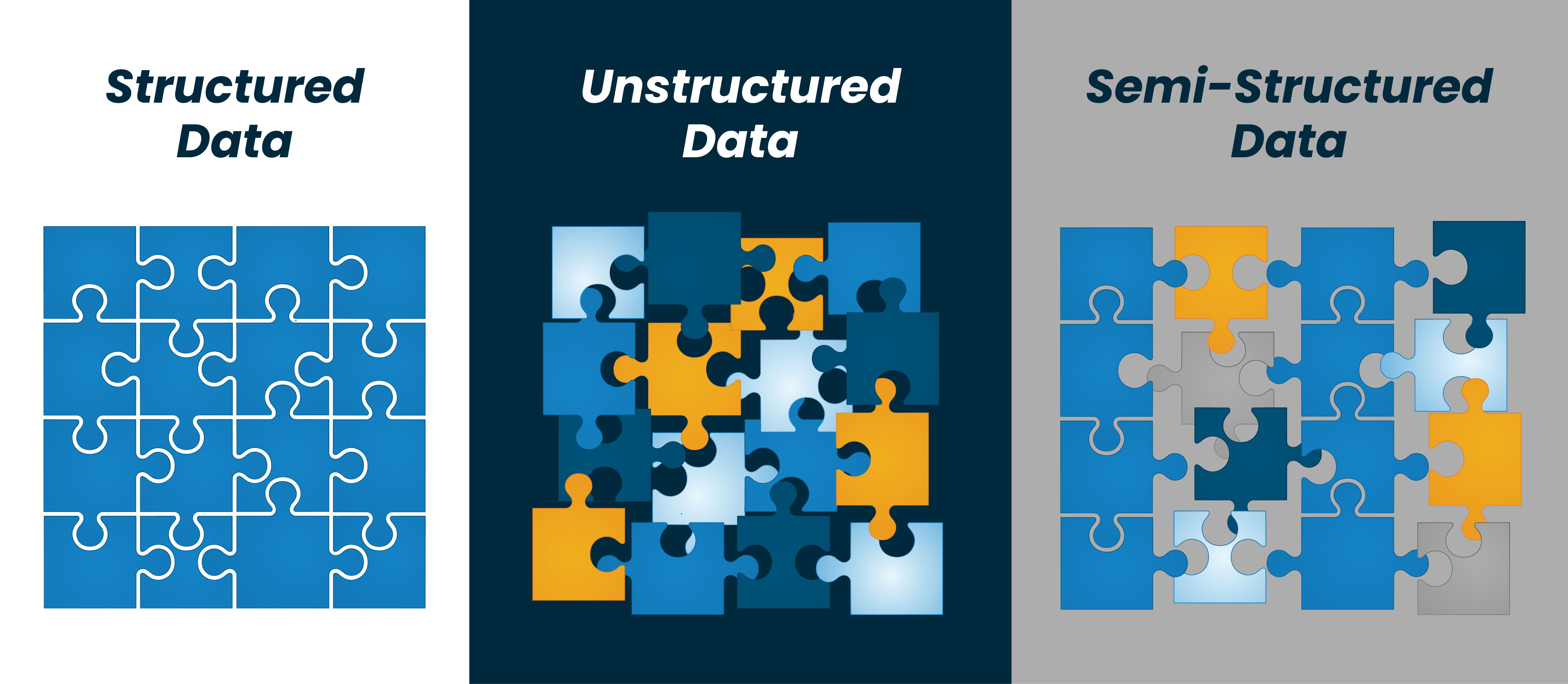
To see another clear example, this time in the context of official documents, let's turn to our first textual resource.
Structured, semi-structured and unstructured documents
The following article provides clear, document-centric definitions of the three data types. We'll look at each section as we cover the corresponding data type.
Please read the section titled 'Structured documents'. Notice how it emphasizes the consistent format and layout, using an identity document as an example.
2. Unstructured Data: The Vast World of Everything Else
Unstructured data has no predefined data model and does not have an identifiable internal structure. It's often textual or media-based and is estimated to make up 80-90% of all enterprise data today.
Key Characteristics:
- No Predefined Model: It exists in a variety of formats, like free-form text, images, or audio.
- Difficult to Process: Cannot be stored in traditional row-column databases and requires advanced analytics (like Natural Language Processing or AI) to extract insights.
- Storage: Often stored in data lakes, which are repositories for raw data in its native format.
A Familiar Example: Contracts and Correspondence
Contracts are a prime example from your field. While a contract has a general purpose, the text within it—the specific clauses, terms, and conditions—is free-form. Two contracts for similar projects can have vastly different wording and structure. Other examples include project emails, RFIs, meeting minutes, and site progress photographs. You can't put the content of a legal clause into a simple database column.
Let's return to the article on documents to see its take on this category.
Structured, semi-structured and unstructured documents
Now, let's read the section on unstructured data from the same article.
Please read the section 'Unstructured documents'. The use of a contract as the primary example should resonate with your experience.
3. Semi-Structured Data: The Best of Both Worlds
Semi-structured data is a hybrid. It doesn't conform to the rigid structure of a relational database, but it does contain tags, markers, or other semantic elements to enforce hierarchies of records and fields within the data.
Key Characteristics:
- Flexible Schema: It has an organizational framework but isn't as strict as structured data.
- Self-Describing: The data itself contains information about its structure (e.g., through tags).
- Examples: Common formats include JSON (JavaScript Object Notation) and XML (eXtensible Markup Language).
A Familiar Example: Emails and Invoices
An email is a classic example. It has structured elements (metadata) like Sender, Recipient, Subject, and Date, but the body of the email is unstructured text.
Invoices, which you've certainly handled, are another great case. As you'll see in the reading below, all invoices must contain certain information (like an invoice number, date, and total amount), but the layout, design, and exact placement of that information can vary from one supplier to another.
Structured, semi-structured and unstructured documents
Finally, let's look at the description of semi-structured data from the same article.
Read the section 'Semi-structured documents'. Pay close attention to the invoice example and how it explains the mix of known information types within a variable format.
Putting It All Together: A Comparative View
Now that we've defined each type, let's consolidate our understanding with a side-by-side comparison. This will help you see the key differences in how each data type is used, stored, and analyzed.

Let's highlight a few key points from this table:
- Storage: Notice the clear distinction. Structured data lives in RDBMS (like SQL Server, Oracle). Unstructured data is suited for NoSQL databases or data lakes. Semi-structured data often uses NoSQL document stores (like MongoDB) that are designed to handle formats like JSON.
- Analysis: Structured data is easy to analyze with standard business intelligence (BI) tools. Unstructured data requires more complex tools for text mining, image recognition, etc.
- Flexibility: Structured data is rigid. Changing the model is difficult. Unstructured and semi-structured data offer much more flexibility.
This connection between the data type and the appropriate storage technology is a critical concept in data management and architecture.
Test your understanding!
You are the data manager for a large engineering firm. A new project requires you to manage the following assets. Classify each one as structured, semi-structured, or unstructured.
- A database of all project suppliers, containing
Supplier_ID,Company_Name,Contact_Email, andPayment_Terms. - A folder containing all signed sub-contractor agreements in PDF format.
- A data feed from a project management tool's API, which provides project status updates in JSON format. Each update includes a
project_id,task_name,percent_complete, and a free-textnotesfield. - The company's standard cost code library, maintained in an Excel spreadsheet.
Show answer
- Structured: This is a classic relational table with predefined fields and data types.
- Unstructured: The PDF documents contain free-form legal text that does not follow a predictable, machine-readable format.
- Semi-structured: The JSON format provides clear tags (
project_id,notes, etc.) that give the data structure, but it also contains an unstructured free-text field (notes), making it a hybrid. - Structured: The spreadsheet has a clear row-and-column format, making it structured data.
Conclusion
In this lesson, we have classified data into its three fundamental types. This distinction is not just academic; it has profound practical implications for every aspect of data management.
Key Takeaways:
- Structured Data is organized in a predefined model, like a database table. It's easy to query and process but lacks flexibility.
- Unstructured Data has no predefined model, making up the vast majority of data (e.g., text documents, images). It is flexible but requires advanced tools to analyze.
- Semi-structured Data is a hybrid, using tags or markers (like in JSON or XML) to provide some organization while still allowing for flexibility.
- The type of data directly influences the choice of storage technology (e.g., SQL vs. NoSQL), the methods of analysis, and the overall data management strategy.
Preview of the next lesson:
Now that we can identify and classify different types of data, the next logical step is to understand how we manage them throughout their existence. In our next lesson, we will apply the data lifecycle concept to organizational scenarios, exploring the journey of data from its creation all the way to its archival or destruction.