Hello! Welcome to your next lesson.
In our last session, we saw how to use the Nmap Scripting Engine, particularly the vulners script, to automatically identify services and cross-reference them with databases of known vulnerabilities (CVEs). This left us with a crucial question: once you have the name of a vulnerability, how do you find the actual code to exploit it?
This lesson bridges that gap. We will dive into searchsploit, the essential command-line tool for searching the Exploit Database. The Exploit Database is a massive, publicly accessible archive of exploit code, proof-of-concepts (PoCs), and security papers. Mastering searchsploit allows you to quickly find potential attack code for the vulnerabilities you discover, all from the comfort of your terminal.
By the end of this lesson, you will be able to take the output from a tool like Nmap and use it to search for, examine, and retrieve relevant exploit code.
1. The "What" and "Why" of SearchSploit
Before we jump into commands, it's vital to understand the nature of the tool and the data it searches. Misunderstanding this can lead to wasted time and dangerous assumptions.
The Exploit Database is not a collection of polished, production-ready attack tools. It's a research database.
To build the right mindset, please read the introductory section of this article from Penligent. It does an excellent job of explaining what the Exploit Database is, and more importantly, what it is not.
Read the section titled "What Exploit DB Actually Is and What It Is Not". Focus on understanding why an entry in the database is a starting point for investigation, not a guaranteed success.
As the article highlights, an entry could be anything from a simple vulnerability checker to a full remote code execution exploit. Your job as a penetration tester is to use this database as a signal source and a technical starting point.
So, what is searchsploit?
searchsploit is the command-line tool that allows you to perform fast, offline searches of a local copy of the Exploit Database. It comes pre-installed on Kali Linux.
SearchSploit - Searching For Exploits
For a quick overview of why searchsploit is so valuable to pentesters, watch this introductory clip from HackerSploit.
Watch from 02:45 to 04:49. Pay attention to the key advantages he mentions, such as offline access and efficiency compared to using the website.
The key takeaway is that searchsploit is built for operational efficiency. It’s faster, works without an internet connection, and is easily integrated into scripts.
2. Getting Started: Updating and Basic Searches
Like any good database, the Exploit Database is constantly updated. The first and most important step before using searchsploit is to ensure your local copy is up-to-date.
Your Turn: Lab Instructions
Fire up your Kali Linux VM. searchsploit is already installed.
- Update the Database: Open a terminal and run the update command. This fetches the latest exploits from the official repository.
You should run this command periodically to keep your local database fresh.searchsploit -u
Now, let's connect this to our previous work. Imagine your Nmap scan from the last lesson revealed a service vsftpd 2.3.4 running on your Metasploitable2 VM. You can feed this information directly into searchsploit.
SearchSploit Guide | Finding Exploits | Kali Linux
This video from Cyber Opposition provides a concise, practical demonstration of taking Nmap output and using it to find an exploit with searchsploit.
Watch from 00:34 to 01:18. Notice how the search terms are simply the service name and version discovered during enumeration.
- Perform a Basic Search: Search for exploits related to the
vsftpdservice on your Metasploitable2 target.
The output will show two columns: Exploit Title and Path. The title gives you a description of what the exploit does, and the path tells you where the exploit file is located within the local database structure (e.g.,searchsploit vsftpd 2.3.4linux/remote/17491.rb).
3. Interpreting Results and Managing Exploits
Finding an exploit is just the first step. You need to understand what you've found and how to work with it.
Decoding the Exploit File
The file extension in the Path column is critical information. It tells you the exploit's language and how you might use it.
SearchSploit Guide | Finding Exploits | Kali Linux
Let's continue with the Cyber Opposition video, as it has a fantastic explanation of what the different file extensions mean.
Watch from 01:18 to 02:47. Pay close attention to the meaning of these common extensions: .rb: A Ruby script, which often means it's a Metasploit module. .py: A Python script. .c: A C program, which will need to be compiled with gcc.
The fact that .rb files often correspond to Metasploit modules is a powerful piece of information and serves as a perfect bridge to our next module.
Examining and Copying an Exploit
One of the most common and dangerous mistakes a beginner can make is running downloaded code without reading it first. Always examine the exploit source code before you attempt to use it.
searchsploit has built-in features to make this safe workflow easy.
-x(Examine): This option displays the content of an exploit file using your system's default pager (likeless).-m(Mirror): This option copies an exploit from the database to your current working directory. This is the recommended way to get a working copy, as it prevents you from accidentally modifying the original file in the database.
SearchSploit Guide | Finding Exploits | Kali Linux
This final clip from the Cyber Opposition video demonstrates this exact workflow: using -m to copy the exploit and -x to examine another one.
Watch from 02:47 to 04:33. Follow along in your own terminal to practice the commands.
Your Turn: Lab Practice
Let's use the exploit for vsftpd 2.3.4 that you found earlier. The path should be something like linux/remote/17491.rb.
-
Examine the Exploit:
# You can use either the path or just the ID number
searchsploit -x 17491
Read through the code. You don't need to understand every line, but look at the comments at the top. They often explain how the exploit works and how to use it. Press
qto exit the pager. -
Mirror the Exploit:
searchsploit -m 17491This command will copy the file
17491.rbinto your current directory. -
Verify the Copy:
lsYou should now see
17491.rbin your directory, ready for you to use.

4. Advanced Searching and Reference
While searching by service and version is your primary workflow, searchsploit has other flags that are useful for refining your searches. The official manual is the best place to learn about these.
For a deeper look at the available options, we'll turn to the official SearchSploit manual from Exploit-DB.
This is a reference document. You don't need to memorize it, but skim through these sections to see what's possible: Help Screen: Shows all available options. Basic Search: Reinforces what you've already done. Title Searching (-t): Explains how to search only in exploit titles, which can reduce noise. Removing Unwanted Results (--exclude): Shows how to filter out results you don't care about (like Denial of Service or PoCs). Copy to Folder (-m): Provides another example of the mirror command.
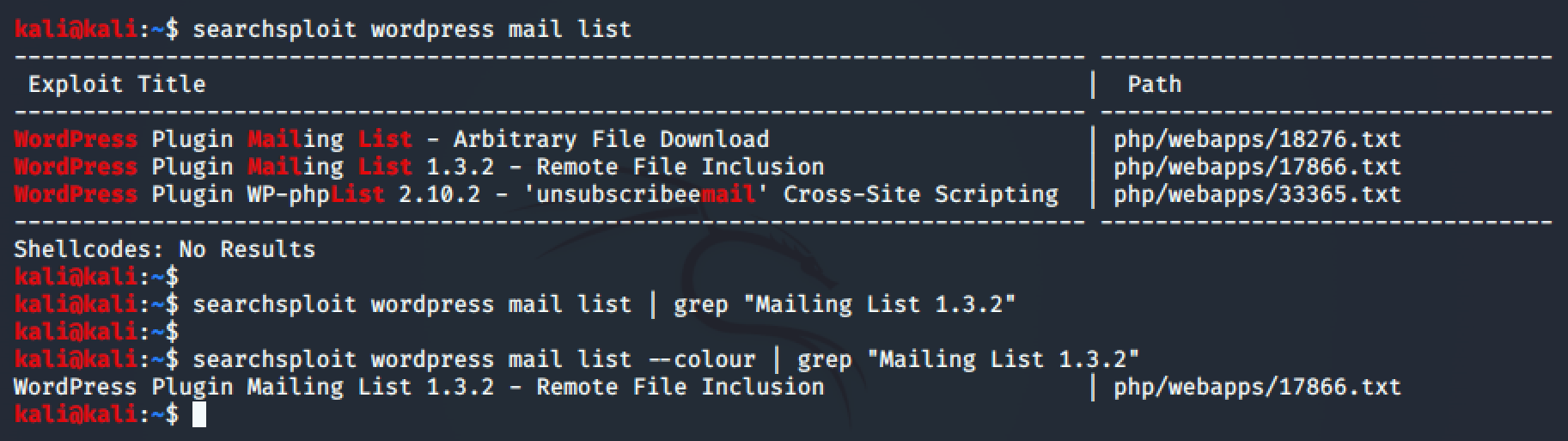
As you gain experience, you'll find yourself using options like -t (title search) and | grep to quickly zero in on the exact exploit you need.
Conclusion
You now have a complete workflow: you can enumerate a target with Nmap to find a service and version, and then use searchsploit to find potential exploit code for it. This is a fundamental skill cycle in penetration testing.
Key Takeaways:
searchsploitis the command-line tool for searching a local, offline copy of the Exploit Database.- Always update your local database first with
searchsploit -u. - The most common usage is to search by service name and version (e.g.,
searchsploit apache 2.4.49). - READ THE CODE! Use
-xto examine an exploit before you even think about running it. - Use
-mto copy an exploit to your working directory for analysis and use. - The exploit's file extension (
.py,.c,.rb) tells you what kind of code it is and how it might be used.
Next Lesson Preview:
We saw that exploits with an .rb extension are often designed for the Metasploit Framework. While searchsploit is fantastic for finding exploits, Metasploit is designed for using them. In our next lesson, we will begin our journey into the Metasploit Framework, a powerful platform that standardizes the process of launching exploits, managing sessions, and performing post-exploitation.