Hello! Welcome to the final practical lesson in our course.
In the last lesson, we learned how to perform post-exploitation enumeration to identify potential privilege escalation vectors like SUID binaries and sudo misconfigurations. You now know how to hunt for weaknesses on a compromised Linux system.
Today, we'll complete that process. We're moving from finding a weakness to actively exploiting it. You'll learn how to use the information you've gathered (like a system's kernel version) to locate a publicly available exploit, transfer it to the target, and execute it to gain root privileges. This is the moment where all your foundational Linux and enumeration skills come together to achieve a key objective in penetration testing.
Our primary tool for this will be searchsploit, the command-line interface for the Exploit Database.
1. Introduction to SearchSploit
searchsploit is an essential tool in any ethical hacker's arsenal. It provides offline command-line access to the Exploit Database, a massive, publicly maintained archive of exploits, shellcode, and security papers.
Why is this so valuable?
- Offline Access: You can search for exploits during a penetration test even without an internet connection.
- Speed: It's often faster than navigating the web interface.
- Scriptability: As a command-line tool, it can be easily integrated into your automation scripts.
Since you're using Arch Linux, searchsploit can be installed from the Arch User Repository (AUR) if it's not already on your system as part of a package like exploit-db.
SearchSploit: Complete Guide to Exploit Database CLI Tool
For a more detailed look at installing searchsploit on your preferred OS, this guide is an excellent resource. We'll be covering many of these commands in this lesson.
Briefly review the 'Arch Linux Installation' section. You don't need to install it if you already have it, but it's good to know the process.
The Exploit Database is constantly updated. Before starting any work, it's crucial to ensure your local copy is up-to-date. You can do this with a simple command: searchsploit -u.
SearchSploit Guide | Finding Exploits | Kali Linux
Let's start with a video that introduces SearchSploit and demonstrates this essential update command.
Watch the first 34 seconds of the video (00:10 - 00:34) to understand what SearchSploit is and see the update process in action.
2. Finding an Exploit with SearchSploit
You can't find the right key if you don't know what lock you're trying to pick. Similarly, effective searching with searchsploit depends on the quality of your enumeration from the previous phase. You need to know specifics about your target, such as:
- Kernel version (
uname -a) - Distribution and version (
lsb_release -aorcat /etc/os-release) - Service and application versions (from Nmap scans or manual checks)
Once you have this information, you can start searching.
Searching Strategies
Let's say your enumeration revealed a target running a Linux kernel version 2.6.24. Based on our previous lesson, we know this is a potential vector for a local privilege escalation (LPE) exploit.
A powerful way to start is by combining searchsploit with grep to filter the results.
# Search for exploits related to the Linux kernel version 2.6
# that are also described as 'privilege' escalation.
searchsploit linux kernel 2.6 | grep -i privilege
This command searches for "linux kernel 2.6" and pipes the output to grep to show only lines containing the word "privilege" (case-insensitive). This quickly narrows down thousands of potential exploits to a handful of relevant ones.
How to Perform Local Privilege Escalation Using a Linux Kernel Exploit
This article demonstrates this exact workflow. It's a fantastic case study that we'll follow for the rest of this lesson.
Read the section 'Gather Info & Search for Exploit'. Notice how the author first uses uname -a and lsb_release -a to get target information, and then uses searchsploit piped to grep to find a suitable kernel exploit.
The output of searchsploit gives you two key pieces of information: the exploit's Title and its Path.
Linux Kernel 2.6 < 2.6.19 (...) | exploits/linux_x86/local/9542.c
- Title: Describes the vulnerability.
- Path: Tells you where the exploit file is located within your local copy of the Exploit Database (usually under
/usr/share/exploitdb/).
Getting the Exploit Ready
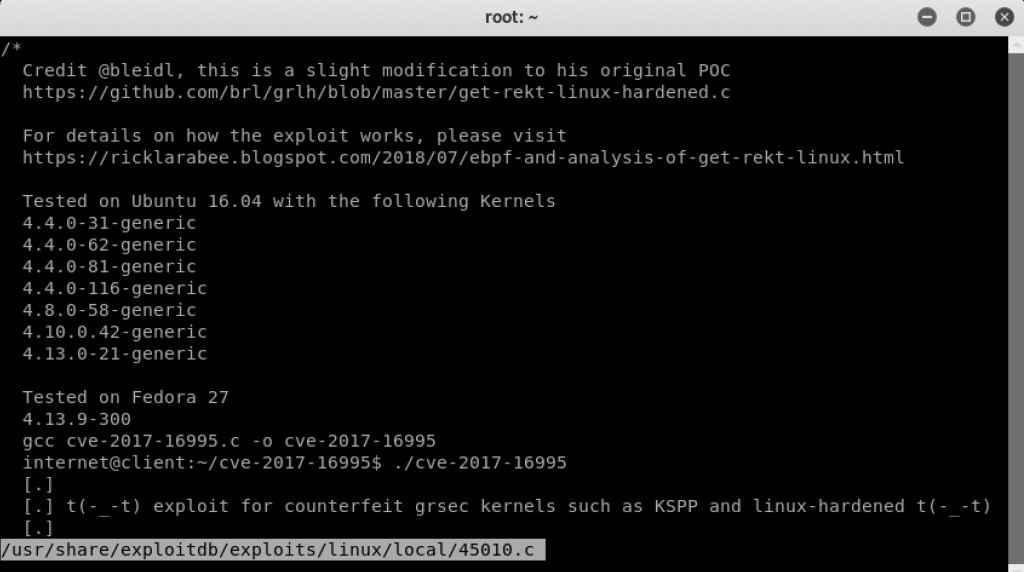
Once you've identified a promising exploit, you need to examine its code and copy it to your working directory. searchsploit has flags to make this easy:
-x(Examine): Displays the content of the exploit file directly in your terminal. This is crucial for understanding what the exploit does, what its requirements are, and how to use it.-m(Mirror): Copies the exploit file from the database into your current directory.
SearchSploit - Searching For Exploits
This video provides a great walkthrough of the most common searchsploit commands, including how to search, examine, and copy exploits.
Watch from 07:14 to 14:47. Pay attention to how the presenter searches for an 'openssh' exploit and then uses the full path to copy it to the desktop. The video also shows using searchsploit -m (as shown in the Cyber Opposition video) which is a more direct way to achieve the same result.
3. Applying the Exploit: A Full Walkthrough
Now let's put it all together. We will follow the process from the Null-Byte article to find, transfer, compile, and execute a local privilege escalation exploit.
The Workflow
- Identify & Find: Get the kernel version (
uname -a) and usesearchsploitto find a matching exploit. The article identifies8572.c. - Transfer: Get the exploit file from your attacker machine to the target machine. A common method is to start a simple web server on your attacker machine and use
wgetorcurlon the target to download it. - Compile: Many Linux exploits are written in C. They are not scripts; they are source code that must be compiled into an executable file on the target machine using
gcc(the GNU Compiler Collection). If an exploit file ends in.c, it needs compilation. - Execute: Set up a listener (e.g., with
netcat) on your attacker machine to catch the connection, then run the compiled exploit on the target. If successful, it will connect back to you with arootshell.
How to Perform Local Privilege Escalation Using a Linux Kernel Exploit
It's time to study the full exploitation process. Read the rest of the Null-Byte article carefully. It ties together everything we've discussed.
Read the sections 'Transfer Exploit to Target' and 'Compile & Execute'. Follow each step of the process: Transfer: How the author uses a web server (service apache2 restart) and wget. Compile: The use of gcc -o exploit 8572.c to create an executable file named exploit. Execution: How the author identifies the required PID, sets up a netcat listener, and runs ./exploit <PID> to get a root shell.
After executing the exploit, the final step is to verify your success. The id and whoami commands will confirm if you have obtained root privileges.

Conclusion
Congratulations on completing the final hands-on lesson! You have now walked through the entire process of local privilege escalation: from identifying a vulnerability based on enumeration to finding and applying a public exploit to gain root access.
Key Takeaways:
searchsploitis your offline command-line tool for finding exploits in the Exploit Database. Always runsearchsploit -uto keep it updated.- The effectiveness of
searchsploitdepends entirely on good enumeration. You need to know what you're looking for (kernel versions, software versions). - The standard workflow for using a public exploit is: Enumerate -> Search -> Transfer -> Compile (if needed) -> Execute.
- Exploits written in C (
.cfiles) must be compiled on the target system usinggcc. Python (.py) or shell (.sh) scripts can usually be run directly. - Transferring files to a target is a key skill. A simple web server on your machine combined with
wgetorcurlon the target is a reliable method.
Next Lesson Preview:
This concludes the main instructional part of the course. In our final lesson, we will wrap everything up. We'll review the complete "hacker" methodology you've learned—from basic Linux commands and reconnaissance to gaining access and elevating privileges. We will also discuss the critical topic of ethical responsibilities and responsible disclosure, and provide guidance on where you can go from here to continue your journey in ethical hacking.