Hello! Welcome to the first lesson in our module on Security Principles and Defensive Measures.
In our last lesson, we saw how to transfer files securely using scp. We learned that the "secure" part of scp comes from the fact that it runs over an SSH connection. You used SSH implicitly to get scp to work, but you probably have questions about what it is and how it actually secures your data.
Today, we'll answer those questions. This lesson is dedicated to the learning outcome: Explain what SSH is and how it provides secure remote access. We'll cover the theory—the "what" and "why" of SSH—to build a solid foundation. In the next lesson, we'll move to the "how" and make our first connection.
1. The Problem: Why We Need Secure Connections
Before SSH existed, system administrators used protocols like Telnet to manage remote machines. The problem? Telnet sends everything, including your username and password, as plain, unencrypted text. Anyone "sniffing" the network traffic between you and the server could steal your credentials.
From an ethical hacking perspective, this is a critical vulnerability to understand. To see why this was such a big problem, let's start with a short video that explains the origins of SSH.
This video from Mental Outlaw provides a great historical context for why SSH was created, highlighting the dangers of older, insecure protocols like Telnet.
Please watch from the beginning to 02:30. Focus on the concept of 'password sniffing' and why transmitting data in plain text is a major security risk on any network.
As you can see, transmitting credentials and commands in the clear is not an option in any modern network. SSH was designed to solve this problem by ensuring security through cryptography.
2. What is SSH? The Client-Server Model
SSH stands for Secure Shell. It's a cryptographic network protocol that allows you to securely perform a wide range of network services, most notably logging into and executing commands on a remote computer.
To understand SSH, you need to think in terms of a client-server model:
- SSH Server: A piece of software (a daemon) running on the remote machine (e.g., your virtual machine). It listens for incoming connections, typically on TCP port 22.
- SSH Client: A program on your local machine (e.g., your Arch Linux host) that initiates the connection to the server.
The most common implementation of SSH is OpenSSH, which is pre-installed on virtually all Linux distributions, including yours, as well as macOS and modern Windows.
The following video provides a quick, clear definition of these core components.
OpenSSH for Absolute Beginners
Veronica Explains gives a concise overview of the basic SSH concepts in this clip.
Watch from 00:32 to 01:25. This will quickly summarize the terms SSH, OpenSSH, the client-server model, and the default port.
This interaction can be visualized simply: your client establishes a secure, encrypted tunnel to the server, through which all communication flows.

For a more detailed textual explanation of how SSH works, the following resource is excellent.
SSH Essentials: Working with SSH Servers, Clients, and Keys
The 'SSH Overview' section of this DigitalOcean article provides a solid written summary of the client-server model and the different ways SSH can authenticate users.
Please read the section titled 'SSH Overview', including its subsections 'How SSH Works' and 'How SSH Authenticates Users'.
3. How SSH Provides Security: The Three Pillars
SSH provides security by delivering on three core promises, often called the CIA triad: Confidentiality, Integrity, and Authentication.
A. Confidentiality (Encryption)
This is the most obvious benefit. SSH encrypts all traffic in both directions between the client and server. This means if an attacker intercepts the data packets, they will see only meaningless garbled text, not your password or the commands you are running.
- When a client and server first connect, they negotiate the strongest encryption algorithm they both support (like AES) to create a unique, temporary session key. This key is used to encrypt all data for the rest of the session.
B. Integrity (Data Protection)
How do you know that the commands you send aren't being subtly modified in transit by an attacker? SSH ensures data integrity by using Message Authentication Codes (MACs).
- For each chunk of data sent, the sender creates a MAC (a kind of cryptographic checksum or signature) and attaches it.
- The receiver recalculates the MAC on the data it receives. If the calculated MAC matches the one that was sent, the data is verified as untampered. If they don't match, the connection is terminated.
C. Authentication (Identity Verification)
Authentication in SSH is a two-way street. The client needs to prove its identity to the server, and the server needs to prove its identity to the client. This is a critical concept that prevents many attacks.
1. User Authentication: Proving Your Identity to the Server
The server needs to know that you are an authorized user. SSH supports several methods, but two are most common:
- Password Authentication: Simple and familiar. You provide a username and password. The password is encrypted in transit, but this method is still vulnerable to brute-force attacks (an attacker repeatedly guessing passwords).
- Public Key Authentication: Far more secure and the industry standard. It uses a pair of cryptographic keys: a private key that you keep secret on your client machine, and a public key that you place on the server. The server can verify you have the correct private key without ever seeing it.
2. Host Authentication: Proving the Server's Identity to You
How do you know you're connecting to the real server and not an impostor set up by an attacker (a "Man-in-the-Middle" attack)?
- Every SSH server has a unique host key.
- The very first time you connect to a server, your SSH client will show you the server's host key "fingerprint" and ask you to verify it.
- If you accept, your client saves this key in a file called
~/.ssh/known_hosts. - On every subsequent connection, your client checks if the server's host key matches the one it has saved. If it doesn't match, it means you might be connecting to a different (and possibly malicious) server, and the client will give you a big, scary warning.
The distinction between user and host authentication is fundamental. The following reading clearly explains how these trust relationships are established.
SSH Essentials: Working with SSH Servers, Clients, and Keys
Let's dive deeper into the mechanics of authentication. This resource clearly separates the concepts of proving your identity to the server and verifying the server's identity.
Please read the sections 'How SSH Authenticates Users' (reread if needed), 'How SSH Establishes Trust Between Client and Server', and 'User Authentication Trust vs Host Verification'. Focus on the difference between the role of authorized_keys on the server and known_hosts on the client.
4. The SSH Connection Process: A Summary
Let's put all these pieces together. When you initiate an SSH connection, this is the sequence of events:
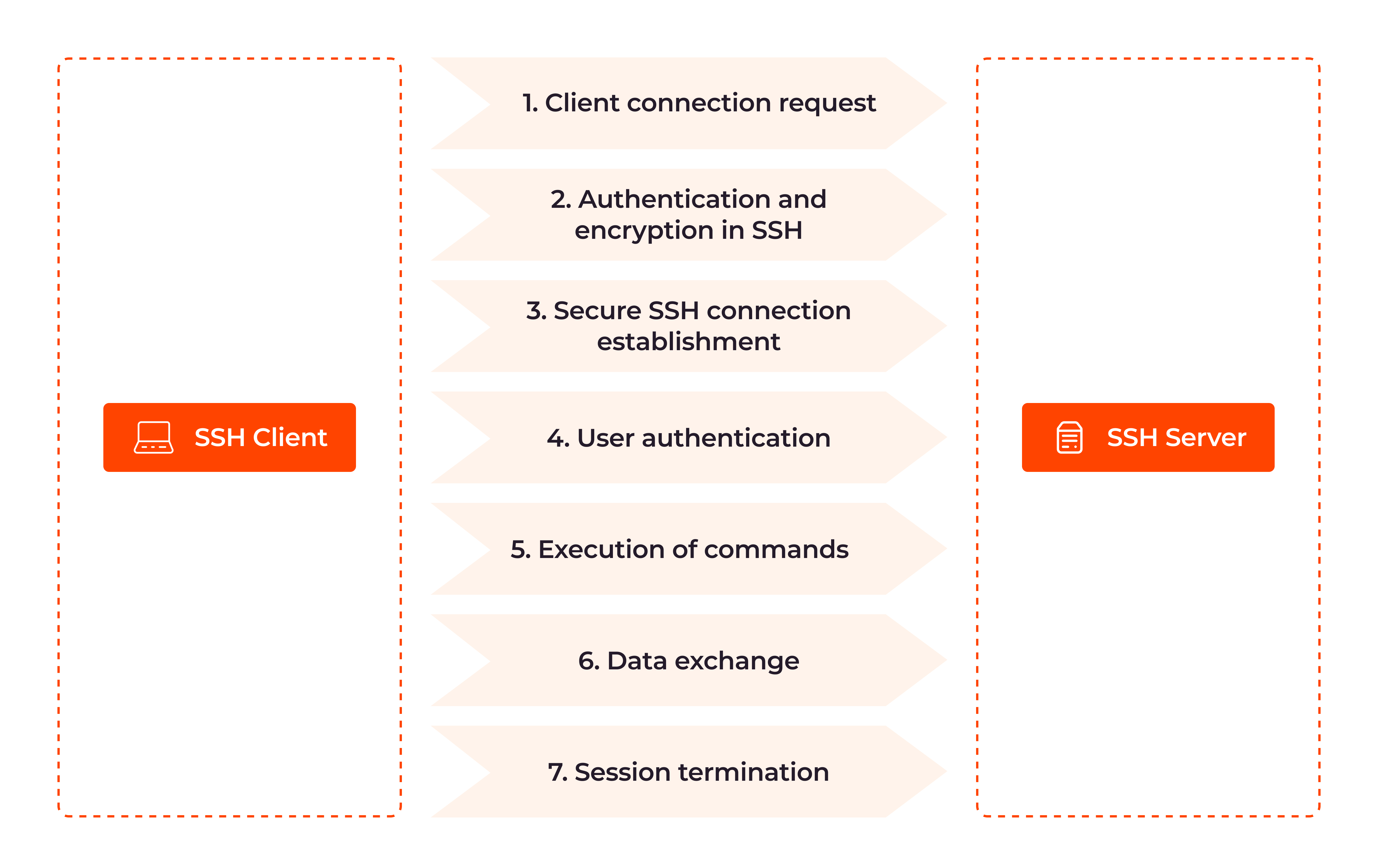
- Client Initiates Connection: Your client contacts the server on TCP port 22.
- Protocol & Algorithm Negotiation: The client and server agree on the SSH protocol version and the cryptographic algorithms (for encryption, key exchange, and MACs) they will use.
- Host Authentication: The server presents its public host key. Your client checks it against its
known_hostsfile. If it's a new server, it prompts you to accept the key. - Session Key Exchange: The client and server use an algorithm (like Diffie-Hellman) to securely generate a symmetric session key that will be used to encrypt the rest of the conversation.
- User Authentication: You authenticate to the server, typically using a password or your private SSH key.
- Session Begins: The secure channel is now fully established, and you are given shell access to the remote machine.
Conclusion
You now have a solid theoretical understanding of what SSH is and the cryptographic principles that make it secure. This foundation is essential for using it correctly and for identifying potential security weaknesses in misconfigured systems.
Key Takeaways:
- SSH (Secure Shell) is a protocol for secure remote access, replacing insecure protocols like Telnet.
- It operates on a client-server model, with the server listening for connections and the client initiating them.
- It provides Confidentiality (encryption), Integrity (MACs), and Authentication.
- Authentication is a two-way process: User Authentication (verifying the user to the server) and Host Authentication (verifying the server to the client) to prevent Man-in-the-Middle attacks.
- Public key authentication is significantly more secure than password authentication.
Next Lesson Preview:
We've covered the "what" and the "why." In the next lesson, we will get hands-on and move to the "how." You will use the ssh command to connect to a remote machine using password authentication and begin to explore the practical side of secure remote administration.