Following our successful setup of your programming environment in the last lesson, we are now ready to delve into the fundamental components of the Python language. Previously, you learned how to give the computer a direct instruction using the print() function. Today, we will explore how to make our programs remember and manage information.
This lesson addresses the learning outcome: Declare variables and use core data types: integers, floats, strings, and booleans. We will begin with the theory behind what a variable is and how it works in your computer's memory. Then, we will explore the four most essential types of data you'll work with. This is analogous to learning the basic nouns of a new language before you start constructing complex sentences.
1. Variables: Naming Your Data
In any program, you need a way to store and label information. Whether it's a user's age, the price of an item, or a welcome message, you need a place to keep this data so you can refer to it later. In programming, we use variables for this purpose.
A great way to think about a variable is as a label you stick on a box. The box is a location in the computer's memory, and the data is what you put inside. The label (the variable name) lets you find that specific box again without needing to know its exact memory address.
Learn Python Variables & Data Types with Code Examples - Beginners Tutorial
This video from the Python Simplified channel provides an excellent analogy for understanding variables as labeled boxes for storing data.
Please watch the first minute of the video, from the beginning to the end of the analogy.
As the video explained, a variable associates a name with a value. The process of creating a variable and giving it its initial value is called declaration or assignment. In Python, this is done with a single equals sign (=), known as the assignment operator.
The syntax is simple: name = value.
# Here, we assign the value 1000 to a variable named 'student_count'.
student_count = 1000


# Now we can use the variable's name to access its value.
print(student_count)
If you run this code, it will print 1000.
How Variables Work in Python's Memory
To align with your preference for understanding the principles first, let's look a little deeper. In many languages, a variable is like a fixed-size box that can only hold one type of thing. In Python, the mechanism is more flexible.
A Python variable isn't the box itself, but rather a name that points to an object stored in memory. When you write A = 10, Python does the following:
- Creates an "object" that holds the integer value
10. - Creates a name,
A(the variable). - Makes the name
Arefer to, or point at, the10object.
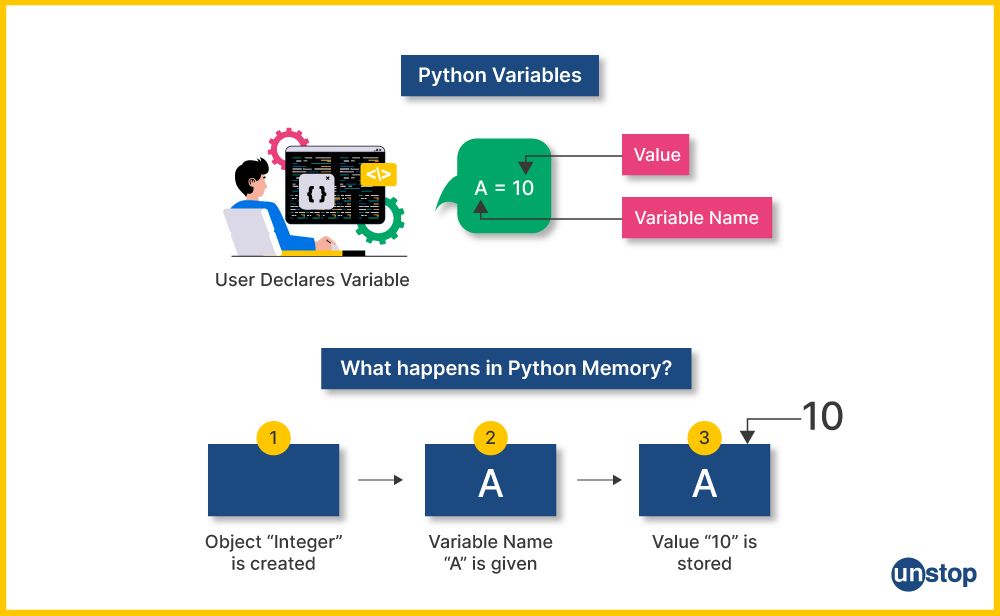
This distinction is subtle but powerful. It's the reason Python is so flexible, as we'll see later.
Variables in Python: Usage and Best Practices
This article from Real Python provides a thorough explanation of variables. We'll read two key sections to solidify the theory.
First, read the introduction and the section "Creating Variables With Assignments" to understand the basic syntax. Next, scroll down to the section "Exploring Core Features of Variables" and read the subsection "Variables Hold References to Objects". This part explains the memory model we just discussed, which is a crucial theoretical concept in Python.
Rules for Naming Variables
You can't use just any name for a variable. Python has a few simple rules:
- Variable names can only contain letters (a-z, A-Z), numbers (0-9), and the underscore (
_). - They cannot start with a number.
- Names are case-sensitive.
my_variableis different fromMy_Variable. - You cannot use Python's reserved words (keywords) like
if,for,class, etc., as variable names.
The standard convention in the Python community (as outlined in a style guide called PEP 8) is to use snake_case for variable names. This means all lowercase letters, with words separated by underscores.
- Good:
user_name,first_name,total_price - Allowed, but not conventional:
userName,FirstName - Invalid:
1st_place,user-name,total$price
2. Core Data Types
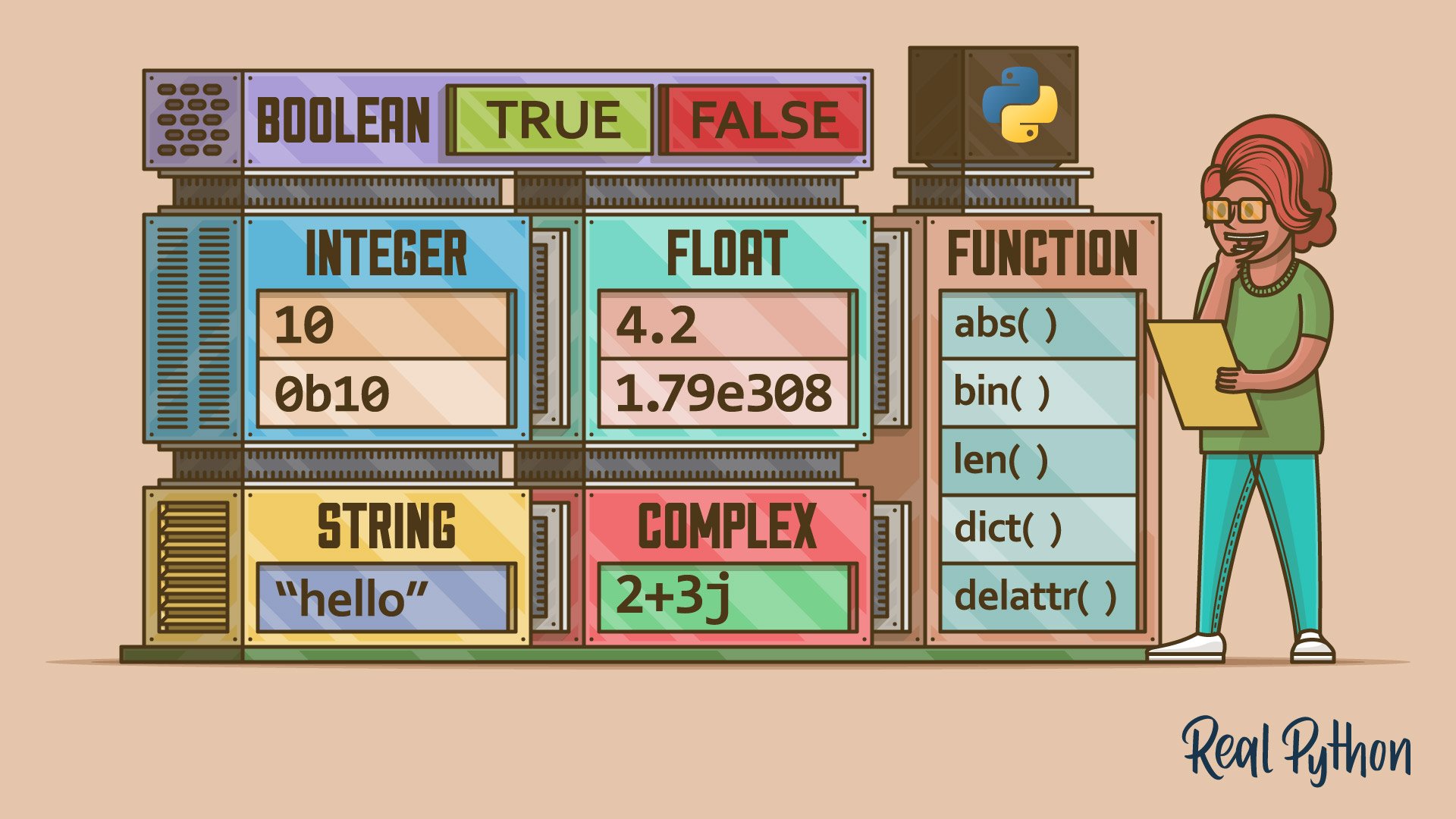
The "data" we store in variables can be of different kinds, or types. A person's age is a number, their name is text, and the answer to "Are you a student?" is either yes or no. In this section, we'll cover the four most basic data types in Python.
Python Variables - Python Tutorial for Beginners with Examples | Mosh
This video from Programming with Mosh provides a quick and clear overview of the four data types we're about to cover.
Watch the segment from this timestamp for a concise introduction to numbers, booleans, and strings.
Now let's explore each of these in more detail.
Integers and Floats: The Numbers
Python has two main types for representing numbers:
- Integer (
int): A whole number, without any decimal part. It can be positive, negative, or zero.age = 35 year = 2023 temperature = -5 - Float (
float): A number that has a decimal part. The name "float" comes from "floating-point number," which refers to how these numbers are stored in memory.price = 19.99 pi_approx = 3.14 account_balance = -150.75
You can perform all the standard mathematical operations with these numbers, like addition (+), subtraction (-), multiplication (*), and division (/).
Open your hello.py file in VS Code (or create a new file, datatypes.py), and try this out:
# Code to try in your editor
item_price = 4.50
quantity = 3
total_cost = item_price * quantity

print(total_cost)


# The expected output is 13.5
Strings: The Text
When you need to work with text, you use a string (str). A string is a sequence of characters enclosed in either single quotes ('...') or double quotes ("...").
name = "Alice"
greeting = 'Hello, world!'
error_message = "File not found."
One of the most common things to do with strings is to join them together. This operation is called concatenation, and it's done with the + operator.
first_name = "John"
last_name = "Doe"
full_name = first_name + " " + last_name  # The " " adds a space
print(full_name)


# Expected output: John Doe
Important: You can only concatenate strings with other strings. If you try to concatenate a string with a number, Python will raise an error because it doesn't know how to "add" text and a number.
# This will cause a TypeError
# print("Your age is: " + 30)
To fix this, you must explicitly convert the number to a string using the built-in str() function. This is a very common pattern in Python.
# This works correctly
print("Your age is: " + str(30))


# Expected output: Your age is: 30
Booleans: The Truth
The Boolean (bool) data type is the simplest of all. It can only have one of two values: True or False. Note that they must be capitalized in Python.
Booleans are the foundation of logic and decision-making in programming. We use them to answer yes/no questions.
is_enrolled = True
has_finished_homework = False
is_admin = False
We won't do much with booleans just yet, but they will become critically important in our next lesson when we start writing code that makes decisions.
Basic Data Types in Python: A Quick Exploration
This article from Real Python goes into more detail on the data types we just discussed. It's a great reference to deepen your understanding.
Please read the following sections: Integer Numbers Floating-Point Numbers Strings and Characters (You can skim the long list of string methods for now; focus on how strings are created and the str() function at the end of the section). Booleans
3. Dynamic Typing and Checking Types
One of Python's core features is that it is a dynamically typed language. This goes back to our discussion of variables as names pointing to objects. Since the variable is just a name, you can make it point to a different object, even if that object has a different type.
my_variable = 100         # my_variable points to an integer
print(my_variable)

my_variable = "Hello!"  # Now, my_variable points to a string
print(my_variable)
This provides a lot of flexibility, but it also means you need to be aware of what type of data your variable is currently holding. To help with this, Python provides another useful built-in function: type(). It tells you the data type of the object a variable is pointing to.
Let's put all this together in a single script. In your editor, type the following code:
# 1. Declare variables of different types
name = "Bard"
version = 1.0
year_created = 2023
is_ai = True


# 2. Use print() and type() to inspect them
print("Variable 'name':")
print(name)
print(type(name))
print("---") # A separator for clarity

print("Variable 'version':")
print(version)
print(type(version))
print("---")

print("Variable 'year_created':")
print(year_created)
print(type(year_created))
print("---")

print("Variable 'is_ai':")
print(is_ai)
print(type(is_ai))
print("---")


# 3. Create a descriptive sentence using concatenation
# Remember to convert numbers to strings!
description = "AI name: " + name + ". Version: " + str(version) + ". Created in: " + str(year_created) + "."
print(description)
Running this script will show you the value and type for each variable, demonstrating everything we've covered today in one practical example. The output for type() will look something like <class 'str'> or <class 'int'>, which is Python's way of identifying the data type.
Conclusion
In this lesson, you've mastered some of the most essential building blocks in programming. You've moved from simply giving one-off commands to being able to store, label, and manage information within your programs.
Here are the key takeaways:
- Variables are names that act as references to data objects in memory. You create them using the assignment operator (
=). - Python's four core data types are integers (
int), floats (float), strings (str), and booleans (bool). - You use the
+operator for string concatenation, and you must convert other types to strings usingstr()before joining them. - Python is dynamically typed, meaning a variable can refer to values of different types throughout a program's execution.
- The
type()function is a useful tool to check the data type of a variable's value.
You now have the "nouns" of Python programming. In our next lesson, we will learn how to use these to make decisions and control the flow of our programs. We will explore conditional statements (if, elif, else), which will allow your code to react differently based on the values stored in your variables.