Hello! In our last lesson, we saw how default parameters make functions more robust. We're continuing our tour of essential ES6 features that clean up your code and make it more powerful.
Today, we'll tackle the learning outcome: Apply template literals for complex string interpolation and multi-line strings. This feature is a game-changer for anyone who has ever wrestled with building strings in JavaScript. It gets rid of messy concatenation and escape characters, resulting in code that's far more readable and maintainable.
Given your background in Laravel, you're likely familiar with the Blade templating engine, which lets you embed PHP variables and logic directly into your HTML. Template literals bring a similar, elegant capability directly into JavaScript, and you'll find they are especially useful when you start building dynamic user interfaces.
1. The Old Way: The Hassle of Building Strings
Before ES6, constructing anything but the simplest string was often cumbersome. You had to "escape" special characters and stitch together variables and text using the + operator. For strings that spanned multiple lines, you needed to add newline characters (\n) and more concatenation.
Let's watch a short video that highlights these pain points.
The video 'JavaScript Template Literals' from Programming with Mosh does an excellent job of showing how clunky and 'noisy' traditional string creation can be, especially for multi-line text.
Watch the first minute of the video (00:00 - 01:15). Pay attention to the 'ugly' code needed to create a simple, two-line message with quotes.
As you saw, the code required to produce the string doesn't visually match the final output. This disconnect makes the code harder to read and debug.
2. The Solution, Part 1: Multi-Line Strings
Template literals solve this problem with a simple change in syntax. Instead of using single (') or double (") quotes, you enclose your string in backticks (`). You can find the backtick key to the left of the number 1 key on most US/UK keyboards.
The immediate benefit is that any line breaks you type inside the backticks are preserved in the string itself.
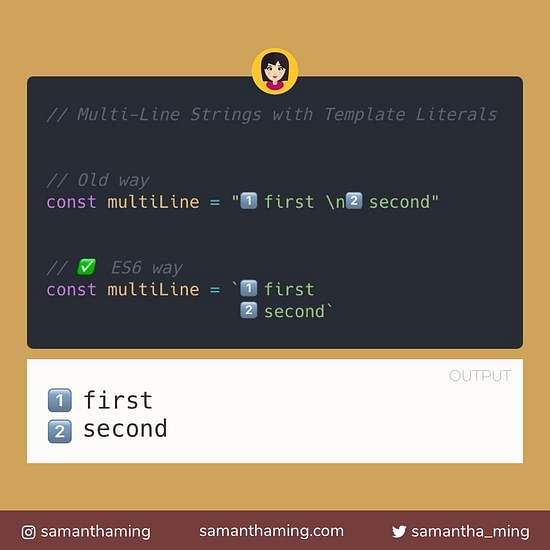
This small change makes your code significantly more readable.
// The old, clunky way
const oldWay = 'This is line one.\n' +
               'This is line two.';

// The modern, clean way with template literals
const newWay = `This is line one.
This is line two.`;

console.log(oldWay);
// Output:
// This is line one.
// This is line two.

console.log(newWay);
// Output:
// This is line one.
// This is line two.
Another bonus is that you no longer need to escape single or double quotes inside a template literal, further cleaning up your code.
3. The Solution, Part 2: String Interpolation
The second, and arguably more powerful, feature of template literals is string interpolation. This allows you to embed JavaScript expressions directly inside your string.
The syntax for this is ${expression}. The JavaScript engine evaluates whatever is inside the curly braces and converts the result to a string.
Let's see how this works.
We'll return to the video from Mosh to see how these placeholders work. He demonstrates replacing cumbersome concatenation with clean, embedded variables.
Watch from 03:13 to 04:53. Note that the placeholder can contain not just a variable, but any valid JavaScript expression, like a mathematical calculation or a function call.
This feature eliminates the need for the + operator to combine variables and strings. Compare the two approaches:
const user = {
  name: 'Alex',
  plan: 'Premium'
};

const price = 9.99;

// Old way: concatenation
const welcomeMessageOld = 'Hello, ' + user.name + '! ' +
                        'Your ' + user.plan + ' plan costs $' + price + ' per month.';

// New way: template literal with interpolation
const welcomeMessageNew = `Hello, ${user.name}! Your ${user.plan} plan costs $${price} per month.`;

console.log(welcomeMessageNew);
// Output: Hello, Alex! Your Premium plan costs $9.99 per month.
The template literal version is not only shorter but also much easier to read and understand.
4. Advanced Interpolation and Practical Use
The expression inside ${...} can be anything that produces a value. This includes object properties, arithmetic operations, and even function calls or more complex expressions involving array methods like .map().
This capability is extremely useful for generating dynamic HTML, a task you'll perform constantly when building web applications.
JavaScript Template Literals: Complete Developer Guide
The article 'JavaScript Template Literals: Complete Developer Guide' provides excellent, practical examples of complex interpolation.
First, read the section 'String Interpolation and Expressions' to see an example that includes accessing object properties and calling a method (.toFixed()) within the same string. Then, look at the 'HTML Template Generation' section to see how template literals combined with .map() can generate a list of HTML elements from an array of data. This is a very common pattern.
The HTML generation example is particularly relevant. It shows how you can take an array of data (like products from your e-commerce store) and transform it into a list of HTML elements with just a few lines of clean, readable code. This is a foundational concept that you will see again when we get to React.
Conclusion
You've now learned how to use template literals, a feature that significantly improves one of the most common tasks in JavaScript: working with strings.
Key Takeaways:
- Syntax: Template literals are created using backticks (
`...`). - Multi-line Support: They respect whitespace and newlines, allowing you to write multi-line strings naturally without
\n. - String Interpolation: You can embed any valid JavaScript expression directly into the string using the
${...}syntax. - Readability: The combination of these features leads to code that is cleaner, less error-prone, and easier to maintain than code using traditional string concatenation.
In our next lesson, we will dive into one of JavaScript's most notoriously confusing topics: the this keyword. We will contrast the behavior of this in traditional vs. arrow functions, demystifying its behavior and showing you how modern ES6 arrow functions provide a more predictable alternative.