Hello! In our last lesson, we explored how template literals make string manipulation in JavaScript cleaner and more powerful. We're continuing our journey through modern ES6 syntax by looking at another feature that brings similar benefits to object creation.
Today, we'll focus on the learning outcome: Use enhanced object literals including shorthand properties and computed property names. Just as template literals reduced the noise in string creation, these enhancements allow you to define objects in a more concise, readable, and dynamic way. As a Laravel developer, you're accustomed to working with associative arrays, and you'll find these features make JavaScript objects feel just as flexible and powerful.
The ES6 Refresh for Objects
Before ES6, object literal syntax could be repetitive. If you had a variable you wanted to assign to a property of the same name, you had to write the name twice. Defining methods also required the function keyword, adding extra boilerplate. ES6 introduced three key enhancements to clean this up.
Let's watch a short video that introduces all three features we'll cover today.
Enhanced Object Literals in ES6: Shorthand for your JavaScript Objects
The video 'Enhanced Object Literals in ES6' from Code With Bubb provides a quick and clear overview of property shorthand, method shorthand, and computed properties.
Watch the first 35 seconds (00:00 - 00:35) where the presenter introduces the concept and outlines the three enhancements we'll be discussing.
Now, let's break down each of these enhancements one by one.
1. Property Shorthand
This is the most common and straightforward enhancement. It addresses the repetitive pattern of assigning a variable to an object property where the property key is the same as the variable name.
The Old Way (ES5):
const name = 'Alex';
const isAdmin = true;

const user = {
  name: name,
  isAdmin: isAdmin
};

console.log(user); // { name: 'Alex', isAdmin: true }
Notice the repetition of name: name and isAdmin: isAdmin.
The New Way (ES6):
With property shorthand, if the variable name and the key name are identical, you can just write the name once.
const name = 'Alex';
const isAdmin = true;

const user = {
  name,
  isAdmin
};

console.log(user); // { name: 'Alex', isAdmin: true }
The result is identical, but the code is much cleaner.

Now, let's see this in action in the video.
Enhanced Object Literals in ES6: Shorthand for your JavaScript Objects
Let's continue with the Code With Bubb video to see a demonstration of property shorthand.
Watch from 00:35 to 01:19. The presenter refactors an object to use this concise syntax.
2. Method Shorthand
The same principle of reducing verbosity applies to defining functions (methods) inside an object.
The Old Way (ES5):
const user = {
  name: 'Alex',
  authenticate: function(password) {
    // authentication logic...
    return password === 'pa$$w0rd';
  }
};
The New Way (ES6):
You can omit the colon (:) and the function keyword entirely.
const user = {
  name: 'Alex',
  authenticate(password) {
    // authentication logic...
    return password === 'pa$$w0rd';
  }
};
This syntax makes the method look more like a standard function declaration and is more intuitive to read.
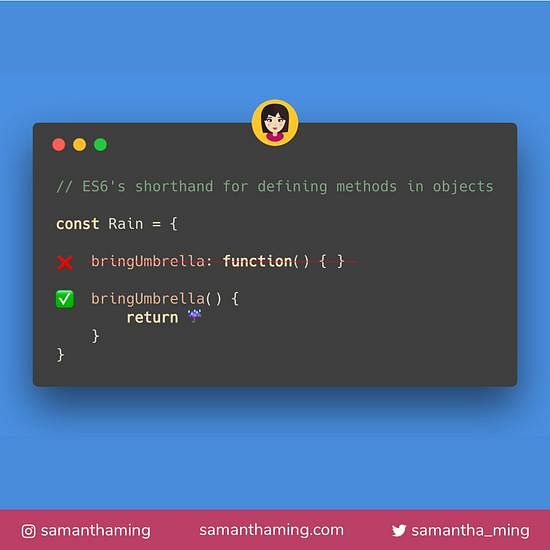
Let's see the video explanation for this feature.
Enhanced Object Literals in ES6: Shorthand for your JavaScript Objects
The Code With Bubb video also covers this method shorthand syntax.
Watch from 01:19 to 02:12. Notice how the authenticate method is simplified.
3. Computed Property Names
This enhancement adds a new level of dynamism to object creation. It allows you to use an expression, like a variable's value, as the property key inside the object literal itself.
Before ES6, if you wanted to set a property key from a variable, you had to create the object first and then add the property using square bracket notation.
The Old Way:
let propertyName = 'role';
let user = {
  name: 'Alex'
};
user[propertyName] = 'developer';

console.log(user); // { name: 'Alex', role: 'developer' }
The New Way (ES6):
With computed properties, you can use the square bracket notation directly inside the object literal.
let propertyName = 'role';
const user = {
  name: 'Alex',
  [propertyName]: 'developer'
};

console.log(user); // { name: 'Alex', role: 'developer' }
This is extremely useful when you need to create objects with keys that aren't known until runtime, such as when processing data from an API or handling user input.
Let's watch the final segment of the video.
Enhanced Object Literals in ES6: Shorthand for your JavaScript Objects
The last part of the video explains how to use computed properties to create objects with dynamic keys.
Watch from 02:12 to 03:06 to see how a variable's value is used to define a new property on the user object.
Putting It All Together
Here is an example that combines all three enhancements:
// Variables to be used in the object
const name = 'Admin User';
const roleKey = 'userRole';

function createUser(name, role) {
  return {
    // 1. Property shorthand
    name,

    // 2. Computed property name
    [roleKey]: role,

    // 3. Method shorthand
    logAccess() {
      console.log(`${this.name} with role '${this[roleKey]}' logged in at ${new Date()}`);
    }
  };
}

const admin = createUser(name, 'administrator');
admin.logAccess();
// Expected output: Admin User with role 'administrator' logged in at [current date]
To solidify these concepts, the following article provides a concise written summary with clear examples.
JavaScript fundamentals before learning React
The article 'JavaScript fundamentals before learning React' by Robin Wieruch has an excellent, brief section summarizing these object literal enhancements.
Read the section titled 'Shorthand Object Assignment'. It covers all three topics we discussed: shorthand properties, shorthand methods, and computed property names. This will serve as a great review.
Conclusion
You've now added another set of powerful ES6 tools to your toolkit. These enhancements help you write JavaScript that is not only shorter but also more expressive and maintainable.
Key Takeaways:
- Property Shorthand: Use
{ myVar }instead of{ myVar: myVar }to make object creation more concise. - Method Shorthand: Define methods with
{ myMethod() {...} }instead of{ myMethod: function() {...} }for better readability. - Computed Properties: Use
{ [myKey]: 'value' }to dynamically set property keys from variables or expressions during object creation.
In our next lesson, we will explore a concept that is the perfect counterpart to what we learned today: destructuring. While enhanced literals help us build objects concisely, destructuring will give us an equally elegant way to extract values from them.