Good to continue. In the previous lesson, you built a lazy JSONL pipeline: a generator opened a manifest, yielded one validated sample at a time, and batching materialized only a deliberately bounded list. That implementation already used a crucial construct:
with path.open(mode="r", encoding="utf-8") as manifest:
    ...
This lesson explains why that with block is more than stylistic convention. You will learn to define a resource’s lifetime explicitly, ensure cleanup happens when normal work is interrupted, and recognize the same pattern in files, directory iterators, locks, GPU device state, and asynchronous connections. These habits matter directly for long-running training jobs and, later, model-serving processes: a resource should be acquired once, used in a well-defined scope, and released reliably.
Resource lifetime: acquire, use, release
An external resource is something your program uses but does not simply create as an ordinary Python value: an open file descriptor, a network connection, a database session, a directory-scanning handle, a thread lock, or a device-specific handle.
These resources usually follow the same lifecycle:
- Acquire / set up the resource.
- Use it.
- Release / tear down the resource, even if step 2 raises an exception.
Manual cleanup is fragile:
file = open("metrics.jsonl", mode="w", encoding="utf-8")
file.write('{"loss": 1.42}\n')
file.close()
If write() raises an exception, Python skips the later close() call. The file remains open for an unspecified period, buffered output may not be fully flushed, and repeated failures in a long-running process can exhaust file descriptors.
A try / finally block makes the guarantee explicit:
file = open("metrics.jsonl", mode="w", encoding="utf-8")

try:
    file.write('{"loss": 1.42}\n')
finally:
    file.close()
The finally suite runs whether the body succeeds, returns, breaks out of a loop, or raises an exception. The with statement packages this same acquire/use/release structure into an interface that can be reused consistently.
Get Started Using Python Context Managers and the `with` Statement
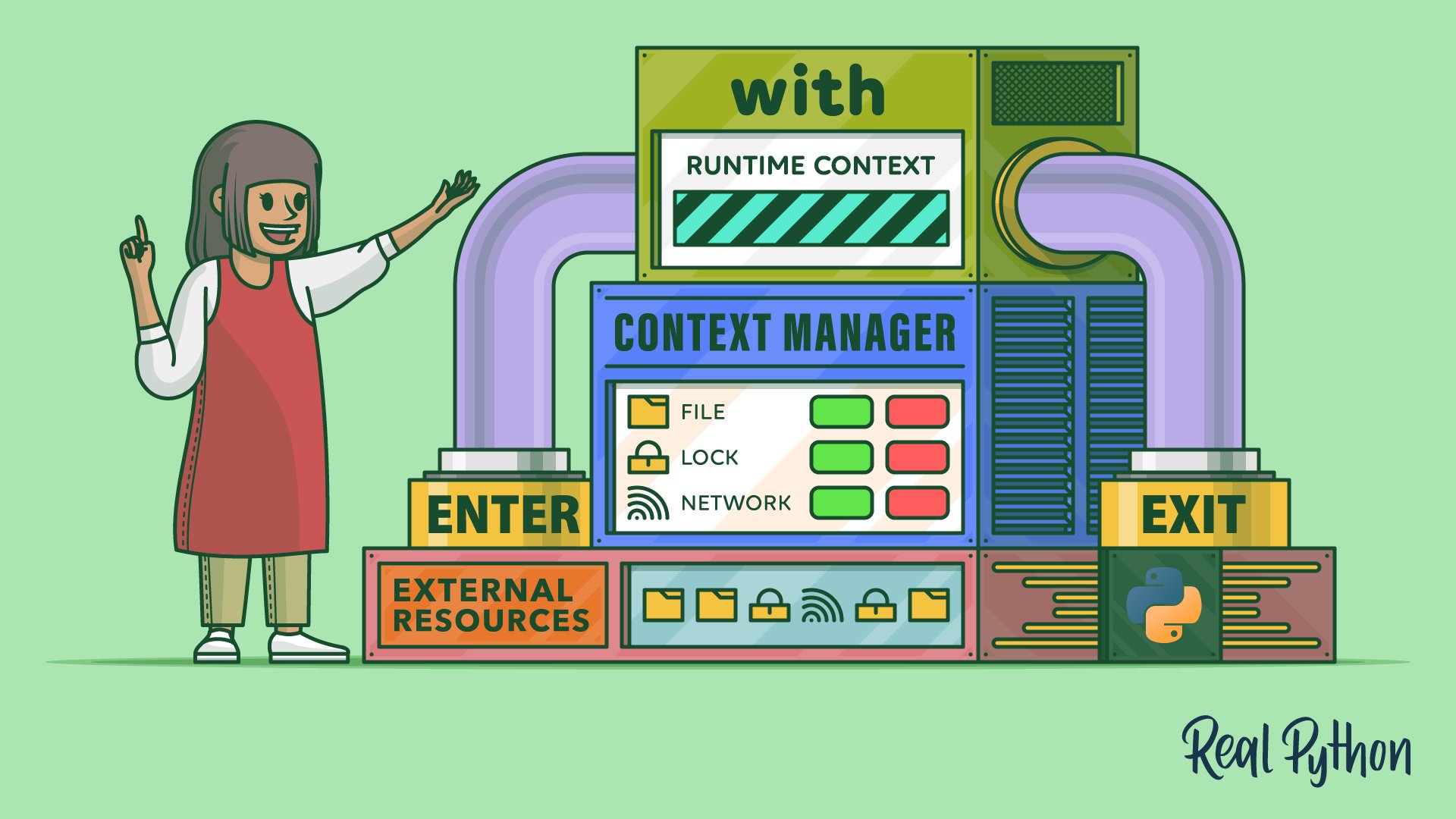
Watch “Get Started Using Python Context Managers and the with Statement” from Real Python for a compact visual introduction to the resource-lifetime problem and the protocol behind with.
Watch the overview to connect context managers to setup and teardown. Then watch the core mechanics, paying particular attention to why try / finally is reliable, what as receives, and how multiple context managers can be combined.
The idiomatic file version is:
from pathlib import Path

metrics_path = Path("metrics.jsonl")

with metrics_path.open(mode="w", encoding="utf-8") as file:
    file.write('{"loss": 1.42}\n')
When execution leaves the indented block, the file is closed. If write() fails, it is still closed before the exception continues outward.
Python's with Statement: Manage External Resources Safely
Read the opening and “The with Statement” sections of this Real Python article to see the practical motivation for context managers and the formal roles of setup, teardown, and the as target.
Begin in “Managing External Resources in Python.” Read the comparison between try / finally and with. Then read all of “The with Statement,” including the file example and the discussion of multiple context managers. Focus on the claim that cleanup occurs when the block exits, including during an exception; do not confuse cleanup with exception handling.
What with actually does
A context manager is an object that implements two special methods:
| Method | Role |
|---|---|
__enter__() |
Runs on entry; usually acquires or configures something. Its return value becomes the target after as. |
__exit__(exc_type, exc_value, traceback) |
Runs on exit; usually releases or restores something. It receives exception information if the block failed. |
Conceptually, Python turns this:
with expression as target:
    body()
into logic resembling:
manager = expression
target = manager.__enter__()

try:
    body()
except BaseException as error:
    suppress = manager.__exit__(
        type(error),
        error,
        error.__traceback__,
    )

    if not suppress:
        raise
else:
    manager.__exit__(None, None, None)
This is a conceptual model, not code to copy. Python handles some edge cases more carefully, but the model captures the important behavior:
- The expression after
withproduces the context manager. __enter__()runs before the block.as filereceives the return value of__enter__(), not necessarily the manager object itself.__exit__()runs when the block is left normally or exceptionally.return,break, andcontinuealso leave the block, so they trigger cleanup.
For a file object, the returned value is the usable file handle:
with Path("prompts.txt").open(encoding="utf-8") as file:
    first_line = file.readline()
For a lock, there is usually no useful value to bind:
from threading import Lock

model_lock = Lock()

with model_lock:
    # This is the critical section.
    update_shared_state()
Here, entering acquires the lock and exiting releases it.
Cleanup is not the same as swallowing an error
A common misunderstanding is that with “handles” exceptions. More precisely, it guarantees the exit method is called. Unless the context manager deliberately suppresses the error, the error still propagates.
from pathlib import Path

output_path = Path("results/output.jsonl")

try:
    with output_path.open(mode="x", encoding="utf-8") as file:
        file.write('{"status": "started"}\n')
except OSError as error:
    print(f"Could not write {output_path}: {error}")
The with statement closes the file if it was successfully opened. The surrounding try / except decides how your application responds to errors such as a missing parent directory, permission failure, or an output file that already exists under exclusive creation mode "x".
A context manager can suppress an exception by having __exit__() return a truthy value. That is occasionally appropriate when the manager has a narrow, documented policy for a specific error. It is usually a bad default for infrastructure code: silently hiding failures in dataset parsing, checkpoint writing, or inference is much worse than letting them fail visibly.
Apply resource scopes to the streaming dataset pipeline
The prior stream_jsonl() generator used with internally:
def stream_jsonl(path: Path) -> Iterator[Sample]:
    with path.open(mode="r", encoding="utf-8") as manifest:
        for line_number, raw_line in enumerate(manifest, start=1):
            ...
            yield sample
This is correct when the generator is fully consumed. At exhaustion, control leaves the with block and the manifest closes.
There is, however, an important interaction between generators and resource lifetimes. A generator pauses at yield, retaining its local variables—including manifest. If you retain the generator and stop early, it may remain suspended with the file open:
samples = stream_jsonl(Path("data/train.jsonl"))

for sample in samples:
    if sample.id == "debug-sample":
        break

# `samples` may still be a suspended generator holding the open manifest.
Do not rely on garbage collection to close resources promptly. In CPython, reference counting often makes this appear to work, but deterministic cleanup should come from an explicit scope.
Put the file scope around the whole consuming operation
For training code, a clean design is to separate parsing lines from owning the open file. The parsing function receives an already-open iterable of lines and does not own the file:
from collections.abc import Iterable, Iterator
import json

def parse_jsonl(lines: Iterable[str]) -> Iterator[Sample]:
    """Yield validated samples from an iterable of JSONL lines."""

    for line_number, raw_line in enumerate(lines, start=1):
        line = raw_line.strip()

        if not line:
            continue

        try:
            record = json.loads(line)
        except json.JSONDecodeError as exc:
            raise ValueError(
                f"line {line_number}: invalid JSON"
            ) from exc

        if not isinstance(record, dict):
            raise ValueError(
                f"line {line_number}: expected a JSON object"
            )

        yield Sample(
            id=_required_text(record, "id", line_number),
            image_path=_required_text(record, "image_path", line_number),
            prompt=_required_text(record, "prompt", line_number),
            answer=_required_text(record, "answer", line_number),
        )
Now the epoch loop makes the resource boundary unambiguous:
from pathlib import Path

def train_one_epoch(
    manifest_path: Path,
    batch_size: int,
) -> None:
    with manifest_path.open(mode="r", encoding="utf-8") as manifest:
        samples = parse_jsonl(manifest)

        for batch in batched(samples, batch_size=batch_size):
            train_on(batch)
This design has a useful invariant:
manifestis open precisely whiletrain_one_epoch()is consuming its contents.
If train_on(batch) raises, or if a debugging condition breaks from the loop, execution still exits the with block and closes the manifest. parse_jsonl() may remain a one-pass generator, but it no longer owns the file resource.
Multiple resources: enter left to right, exit right to left
Data workflows often need two files at once: a source manifest and a derived output manifest. A multi-item with statement is equivalent to nested with statements:
source_path = Path("data/raw.jsonl")
destination_path = Path("data/clean.jsonl")

with (
    source_path.open(mode="r", encoding="utf-8") as source,
    destination_path.open(mode="w", encoding="utf-8") as destination,
):
    for line in source:
        destination.write(line)
Python enters source first, then destination. On exit, it closes destination first and then source.
The reverse exit order is intentional. Think of each subsequently acquired resource as depending on the ones already acquired. If opening destination fails, Python still exits the already-entered source context and closes source.
For a streaming VLM preprocessing job, this pattern is preferable to keeping file objects as long-lived module-level state. Open them at the operation boundary, process line by line or batch by batch, and let the scope define their lifetime.
Locks, directory iterators, and device-related contexts
Files are the familiar case, but the with pattern generalizes wherever cleanup must not be forgotten.
Locks: protect the critical section, even on failure
A lock prevents concurrent threads from changing shared state at the same time. Manual locking has the same failure mode as manual file closing:
model_lock.acquire()

try:
    update_shared_state()
finally:
    model_lock.release()
The context-manager form says the same thing with less surface area for mistakes:
with model_lock:
    update_shared_state()
This matters later in serving systems where shared mutable state might include counters, caches, or request-queue structures. It does not automatically make all GPU inference safe or efficient, and it does not coordinate across separate processes. It only guarantees release of this particular in-process lock when the protected block exits.
Directory traversal: close what you scan
os.scandir() returns an iterator that also owns an operating-system resource. Use it as a context manager:
import os
from pathlib import Path

image_directory = Path("data/images")

with os.scandir(image_directory) as entries:
    image_paths = [
        Path(entry.path)
        for entry in entries
        if entry.is_file() and entry.name.endswith(".jpg")
    ]
For a very large directory, keep the processing streaming rather than immediately creating image_paths as a list. The key point here is that the with block closes the scan iterator even if inspection of an entry fails.
GPU device state is not GPU memory ownership
PyTorch offers context managers that temporarily change how computation is performed. One example is a CUDA device context:
import torch

if torch.cuda.is_available():
    with torch.cuda.device(0):
        features = torch.empty(
            (8, 1024),
            device="cuda",
        )
This context temporarily selects device 0 as the current CUDA device, then restores the previous device selection when the block exits. On a machine where the RTX 5090 is your only CUDA device, selecting 0 may be unsurprising; it becomes meaningful when code can run across multiple GPUs.
However, leaving this block does not free features. The tensor remains live because the Python variable still references it. GPU memory is governed by tensor lifetimes and PyTorch’s caching allocator, not by the device-selection context.
Likewise:
with torch.inference_mode():
    predictions = model(inputs)
torch.inference_mode() is a context manager that changes autograd behavior, avoiding gradient-tracking overhead for inference. It is valuable for memory and speed, but it is not a general “release GPU memory on exit” mechanism.
This distinction prevents a frequent systems mistake:
- Use context managers to restore temporary state and release explicit handles.
- Remove references to unneeded tensors and models to make their memory reclaimable.
- Treat
torch.cuda.empty_cache()as a caching-allocator operation, not a way to free still-live tensors.
Build a small context manager when a boundary repeats
Use existing context managers whenever the library already provides one. Write a custom one when your project repeatedly needs the same setup/teardown pair and you want callers to use it safely.
The prior lesson introduced generators. The contextlib.contextmanager decorator turns a generator with exactly one yield into a context manager:
- code before
yieldis setup; - the
yieldvalue becomes the value afteras; - code after
yield, placed infinally, is teardown.
For example, temporarily changing the working directory is a setup/restore problem:
from collections.abc import Iterator
from contextlib import contextmanager
import os
from pathlib import Path


@contextmanager
def working_directory(path: Path) -> Iterator[None]:
    """Temporarily change the process working directory."""

    original_path = Path.cwd()
    os.chdir(path)

    try:
        yield
    finally:
        os.chdir(original_path)
Use it like this:
with working_directory(Path("data")):
    print(Path.cwd())
    # Run code that expects relative paths under data/.

print(Path.cwd())  # Restored, even if the block raised.
The yield has no value because callers do not need one:
with working_directory(Path("data")):
    ...
rather than:
with working_directory(Path("data")) as something:
    ...
The finally is essential. Without it, an error inside the block could leave the process in the wrong directory.
One production caveat: the current working directory is process-global state. This manager is reasonable in a short-lived CLI tool or a controlled script, but it is a poor fit for a concurrent FastAPI service, where another request could observe the changed directory. In services, prefer explicit absolute Path objects over changing global process state.
For more stateful cases, a class can implement the protocol directly:
class ResourceScope:
    def __enter__(self) -> str:
        # Acquire or configure the resource here.
        return "usable resource"

    def __exit__(self, exc_type, exc_value, traceback) -> bool:
        # Release or restore the resource here.
        return False
Returning False means “do not suppress an exception.” In real code, __exit__() would close a connection, release a lock, restore a setting, or return a borrowed resource to a pool.
A brief look ahead: async with
Later, API-serving code will need network I/O and asynchronous clients. The analogous construct is async with:
async with session.get(url) as response:
    payload = await response.json()
An asynchronous context manager implements __aenter__() and __aexit__(), whose setup and teardown can themselves await I/O. For example, closing an HTTP connection pool may require asynchronous work.
Do not use async with merely because you are inside an async def function. Use ordinary with for ordinary context managers such as a synchronous lock, a file, or torch.inference_mode(). Use async with only when the resource implements the asynchronous context-manager protocol.
Key takeaways
A context manager gives a resource a precise lifetime:
withexpresses acquire, use, release in one scoped construct.- Its cleanup path runs on normal completion,
return,break, and exceptions. - Cleanup does not automatically suppress errors; catch expected exceptions outside the
withblock. as targetreceives the value returned by__enter__().- Multiple resources enter left to right and exit right to left.
- For generator-based streams, make resource scope visible around consumption, especially when early termination is possible.
- Files, locks, directory iterators, temporary device state, and asynchronous connections all benefit from explicit ownership boundaries.
- GPU device contexts restore device-selection state; they do not themselves free tensors or models.
Next, you will move from controlling resource lifetime to controlling numerical work: replacing a Python loop with a broadcasted NumPy computation.