Hello! Welcome back to our deep dive into the HTTP protocol.
In our last lesson, we focused on the client's side of the conversation, exploring how different HTTP methods (GET, POST, PUT, etc.) signal the intent of a request. We now understand what the client is asking for. But how does the server respond?
That's where HTTP status codes come in. They are the server's way of communicating the outcome of the request. A status code is far more than just "success" or "failure"; it's a rich, concise signal that tells the client precisely what happened and what to do next. As a backend developer, returning the correct status code is fundamental to building predictable, debuggable, and robust APIs.
Today's Goal: By the end of this lesson, you will be able to explain the semantic nuances of critical HTTP status codes, including caching (304), redirection (301 vs 302), and errors (4xx, 5xx).
The Big Picture: Classes of Status Codes
HTTP status codes are three-digit numbers, where the first digit defines the "class" or category of the response. This gives you an immediate high-level understanding of the outcome.
The five classes are:
- 1xx (Informational): The request was received and the process is continuing. These are rare in general web development.
- 2xx (Success): The request was successfully received, understood, and accepted. (e.g.,
200 OK,201 Created). - 3xx (Redirection): Further action needs to be taken by the client to complete the request.
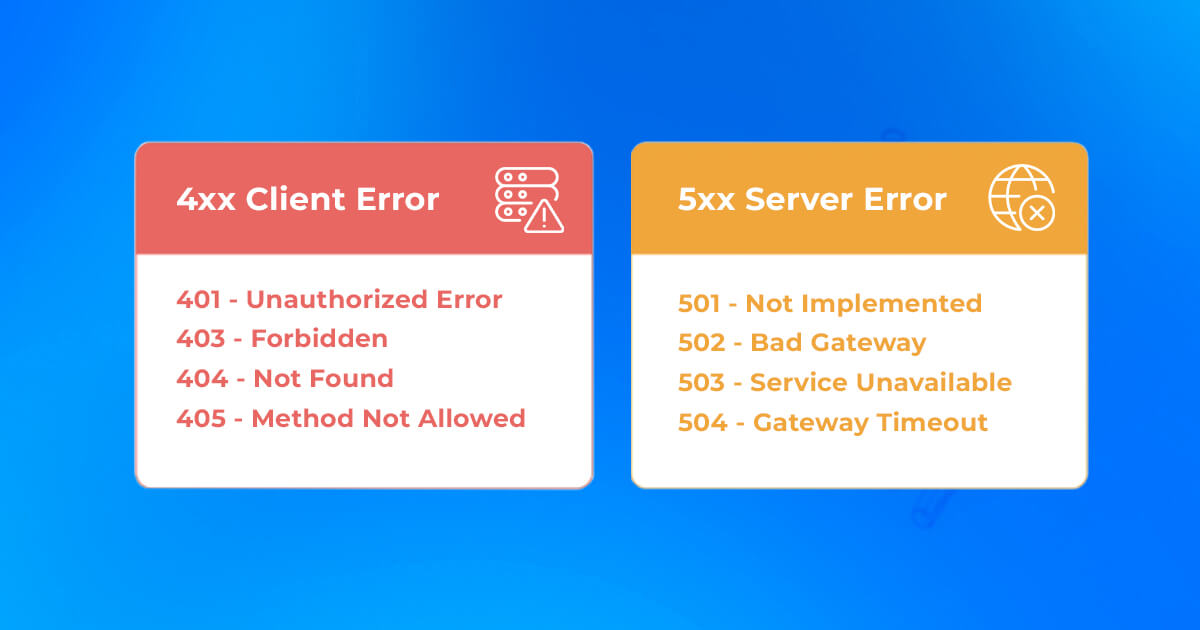
- 4xx (Client Error): The request contains bad syntax or cannot be fulfilled. The client is at fault.
- 5xx (Server Error): The server failed to fulfill a valid request. The server is at fault.
As a developer, the most important distinction you'll deal with daily is between client errors and server errors.
Now, let's explore the most critical and often misunderstood codes within these classes.
3xx Redirection: "Go Look Over There"
Redirection codes tell the client that the resource they're looking for isn't at the requested URL, and they should look for it at a new location, specified in the Location header of the response. The key nuance here is whether the move is permanent or temporary.
To get a quick overview, let's watch a short video segment.
Every HTTP Status Code Explained in 8 Minutes!
The video 'Every HTTP Status Code Explained in 8 Minutes!' gives a clear and concise introduction to the most common redirection codes.
Watch the segment from 01:41 to 02:50. Focus on the difference between a 301 (Permanent Redirect) and a 302 (Temporary Redirect), especially regarding their impact on SEO.
The video highlighted the core difference:
301 Moved Permanently: Tells clients (including search engine crawlers) to update their records. The old URL is obsolete. This is crucial for SEO, as it transfers the "ranking power" of the old URL to the new one.302 Found(or Temporary Redirect): Tells clients that the redirect is temporary. The original URL is still the correct one and should be used for future requests. This is used for things like A/B testing or during site maintenance.
The Deeper Nuance: Preserving the Request Method
There's a subtle but critical detail that affects API behavior, especially with non-GET requests. Historically, many browsers would change a POST request to a GET request when following a 301 or 302 redirect. This can break things if you need to redirect a form submission. To fix this ambiguity, new, stricter status codes were introduced.
Which HTTP Redirect Status Code is Right for Your Use Case?
This article, 'Which HTTP Redirect Status Code is Right for Your Use Case?', dives into the technical specifics of how different redirect codes handle request methods.
Read the sections 'Permanent Redirects: 301 and 308' and 'Temporary Redirects: 302, 303, and 307'. Pay close attention to the distinction between codes that allow changing the request method (301, 302) and those that forbid it (308, 307).
Let's summarize this important distinction:
| Type | Allows Method Change (e.g., POST to GET) | Preserves Original Method (e.g., POST stays POST) |
|---|---|---|
| Permanent | 301 Moved Permanently |
308 Permanent Redirect |
| Temporary | 302 Found / 303 See Other |
307 Temporary Redirect |
As a backend developer building an API, if you need to redirect a POST or PUT request and ensure the client re-submits the data to the new location, you should use 307 or 308. For standard web page redirects, 301 and 302 are still the most common choices.
304 Not Modified: The Caching Powerhouse
The 304 status code is special. While it's in the 3xx range, it's not a redirect. Instead, it's a powerful tool for making applications faster and more efficient by avoiding re-downloading data that the client already has.
How does it work? It relies on a mechanism called conditional requests. The server provides a "fingerprint" of a resource, and the client can later ask, "Has this fingerprint changed?"
304 Not Modified HTTP Status (Explained with Code Example and Pros & Cons)
The video '304 Not Modified HTTP Status' by Hussein Nasser provides an excellent, code-level demonstration of how 304 works with ETag headers.
Watch from the beginning to 05:20. The video clearly explains the concept and then uses fetch in the browser console to demonstrate the entire flow. Pay attention to these headers: ETag (sent by the server in the initial 200 OK response) If-None-Match (sent by the client in the subsequent request)
The flow you just saw is fundamental to web performance:
- First Request: A client sends a
GETrequest for/api/users/123. - Server's First Response: The server retrieves the user data, generates a unique hash of that data (called an
ETag, e.g.,"abcde12345"), and sends it back in the response headers along with a200 OKstatus and the full response body.HTTP/1.1 200 OK Content-Type: application/json ETag: "abcde12345" {"id": 123, "name": "Alex"} - Client Caching: The browser or client application caches the response body (
{"id": 123, "name": "Alex"}) and theETag. - Subsequent Request: Some time later, the client wants to fetch the same resource again. This time, it sends the
ETagit has stored in theIf-None-Matchrequest header.GET /api/users/123 If-None-Match: "abcde12345" - Server's Decision:
- If the data has not changed: The server re-calculates the ETag, sees it matches the one from the
If-None-Matchheader, and responds with a304 Not Modifiedstatus and an empty body. This tells the client, "Your cached version is still good. Use that." This saves significant bandwidth. - If the data has changed: The new ETag won't match. The server sends a normal
200 OKresponse with the new data and the new ETag.
- If the data has not changed: The server re-calculates the ETag, sees it matches the one from the
As the video mentions, there are trade-offs. Generating ETags for dynamic content might require a database query, but for static assets or heavily-read API endpoints, this mechanism is a huge performance win.
4xx & 5xx Errors: Pinpointing the Problem
Error codes are crucial for debugging and building resilient client applications. A well-designed API uses specific error codes to tell the client exactly what went wrong.
The developer's guide to HTTP error codes
The article 'The developer’s guide to HTTP error codes' from WorkOS is a superb guide written specifically for engineers. It clarifies the most common points of confusion around error codes.
Please read these three key sections: Authentication vs Authorization: The eternal 401 vs 403 debate Bad input vs Invalid state: 400 vs 422 Server errors: Who’s actually at fault? Focus on the clear distinctions made in each section. These are the nuances that separate a good API from a confusing one.
Let's distill the key semantic battles from that article.
4xx Client Errors: "You Made a Mistake"
-
401 Unauthorizedvs.403 Forbidden401 Unauthorized: Means the client is unauthenticated. The server doesn't know who they are. Think of it as "Show me your ID." A correct401response must include aWWW-Authenticateheader telling the client how to authenticate.403 Forbidden: Means the client is authenticated, but not authorized to perform the requested action. The server knows who they are, but their permissions are insufficient. Think of it as "Your ID is valid, but you're not on the list."
-
400 Bad Requestvs.422 Unprocessable Entity400 Bad Request: The request is syntactically malformed. The server couldn't even parse it. Examples: invalid JSON, a request parameter that should be an integer is a string.422 Unprocessable Entity: The request syntax is fine, but the data it contains violates business logic (semantic error). Examples: The JSON is valid, but the user is trying to register an email that already exists. Django REST Framework often uses400for this by default, but422is more semantically correct and popular in many modern APIs.
-
Other Key 4xx Codes:
404 Not Found: The most famous. The requested resource does not exist at this URL.429 Too Many Requests: The client has hit a rate limit. The response should ideally include aRetry-Afterheader to tell the client when to try again.
5xx Server Errors: "We Made a Mistake"
While a client sees any 5xx error as a server failure, for you as a backend developer, different 5xx codes are invaluable for debugging, especially in a distributed or microservices architecture.
500 Internal Server Error: The generic catch-all. An unexpected condition was encountered, and no more specific message is suitable. This often means an unhandled exception in your application code.502 Bad Gateway: You see this often when using a reverse proxy (like Nginx). It means your proxy received an invalid response from the upstream application server (like Gunicorn). The application crashed or sent back garbage.503 Service Unavailable: The server is temporarily unable to handle the request due to overload or maintenance. A key difference from a500is that a503implies the problem is temporary.504 Gateway Timeout: Your proxy did not receive a response from the upstream application server within the configured time limit. This usually means your application is busy with a long-running database query or process and couldn't respond in time.
Using specific 5xx codes helps you and your team instantly narrow down where a problem lies: in the application (500), between the proxy and the app (502), or with a slow dependency (504).
Conclusion
Today we've seen that HTTP status codes are a powerful communication language. They are not just numbers; they are contracts that define the behavior of web clients, proxies, caches, and search engines. Using them correctly is a mark of a professional backend developer.
Key Takeaways:
- Redirection (3xx): Use
301for permanent moves and302for temporary ones. For APIs, prefer the stricter308(permanent) and307(temporary) to ensure the request method is preserved. - Caching (304):
304 Not Modified, used with conditional headers likeETag, is a critical mechanism for saving bandwidth and improving application speed. - Client Errors (4xx):
401= Unauthenticated ("Who are you?").403= Unauthorized ("I know you, but you can't do that.").400= Bad syntax (e.g., malformed JSON).422= Bad semantics (e.g., duplicate email).
- Server Errors (5xx): Specific codes like
502,503, and504are invaluable for pinpointing failures in your infrastructure (e.g., proxy vs. application vs. database).
Preview of the Next Lesson:
We've now seen several instances where status codes work hand-in-hand with HTTP headers: Location for redirects, ETag for caching, and WWW-Authenticate for authentication challenges. In the next lesson, we will focus exclusively on these and other key HTTP headers, exploring how they control everything from content negotiation to authentication and caching policies.