Introduction
Welcome to the next lesson in Module 10: Business Operations & Legal Foundations.
In our previous lessons, you've established the legal and tax foundations of your new venture. You know you'll likely operate as a sole proprietorship, be responsible for income and self-employment taxes, and you understand how platforms like Gumroad and Payhip handle the complexities of sales tax. This groundwork is essential, but it highlights a critical need: a robust system to track your money. Without one, you can't accurately file taxes, measure profitability, or make informed business decisions.
Your goal is to build a business, not become a full-time accountant. Therefore, choosing the right tool—one that fits your budget, technical skills, and workflow—is paramount. In this lesson, we will compare three leading expense tracking tools: Copilot Money, Monarch Money, and Actual Budget.
We will evaluate them based on four key criteria that are important for your specific situation:
- Platform & User Experience: How well does it fit into your existing Apple ecosystem and your aesthetic preferences?
- Core Features & Power: How capable is it at automating tasks, creating budgets, and providing financial insights?
- Cost & Business Model: What is the price, and does it align with your preference for low-cost or one-time purchase tools over subscriptions?
- Data Privacy & Control: Who owns your financial data, and how much control do you have over it?
By the end of this lesson, you will have a clear framework to choose the tool that will become your financial 'homebase'.
1. The Premium Contenders: Copilot vs. Monarch
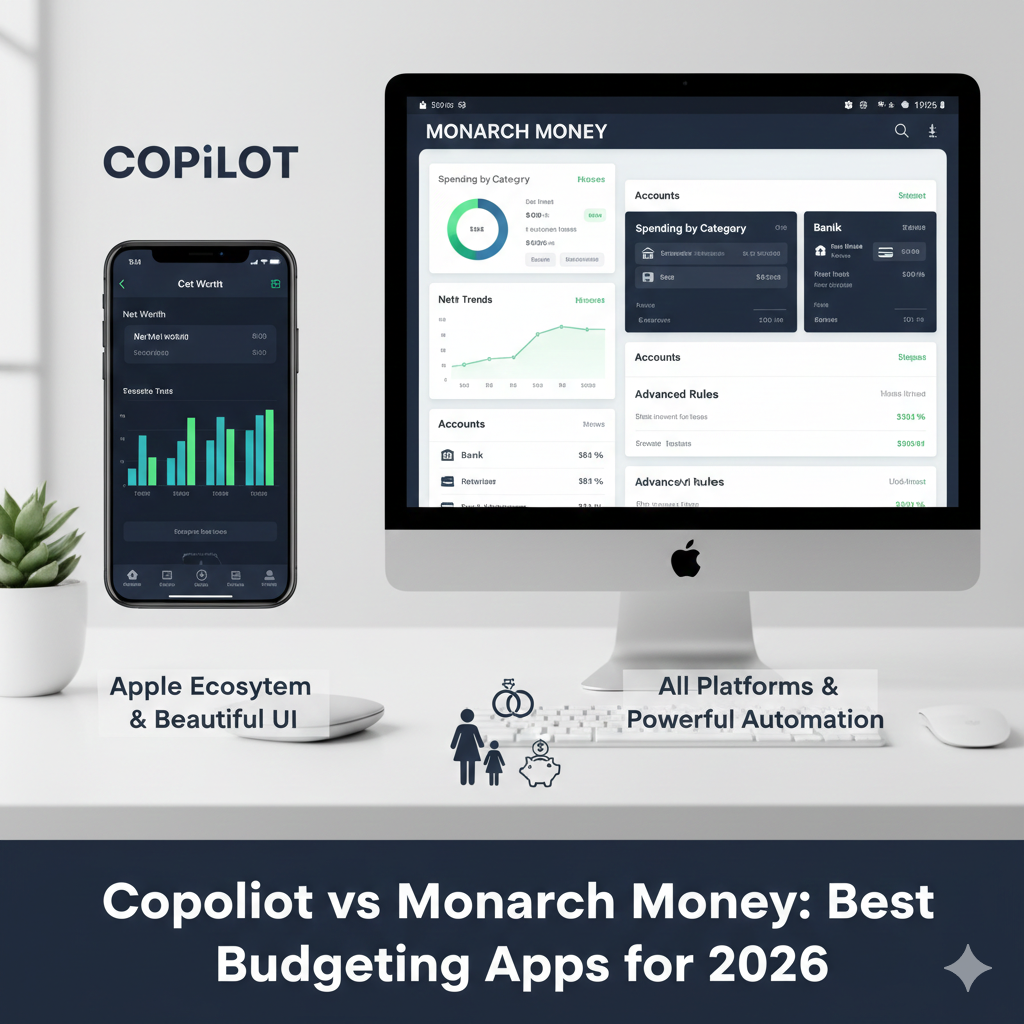
First, let's explore two of the most popular subscription-based apps that have risen to prominence: Copilot Money and Monarch Money. Both offer to connect to your bank accounts and automate the process of tracking your income and expenses.
While they share a common goal, they have distinct philosophies, which are immediately apparent in their design and platform support.
To dive deep into a systematic comparison, let's watch a detailed breakdown of these two apps.
Copilot Money vs Monarch Money // Best Budgeting App?
The video 'Copilot Money vs Monarch Money // Best Budgeting App?' from the Brittany Flammer channel offers an excellent, methodical, feature-by-feature comparison.
Watch the following key segments to understand the crucial differences: Availability (0:29 - 1:34): Note Copilot's Apple-only ecosystem vs. Monarch's web and Android support. Cost (2:39 - 3:14): Compare the annual and monthly pricing. Automation (4:55 - 7:07): Pay close attention to the example of a PayPal transaction. This highlights Monarch's significantly more powerful and granular rule-making capabilities, which may appeal to your preference for systematic frameworks. The Budget (9:09 - 12:29): Observe the different budgeting philosophies. Monarch uses a zero-based budget and has a powerful annual forecast feature. Amazon Integration (15:23 - 16:55): See Copilot's unique feature that can automatically itemize your Amazon purchases.
Another perspective can also be helpful. The video "Greatest Budgeting App Ever: Copilot vs Monarch" by Birch Finance describes the user experience of Copilot as looking like it was "developed by Apple [or] Spotify" while calling Monarch's interface "pure function." This distinction between aesthetic polish and utilitarian power is a core part of the choice between them.
Here's a summary of the trade-offs specifically for you:
-
Copilot Money:
- Pros: Lower cost, beautiful user interface that feels native to your MacBook and iPhone, unique Amazon integration for easy purchase tracking.
- Cons: Less powerful automation rules, simpler budgeting features, locked into the Apple ecosystem.
-
Monarch Money:
- Pros: Extremely powerful automation and customization, zero-based budgeting with forecasting (a very systematic approach), available on all platforms (future-proof), collaborative features for a partner.
- Cons: Higher subscription cost, the user interface is more functional than beautiful.
You can see a quick feature checklist in this comparison from Forbes:

2. The Open-Source Alternative: Actual Budget
If the subscription model of Copilot and Monarch reminds you of the "Adobe Tax" you want to avoid, there is a fundamentally different approach: Actual Budget.
Actual is a free, open-source application. This means the software itself costs nothing, and you have complete control. However, this control comes with the responsibility of setting it up yourself. Given your computer science background, this might be an appealing option.
Let's explore Actual's philosophy and features.
The blog post 'Actual vs YNAB' from the official Actual Budget website is the best place to understand its core principles. While it's comparing against YNAB, the points about cost, data ownership, and hosting are universally relevant.
Read the following sections to understand what makes Actual different: tl;dr: Get a quick overview of Actual's key selling points: envelope budgeting, free software, offline capability, and data ownership. Running the Applications: Understand the difference between a service (like Monarch/Copilot) where the company holds your data, and an open-source app where your data stays with you. Sync Server: Learn about the optional server component that allows syncing between devices. Note the PikaPods hosting option, which simplifies this to a few clicks for about $1/month. Bank Syncing: See how Actual handles bank connections. For North America, it uses a service called SimpleFIN, which costs about $15/year.
The key takeaway for Actual Budget is its balance of cost and control:
- Data Privacy: You own and control 100% of your financial data. It's stored locally on your devices or on a server you control.
- Cost: The software is free. To get the full experience with cross-device and bank syncing, your estimated costs would be:
- PikaPods Hosting: ~$1.20 / month
- SimpleFIN Bank Syncing: $15 / year (~$1.25 / month)
- Total: Roughly $2.50 per month, a fraction of the cost of the premium alternatives.
- Methodology: It uses envelope budgeting, a highly structured and systematic method where you assign every dollar a "job."
- Setup: It requires more initial setup than the other tools. However, for someone with your technical aptitude, this is likely a straightforward process.
3. Decision Matrix: Choosing Your Tool
To bring it all together, let's compare the three tools across the criteria we established. This table should serve as your guide to making a final decision.
| Criteria | Copilot Money | Monarch Money | Actual Budget |
|---|---|---|---|
| Platform | Apple only (Mac, iPhone, iPad) | Web, iOS, Android | Web, Desktop (Mac, Win, Linux), can be self-hosted. |
| User Experience | Highly polished, aesthetic UI. Feels like a native Apple app. | Functional and data-dense. More utilitarian than aesthetic. | Clean and simple. Less polished than Copilot but very functional. |
| Core Features | Good automation, Amazon integration, basic budgeting. | Excellent, granular automation. Zero-based budget, forecasting, goals, collaboration. | Envelope budgeting, powerful custom reports, scheduled transactions, rules. |
| Data Privacy | Company stores your data (encrypted). They make money from subscriptions, not selling data. | Company stores your data (encrypted). They also make money from subscriptions. | You own your data. It is stored locally or on your own server. |
| Cost | ~$95/year | ~$100/year | Software is free. Optional bank sync & hosting is ~$30/year. |
| Best For... | The Apple user who prioritizes a beautiful UI and simplicity, and is okay with a subscription. | The power user who wants the most robust automation and forecasting features and is okay with a subscription. | The tech-savvy, budget-conscious user who values data privacy, control, and a low-cost, systematic approach. |
Conclusion
You now have a comprehensive overview of three excellent but very different financial tracking tools. There is no single "best" choice; the right tool for you depends entirely on what you value most.
Key Takeaways:
- Copilot Money is the choice for seamless integration into the Apple ecosystem, offering a beautiful user experience at a standard subscription price. It's the simplest path to get started.
- Monarch Money is the choice for maximum power and flexibility. If you want deep customization, granular automation rules, and advanced forecasting, Monarch is the most capable tool, provided you are comfortable with the highest price tag.
- Actual Budget is the choice for ultimate control and cost-effectiveness. It aligns perfectly with a preference for open-source tools, data ownership, and avoiding recurring subscriptions. It requires a bit more setup but offers a powerful, private system for a fraction of the cost.
Consider your priorities carefully. Do you value the out-of-the-box polish of Copilot, the raw power of Monarch, or the ownership and low cost of Actual?
Preview of the Next Lesson
Your decision today will set the stage for our next step. In the upcoming lesson, you will set up and trial your chosen expense tracking tool. We will walk through the initial configuration, connecting your first bank account, and categorizing your first few transactions to begin managing your business and personal finances in one place.