Hello! Welcome to the start of a new module in your Shopify development journey.
In the previous modules, you've done a deep dive into the world of Shopify themes. You've mastered Liquid, built core templates, created dynamic sections for merchants, and even optimized your theme for peak performance. In short, you've learned how to control the entire presentation layer of a Shopify store.
Now, we pivot to a new and equally powerful domain: Shopify App Development. This module will open up the backend, APIs, and the core logic of the platform, allowing you to extend Shopify's functionality in ways that themes alone cannot.
Today's lesson addresses the most fundamental strategic decision a Shopify developer makes: When should I use a theme customization, and when do I need to build a custom app? Answering this question correctly is a cornerstone of professional freelancing, as it dictates the entire technical approach, timeline, and cost of a project. This aligns with your goal of starting with the "why," as understanding this distinction is the first principle of extending the Shopify platform.
By the end of this lesson, you will be able to differentiate between the use cases for a theme customization versus a custom app.
1. The Two Worlds of Shopify Development
At a high level, Shopify development is split into two main disciplines: shaping the customer-facing experience (themes) and extending the platform's core capabilities (apps).
Let's start with a quick video that introduces these categories.
How To Learn Shopify Development in 2025
This short clip from the YouTube channel WeeklyHow provides a clear, high-level overview of the main development categories in the Shopify ecosystem.
Watch from 00:25 to 01:14. Pay attention to the core distinction made between what a theme developer does versus what an app developer does.
As the video explains, the two roles are distinct:
- Theme Development is about building what the user sees and interacts with—the storefront's visual presentation.
- App Development is about extending the core functionality of Shopify—adding new features and capabilities that don't exist out of the box.
Let's formalize this distinction.
2. Defining the Domains: Presentation vs. Functionality
Your experience with full-stack development gives you a great mental model for this: think of theme customization as front-end work (like React) that consumes a pre-defined API, while app development is full-stack work where you build both the back-end (like Node.js/Express) and potentially a new front-end interface that talks to it.
Theme Customization: The Realm of Presentation
As you've learned, a theme's job is to control the appearance, layout, and styling of a store. It's concerned with how Shopify's existing data—products, collections, cart, etc.—is rendered for the customer.
- What it does: Changes the look and feel, rearranges content, adds or removes visual elements on the storefront.
- Key Technologies: Liquid, HTML, CSS, and client-side JavaScript.
- Example: Changing the product grid from three columns to four, designing a new hero banner, or adding a sticky navigation bar.
Custom Apps: The Realm of Functionality
An app's job is to extend or add to Shopify's core features. Apps can interact with store data, automate processes, integrate with external systems, and even add new user interfaces within the Shopify Admin for the merchant.
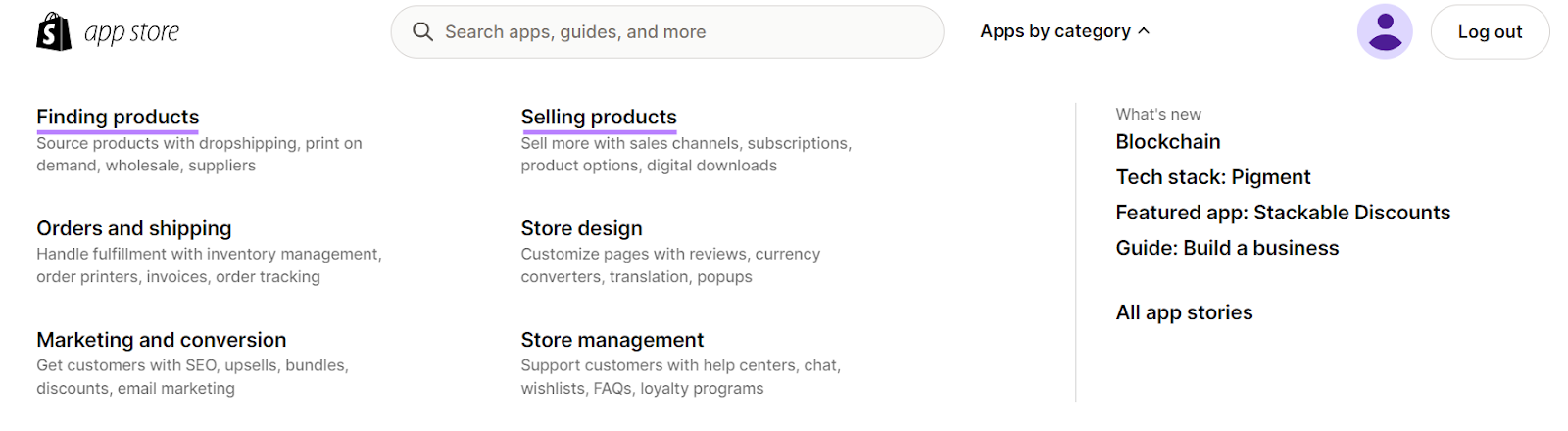
- What it does: Adds new features, creates and stores custom data, connects to third-party services (e.g., a shipping provider's API), automates backend tasks.
- Key Technologies: Shopify APIs (Admin, Storefront), a backend language (like Node.js, Ruby, or PHP), databases, and potentially a front-end framework for its own UI.
- Example: A product review system, a loyalty points program, or an app that syncs inventory with a warehouse management system.
The following article provides a good summary of the technologies and use cases for both.
Shopify Tech Stack: A Developer's Guide (2024)
This article from Weaverse gives a solid technical overview of the tools used for theme and app development. We'll reference this throughout the course.
Quickly read the following sections: 'Liquid' (under Core Technologies) to remind yourself of the theme layer. 'Shopify APIs' to see the foundation of apps. 'Custom App Development' and 'Theme Customization' (under Advanced Shopify Development Strategies) to see the two concepts contrasted.
3. A Framework for Decision-Making
When a client presents a new requirement, you can decide the right path by asking four key questions:
| Question | Leans Towards Theme Customization | Leans Towards Custom App |
|---|---|---|
| 1. What is the nature of the change? | It's about presentation: layout, style, or how existing data is displayed. | It's about functionality: adding a new feature, process, or capability. |
| 2. Where does the data live? | It uses data natively available in Liquid objects (product, collection, cart). |
It requires storing new, custom data or integrating with an external data source. |
| 3. What is the scope of impact? | The change is limited to the storefront that the customer sees. | The change affects the Shopify Admin, automates backend tasks, or involves server-side logic. |
| 4. How will it be used? | It's a specific change for a single theme on one store. | It's a reusable feature that could be installed on many stores (and potentially sold on the App Store). |
4. The Bridge: Theme App Extensions
This clean separation has a fuzzy, but very powerful, middle ground: Theme App Extensions. These are features built as an app that allow a merchant to inject functionality directly into their theme via the theme editor.
Think about a product reviews app. The reviews themselves are custom data stored by the app. However, they need to be displayed on the product page, which is controlled by the theme. In the past, this required the merchant to manually copy and paste code into their theme files—a process that was error-prone and difficult to maintain.
Theme App Extensions solve this. They are the modern, standard way for apps to add front-end elements to a store.
This article from Gadget provides an excellent explanation.
Understanding Shopify theme app extensions
This article clearly explains the historical problem that Theme App Extensions solve and how they function as the modern bridge between apps and themes.
Read the sections 'Themes vs apps' and 'Using theme app extensions'. Focus on understanding why extensions are necessary and the difference between 'App blocks' (for inline content) and 'App embed blocks' (for popups or background scripts).
To see this in action, the following video demonstrates adding an app-provided block into the theme editor.
How to create a Shopify App - An overview
This clip from Coding with Robby shows the end result of a Theme App Extension. You can see how functionality built as part of an app becomes a block that the merchant can simply add to their theme.
Watch from 08:25 to 09:46. You don't need to worry about the code being discussed. Focus on the concept being demonstrated: an app can make its own 'section' or 'block' available inside the theme customizer.
So, a modern answer to "Should I build a product review feature as a theme customization or an app?" is: You build an app to handle the data and logic, and you provide a theme app extension so merchants can easily place the review widget on their product pages.
Test your understanding!
A client asks for the following features. Based on the decision framework, would you recommend a theme customization, a custom app, or an app with a theme extension?
- Change the website's font and color scheme to match a new branding guide.
- Allow customers to upload an image to be printed on a t-shirt. This image needs to be saved with the order for the fulfillment team.
- Add an "Estimated Delivery Date" calculator to the product page that shows a date based on the customer's location and the product's shipping rules.
Show answer
- Theme Customization. This is purely about presentation (styling) and uses the theme's built-in settings.
- Custom App with a Theme Extension. This is a classic app use case. You need to handle file uploads, store that custom data (the image file), and associate it with an order line item. The front-end uploader on the product page would be implemented as a theme app extension for easy placement by the merchant.
- Custom App with a Theme Extension. The logic for calculating the date (based on location and complex rules) requires a backend process, making it an app. The UI element on the product page that customers interact with would be a theme app extension.
Conclusion
You now understand the fundamental divide—and the modern bridge—between theme and app development. This is the first and most critical decision you'll make when starting any new Shopify project.
Key Takeaways:
- Theme Customization is for Presentation: Use it to control layout, styling, and the display of existing Shopify data on the storefront.
- Custom Apps are for Functionality: Use them to add new features, store custom data, integrate with external systems, or automate backend processes.
- The Decision Framework: Use the questions about the nature, data, scope, and reusability of the change to guide your choice.
- Theme App Extensions are the Bridge: They are the standard, safe way for apps to inject functionality and UI components into a theme, giving merchants control without forcing them to edit code.
In our last module, you became an expert in the "presentation" layer. Now, you're ready to start building the "functionality" layer.
In our next lesson, we will take the first step into app development by exploring its foundational tools: the Shopify Admin APIs. We will compare the two main types, REST and GraphQL, and identify when to use each to programmatically interact with a store's data.