Hello! Welcome to the next lesson in our backend engineering journey.
In our last session, you learned how to use Postman to test your API, simulating how a client application would interact with it. This was a crucial step, but it also highlighted a major gap in our current application: our API is completely open and public. Anyone can view, create, modify, and delete tasks. This is not a secure or realistic design for most applications.
Today's lesson addresses the learning outcome: Explain the difference between authentication (who you are) and authorization (what you can do). This is the first and most fundamental theoretical step in securing our API. We will break down these two critical concepts, which are often confused but serve distinct purposes. Understanding this distinction is essential before we start writing any code to implement security features.
1. The Two Pillars of Access Control
At its core, securing an application is about controlling access. This control is built on two pillars:
- Authentication (AuthN): The process of verifying a user's identity. It answers the question, "Who are you?"
- Authorization (AuthZ): The process of determining what an authenticated user is allowed to do. It answers the question, "What are you allowed to do?"
Let's explore each of these in detail.
2. Authentication: Verifying Identity
Authentication is the front door of your application. It's the process where a user proves they are who they claim to be. The most common example is a login form asking for a username and password.
To get a clear, intuitive understanding of this, let's start with a helpful analogy.
Authentication vs Authorization Explained
The video 'Authentication vs Authorization Explained' provides an excellent analogy using a bouncer at a secret club. This first part focuses on authentication.
Please watch from the beginning until 01:23. This section defines authentication as the process of checking a user's credentials, much like a bouncer checking a membership card.
As the video explains, authentication is like showing your ID to a bouncer. The system (the bouncer) checks the credentials you provide (your ID card) against a list of known members. If they match, you are considered "authenticated."
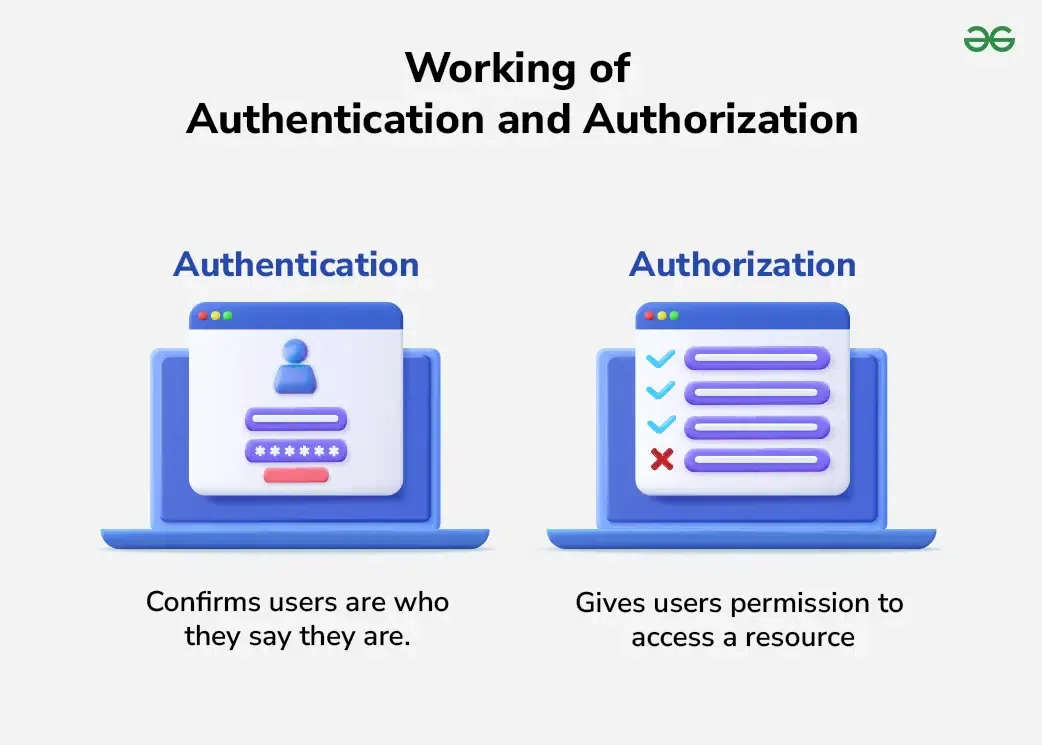
Technically, these credentials can be categorized into three types. This framework is fundamental to modern security.
Authentication vs Authorization: Key Differences & Examples
The article 'Authentication vs Authorization: Key Differences & Examples' from LoginRadius provides a more technical breakdown. This section details the types of credentials used for authentication.
Please read the section titled 'What is Authentication? (AuthN)'. Focus on the three categories of credentials listed. This will give you a deeper understanding of the different ways a system can verify identity.
To summarize, the factors used for authentication are:
- Something you know: A password, a PIN, or the answer to a security question.
- Something you have: A physical key, a smartphone with an authenticator app (One-Time Password - OTP), or a hardware token.
- Something you are: Biometric data like a fingerprint, facial scan, or retina scan.
When a system uses two or more of these factors (e.g., a password and an OTP from your phone), it's called Multi-Factor Authentication (MFA), which significantly increases security.
3. Authorization: Granting Permissions
Once a user is authenticated, the system knows who they are. The very next step is to determine what they are allowed to do. This is authorization.
Let's return to our club analogy.
Authentication vs Authorization Explained
Continuing with the 'Authentication vs Authorization Explained' video, this next part explains authorization.
Now, watch from 01:23 to 03:13. Notice how authorization is like getting a special stamp that grants you access to certain areas of the club (like the VIP lounge) but not others.
Authorization works by checking the permissions, roles, or policies associated with a verified identity. For example:
- A regular user might be authorized to read and create tasks, but not delete them.
- An administrator might be authorized to perform any action on any task.
- A user might only be authorized to view and edit their own tasks, but not tasks created by others.
The screen on the right in the "Authentication Illustrated" image above, with its checklist, perfectly depicts authorization: granting specific permissions.
Authorization can be very granular. The same article we read earlier breaks it down into different levels.
Authentication vs Authorization: Key Differences & Examples
Let's revisit the LoginRadius article to explore authorization in more detail.
Read the section 'What is Authorization? (AuthZ)'. Pay attention to the different levels at which authorization decisions can operate: resource-level, action-level, and context-based.
4. The Critical Sequence: Authentication First, Then Authorization
A crucial and non-negotiable rule in system security is that authentication always precedes authorization.
Think about it: it's impossible to determine what someone is allowed to do if you don't know who they are in the first place. You must verify the identity before you can check their permissions.
User Management and Authentication in Django
This point is so important that it's worth reinforcing. The article 'User Management and Authentication in Django' from The Django Dev blog states this sequence clearly in the context of the framework we will be using.
Read the section 'Understanding Authentication and Authorization'. It provides concise definitions and explicitly states the correct order of operations.
To satisfy your interest in "under the hood" mechanisms, let's explore why this sequence is so critical from a security perspective.
Authentication vs Authorization: Key Differences & Examples
The LoginRadius article provides an excellent deep dive into the technical reasons and security risks associated with getting the sequence wrong.
Read the section titled 'Why Authentication Always Comes Before Authorization'. This will explain the technical dependency and the vulnerabilities that arise if this principle is violated.
5. Comparing Authentication and Authorization
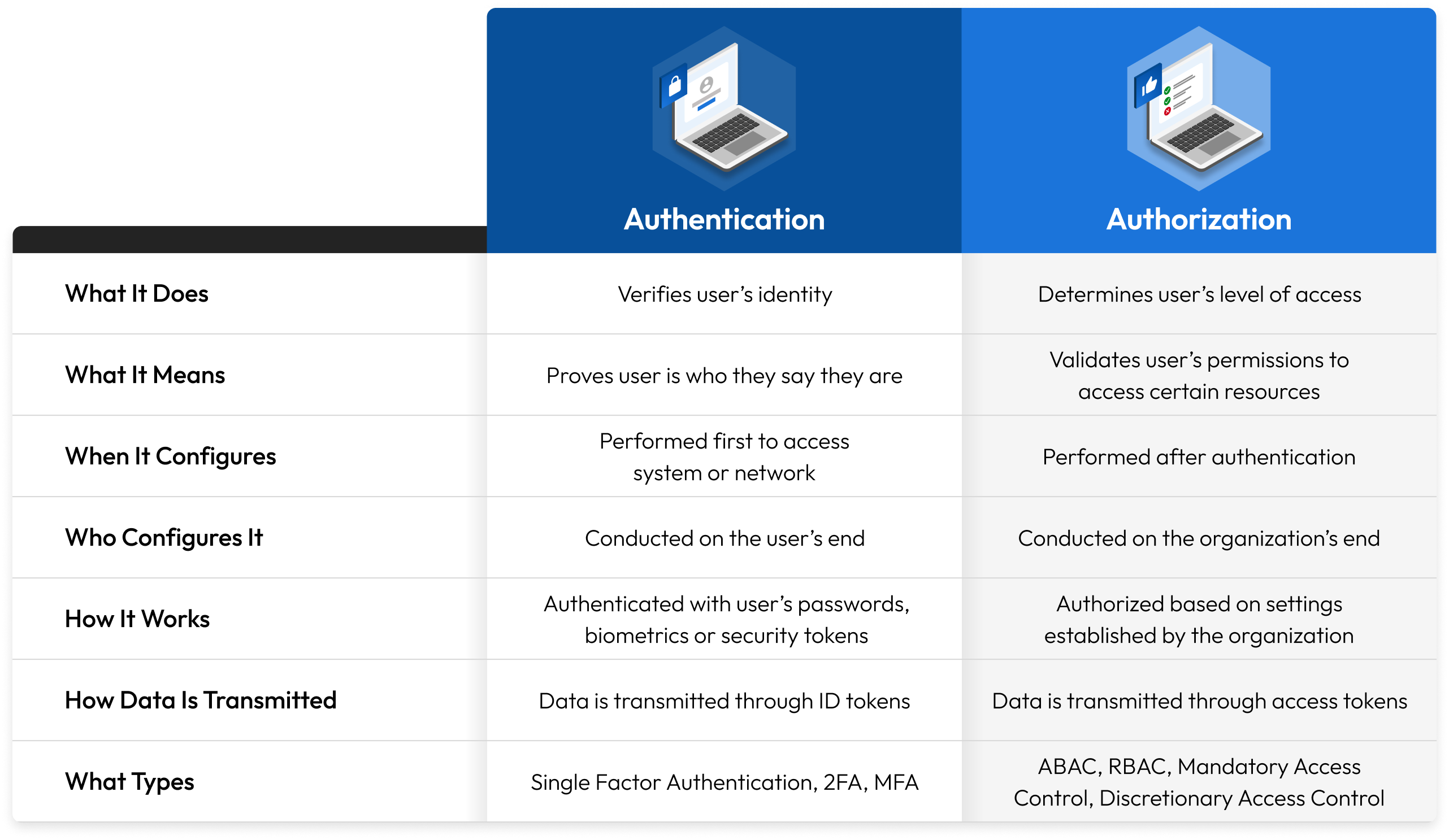
By now, the distinction should be clear. Let's consolidate the key differences with a structured comparison.
The table below, adapted from the LoginRadius article, provides a technical side-by-side view.
| Dimension | Authentication (AuthN) | Authorization (AuthZ) |
|---|---|---|
| Primary Function | Verifies a user's identity. ("Who are you?") | Determines a user's permissions. ("What can you do?") |
| Process | Compares user credentials against a trusted identity store. | Evaluates rules, roles, and policies associated with an identity. |
| Output | A validated identity, often in the form of a session or token. | An "allow" or "deny" decision for a specific action or resource. |
| Failure Mode | Invalid credentials -> Access denied because identity is unknown. | Insufficient permissions -> Access denied despite a valid identity. |
| Position in Flow | Always occurs first. | Always occurs after successful authentication. |
Here is another excellent visual summary that you might find helpful.
Test your understanding!
Imagine you are building a system like Google Drive. Describe what authentication and authorization would look like in the following scenario:
A user, alex@example.com, logs in and tries to open a document that was shared with them in "view only" mode.
Break down the process into AuthN and AuthZ steps.
Show answer
-
Authentication:
- Alex navigates to
drive.google.comand is presented with a login screen. - Alex enters their email
alex@example.comand their password. - Google's system verifies that the password is correct for that email address. At this moment, Alex is authenticated. The system has confirmed their identity.
- Alex navigates to
-
Authorization:
- Alex clicks on the specific document link.
- The system checks the permissions for that document. It sees that the user
alex@example.comhas been granted "Viewer" rights. - The system authorizes Alex to read the document's contents. The user interface loads the document in a read-only mode, disabling the "Edit" buttons.
- If Alex were to try to make an edit (e.g., by sending a crafted API request), the authorization system on the backend would block this action, returning an error like
403 Forbiddenbecause Alex is not authorized to write to the document.
Conclusion
In this lesson, you've learned the fundamental difference between two core security concepts. This theoretical groundwork is indispensable for building secure and robust backend systems.
Key Takeaways:
- Authentication (AuthN) is about identity verification. It answers the question, "Who are you?"
- Authorization (AuthZ) is about permissions and access control. It answers the question, "What are you allowed to do?"
- Authentication always precedes authorization. A system must know who a user is before it can determine their access rights.
- Authentication deals with credentials (passwords, biometrics, tokens), while Authorization deals with policies, roles, and permissions.
Preview of the Next Lesson:
Now that you've mastered the 'what' and 'why', it's time to move on to the 'how'. In the next lesson, we will begin our practical journey into securing our API. You will implement user registration and login using Django's built-in authentication system. This will be our first step in transforming our public API into a secure, multi-user application.