Hello! Welcome to the next lesson in Module 11: Marketing and Selling Your Notion Template.
In our last session, you conducted market research to determine a fair, value-based price for your Project & Task Manager template. You now have a price point grounded in data, not guesswork. But a price is just a number until a customer understands why it's worth paying.
This lesson will teach you how to write a compelling product description and title that highlights value and solves a problem. This is where your skills as a content creator and designer converge. Your goal is to craft a message that resonates with a specific audience, clearly communicates the solution you're offering, and persuades them that your template is the answer to their problem.
1. The Core Mindset: You're Selling a Tool, Not Just a Product
Before we write a single word, we need to adopt a crucial mindset. Successful digital products aren't just collections of features; they are tools that solve specific problems for specific people. A customer doesn't buy a "project management template"; they buy "a way to finally stop feeling overwhelmed by deadlines" or "a system to manage freelance clients without the chaos."
This shift in perspective is the foundation of all effective marketing copy.
The TRUTH about Etsy Digital Products | 6 Things I Wish I Knew Before Starting
The creator Tatyana Savage explains this concept brilliantly in her video on selling digital products. She makes a powerful distinction between creating a 'product' and creating a 'tool'.
Watch from 00:30 to 04:33. Pay close attention to: The example of affirmation cards (a 'product') vs. a planner (a 'tool'). The advice to focus on a specific customer and their problems, not just a broad niche. Think about the specific customer for your Project & Task Manager. Is it a student, a freelancer, a small team lead? This will be your north star.
2. Crafting Your Title: The Gateway to Your Product
The title is your first, and sometimes only, chance to grab a potential customer's attention. A great title accomplishes three things:
- Clarity: It instantly tells the customer what the template does.
- Searchability: It includes keywords that your target customer is likely to search for.
- Intrigue: It has a touch of personality or highlights a key benefit that makes it stand out.
The article 'How to sell Notion templates?' from easy.tools provides concise advice on striking this balance.
Read the short section under the heading 'Give it a great title.' The key insight here is the blend of practical, search-friendly terms with a creative flair.
The Title Formula
A common and effective formula is: [Creative Name] + [Clear, Keyword-Rich Descriptor]
- Bad Title: "My Awesome Planner" (Vague, not searchable)
- Good Title: "The Freelancer's Command Center: Notion Project & Client Manager" (Creative, clear, full of keywords)
- Good Title: "The Content Creator's OS: Notion Template for Ideas, Scheduling & Analytics"
Notice how the good examples speak directly to a specific customer (freelancer, content creator) and use practical keywords (project manager, client manager, scheduling).
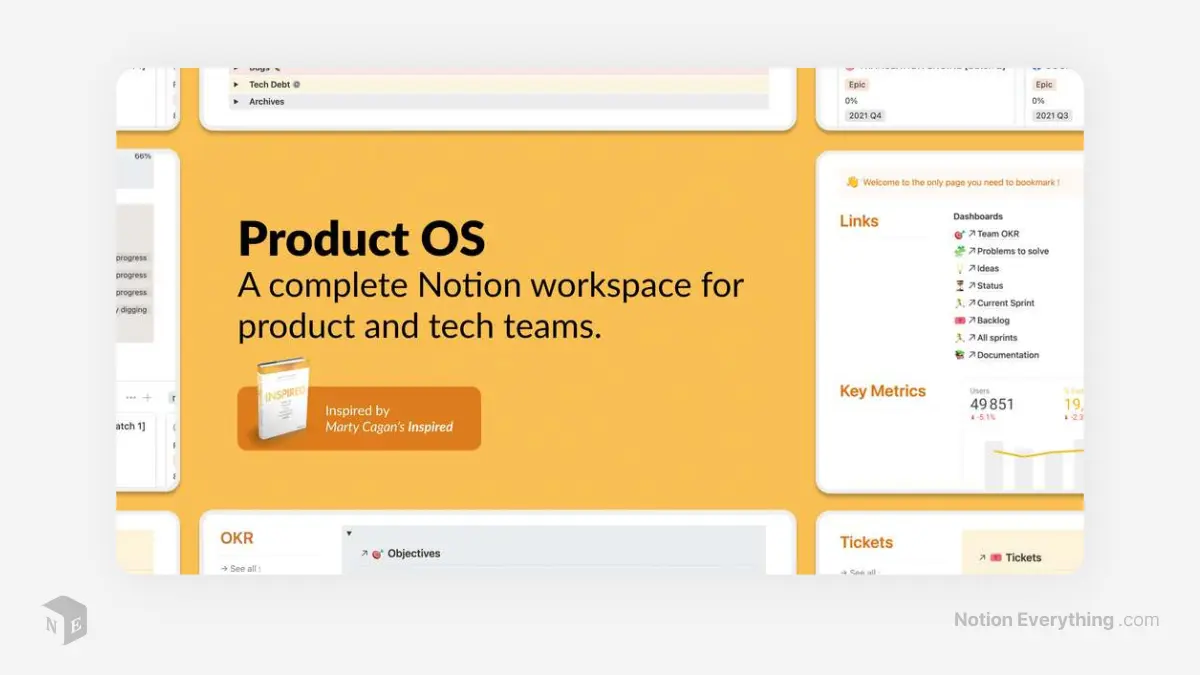
3. Writing a Compelling Product Description
Once the title gets the click, the description has to do the heavy lifting of converting interest into a sale. A great description isn't just a list of features; it's a persuasive argument that connects your template's capabilities to the customer's needs and aspirations.
The Three Essential Questions
Your description must clearly answer:
- What is it? (The tangible thing they get)
- Who is it for? (The specific audience you're serving)
- Why is it valuable? (The transformation or benefit it provides)
How To Create Digital Products People Will Love
The article 'How To Create Digital Products People Will Love' by Circle.so offers a fantastic framework for writing product descriptions and defining your value.
First, read the section titled 'Write a compelling product description.' It clearly outlines the 'What, Who, Why' structure and emphasizes focusing on benefits over features.
Defining Your "Why": The Unique Value Proposition (UVP)
The "Why" is the most critical part of your description. It's your Unique Value Proposition (UVP)—the thing that makes your template the best choice for your specific customer.
How To Create Digital Products People Will Love
Now, let's go back to the same Circle.so article to find a powerful, simple formula for crafting your UVP.
Read the section 'Identify your unique value proposition (UVP)'. Pay close attention to the formula provided and the examples. This is a practical tool you will use directly in the exercise.
The UVP formula is: My [Product] helps [Audience] [Achieve Outcome] without [Common Pain Point].
Let's apply this to your project:
- Example: "My [Project & Task Manager Template] helps [freelance designers] [manage all their clients and deadlines in one place] without [the chaos of messy spreadsheets and forgotten tasks]."
This single sentence is incredibly powerful. It defines the audience, states the core benefit, and addresses a specific pain point they want to avoid. This should be the core message of your product description.
Don't Forget Keywords
Just like in your title, your description needs to include keywords your customers are searching for. This helps your product appear in search results on marketplaces and Google.
The TRUTH about Etsy Digital Products | 6 Things I Wish I Knew Before Starting
Let's briefly revisit Tatyana Savage's video for a direct tip on using keywords effectively in your description.
Watch from 07:02 to 07:47. The key takeaway is to use a few relevant keywords in both your title and description, and to make sure they match. Don't just stuff your description with random terms.
Test your understanding!
You're selling a Notion template for meal planning. Which product description snippet is more effective and why?
A) "This template includes a recipe database, a weekly planner view, an automated grocery list using formulas, and a pantry tracker. It has 5 different properties and 3 linked views."
B) "Stop wondering 'What's for dinner?' every night. This template helps busy families plan their weekly meals, automatically generates a shopping list to save you time at the store, and lets you build a personal library of your favorite recipes."
Show answer
Snippet B is far more effective. It focuses on benefits and solving problems (ending the 'what's for dinner' stress, saving time at the store). Snippet A focuses on features (databases, formulas, properties), which are less persuasive to a customer who just wants a simpler life.
✍️ Exercise: Write Your Product Page Copy
It's time to put this all into practice. You will write the title and description for the Project & Task Manager template you priced in the last lesson.
-
1. Open Your Research Hub: Go back to the "Market Research: Project Manager" page you created in Notion. Your competitor analysis and value proposition notes will be your primary source material.
-
2. Write Three Title Options: On a new page titled "Product Copy," write three different titles for your template. Use the [Creative Name] + [Descriptor] formula. Experiment with different creative names and keywords.
- Example 1: The Solo-preneur's OS: Notion Project & Task Manager
- Example 2: Project Clarity: Minimalist Notion Template for Freelancers
- Example 3: The Agency Hub: Notion Client & Project Management System
-
3. Craft Your UVP Statement: Using the formula from the lesson, write a clear, powerful UVP statement for your template.
- My [Product] helps [Audience] [Achieve Outcome] without [Common Pain Point].
-
4. Write the Full Product Description: Using your UVP as the core message, write a full product description. Structure it to answer the key questions. Use bullet points to make benefits easy to scan.
- Headline: Start with an engaging headline that states the main benefit. (e.g., "Take Control of Your Projects and Never Miss a Deadline Again.")
- The Problem: Briefly describe the pain points your target customer experiences.
- The Solution (Your UVP): Present your template as the solution, using your UVP statement.
- Key Benefits (not just features):
- Instead of "Relational database for tasks and projects," write "✓ See all tasks for a specific project instantly."
- Instead of "Kanban board view," write "✓ Visualize your workflow and easily drag-and-drop tasks from 'To Do' to 'Done'."
- Instead of "Date properties," write "✓ Never miss a deadline with a clear view of all your due dates."
- Who is this for? Be explicit about your ideal customer.
- What you'll get: List the concrete deliverables (e.g., The Project & Task Manager Template, a video tutorial, etc.).
Conclusion
You have now crafted the core message for your product. This copy is the bridge between your well-designed template and your future customers. By focusing on the problem you solve and the value you provide, you are building a foundation for a successful and profitable product.
Key Takeaways:
- Sell a solution, not a product. Frame your template as a tool that solves a specific problem.
- Your title must be clear, searchable, and intriguing. Use the "Creative Name + Descriptor" formula.
- A strong description answers What, Who, and Why. Your Unique Value Proposition (UVP) is the heart of the "Why."
- Focus on benefits over features. Translate what your template does into what your customer gets.
- Use keywords strategically in both your title and description to improve discoverability.
Preview of the Next Lesson:
Words are powerful, but people are visual creatures. A great description paired with weak visuals won't be effective. In the next lesson, we will focus on how to create high-quality preview images, GIFs, or mockups to showcase your template. This is where your design background will truly shine.