Hello! Welcome to a new module focused on a cornerstone of modern PHP development: Dependency Management with Composer.
In the previous modules, you've done a fantastic job of refreshing your PHP fundamentals and mastering advanced object-oriented concepts like inheritance, abstract classes, interfaces, and traits. You now have the skills to write well-structured, reusable PHP code.
However, modern web development is rarely a solo effort. We almost always build on the work of others, using third-party libraries to handle common tasks like sending emails, processing images, or connecting to an API. This raises a crucial question: How do we efficiently and safely manage these external code libraries (or "dependencies") within our own projects?
This lesson answers that question by introducing you to Composer. You will learn to explain the role of Composer in modern PHP projects. We'll explore the problems it solves, what it does, and why it has become the undisputed standard in the PHP ecosystem. Understanding the "why" behind Composer is the first step toward using it effectively to build professional, maintainable applications.
1. The Challenge: Managing Project Dependencies
Before we talk about the solution, let's understand the problem. Imagine you're building an application and you need a library to help you create and send PDF invoices. You find a great open-source library online. The old-fashioned way to use it would be:
- Download a
.zipfile of the library. - Unzip it and place the folder somewhere in your project.
- Manually use
requireorincludestatements to load the library's files whenever you need them.
This might work for one small library, but it quickly becomes a nightmare. What happens when the PDF library gets a critical security update? Or what if that library itself depends on another library to function correctly?
To get a solid grasp of these challenges, please read the following section from an article by Zend.
Guide to PHP Dependency Management Using Composer - Zend
This section from the article 'Guide to PHP Dependency Management Using Composer' clearly outlines the common problems developers face when trying to manage third-party code manually.
Read the first two sections of the article: 'What Is Dependency Management in PHP?' and 'Common PHP Dependency Management Challenges'. Focus on the bulleted list of problems, such as versioning issues, security risks, and nested dependencies.
As the article explains, manual management leads to significant issues:
- Version Conflicts: Your code might need version 1.2 of a library, while another part of your application needs version 2.0.
- Security Risks: You have to manually track security announcements for every library you use and re-download and replace files to patch them.
- Transitive Dependencies: Managing the dependencies of your dependencies becomes incredibly complex.
- Repository Bloat: Storing all this third-party code in your own version control system (like Git) makes your project repository unnecessarily large and slow.
2. Composer: The Dependency Manager for PHP
This is where Composer comes in. Composer is not a library itself, but a command-line tool that automates the entire process of managing your project's dependencies.
Let's watch a short video that provides a clear, high-level overview of what a package is and how Composer solves the problems we just discussed.
Use Composer to Easily Manage PHP Packages
This video by Dave Hollingworth provides a concise explanation of PHP packages, the trouble with managing them manually, and Composer's role as the solution.
Watch the video from the beginning until 03:10. Pay close attention to the distinction between a 'package' and a 'dependency', the concept of 'Packagist' as a repository, and the explanation of why manual updates and nested dependencies are so difficult.
To formalize what the video introduced, let's turn to the official Composer documentation. It makes a very important distinction: Composer is a dependency manager, not a package manager in the sense of apt (on Linux) or Homebrew (on macOS).
The official documentation provides the most precise definition of Composer's purpose.
Read the 'Introduction' and 'Dependency management' sections. Note the key difference: Composer installs libraries on a per-project basis into a vendor directory inside your project, rather than installing them globally on your system. This is a crucial concept.
This per-project approach is what allows you to have multiple projects on your computer, each using different versions of the same library, without any conflicts. It isolates each project's dependencies, which is essential for stable and predictable application behavior.
3. Composer's Core Responsibilities
So, what does Composer actually do for you? It handles three primary tasks.
a) Resolving and Installing Dependencies
You declare the libraries your project needs in a configuration file called composer.json. When you run the install command, Composer:
- Reads your
composer.jsonfile. - Connects to Packagist (the main repository for PHP packages) to find the libraries you listed.
- Calculates the correct versions of all required libraries, including any transitive dependencies (the dependencies of your dependencies). This is called dependency resolution.
- If it can find a compatible set of packages that meet all requirements, it downloads them into a single
vendordirectory in your project. If not, it will tell you about the conflicts.
b) Autoloading
In the previous module, we discussed how namespaces help organize code into files. But you still need a way to load those files. Instead of writing dozens of require statements, Composer generates a single file: vendor/autoload.php.
By including just this one file at the start of your application, Composer will automatically load the correct class file on demand, whether it's one of your own classes or a class from a library you've installed. This is a massive convenience and is fundamental to how all modern PHP frameworks and applications work. We will configure this in a future lesson.
c) Security Scanning
As a developer interested in cybersecurity, you'll appreciate this feature. Composer can audit your project's dependencies against a database of known security vulnerabilities and warn you if you are using an insecure version of a package.
This diagram provides a simple visual summary of Composer's central role.
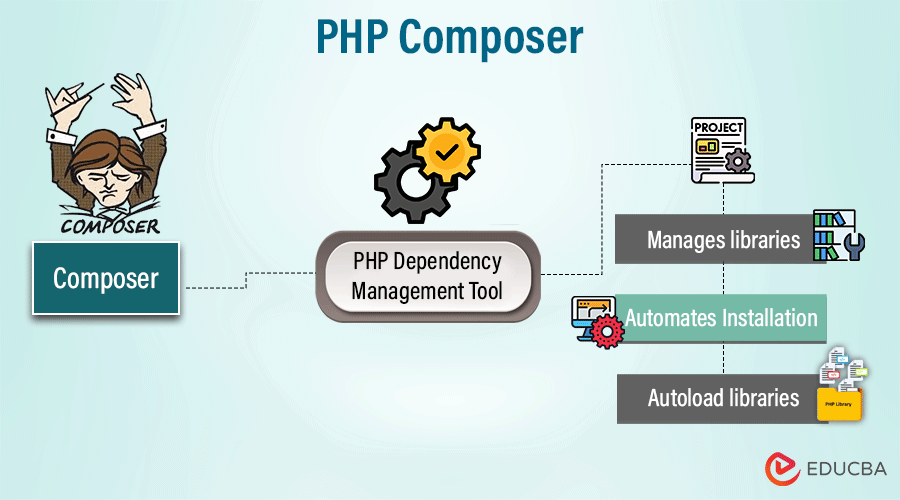
For a more detailed explanation of these roles and some valuable historical context on how Composer evolved past its predecessor (PEAR), the Zend article is an excellent resource.
Guide to PHP Dependency Management Using Composer - Zend
This final reading expands on Composer's core tasks and provides background on why it was created, solidifying your understanding of its importance.
Read the sections 'The Development of a PHP Dependency Manager' and 'What Is Composer?'. This will give you context on the limitations of the older PEAR system and provide a great summary of Composer's key tasks.
Conclusion
In this lesson, we've focused on the "what" and "why" of Composer. You now understand that building modern applications involves managing many external libraries and that doing so manually is inefficient and risky.
Key Takeaways:
- A dependency (or package) is a reusable, third-party library that your project depends on.
- Composer is a dependency manager for PHP. It automates the process of finding, installing, and updating these libraries.
- It operates on a per-project basis, installing packages into a
vendordirectory, which prevents version conflicts between different projects. - Composer's main roles are dependency resolution, providing a universal autoloader, and checking for security vulnerabilities.
- Packagist is the primary public repository where Composer finds packages.
Preview of the Next Lesson:
Now that you know what Composer is and why it's essential, it's time to get hands-on. In our next lesson, you will initialize a project and manage dependencies using composer.json. We will install Composer on your system and use it to create the foundational configuration file for a new PHP project.