Introduction
In our last lesson, we carefully constructed a secure database user by applying the Principle of Least Privilege. You acted as the builder, architecting a configuration from the ground up. Today, you will switch hats and take on the role of an auditor. This is a task that aligns directly with your experience as a security analyst, but this time, your focus will be on the database layer. Our goal is to systematically audit a database's configuration to find and document security weaknesses, specifically focusing on overly permissive access settings.
We'll move beyond simply looking at a single user's grants and develop a methodical checklist to hunt for common misconfigurations. You will learn to write queries that reveal high-privilege accounts, risky network settings, and other vulnerabilities that could be exploited by an attacker. This lesson will equip you with the practical SQL commands needed to perform a basic but effective database security audit.
The Auditor's Checklist
A thorough security audit is not a random search; it's a systematic process. We will base our audit on a checklist of critical questions. For a database, these questions include:
- Who are the superusers?
- Which users can grant permissions to others?
- Are users allowed to connect from untrusted locations?
- Do application accounts have excessive privileges?
- Is auditing and logging properly configured?
Let's work through this checklist and see how to find the answers using SQL.
1. Identifying Superusers and High-Privilege Accounts
The most critical accounts on any database server are the superusers. A compromise of one of these accounts typically means a full compromise of the database server. Identifying them is the first step in any audit.
In MySQL/MariaDB, the SUPER privilege grants god-like access. Similarly, the GRANT OPTION privilege allows a user to grant their own privileges to other users, creating a potential path for privilege escalation.
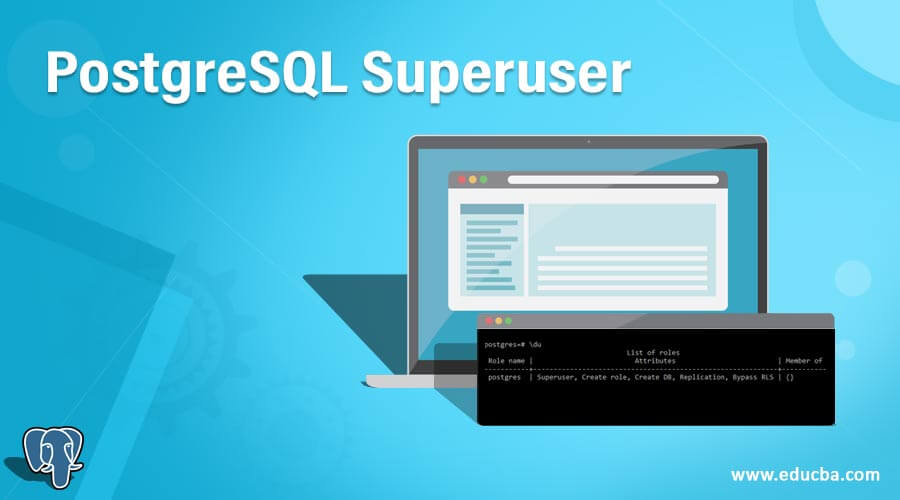
In PostgreSQL, the SUPERUSER attribute serves the same purpose.
You can find these accounts by querying the system's metadata tables.
User and Permission Management in MySQL/MariaDB
The "Monitoring and Auditing" section of this guide provides the exact queries needed to identify high-privilege accounts in a MySQL or MariaDB environment.
Focus on the queries within the subsection "Audit User Activities". Specifically, practice running the queries to check for users with SUPER privilege and users with GRANT privilege. These are fundamental checks in your audit.
User and Permission Management in PostgreSQL
This guide for PostgreSQL offers similar auditing queries for its role-based system.
In the "Monitoring and Auditing" section, find the subsection titled "Audit Role Privileges". The query provided to find roles with superuser privileges is your primary tool for this check.
An audit finding might look like this:
- Finding: The user account
app_monitorhas theSUPERprivilege in MySQL. - Risk: If the monitoring application is compromised, an attacker can gain full control over the database server.
- Recommendation: Reconfigure the
app_monitoruser with a dedicated role that has only the necessary privileges (e.g.,PROCESS,REPLICATION CLIENT, andSELECTonperformance_schema), following the Principle of Least Privilege.
2. Auditing Network Access and Host Permissions
A common misconfiguration is allowing users to connect from any host. In MySQL, this is represented by a wildcard host (%). While sometimes necessary, it significantly widens the attack surface. An application server user, for example, should typically only be allowed to connect from the IP address of the application server itself.
To find users with wildcard host access in MySQL/MariaDB, you can run a simple query against the mysql.user table:
SELECT User, Host
FROM mysql.user
WHERE Host = '%';
In PostgreSQL, this is controlled by the pg_hba.conf (Host-Based Authentication) file. Auditing this file is critical. An entry like the following is a major red flag, as it allows any user to connect from any IP address using password authentication, as long as they can pass that authentication.
# TYPE  DATABASE        USER            ADDRESS                 METHOD
host    all             all             0.0.0.0/0               md5
A more secure configuration would restrict access to specific IP ranges or require stronger authentication methods like scram-sha-256 or SSL connections (hostssl).
3. Reviewing Application and User Privileges
In the previous lesson, you built a user with minimal privileges. Now, you'll look for the opposite: users with excessive rights. This involves looking for ALL PRIVILEGES grants, or privileges that an application doesn't need, such as DROP, ALTER, FILE, or DELETE.
The SHOW GRANTS command is your first tool:
MySQL:
SHOW GRANTS FOR 'some_user'@'some_host';
PostgreSQL:
PostgreSQL's psql shell provides convenient "slash" commands for this:
\du: List all roles and their attributes (like Superuser, Create DB, etc.).\dp table_nameor\z table_name: Show the privileges granted on a specific table.
For a more scriptable approach, you can query the information_schema tables, which exist in most SQL databases and provide a standardized way to view metadata.
MySQL/MariaDB Example (Find all privileges for a user):
-- Check database-level privileges
SELECT * FROM mysql.db WHERE User = 'some_user';

-- Check table-level privileges
SELECT * FROM mysql.tables_priv WHERE User = 'some_user';
PostgreSQL Example (Find all table privileges for a user):
SELECT
    grantee,
    table_schema,
    table_name,
    privilege_type
FROM
    information_schema.table_privileges
WHERE
    grantee = 'some_user';
This is particularly useful for finding users who have privileges on tables they shouldn't be able to access.

4. Checking for Audit Log Configuration
A critical finding in any security audit is the absence of logging. If there are no logs, you cannot detect or investigate a breach. A database administrator should have configured the database to log important security events, such as failed logins, administrative commands, and data changes.
Your task as an auditor is to verify that this logging is enabled and correctly configured. The process for this is highly database-specific.
The following video demonstrates how to set up—and therefore, how to check for—auditing in SQL Server. Observing this process will help you understand what to look for: an enabled audit object and an audit specification that targets relevant actions.
Configuring SQL Server auditing
This video, "Configuring SQL Server auditing," walks through the process of setting up security audits. By watching it, you can learn what a correctly configured system looks like, and thus what to check for during your audit.
Pay attention to these key steps: Creating an Audit Object: The instructor first creates an audit object (the first step), which defines where the logs will go (file, event log) and sets parameters like file size. In an audit, you would check that this object exists and is enabled. Enabling the Audit: An audit object is created disabled by default. You must check that it has been explicitly enabled. Creating an Audit Specification: The instructor then creates a specification (the final step), which defines what to log (e.g., FAILED_LOGIN_GROUP, SUCCESSFUL_LOGIN_GROUP). You need to verify that a specification exists and is capturing strategically important events, not just noise. The instructor's closing advice against auditing "everything" (the closing advice) is a key principle of effective security monitoring.
For MySQL/MariaDB and PostgreSQL, auditing is often enabled via extensions or plugins like server_audit (MariaDB) or pgaudit (PostgreSQL). Your audit would involve checking if these plugins are installed and configured in the database's main configuration file (e.g., my.cnf or postgresql.conf). The resources from our first step briefly mention how to enable these.
Conclusion
In this lesson, you stepped into the role of a database security auditor. You learned to move beyond simple checks and apply a systematic methodology to uncover common and critical permission-related misconfigurations.
Key Takeaways:
- Audit Systematically: Use a checklist to ensure you cover all critical areas, starting with the most powerful accounts.
- Query the Metadata: Use
information_schema,mysql.user, andpg_rolesto get definitive answers about who has what permissions. - Identify High-Impact Flaws: Prioritize finding superusers, accounts with grant privileges, and users with insecure network access (
%host). - Privilege is More Than
GRANT: A full audit also includes checking thepg_hba.conffile in PostgreSQL and verifying that security logging is enabled and active. - Document Everything: A key part of an audit is documenting your findings, the associated risks, and actionable recommendations.
You now know how to both build a secure configuration and audit an existing one for flaws. This completes our foundational module on database permissions. Now that you understand how to secure the database from within, we will turn our attention to how it's attacked from the outside.
In the next lesson, we will begin to bridge the gap between the database and the web application by tracing the flow of user input from a form to a SQL query. This is the first critical step toward understanding how SQL injection vulnerabilities arise.