Hello! Welcome to the final lesson in our module on Kubernetes Security and Access Control.
In our previous lessons, we focused on securing interactions with the Kubernetes API server. You learned how to use ServiceAccounts to give Pods an identity and Roles and RoleBindings to grant them specific, namespace-scoped permissions. This is about controlling what a Pod can do to the cluster.
Today, we shift our focus from the cluster to the workload itself. We'll answer the question: "What can a process running inside a container do to the underlying host system?" This lesson directly addresses the learning outcome: Configure basic security contexts for Pods and containers.
As a Platform Engineer, this is a critical skill. You are responsible for the stability and security of the entire platform. Enforcing security contexts prevents applications from misbehaving, intentionally or not, and helps ensure that one tenant's compromised application cannot affect the entire node or cluster. This concept is analogous to the principle of least privilege you're familiar with from IAM, but applied at the operating system level for containerized processes.
1. The "Why": Understanding the Risks of Default Privileges
Many container images in public registries are configured to run their main process as the root user (UID 0). By default, Kubernetes will run them as such. A process running as root inside a container, while namespaced, still poses a significant security risk. If an attacker compromises the application, they gain root-level privileges within the container's context, making it much easier to attempt to "escape" the container and gain access to the host node's resources and kernel.
To understand why this is so critical, let's see a practical demonstration of the default, insecure behavior.
Harden Kubernetes cluster with pod and container security contexts
The article 'Harden Kubernetes cluster with pod and container security contexts' from the Earthly blog provides an excellent demonstration of the risks of running containers with their default (often root) privileges.
Read the section titled '1- Let’s Start the Demo by Clarifying the Risks Behind Running Apps with Default Configuration'. Pay attention to how kubectl exec and the id command reveal that the process is running as uid=0(root). The article also touches on the danger of setting privileged: true, which gives the container near-complete access to the host.
2. What is a Security Context?
To mitigate the risks we just discussed, Kubernetes provides the securityContext object. This object allows you to define privilege and access control settings for a Pod or an individual Container. It's your primary tool for hardening your workloads at the process level.
These settings are defined directly in your Pod manifest and can control a wide range of security-related kernel features.
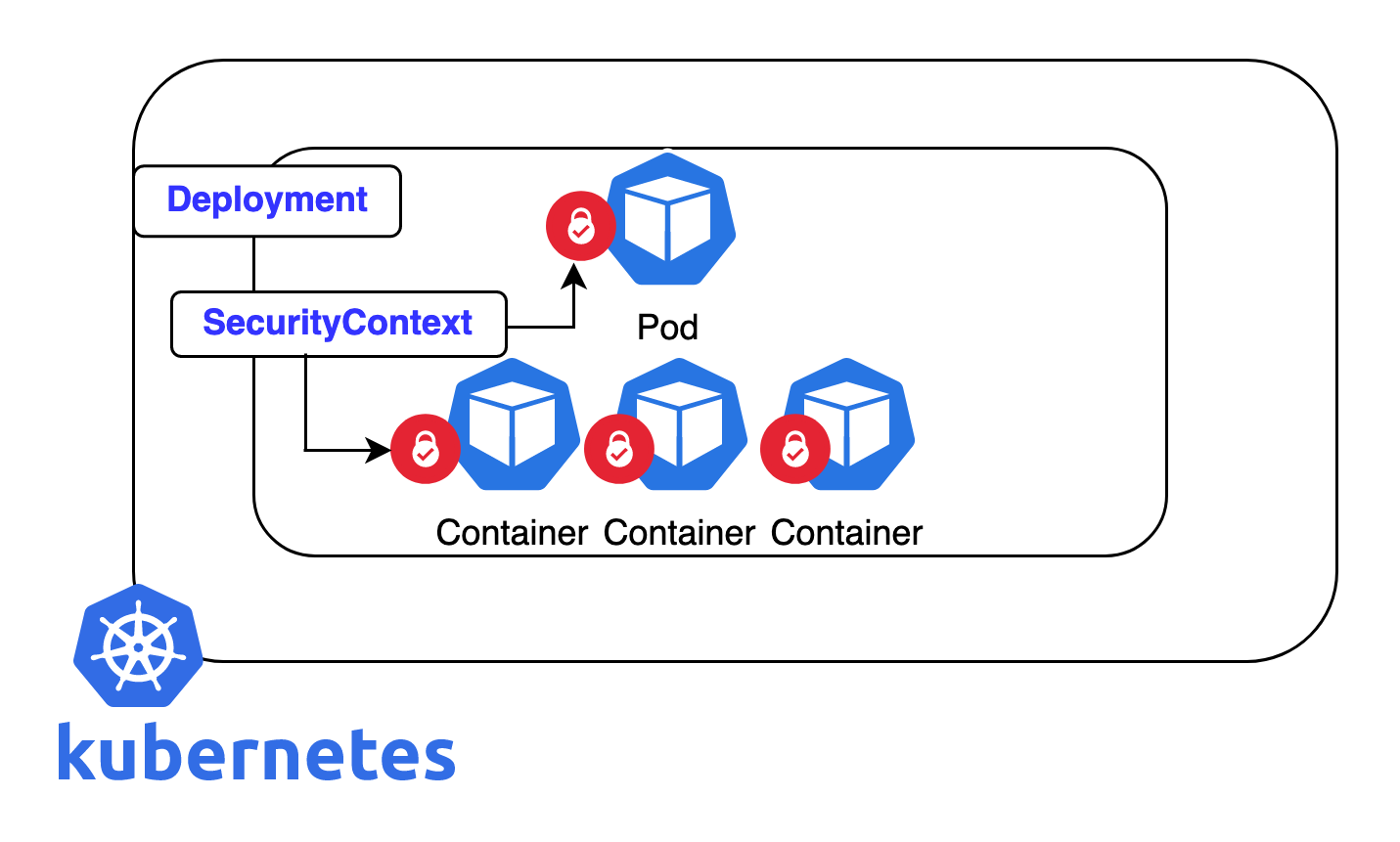
The Kubernetes documentation provides a good summary of the areas a securityContext can influence.
Configure a Security Context for a Pod or Container
Let's turn to the official documentation to see the breadth of controls a security context offers.
Read the introductory section just before 'Before you begin'. This will give you a list of the various security settings you can control, such as User/Group ID, Linux Capabilities, and read-only filesystems. We will focus on the most common and impactful of these.
For a quick reference, the image below highlights some of the most essential settings, several of which we will explore in this lesson.

3. Configuring Pod-Level Security Contexts
The most common practice is to set a baseline security policy for all containers in a Pod. You do this by defining a securityContext block at the spec level of your Pod manifest.
Key fields at the Pod level include:
runAsUser: Specifies the User ID (UID) that all container processes will run as.runAsGroup: Specifies the primary Group ID (GID) for all container processes.runAsNonRoot: true: A crucial boolean flag. If set totrue, the kubelet will validate that the container is not running as root (UID 0) before starting it. If the image tries to run as root, the Pod will fail to start.fsGroup: Specifies a supplemental group ID that will own any volumes attached to the Pod. This is very important for making volumes writable by a non-root user.
Let's see how to apply these settings and verify their effect.
Harden Kubernetes cluster with pod and container security contexts
Now, let's apply a security context at the Pod level to enforce non-root execution and control file permissions. The Earthly article provides a step-by-step guide.
Read the section '2- Applying Security Contexts on Pod Level'. Follow the example where they define runAsUser, runAsGroup, and fsGroup. Pay close attention to the verification steps using id, ps, and creating files to check ownership. This clearly demonstrates how the settings are enforced.
4. Configuring Container-Level Security Contexts
While a Pod-level context is great for a baseline, you sometimes need to grant specific privileges to one container but not others in the same Pod (e.g., a sidecar that needs special permissions). You can do this by adding a securityContext block inside a specific container's definition.
The most important rule to remember is: Container-level settings override Pod-level settings.
In addition to runAsUser, common container-level settings include:
allowPrivilegeEscalation: false: Prevents a process from gaining more privileges than its parent. It's a best practice to always set this tofalseunless you have a very specific need.readOnlyRootFilesystem: true: A powerful security measure that makes the container's root filesystem immutable. If an attacker gains access, they cannot write to the filesystem, install tools, or modify configurations. You would then mount writableemptyDirorPersistentVolumesfor any paths that legitimately need to be written to.capabilities: This allows you to use Linux Capabilities to grant a process a small subset of root's powers without giving it full root access. You canaddordropspecific capabilities.
First, let's see the override mechanism in action.
Configure a Security Context for a Pod or Container
The official Kubernetes documentation clearly explains how container-level security contexts work and override Pod-level settings.
Read the section 'Set the security context for a Container'. The example clearly shows a Pod with runAsUser: 1000 and a Container with runAsUser: 2000. The verification with ps aux proves that the container-level setting takes precedence.
Now, let's look at how to use Linux Capabilities for fine-grained privilege management.
Configure a Security Context for a Pod or Container
Sometimes, a container needs specific root-level privileges. Linux capabilities allow you to grant these without giving full root access. For example, you might need NET_ADMIN to modify network interfaces, but nothing else.
Read the section 'Set capabilities for a Container'. This example demonstrates adding NET_ADMIN and SYS_TIME capabilities and shows how to verify their effect by inspecting the process status in /proc.
Test your understanding!
You have the following Pod manifest. The nginx image, by default, runs as root (UID 0).
apiVersion: v1
kind: Pod
metadata:
  name: security-test-pod
spec:
  securityContext:
    runAsNonRoot: true
    runAsUser: 1001
  containers:
  - name: nginx-container
    image: nginx:latest
  - name: sidecar-container
    image: busybox:1.28
    command: ["sleep", "3600"]
    securityContext:
      runAsUser: 2002
      allowPrivilegeEscalation: false
- What will happen when you try to apply this manifest? Why?
- Assuming you fix the issue from question 1, what User ID will the
busyboxprocess run as? - What User ID will the
nginxprocess run as?
Show answer
- The Pod will fail to start. The
kubeletwill see the Pod-levelrunAsNonRoot: truesetting. It will then try to start thenginx-container, but since thenginximage wants to run as root (UID 0) and there is no container-levelrunAsUserto override this, therunAsNonRootconstraint is violated, and the Pod enters an error state. - The
busyboxprocess will run as UID2002. The container-levelsecurityContext.runAsUser: 2002overrides the Pod-levelrunAsUser: 1001. - The
nginxprocess will run as UID1001. It inherits this setting from the Pod-levelsecurityContextbecause it does not have its ownrunAsUsersetting to override it.
Conclusion
You've now added another critical layer of security to your Kubernetes skill set. By mastering securityContext, you can enforce the principle of least privilege not just at the API level, but at the process and filesystem level, drastically reducing the attack surface of your applications.
Key Takeaways:
- A
securityContextdefines privilege and access control settings for Pods and containers. - Always aim to run your containers as a non-root user. The easiest way to enforce this is with
runAsNonRoot: trueat the Pod level. - Use
readOnlyRootFilesystem: trueas a strong defensive measure and mount volumes for paths that require write access. - Set
allowPrivilegeEscalation: falseby default for all containers. - Apply general security policies at the Pod level and use Container-level contexts for specific exceptions and fine-tuning.
Next Up:
This lesson concludes our deep dive into core Kubernetes security concepts. You've learned how to manage identities (ServiceAccounts), control API access (RBAC), and harden your workloads (SecurityContexts). In the final lesson of this course, we will zoom out to see how these declarative YAML manifests fit into an automated, scalable workflow by discussing high-level approaches for integrating Kubernetes into CI/CD pipelines.